
Web Alert (Pro) is a powerful productivity tool designed for professionals in web development and automation. This premium version offers advanced features to enhance your web monitoring capabilities. With Web Alert (Pro), you can set custom check frequencies, apply text filters, and monitor specific numbers for changes.
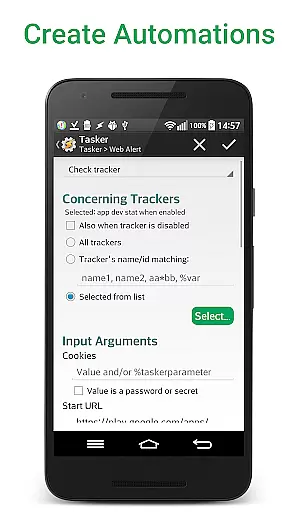
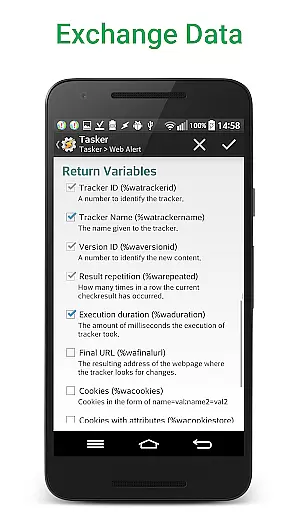
The application excels in providing detailed change notifications and exporting options. It supports regular expressions (RegEx), CSS, and jQuery selectors, making it suitable for technical users. The app also integrates with Tasker, Automate, and Automagic through an extensive plugin system, allowing for programmable functionalities without requiring programming knowledge.
Whether you're tracking price drops in online stores or monitoring website uptime, Web Alert (Pro) ensures you stay informed with precision and flexibility.
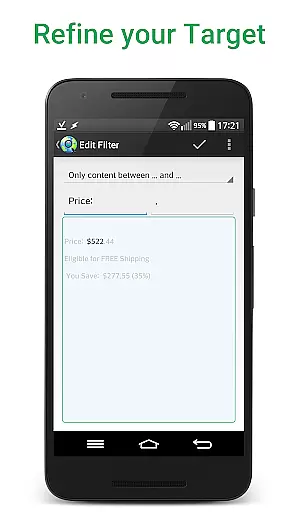
Web Alert (Pro) stands out with its comprehensive feature set tailored for power users. You can perform parallel checks and define time ranges without notifications, ensuring efficient monitoring. Advanced filtering options allow you to focus on specific text segments or numerical values, providing targeted alerts.
One of the standout features is the ability to use regular expressions (RegEx), CSS, and jQuery selectors to pinpoint changes within HTML source code. This makes the app invaluable for developers needing granular control over what aspects of a webpage are monitored. Additionally, the Tasker plugin extends functionality by enabling automation scripts that interact seamlessly with other apps.
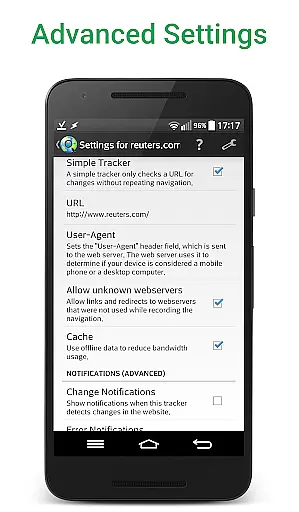
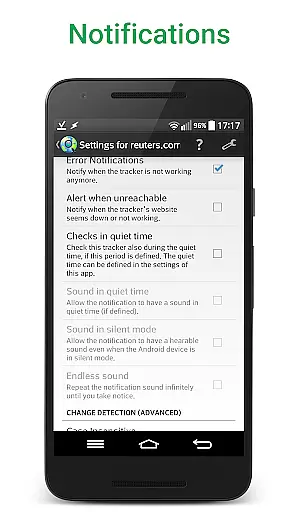
Other notable features include SSL certificate problem handling, minimum change percentage limits, duplicate alerts management, URL modifications, accidental deletion recovery, offline status notifications, zip archive exports, and import/export capabilities for your alerts.
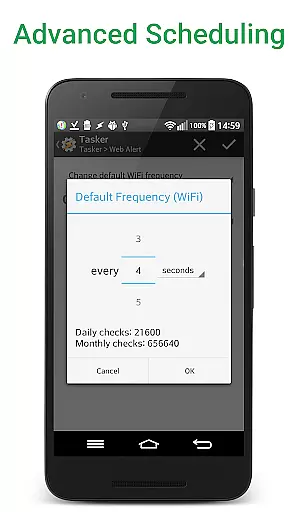
Web Alert (Pro) excels in core task management by offering advanced monitoring capabilities for web pages. The app allows users to set custom frequencies for checks, ranging from every few seconds to specific time intervals, ensuring timely updates on any changes.
With features like parallel checks and the ability to filter text between specific words, Web Alert (Pro) provides a granular approach to task management. Users can monitor numbers for changes, such as product prices, and define time ranges without checks or notifications, optimizing their monitoring strategy.
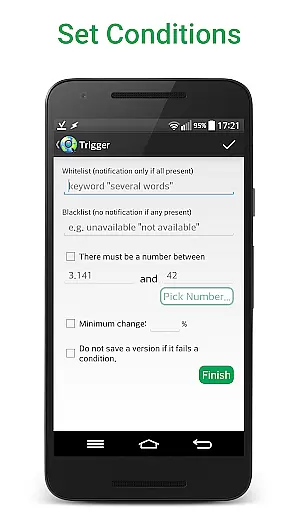
The app's ability to notify only when certain keywords are presentu2014or absentu2014enhances its utility for professionals who need precise alerts. This feature ensures that users receive notifications that matter, reducing information overload and allowing them to focus on critical tasks.
Cross-device synchronization is a standout feature of Web Alert (Pro), enabling reliable and seamless updates across multiple devices. Users can export and import their alerts, ensuring that their monitoring setup is consistent and up-to-date, regardless of the device they use.
The app supports exporting website versions as zip archives, which adds an extra layer of reliability to data management. This functionality allows users to maintain backups of important web page states, providing peace of mind and easy recovery options.
Moreover, Web Alert (Pro) includes robust integration options with tools like Tasker, Automate, and Automagic through an extensive plugin. This integration enhances cross-device synchronization by making many parts of the app programmable, even for users without programming knowledge, thus streamlining workflows and boosting productivity.
Highly customizable
Advanced filtering
Tasker integration
Comprehensive export options
Detailed change tracking
Requires free app
Complex for beginners
Premium cost
Limited UI customization
No built-in tutorials

AI Video AI Image Private LLM AI Browser Llama Gemma Ollama Connect LLM Studio
 4.2
4.2
Experience real multitasking on your Android!
4.00
Wake up & get tasks done! Add alarms & reminders on the Clock Launcher.
4.00
Protect and view your important info on your phone and tablet with eWallet®
4.80
App Lock with fingerprint, password: Lock apps & hide photos with lock screens
4.60
Font maker keyboard with your own handwriting
4.10
Secure, open-source, SPICE and SSH Remote Desktop for QEMU KVM virtual machines
4.00
A Pixel Art watchface inspired by other iconic 90s designs for Wear OS devices!
4.40
Note taking, handwriting, record audio, PDF annotation, planner & journal
4.20
aCalendar+ makes your day, week and month
4.70
Scan paperwork into PDF/JPG, generate your own e-signature and send fax or email
4.70
A lightweight JSON & XML files creator, editor and viewer (Premium Version)
4.40
Secure your apps with lock screens, use custom themes and different features.
4.40
A customizable calendar for your Wear OS watch
4.20
Customizable calendar widget for seamless event sync, planning & scheduling.
4.00
Take control of your clipboard with Clipper!
3.90
Access your phone's notifications, calls, apps, photos & texts on your PC
3.90
A Revolutionary All-in-One Artificial Intelligence Tools
3.80
A simple, portable logger for POTA, SOTA, Field Day, and more
4.5


User Reviews