
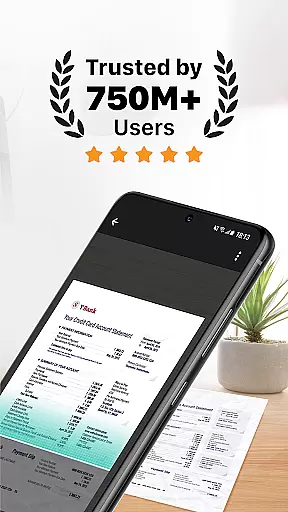
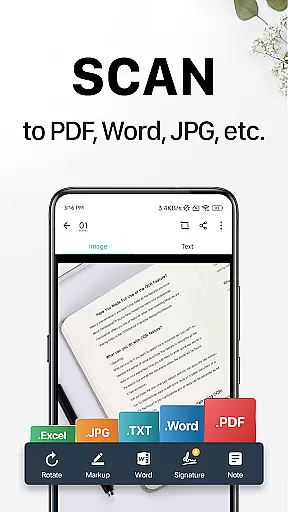
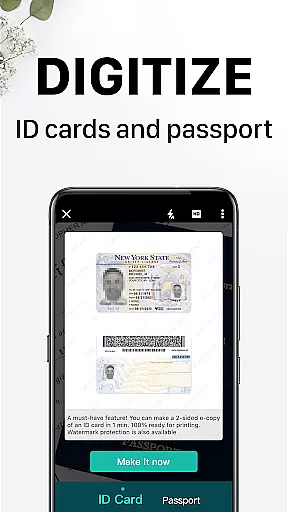
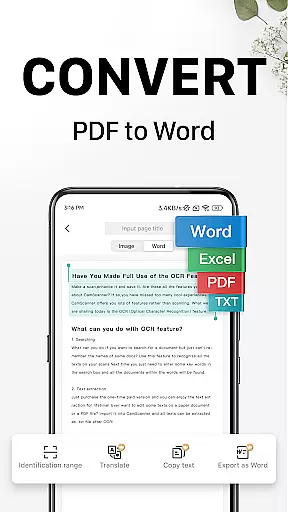
CamScanner is a versatile productivity app that transforms your mobile device into a powerful portable scanner. With advanced OCR technology, it allows users to instantly scan, save, and share documents in various formats such as PDF, JPG, Word, or TXT. Whether you need to digitize receipts, notes, invoices, or business cards, CamScanner provides a complete solution for all document management needs.
The app stands out with its smart cropping and auto-enhancing features that ensure professional-quality scans every time. Its wireless printing and remote fax capabilities make it an indispensable tool for both personal and professional use. With over 300 million users worldwide, CamScanner is the go-to app for anyone looking to streamline their document handling process.
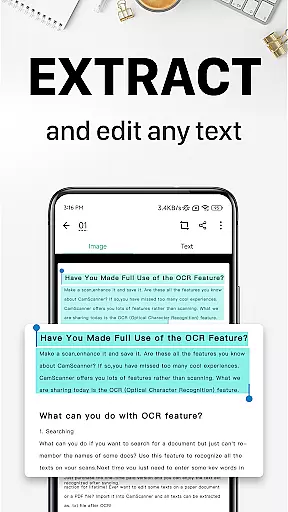
CamScanner offers a comprehensive suite of features designed to maximize productivity. The app's quick document digitization allows users to scan any type of paper document using their phone's camera. Advanced optimization tools ensure that scans have premium color and resolution quality, while the OCR feature enables text extraction from images or PDFs for easy searching and editing.
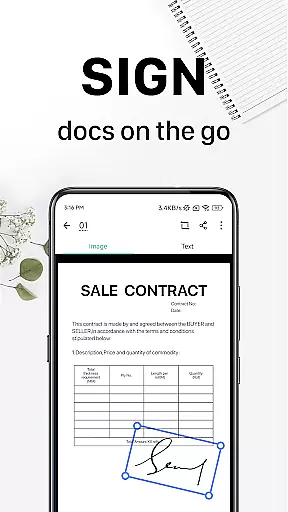
Additional functionalities include wireless printing, remote fax services to over 30 countries, and advanced document editing tools. Users can annotate documents, add customized watermarks, and enjoy robust security options like password protection for documents and download links. The sync across platforms feature ensures seamless access to documents on all devices, making CamScanner an essential tool for efficient document management.
CamScanner excels in core task management by offering a comprehensive suite of productivity tools that streamline document handling. This app allows users to quickly digitize receipts, notes, invoices, and more, transforming them into high-quality scans with smart cropping and auto-enhancement features.
The app's optical character recognition (OCR) functionality is a standout feature, enabling users to extract text from images or PDFs for easy searching, editing, or sharing. With the ability to annotate documents using various editing tools and add customized watermarks, CamScanner ensures that managing and personalizing your digital documents has never been easier.
Furthermore, CamScanner facilitates efficient organization through tagging and quick search capabilities. Users can effortlessly categorize their documents and retrieve them based on content, thanks to OCR-powered image searches. This level of accessibility and control significantly enhances productivity, allowing users to focus on their core tasks without being bogged down by document management challenges.
Cross-device synchronization is a critical feature for users who need consistent access to their documents across multiple platforms. CamScanner addresses this need by providing reliable sync capabilities that ensure all your devices are updated with the latest document versions. Whether you're on your smartphone, tablet, or computer, simply sign in to your CamScanner account to access your files.
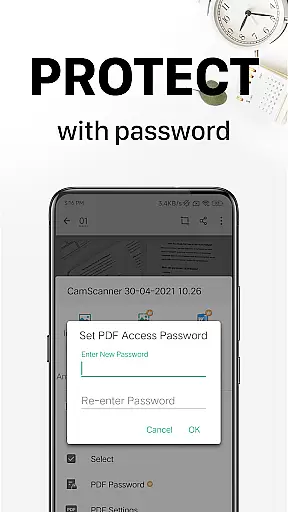
This scanner app goes beyond basic syncing by integrating advanced security measures. For sensitive documents, users can set passwords for viewing or for document download links, ensuring that confidential content remains protected across all synced devices. This added layer of security gives users peace of mind when accessing documents on the go.
Moreover, CamScanneru2019s cloud-based system supports seamless collaboration and sharing. You can easily share documents in PDF or JPEG format via social media, email attachments, or download links. The ability to wirelessly print or remotely fax documents further extends its utility, making it an indispensable tool for both personal and professional use.
Advanced OCR technology
Multi-format document support
Wireless printing capability
Remote fax services
Cross-platform syncing
Premium features require subscription
Limited free trial period
Some tools are complex for beginners
Advertisements in free version
Auto-renewal by default

Planet Free VPN - The best Fast Unlimited and Secure VPN Without Logs
 4.50
4.50
Easily read and manage all your PDF files
4.10
A simple, portable logger for POTA, SOTA, Field Day, and more
4.5
Protect and view your important info on your phone and tablet with eWallet®
4.80
IP Camera Viewer - Android TV : RTSP Surveillance camera viewer for Android TV
4.1
To do list widget with a notebook organizer, checklist, simple shopping list
4.60
Lightweight PDF, Word, Excel reader.
4.60
Daily processing of PDF documents.
4.40
Note taking, handwriting, record audio, PDF annotation, planner & journal
4.20
Multilingual translator for text, voice, and image translation!
4.90
Experience Reading - Night Mode for Documents
4.40
A lightweight JSON & XML files creator, editor and viewer (Premium Version)
4.40
Intelligent AI Assistant
4.10
The ultimate file manager for rooted devices. The original and still the best.
4.00
⏰ Finally a timer app which can run multiple timers simultaneously on your watch
3.90
Find and delete junk files & block unwanted notifications & manage files
3.70
Experience and share your SolidWorks designs on your Android® phone and tablet.
2.50
Easiest event planning, volunteer signups & parent teacher conference scheduling
2.20
A comprehensive suite of tools designed specifically for Lactation Consultants
4.3


User Reviews