
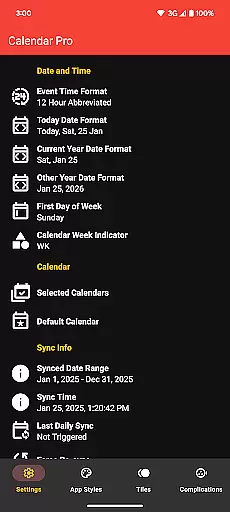
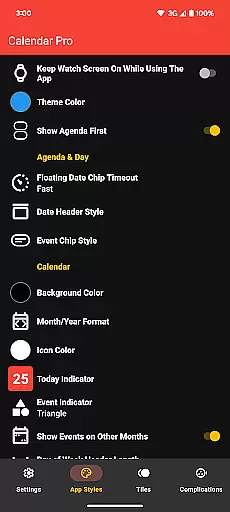
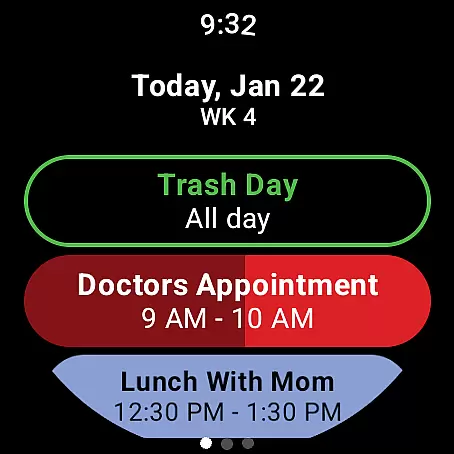
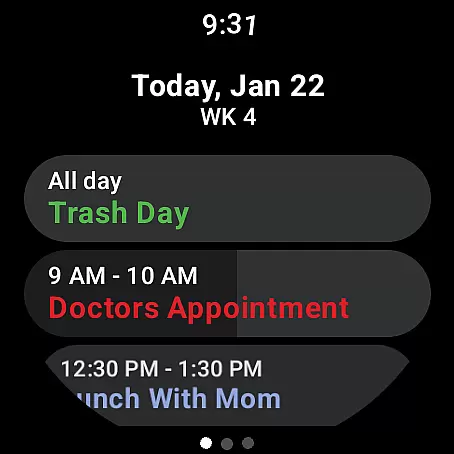
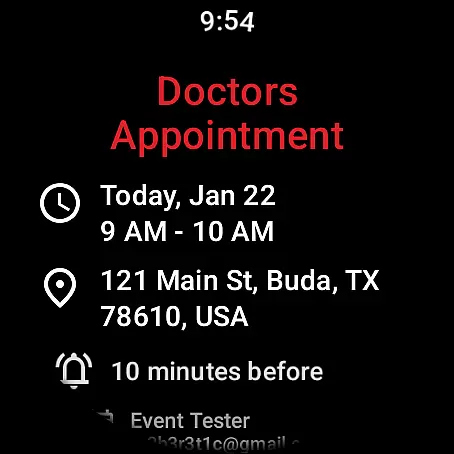
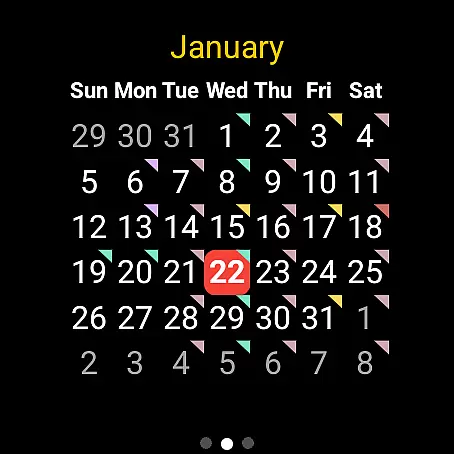
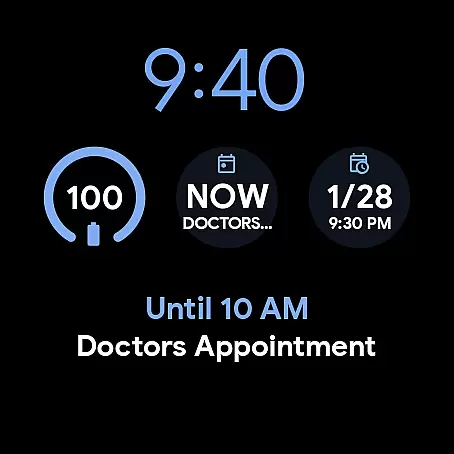
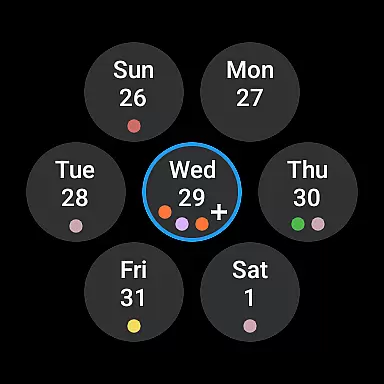
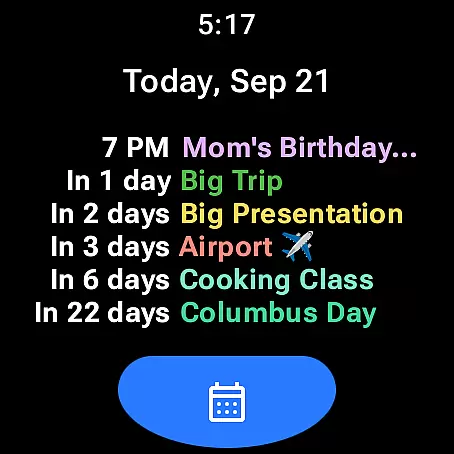
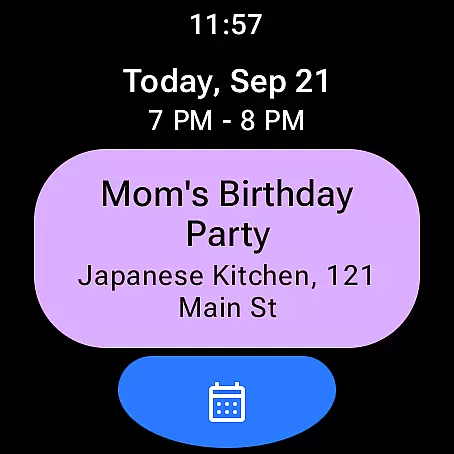
Calendar Pro for Wear OS is a comprehensive calendar solution that seamlessly integrates your phone's calendars with your Wear OS smartwatch. This productivity app allows users to manage their schedules directly from their wrist, offering features like event creation, editing, and deletion.
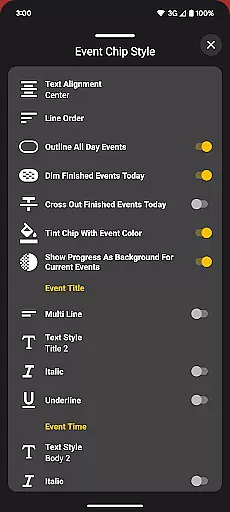
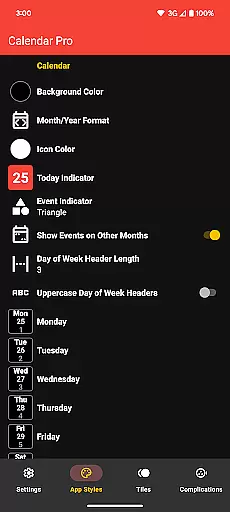
The app stands out with its extensive customization options for both month calendar and agenda views. Users can personalize background colors, date formats, event indicators, and more. With support for major calendar services including Google Calendar, Outlook, and Samsung Calendar, it ensures cross-platform compatibility.
This application is particularly valuable for busy professionals who need instant access to their schedule while on the move. The ability to view and manage events through watch complications and tiles makes it an indispensable tool for time management.
Calendar Pro offers an impressive array of features designed to enhance productivity. The app syncs up to 12 months of events and provides multiple viewing options including month, agenda, and week views. Each view can be customized with different color schemes and display preferences.
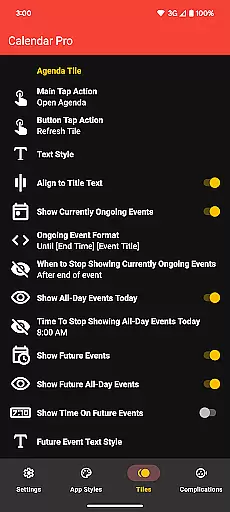
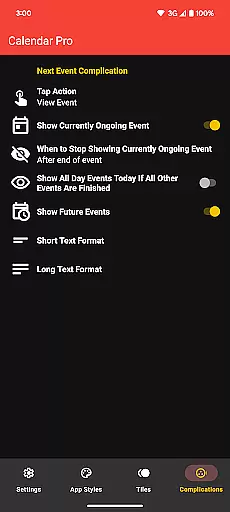
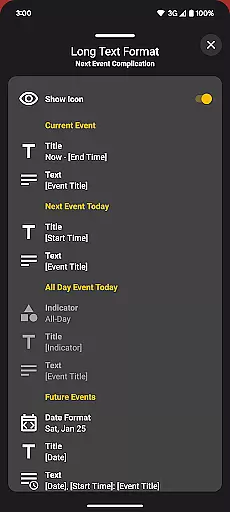
One of the standout features is the Next Event complication which supports both short and long text formats. Users can configure what information is displayed and choose which calendars to show. The app also includes various tiles - Month Calendar Tile, Agenda Tile, Week Tile, and Next Event Tile - each with its own set of customization options.
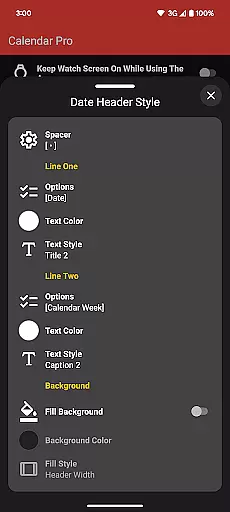
The app's strength lies in its detailed customization capabilities. From event indicator shapes to date header styles, users can tailor every aspect of their calendar experience. The inclusion of multiple theme colors and scaling options ensures optimal readability on different watch faces.
Calendar Pro for Wear OS excels in core task management by providing users with a comprehensive suite of tools to manage their schedules directly from their smartwatch. The app syncs the next 12 months of events, ensuring that users have constant access to their upcoming commitments.
One standout feature is the ability to add, edit, and delete events using the watch itself, streamlining the process of maintaining an up-to-date calendar. This hands-on approach empowers users to make changes on-the-fly without needing to reach for their phone or computer.
The customizable month calendar and agenda views offer event indicators and various styling options, allowing users to tailor the interface to their preferences. These customization options enhance the user experience by making important information easily accessible and visually distinct.
With support for multiple calendars including Google Calendar, Outlook, and Samsung Calendar, Calendar Pro ensures that all your scheduling needs are met in one cohesive application. This versatility makes it an invaluable tool for anyone looking to efficiently manage their time.
Cross-device synchronization is a critical component of Calendar Pro for Wear OS, ensuring that users can seamlessly transition between their phone and Wear OS watch without missing a beat. The app requires both the watch and phone applications to be installed, creating a robust ecosystem for reliable data exchange.
By syncing all calendars from the user's phone to the watch, Calendar Pro guarantees that every event, update, or modification made on one device is instantly reflected on the other. This real-time synchronization provides peace of mind, knowing that your schedule is always current regardless of which device you're using.
The inclusion of various tiles such as Month Calendar Tile, Agenda Tile, Week Tile, and Next Event Tile further enhances this synchronization experience. Users can quickly glance at their watch to see essential details about upcoming events, thanks to these well-designed visual aids.
Moreover, features like the Next Event watch complication demonstrate the app's commitment to keeping users informed across devices. With options to customize what information is displayed and how interactions with these complications behave, Calendar Pro offers a personalized and dependable cross-device experience.
User-friendly interface
Extensive customization
Cross-platform sync
No subscription model
Multiple calendar support
Requires phone app
Limited Samsung support
Complex setup
Premium price
Font scale limitations

 4.20
4.20
Total remote control for your Android device, PC and cloud services (IFTTT)!
4.20
Secure, fast, open-source, Remote Desktop Client for Windows and Linux with SSH
4.60
Make apps & sites with natural language prompts
4.10
PDF scanner & converter for files, photos, lottery, QR codes. One swipe away!
4.50
Secure, open-source, SPICE and SSH Remote Desktop for QEMU KVM virtual machines
4.00
Okta MFA
4.70
AT&T Internet customers can use this app to personalize their Wi-Fi network.
4.40
Note taking, handwriting, record audio, PDF annotation, planner & journal
4.20
Understand anything with a personalized AI research assistant
4.80
Lightweight PDF, Word, Excel reader.
4.60
A simple Whisper AI keyboard for reliable speech transcription and rewording
4.60
Translate text/voice/photos in 150+ languages. Offline & fast translator app.
4.50
Pwnagotchi companion app
4.20
Device's storage information in a simple and clear graphical form (infographics)
4.10
Ultimate Virtual AI Character for immersive Roleplay Chat. Perfect Companion
3.90
Remotely view listen control and record cameras.
3.70
Make your handwriting beautiful, even more than pen on paper.
3.60
Code on-the-go with VScode for Android. Edit,debug and collaborate from mobile!!
3.10


User Reviews