
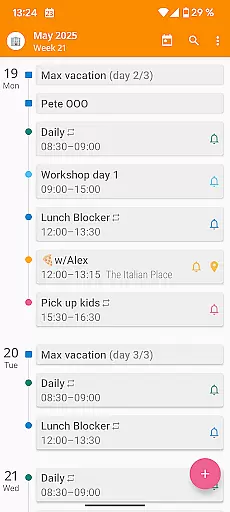

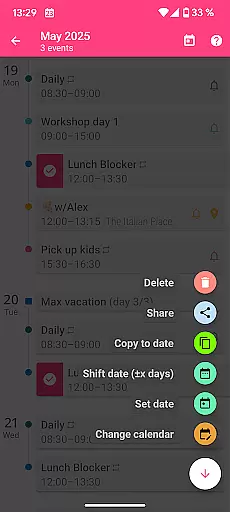
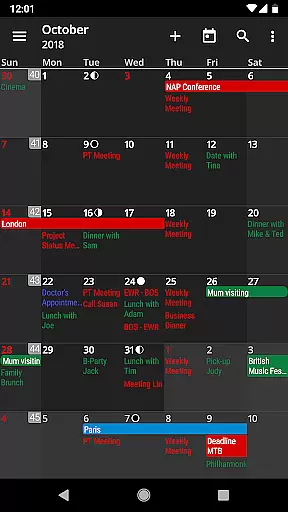
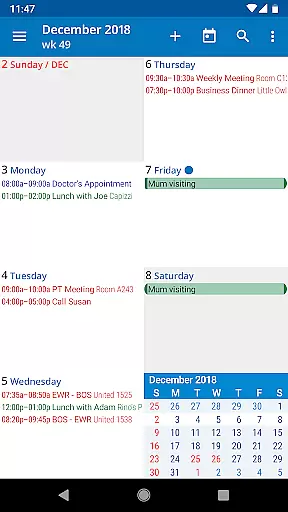
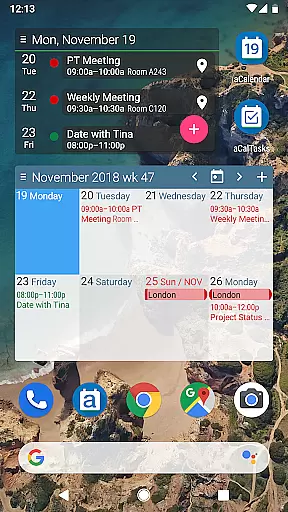
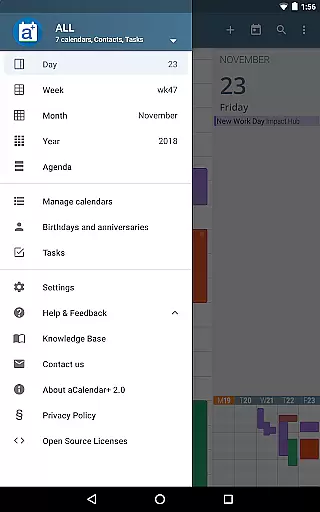
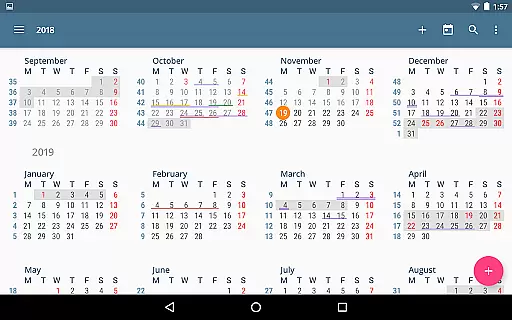
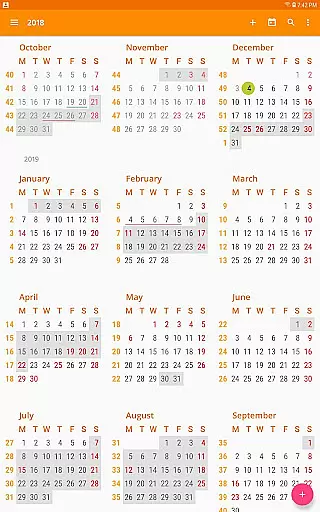
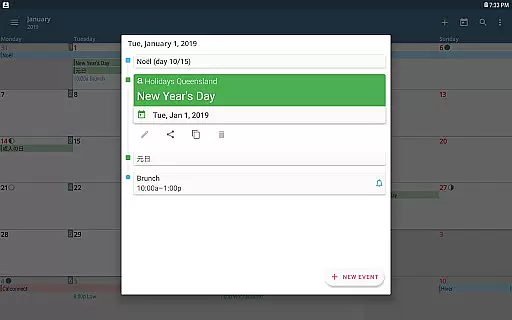
aCalendar+ is a premium productivity application designed to enhance your scheduling and task management experience. This app offers an intuitive calendar interface with day, week, month, and year views, allowing users to efficiently organize their time. With features like Fullscreen widgets and flexible recurrence options for events, it ensures seamless planning.
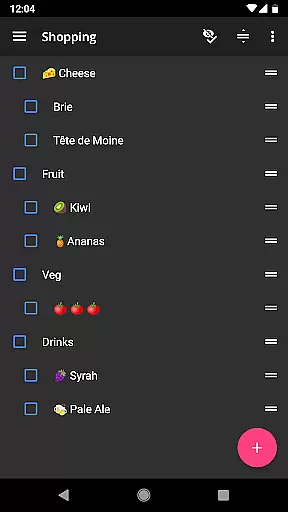
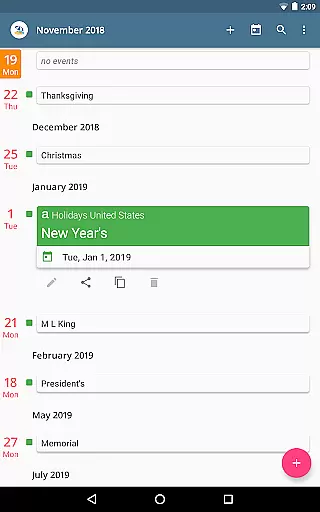
One of the standout functionalities is its ability to manage Google Tasks or tasks from CalDAV/OpenTasks, making it ideal for both personal and business use. The app also supports additional calendar features such as public holidays, more color customization, and per-event colors. By purchasing aCalendar+, users contribute to rainforest conservation, adding social value to its practical utility.
aCalendar+ boasts a comprehensive set of features that cater to diverse calendaring needs. Its navigation is smooth and user-friendly, offering multiple viewing options including day, week, month, and year views. Users can customize their experience with over 100 color choices for calendar events and enjoy flexible recurrence settings for regular activities.
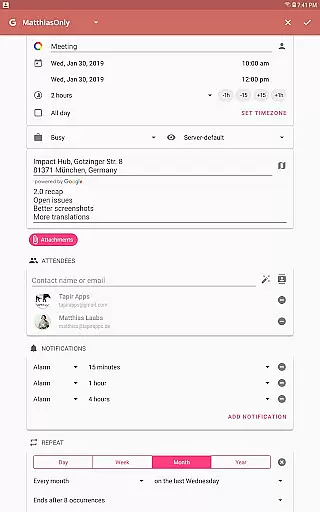
The app includes advanced functionalities such as attendee invitations, contact linking, free/busy status indicators, private profiles, and ICS sharing capabilities. Additionally, it provides Fullscreen widgets and allows event dragging in the day view for easy rescheduling. These robust features ensure that users can tailor the app to fit their unique scheduling requirements while enjoying a clutter-free interface without ads.
Task management is a cornerstone of productivity applications, and aCalendar+ excels in this area by offering users an intuitive way to organize their schedules. The app provides multiple views including day, week, month, and year, allowing for detailed planning and overview.
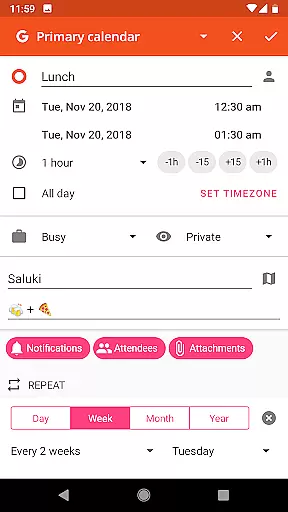
With features like flexible recurrences, users can set up events that repeat in unique patterns such as every three weeks or every Mon, Wed, and Fri. This level of customization ensures that all types of tasks can be accommodated within the user's calendar system.
The ability to manage Google Tasks or tasks from CalDAV/OpenTasks adds another layer of utility, making it simple to keep track of both personal and business-related responsibilities. Users benefit from having a consolidated space where they can view and update their tasks alongside their events.
Moreover, the app's use of Androidu2019s native calendar backend and synchronization means that updates are reliable and consistent across devices. This seamless integration enhances the overall task management experience, providing peace of mind that important deadlines and appointments won't be missed.
Cross-device synchronization is vital for users who rely on accessing their data from multiple devices throughout the day. aCalendar+ addresses this need by utilizing Android's native calendar backend, ensuring that any changes made are reliably synced across all linked devices.
This synchronization process covers not only calendar events but also tasks managed through Google Tasks or CalDAV/OpenTasks. As a result, whether you're updating a task at your desk or scheduling an appointment on the go, you can trust that these modifications will appear instantly wherever you access your account.
In addition to basic event syncing, aCalendar+ offers advanced features such as per-event colors and custom event font sizes which remain consistent across platforms. These personalized touches help maintain familiarity and ease of navigation regardless of the device being used.
By focusing on robust cross-device functionality, aCalendar+ delivers a dependable solution for individuals seeking a unified approach to managing their daily activities, thus enhancing productivity and reducing the risk of oversight or miscommunication.
User-friendly interface
Customizable event colors
Supports task management
No ads included
Contributes to charity
Paid version only
Occasional sync issues
Limited free features
Requires account setup
Advanced options may overwhelm new users

Auto-shutoff Alarm with Sunrise, Sunset & Fixed Options.
 3.50
3.50
Android Wallet Password Manager
4.80
Absolutely the best CNC machinist speed and feed calculator around. fswizard.com
4.60
CalenGoo is a very flexible and feature-rich calendar app
4.40
Enjoy classic gameplay with customizable features and retro-style graphics.
4.30
Access, manage and transfer files on Android, PC, Mac, NAS and cloud storages.
4.30
Docker, Kubernetes management over Portainer Mobile
4.40
Intelligent AI Assistant
4.10
AI Chatbot and AI writing assistant powered by ChatGPT.
4.60
Native client for Forgejo and Gitea
5.00
Mind Map and brainstorm, note taking and idea collection
4.80
Protect and view your important info on your phone and tablet with eWallet®
4.80
Secure, fast, open-source, VNC and SSH Remote Desktop for Windows, Linux and Mac
4.70
A lightweight JSON & XML files creator, editor and viewer (Premium Version)
4.40
Wake up & get tasks done! Add alarms & reminders on the Clock Launcher.
4.00
Secure, open-source, SPICE and SSH Remote Desktop for QEMU KVM virtual machines
4.00
* block pre-roll ads, pop-up and forced redirect ads * Samsung certification app
4.00
Easiest event planning, volunteer signups & parent teacher conference scheduling
2.20
A comprehensive suite of tools designed specifically for Lactation Consultants
4.5


User Reviews