
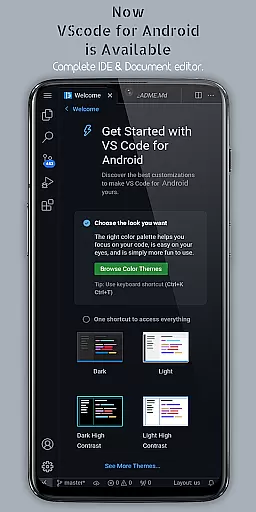
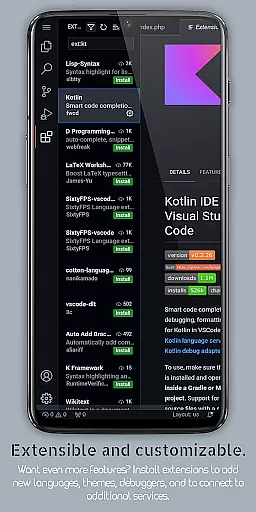
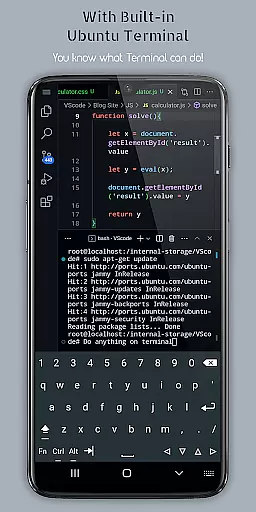
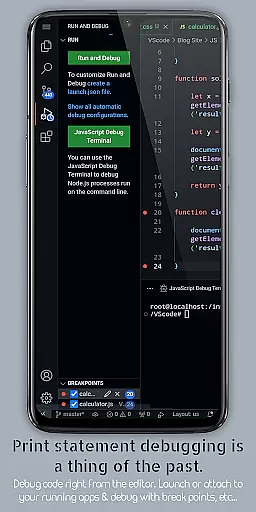
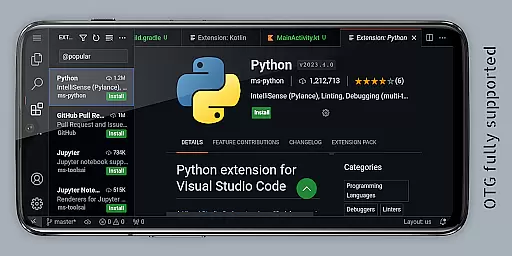
VScode for Android brings the powerful functionality of the desktop version of Visual Studio Code to your mobile device. This app allows developers to write, edit, and debug code on-the-go, supporting a wide range of programming languages and file types. With features like customizable themes, extensions, IntelliSense, debugging tools, and built-in Git support, it offers a comprehensive coding experience.
The app provides an immersive display experience with fullscreen mode, multi-cursor editing, split view editing, and a built-in terminal. It also supports remote access through a web browser using the phone's IP address and port 8080. Whether you're working on HTML, Python, Java, or other languages, VScode for Android ensures that you can code efficiently from anywhere in the world.
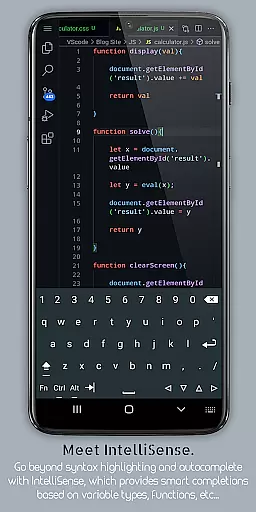
VScode for Android stands out with its robust feature set tailored for developers. The app includes support for debugging, syntax highlighting, intelligent code completion through IntelliSense, and reusable code snippets. These features ensure that coders can work efficiently and make fewer errors while writing their programs.
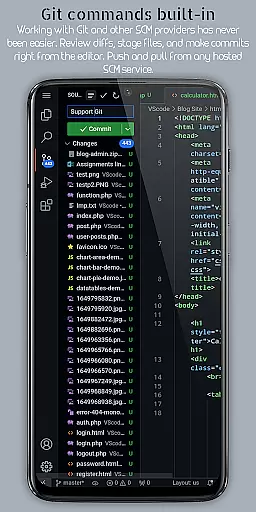
Additionally, the app offers code refactoring options, embedded Git for version control, customizable keyboard shortcuts, and an integrated task runner. Users can enjoy multi-cursor editing, split view editing, and language-specific settings, which collectively enhance productivity. The workspace management feature helps organize and switch between different projects seamlessly, making it ideal for complex development tasks.
VScode for Android revolutionizes the way developers handle task management on mobile devices. The app brings the full power of desktop Visual Studio Code to your fingertips, enabling seamless coding workflows.
At its core, the application provides robust support for essential development tasks. This includes advanced debugging capabilities, allowing users to identify and resolve code errors efficiently. With built-in Git integration, managing version control becomes an integral part of the mobile coding experience.
The app's comprehensive feature set extends to intelligent code completion through IntelliSense, syntax highlighting across multiple programming languages, and efficient code refactoring tools. These capabilities ensure that developers can maintain their productivity without being tied to a desktop environment.
Furthermore, VScode for Android offers innovative solutions like remote access through web browsers and multi-cursor editing functionality. These features demonstrate how the application successfully adapts traditional development tools for mobile productivity, making it an indispensable tool for modern developers who need to code on-the-go.
Cross-device synchronization stands as a crucial feature in today's mobile development landscape, and VScode for Android excels in this aspect. The application ensures that developers can seamlessly transition between different working environments without losing their progress or configuration settings.
The app achieves this through its sophisticated implementation of workspace management features. Users can organize and switch between various projects and workspaces with ease, maintaining consistent development environments across sessions. This capability proves particularly valuable when working on complex projects that require frequent context switching.
Additionally, VScode for Android supports real-time file access and modification permissions, allowing developers to work with documents stored anywhere on their device. The integrated terminal and split-view editing further enhance this cross-device workflow by providing desktop-grade functionality on mobile.
With its reliable synchronization of settings, extensions, and project files, the application ensures that developers enjoy a consistent experience regardless of their current device. This level of reliability in maintaining development environments across platforms demonstrates why VScode for Android has become an essential tool for productive mobile coding.
Powerful coding tool
Wide language support
Remote access capability
Efficient debugging tools
Customizable interface
Complex for beginners
Requires internet
Limited mobile optimization
Potential performance issues
No official Microsoft support

AI Video AI Image Private LLM AI Browser Llama Gemma Ollama Connect LLM Studio
 4.1
4.1
Client for Nextcloud Deck
4.60
When you Focus, so will your Bean in this cozy focus timer
4.30
Smart PDF reader & editor to view, organize and manage PDF documents easily.
3.70
Make your handwriting beautiful, even more than pen on paper.
3.60
IP Camera Viewer - Android TV : RTSP Surveillance camera viewer for Android TV
4.3
Stay on top of your to-dos with Google Tasks, part of Google Workspace.
4.60
PDF scanner & converter for files, photos, lottery, QR codes. One swipe away!
4.50
Best Tool for the professionals Electrician, Electrical contractors, etc.
4.90
Secure, fast, open-source, Remote Desktop Client for Windows and Linux with SSH
4.60
App Lock with fingerprint, password: Lock apps & hide photos with lock screens
4.60
Calendar 2023 widget for Android. Appointment scheduler, planner, and reminder
4.60
Send files, sync SMS, notifications & clipboard across devices via local network
4.40
A customizable calendar for your Wear OS watch
4.20
Unlock AutoNotification
4.00
Create and edit presentations with Google Slides, part of Google Workspace.
4.00
* block pre-roll ads, pop-up and forced redirect ads * Samsung certification app
4.00
⏰ Finally a timer app which can run multiple timers simultaneously on your watch
3.90
Access your phone's notifications, calls, apps, photos & texts on your PC
3.90


User Reviews