
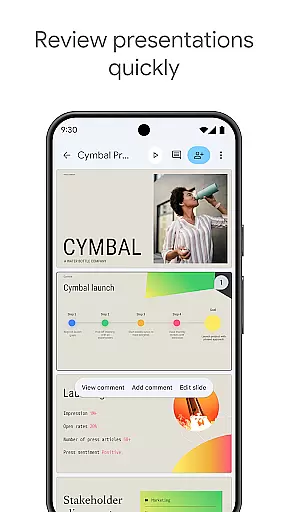
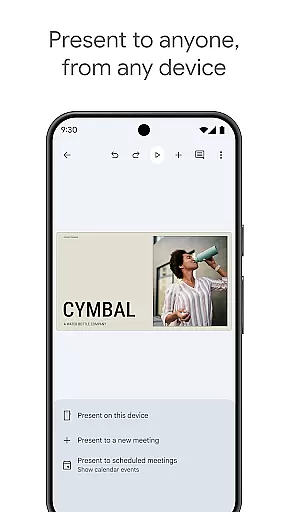
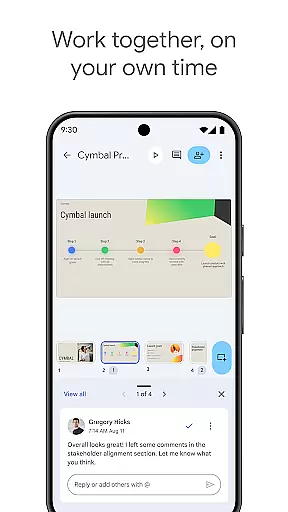
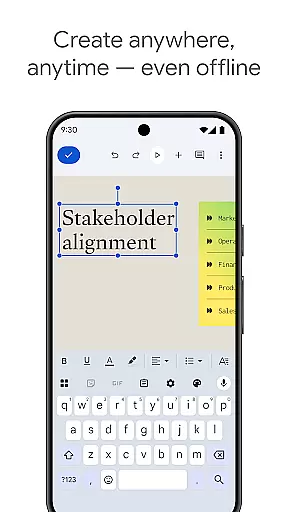
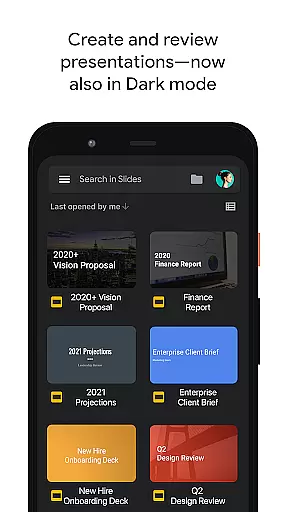
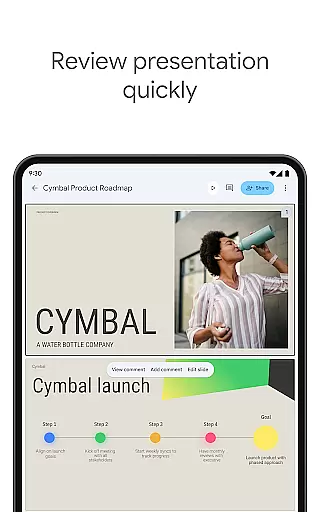
Google Slides is a powerful productivity application that allows users to create, edit, and collaborate on presentations directly from their Android devices. The app offers a comprehensive set of features including real-time collaboration, offline working capabilities, and automatic saving functionality. Users can add comments, rearrange slides, format text, and even present directly from their mobile device.
The application stands out with its smart suggestions feature that helps users design beautiful slides instantly. It also integrates seamlessly with Google Workspace, allowing teams to work together efficiently. With support for PowerPoint files and additional premium features for Google Workspace subscribers, this app provides a complete presentation solution for both individual and team use.
Google Slides offers an impressive array of features designed to enhance productivity and collaboration. The app supports real-time editing where multiple users can work simultaneously on the same presentation. It includes advanced formatting options for text and shapes, slide transitions, and media embedding capabilities.
One of the key strengths of Google Slides is its cross-platform compatibility. Users can access their presentations from any device - PCs, Macs, tablets or smartphones. The app also offers unique features like video call presentations and template suggestions. These features, combined with automatic saving and cloud storage, make it an ideal tool for creating professional-quality presentations on the go.
Google Slides excels in core task management by providing a comprehensive suite of tools for creating and editing presentations. The app allows users to build new slideshows from scratch or modify existing ones with ease, ensuring that every user can efficiently manage their presentation tasks.
The application supports real-time collaboration, enabling multiple users to work on the same presentation simultaneously. This feature is crucial for teams who need to quickly iterate and make decisions together, streamlining the entire workflow process and enhancing productivity.
With capabilities such as adding and responding to comments, rearranging slides, formatting text, and incorporating shapes, Google Slides offers an all-encompassing platform for managing presentation-related tasks. These features ensure that users can handle every aspect of their projects within a single, unified environment.
Cross-device synchronization is a standout feature of Google Slides, allowing users to start their work on one device and seamlessly continue on another. Whether transitioning from a desktop to a mobile phone or tablet, users can trust that their progress is saved automatically and is accessible wherever they go.
This reliable synchronization ensures that teams can collaborate effectively regardless of their physical location. Whether team members are working from home, in the office, or on the move, Google Slides keeps everyone aligned and up-to-date with the latest changes, fostering a cohesive work environment.
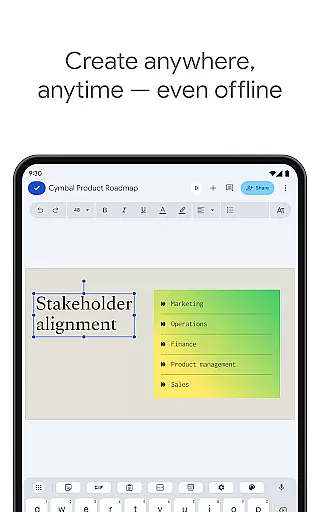
In addition to its robust syncing capabilities, Google Slides also supports offline work, which means users can continue to create and edit presentations even without an internet connection. Once online, all changes sync across devices, maintaining consistency and reliability in task management.
User-friendly interface
Real-time collaboration
Automatic saving
Cross-platform support
Free to use
Limited offline features
Fewer templates than competitors
No advanced animation tools
Requires internet connection
Basic formatting options

QuickBooks Workforce lets teams view pay info and track time in one place.
 4.70
4.70
Experience Reading - Night Mode for Documents
4.40
Mega cloud explorer plugin for Solid Explorer
3.80
Professional calendar app for Google Calendar, MS Outlook & Exchange
4.20
CalenGoo is a very flexible and feature-rich calendar app
4.40
App Lock with fingerprint, password: Lock apps & hide photos with lock screens
4.60
Fill, sign & send docs, forms, agreements & contracts via electronic signature.
4.50
Best Tool for the professionals Electrician, Electrical contractors, etc.
4.90
Access your phone's notifications, calls, apps, photos & texts on your PC
3.90
Protect and view your important info on your phone and tablet with eWallet®
4.80
Stay on top of your to-dos with Google Tasks, part of Google Workspace.
4.60
Calendar 2023 widget for Android. Appointment scheduler, planner, and reminder
4.60
Lightweight PDF, Word, Excel reader.
4.60
Enjoy classic gameplay with customizable features and retro-style graphics.
4.30
All in One PDF Reader: Manage, Read and Edit your Documents
4.20
Device's storage information in a simple and clear graphical form (infographics)
4.10
Unlock AutoNotification
4.00
AI Video AI Image Private LLM AI Browser Llama Gemma Ollama Connect LLM Studio
4.4
The upgraded version of Name Wheel with AI and the power to add your own wheels.
4.0


User Reviews