
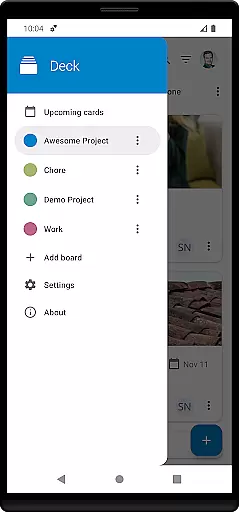
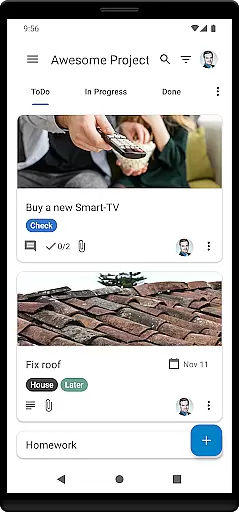
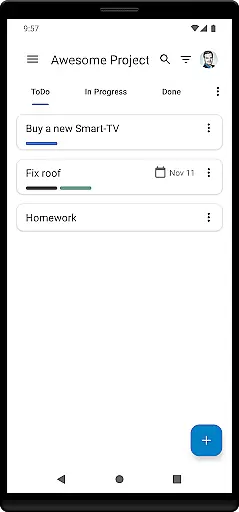
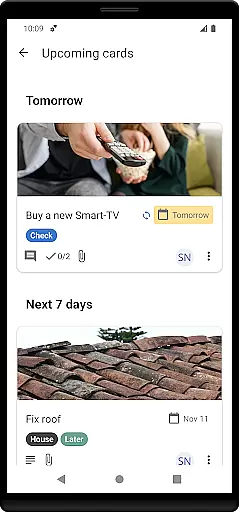
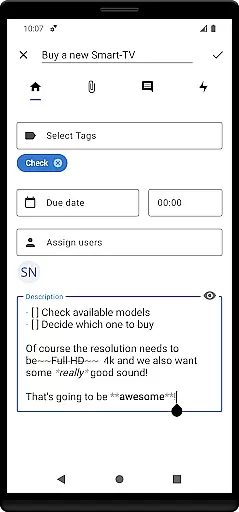

Nextcloud Deck is a productivity-focused application designed to streamline task management and team collaboration. This app allows users to create, organize, and manage cards, lists, and boards efficiently, making it an ideal tool for both personal task tracking and team project management.
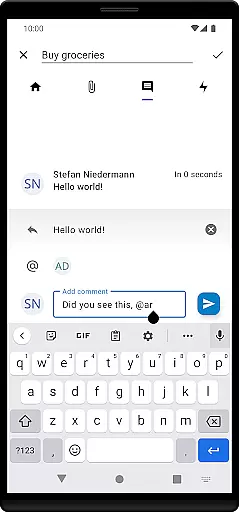
One of the standout features of Nextcloud Deck is its support for multiple accounts and offline functionality, ensuring that users can access their data anytime, anywhere. Additionally, the app supports attachments, activities, and comments, providing a comprehensive platform for communication and document sharing. With dark mode and multi-language support, Nextcloud Deck offers a customizable and accessible user experience tailored to individual preferences.
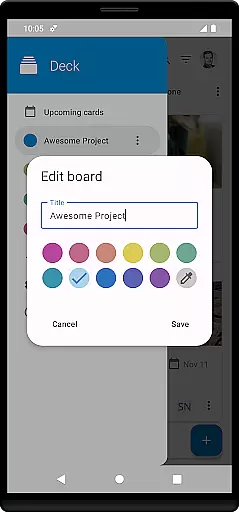
Nextcloud Deck boasts a variety of features that enhance productivity and collaboration. The app's core functionality revolves around managing cards, lists, and boards, which can be customized with tags for better organization and prioritization. This makes it easy for users to keep track of different tasks and projects.
In addition to task management, Nextcloud Deck supports attachments, activities, and comments, allowing team members to collaborate effectively by sharing documents and communicating within the app. The inclusion of dark mode provides a comfortable viewing experience, especially in low-light environments, while the app's translation into many languages ensures global accessibility. These features collectively contribute to a seamless and efficient workflow, making Nextcloud Deck a valuable tool for individuals and teams alike.
Nextcloud Deck offers a robust platform for managing tasks through its card, list, and board system. This structure allows users to organize their projects efficiently by categorizing tasks into manageable units.
The app supports multiple accounts, enabling users to handle various projects or collaborate with different teams from a single interface. Its offline functionality ensures that users can continue managing their tasks even without an internet connection, providing flexibility in diverse working environments.
With features like tags, attachments, activities, and comments, the app enhances task management by offering tools for detailed organization and communication. These elements help users prioritize tasks, track progress, and maintain clear communication within their teams.
Cross-device synchronization is a core feature of Nextcloud Deck, ensuring that all changes made on one device are reliably updated across all others. This seamless integration is vital for users who switch between devices throughout their day.
The app's requirement for the Nextcloud Android app further strengthens its synchronization capabilities, providing a consistent experience whether on a desktop or mobile device. This compatibility ensures that users have access to their most current data regardless of the device they are using.
Additionally, the app's support for real-time updates and its integration with the broader Nextcloud ecosystem guarantees that users always have the latest information at their fingertips. This reliability fosters trust in the system, allowing users to focus on their tasks without worrying about data consistency.
User-friendly interface
Offline functionality
Multi-account support
Comprehensive collaboration tools
Customizable experience
Requires Nextcloud setup
Limited standalone functionality
No built-in calendar
Dependent on third-party integrations
Advanced features need technical knowledge

Ads Free App! Editor, Hide File, Copy, Move, Delete and Rename.. all facility av
 1.70
1.70
A lightweight JSON & XML files creator, editor and viewer (Premium Version)
4.40
Protect and view your important info on your phone and tablet with eWallet®
4.80
We're working to become the best machining app on the market! www.cncdirt.com
4.80
IP Camera Viewer - Android TV : RTSP Surveillance camera viewer for Android TV
4.3
Make apps & sites with natural language prompts
4.10
Stay on top of your to-dos with Google Tasks, part of Google Workspace.
4.60
Activate Two Factor Authentication (2FA or Multi OTP), Password manager and more
4.10
Scientific calculator for Android - looks and operates like the real thing!
4.90
Android Wallet Password Manager
4.80
The long-awaited modern gallery app for your Nextcloud server
4.70
To do list widget with a notebook organizer, checklist, simple shopping list
4.60
This small app MUST BE INSTALLED after purchase, else license won't work
4.40 4.20
4.20
Pwnagotchi companion app
4.20
Font maker keyboard with your own handwriting
4.10
Smart PDF reader & editor to view, organize and manage PDF documents easily.
3.70
ID.me Authenticator is a simple and free Two Factor Authentication solution
3.50
AI Video AI Image Private LLM AI Browser Llama Gemma Ollama Connect LLM Studio
4.3


User Reviews