
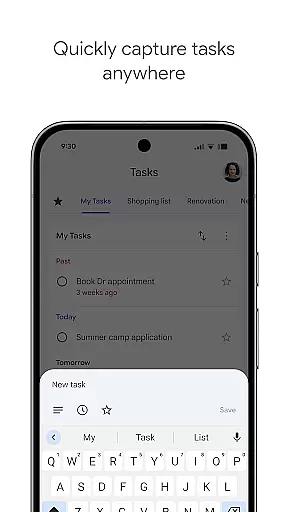
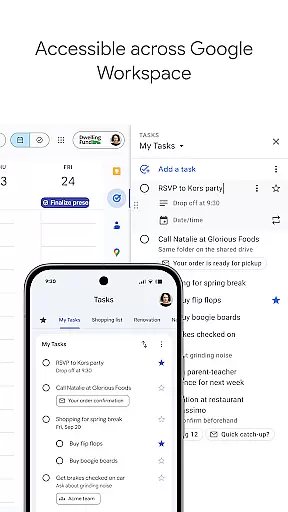
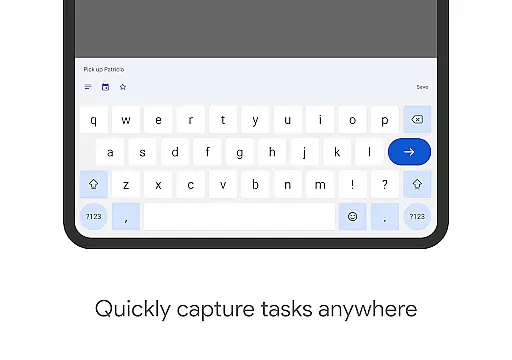
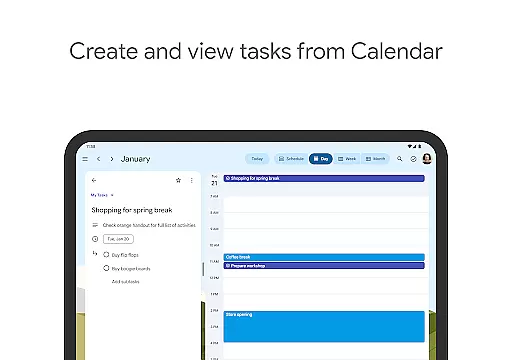
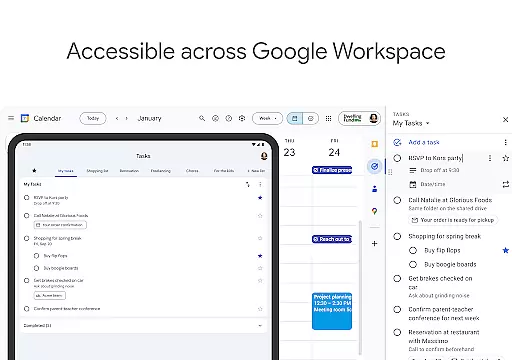
Google Tasks is a productivity app designed to help users efficiently manage their daily tasks and stay organized. The app allows you to capture, manage, and receive reminders about your to-dos from any location and at any time. With seamless synchronization across all devices, Google Tasks ensures that your task lists are always up-to-date whether you're using a phone, tablet, or computer.
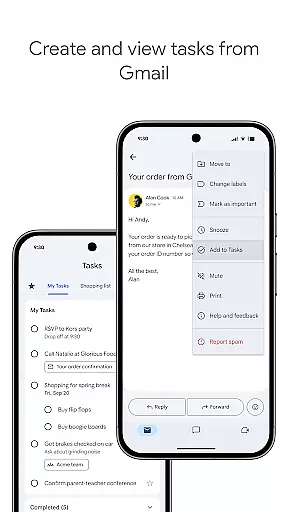
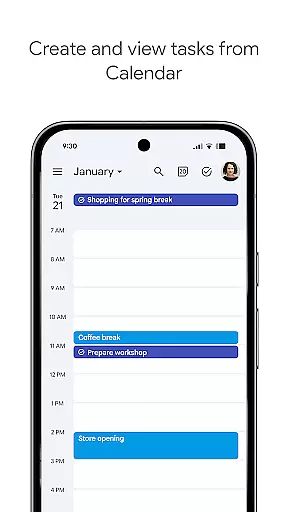
One of the standout features of Google Tasks is its deep integration with Gmail and Google Workspace, allowing users to create tasks directly from emails and access them within their workflow. This makes it easier to track multi-step projects, set deadlines, and prioritize tasks by reordering or starring important items. Whether for work or personal use, Google Tasks provides an intuitive way to break down complex projects into manageable subtasks, ensuring nothing falls through the cracks.
Google Tasks offers a variety of features that enhance task management and productivity. Users can view, create, edit, and organize tasks on the go, making it ideal for busy professionals who need flexibility in managing their responsibilities. The app supports multiple task lists, enabling users to categorize tasks based on topics, priorities, or projects, which helps maintain better organization.
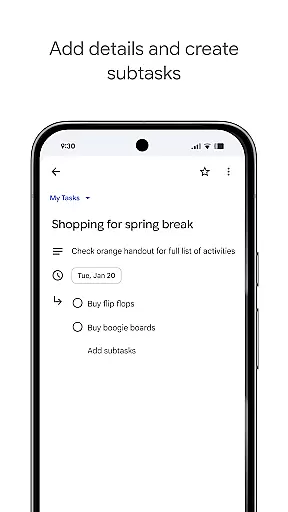
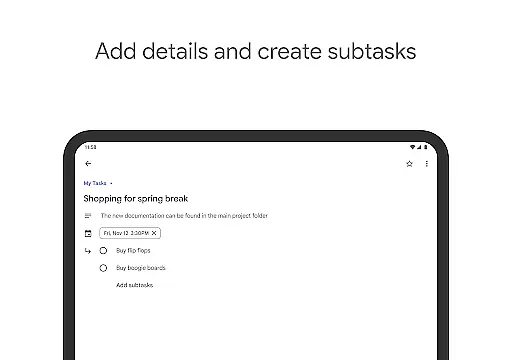
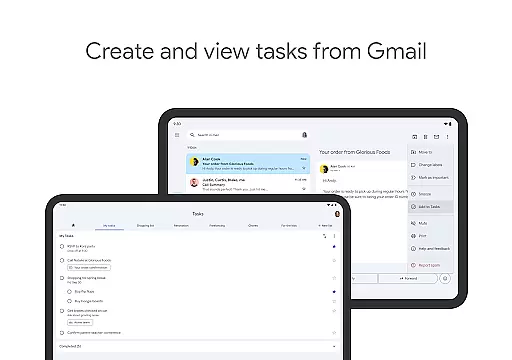
A key feature is the ability to prioritize tasks using drag-and-drop functionality or by marking critical tasks with a star. For more complex assignments, users can create subtasks, breaking larger objectives into smaller, actionable steps. Additionally, setting due dates and receiving timely notifications ensures that deadlines are met without fail. Integration with Gmail allows tasks to be created directly from emails, including links back to the original message for quick reference, streamlining workflows and enhancing efficiency.
Google Tasks offers a robust core task management system that ensures users can efficiently handle their to-do lists. The app allows you to view, create, edit, and manage tasks from any location and at any time, providing unparalleled flexibility.
One of the standout features is the ability to organize tasks into different lists based on topics or priorities. This helps users categorize their responsibilities effectively, ensuring nothing gets overlooked. Additionally, prioritization is made easy through drag-and-drop functionality, which lets you reorder tasks effortlessly.
For more complex projects, Google Tasks supports subtasks, breaking down larger objectives into manageable components. This feature not only aids in tracking multi-step tasks but also enhances productivity by clarifying the steps needed for completion.
Cross-device synchronization is a critical feature of Google Tasks, ensuring that your to-do lists are always up-to-date across all your devices. Whether you're using a smartphone, tablet, or computer, the app syncs your tasks seamlessly, so you have access to your information wherever you go.
This reliable synchronization extends to integrations with Gmail and Google Workspace, streamlining workflows and helping you complete tasks faster. For instance, you can create tasks directly from emails in Gmail, with links back to the original message for easy reference.
By maintaining consistent updates and offering real-time access to your tasks, Google Tasks ensures that you never miss an important deadline or forget a crucial item on your list. This reliability makes it an indispensable tool for staying organized and productive.
User-friendly interface
Seamless cross-device sync
Deep Gmail integration
Flexible task prioritization
Subtask support for complex projects
Limited advanced features
No built-in calendar view
Basic design aesthetics
Occasional sync delays
Few customization options

The long-awaited modern gallery app for your Nextcloud server
 4.70
4.70
Unlock AutoNotification
4.00
Wake up & get tasks done! Add alarms & reminders on the Clock Launcher.
4.00
8 custom complications. Custom Time Fonts. Beautiful color schemes. A++ Design.
5.00
Multilingual translator for text, voice, and image translation!
4.90
ID.me Authenticator is a simple and free Two Factor Authentication solution
3.50
Translate text/voice/photos in 150+ languages. Offline & fast translator app.
4.50
Access your phone's notifications, calls, apps, photos & texts on your PC
3.90
Secure your apps with lock screens, use custom themes and different features.
4.40
Simple notepad & memo. Take notes, to-do list, shopping list with reminders.
4.80
A simple Whisper AI keyboard for reliable speech transcription and rewording
4.60
Calendar 2023 widget for Android. Appointment scheduler, planner, and reminder
4.60
Experience Reading - Night Mode for Documents
4.40
Access, manage and transfer files on Android, PC, Mac, NAS and cloud storages.
4.30
Pwnagotchi companion app
4.20
Activate Two Factor Authentication (2FA or Multi OTP), Password manager and more
4.10
Create and edit presentations with Google Slides, part of Google Workspace.
4.00
Take control of your clipboard with Clipper!
3.90
A simple, portable logger for POTA, SOTA, Field Day, and more
4.1


User Reviews