
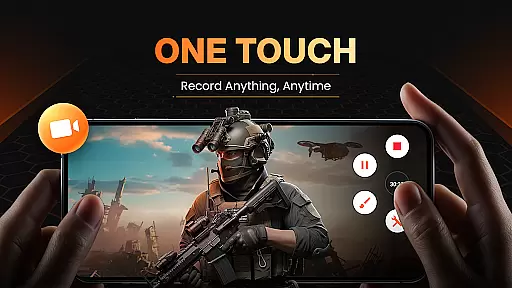
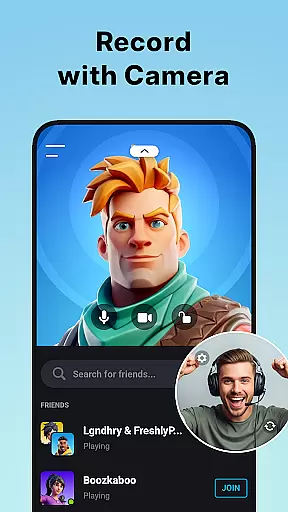
XRecorder is a versatile screen recording application designed for Android users who need to capture high-quality screen videos, gameplay sessions, and live streams without limitations. The app offers advanced features such as internal audio recording (for Android 10 or above), YouTube & RTMP live streaming, and facecam functionality that allows users to express reactions freely. With support for up to 120 FPS recording and Full HD video export, XRecorder ensures smooth and clear recordings tailored to various use cases.
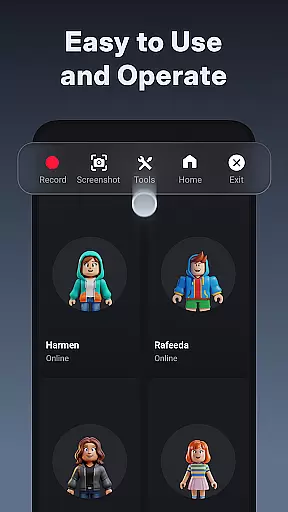
One of the standout features of XRecorder is its customizable floating ball interface, which provides quick access to essential functions like starting/stopping recordings, taking screenshots, and managing settings. The app also includes a robust video editor with trimming, cropping, rotating capabilities, speed control, music addition, and stylish filters. Whether you're creating tutorials, capturing gameplay highlights, or producing content for social media platforms, XRecorder delivers professional-grade tools in an easy-to-use package.
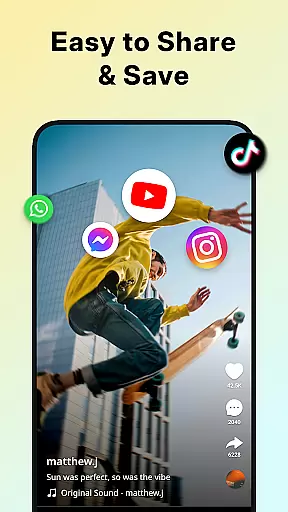
The application's value extends beyond simple screen recording; it serves as a comprehensive toolkit for content creators, gamers, educators, and anyone looking to document their digital experiences effectively. By offering no watermark, no root requirement, and no time limits on recordings, XRecorder empowers users to produce clean, uninterrupted videos suitable for sharing across multiple platforms.
XRecorder distinguishes itself through a rich set of features designed to enhance the screen recording experience. The app supports internal audio recording without background noise, making it ideal for creating tutorials, presentations, or capturing gameplay sounds clearly. Its YouTube & RTMP live streaming capability enables users to broadcast directly to popular platforms, fostering engagement with audiences in real-time. Additionally, the facecam feature lets users overlay their webcam feed onto the screen recording, allowing for personalized commentary or reactions.
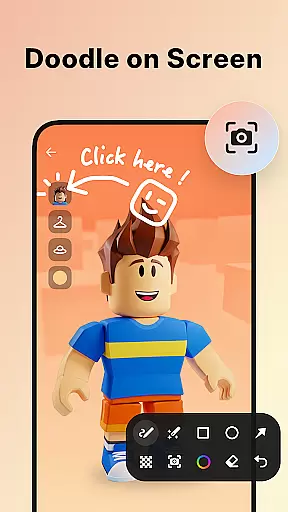
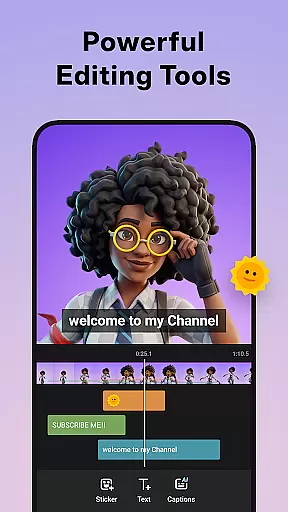
Another notable aspect is the inclusion of brush tools that let users draw on the screen during captures, adding a unique touch to their creations. The built-in video editor offers extensive post-production options, including trimming, splitting, cropping, rotating, adjusting ratios, adding music, applying stickers and text, using stylish filters, and controlling playback speed. These tools ensure that every recorded clip can be refined into a polished final product ready for distribution.
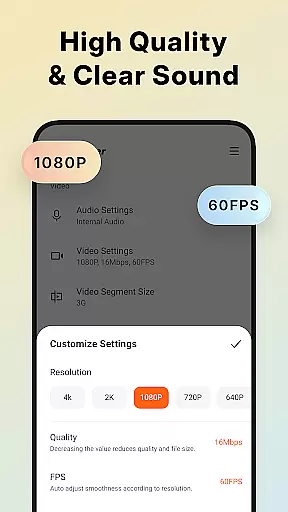
XRecorder also provides flexibility in output settings, supporting resolutions from 240p to 1080p, frame rates between 15FPS and 60FPS, and bitrates up to 12Mbps. Users can customize the floating window style and opacity, enable one-tap trash control, and choose alternative storage locations like internal memory or SD cards. Such versatility makes XRecorder not just a screen recorder but a complete multimedia production suite adaptable to diverse user needs.
Video format compatibility is a crucial feature for any video player and editor, ensuring that users can work with a wide range of video files without the need for conversion. Screen Recorder - XRecorder supports an extensive array of formats, from standard MP4 to high-resolution 1080p videos at 60FPS, providing flexibility for both casual and professional use.
The application allows users to export Full HD videos with custom settings, ranging from 240p to 1080p, up to 60FPS, and bitrates as high as 12Mbps. This versatility ensures that whether you're recording gameplay or editing a video project, your content maintains its intended quality and compatibility across different devices and platforms.
Moreover, the ability to adjust resolution, quality, and FPS means that users are not locked into a one-size-fits-all solution. Whether it's for optimizing file size for sharing on social media or ensuring maximum clarity for a professional presentation, XRecorder provides the necessary tools to tailor your video output precisely to your needs.
AI-powered editing features represent the cutting edge of video editing technology, enabling users to enhance their videos with intelligent tools that simplify complex tasks. Screen Recorder - XRecorder incorporates such features, offering functionalities like automatic video trimming, splitting, and the ability to remove unwanted sections seamlessly.
In addition to basic editing, the app includes creative options such as adding popular music tracks, applying stylish filters, and incorporating fun stickers and text overlays. These AI-driven capabilities allow users to personalize their screen captures and produce content that stands out, regardless of whether they're creating tutorials, gaming highlights, or personal vlogs.
Furthermore, speed adjustments and the option to save projects as drafts ensure that users can fine-tune their edits over time, experimenting with different styles and effects until they achieve the perfect result. With these powerful editing tools at their disposal, creators can focus on their content, confident that XRecorder will support their vision with smart, intuitive features designed to streamline the editing process.
High-quality recording
No watermark
Customizable UI
Live streaming
Facecam support
Android 10+ required
Feature overload
Storage intensive
Learning curve
Ads present

The smartest M3U IPTV Player your playlists have ever seen.
 4.1
4.1
A full editing room to accompany your Insta360 cameras and handheld gimbals.
3.30
Fast, private downloading, video saving, social media
4.50
Photo and Music Video Creator into Stunning Videos—Effortlessly
4.40
A Quick and Pro Video Editor
4.70
?100% FREE! Download & save videos? safely in this app. All formats supported.
4.60
KineMaster, Your Ultimate Video Editor!
4.40
Live TV, anywhere in your home
3.80
Make videos you’re proud to share with Edits, a video editor for creators.
4.70
Download Hub, easy and private way to download and enjoy your videos offline
4.80
HD Video player all format, HD Videos, Cast & Subtitle. No annoying ads.
4.60
Cast Videos from Web Browser, IPTV to Roku, Chromecast, DLNA, Smart TV +more
4.60
Fast & Private Video Downloader App. Save all videos easily from the Internet.
4.40
KMPlayer Plus (Divx Codec) officially support Divx codec.
4.30
Turn your phone into a wireless camera!
4.20
Video player with 4K & 1080P support, popup play, background play and subtitle.
4.20
Your media, on your terms.
4.10
Make your own Animations, Video and Photo Edits, Visual Effects, and more!
4.00
Browser for Sony TV to stream web videos, online movies and live tv
3.20


User Reviews