
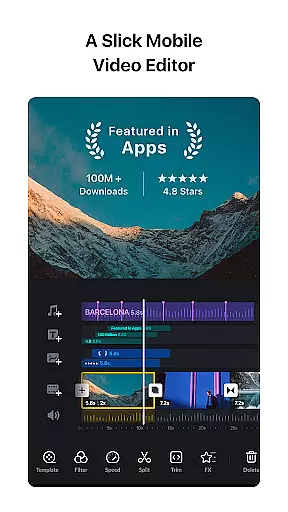
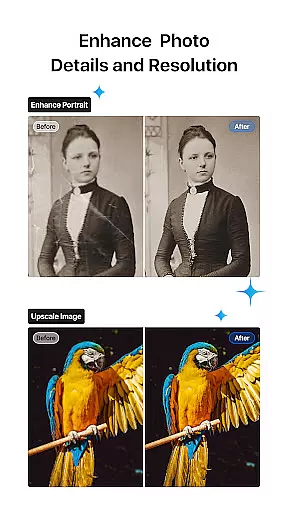
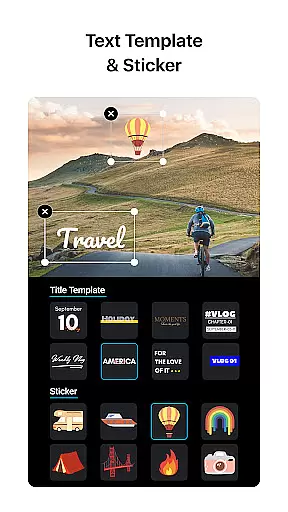
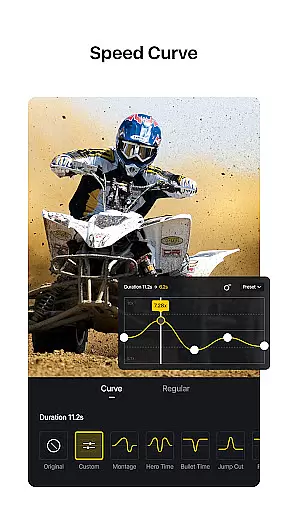
VN is a versatile video editing app that combines professional-grade features with an intuitive interface, making it accessible for both amateur and experienced editors. The app offers a complete suite of tools including multi-track editing, keyframe animation, speed curve adjustments, and rich cinematic filters. With support for 4K resolution export and advanced customization options, VN empowers users to create high-quality videos without watermarks.
One standout feature is its precise editing capabilities, allowing frame-by-frame adjustments as short as 0.05 seconds. Users can easily add music beats, voice-overs, and creative transitions while personalizing their projects with text templates and picture-in-picture effects. Whether you're editing on mobile or collaborating across devices via cloud services, VN ensures a seamless experience.
This app is particularly useful for content creators who need to produce professional-looking videos for platforms like YouTube or social media. Its non-destructive editing approach and customizable export settings make it a reliable choice for various video editing needs.
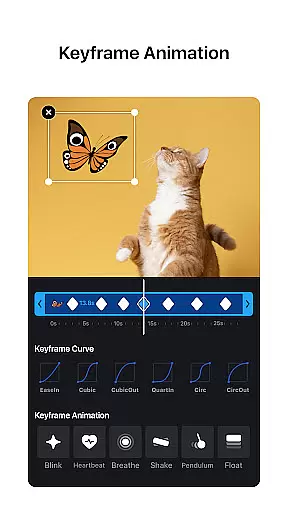
VN distinguishes itself through its robust feature set tailored for detailed and creative video production. The multi-track timeline supports drag-and-drop functionality, enabling users to layer videos, images, stickers, and text effortlessly. Advanced tools such as keyframe animation and reverse/zoom effects allow for dynamic visual storytelling, while the Speed Curve function provides precise control over playback timing similar to industry-standard software like Adobe Premiere Pro.
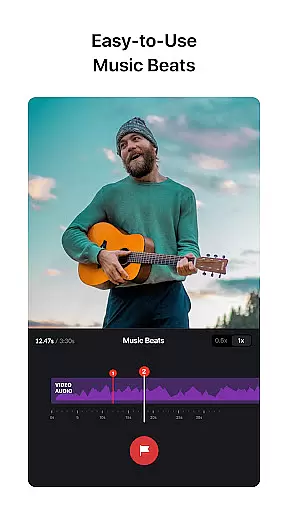
The app also excels in audio enhancement with its Music Beats tool, which lets users align edits with musical rhythms. High-quality voice-over recording and customizable text templates further enrich the creative process. Additionally, VN facilitates collaboration by integrating with Google Drive and OneDrive, ensuring projects can be transferred between devices securely and efficiently.
For those seeking cinematic polish, VN includes rich color grading filters and LUT (.cube) file imports. These features help achieve professional aesthetics without requiring extensive technical knowledge. Overall, VN's comprehensive toolkit bridges the gap between accessibility and advanced editing power.
One of VN's standout features is its extensive video format compatibility, ensuring users can work with a wide array of file types without the need for prior conversion. This flexibility allows both amateur and professional video editors to import and export videos in their preferred formats, streamlining the editing process.
The app supports popular formats such as MP4, AVI, MOV, and many others, making it versatile for different project requirements. Whether you're creating short social media clips or longer cinematic pieces, VN accommodates various resolutions and frame rates, up to 4K at 60 FPS, providing crisp and clear output every time.
Moreover, this compatibility extends to audio files and images, enabling seamless integration of diverse media into your projects. Users can easily incorporate music, sound effects, and visual elements without worrying about format issues, enhancing creativity and efficiency.
By removing technical barriers related to file formats, VN empowers creators to focus on storytelling and visual expression, ultimately delivering high-quality content that meets industry standards.
VN incorporates advanced AI-powered editing features that significantly enhance the video production process. These intelligent tools assist users in automating complex tasks, allowing even beginners to achieve professional-grade results with minimal effort.
A key feature is the automatic beat-sync tool, which intelligently aligns video cuts with music beats. This creates dynamic and rhythmic edits that elevate the overall impact of the video. Additionally, AI-driven stabilization ensures smooth footage, compensating for shaky camera movements without compromising video quality.
The app also offers smart color grading through AI filters that adapt to the video's content, providing cinematic looks with a single tap. Users can choose from a variety of presets or import custom LUTs for personalized color correction, achieving consistent and polished visuals across projects.
These AI capabilities not only save time but also open new creative possibilities, enabling users to experiment with sophisticated techniques while maintaining full creative control over their final output.
User-friendly interface
Professional export options
Extensive customization tools
Real-time collaboration features
No watermark on videos
Limited advanced tutorials
Occasional performance lags
Fewer third-party plugin integrations
Basic sound mixing controls
Ads in free version

The smartest M3U IPTV Player your playlists have ever seen.
 4.0
4.0
Connect 2 UVC devices for recording and broadcast video/audio stream
3.90
Watch full episodes of your favorite Cartoon Network and Cartoonito shows!
3.50
Tik & Story Saver-Download ALL social media videos, photos & reels no watermark.
4.80
AirMirror Receiver - Screen mirroring/cast web videos to Android TV by AirPlay.
4.40
Cast to Smart TV, Fire TV. Cast video, photo - Fast & Stable!
3.90
AI Video Editor with Music, Filter, Slideshow, Effect, Merge & Trim Video.
4.80
Livestream, news, & gaming content. Watch, chat, and upload. Join Rumble today!
3.80
Fast private browser with secure, seamless access & supported video downloads!
4.00
#1 Torrent App on Android ** No Ads Ever + Battery Saver **
4.80
Cast to Chromecast, Xbox, Fire Stick, Roku, DLNA, Smart TV & No Feature Limited!
4.50
HD video maker with no watermark, no ads & vlog maker with music, PIP, text
4.50
Video player, file manager for all formats, 4K/HD media player supports subtitle
4.30
Movie maker & video editing app with AI effects and green screen
4.30
Your media, on your terms.
4.10
VLC for Android is the best open source video and music player, fast and easy!
4.10
IPTV-Smarters Player Pro M3U - Watch Live Stream TV Channels with Chromecast
4.00
HD video & music player - All format support with floating & PIP mode!
3.80
Live TV, anywhere in your home
3.80


User Reviews