
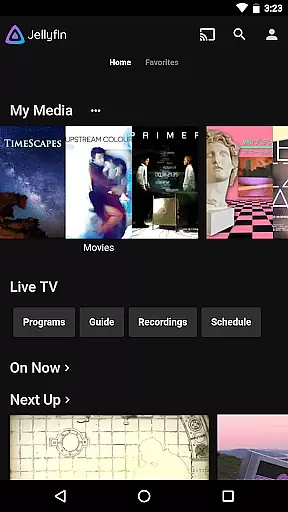
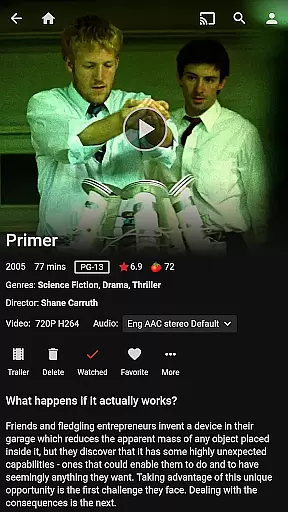



Jellyfin is an open-source media server and player that gives you complete control over your personal media library. This Android app serves as the official companion to Jellyfin, allowing users to stream their stored audio, video, and photos directly from their Jellyfin server to their mobile device. With no fees or tracking, Jellyfin offers a privacy-focused solution for enjoying media on the go.
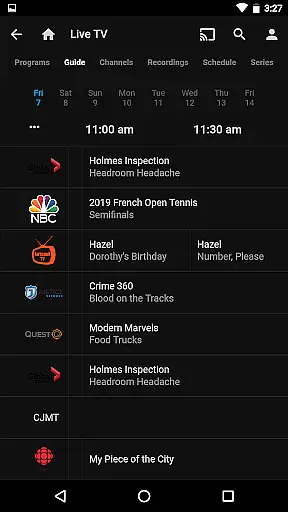
Key features include Live TV support, Chromecast integration, and an intuitive interface for easy navigation of your media collection. Whether you're streaming movies during a commute or managing your entire media library, Jellyfin provides a seamless experience across devices.
Ideal for users who value privacy and flexibility, Jellyfin eliminates the need for third-party streaming services by hosting everything on your own server. Perfect for tech-savvy individuals or families looking to consolidate their media into one secure, accessible location.
Jellyfin stands out with its robust feature set tailored for media enthusiasts. The app supports Live TV and DVR functionality, enabling users to watch and record live broadcasts through compatible hardware connected to their Jellyfin server. Its Chromecast integration allows for effortless streaming to TVs or other supported devices within the same network.
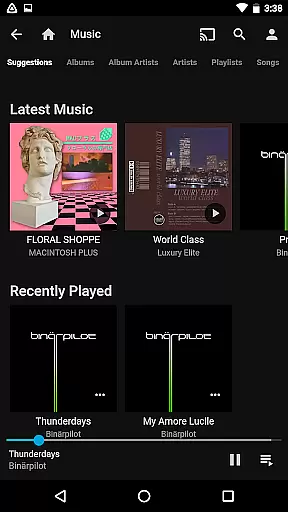
The app's sleek interface organizes your media library in an easy-to-navigate manner, presenting all your content in a visually appealing way. Music lovers will appreciate Android Auto compatibility, which lets you enjoy your favorite tracks while driving (requires online connectivity).
Additional notable features include offline playback options, parental controls, and customizable user profiles. These functionalities ensure Jellyfin caters to diverse user needs, whether it's creating kid-friendly viewing environments or downloading content for travel.
Video format compatibility is a crucial feature for any video player, ensuring that users can enjoy their media without worrying about file type restrictions. Jellyfin excels in this area by supporting a wide range of video formats, from common ones like MP4 and AVI to more specialized codecs such as MKV and OGG.
The app's robust decoding capabilities allow seamless playback of videos encoded with popular codecs like H.264, H.265 (HEVC), VP9, and many others. This ensures that whether you're streaming content from your Jellyfin server or playing local files on your Android device, the experience remains smooth and uninterrupted.
For users, this means unparalleled flexibility in managing their media libraries. You can consolidate all your video content in one place without needing to convert files into specific formats. The comprehensive format support also extends to subtitle files, enabling an enhanced viewing experience with accurate language representation.
Moreover, Jellyfin's active open-source community continuously works on expanding its compatibility list. This ensures that as new video formats emerge, the platform quickly adapts to support them, keeping your media library future-proof and accessible across different devices and platforms.
While primarily known as a media server and streaming solution, Jellyfin incorporates several AI-powered features that enhance the video management and playback experience. These intelligent capabilities help users organize and interact with their media collections more effectively.
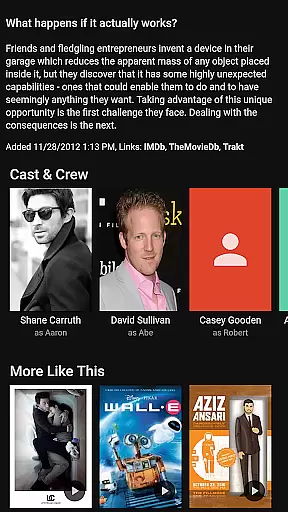
The application utilizes machine learning algorithms to automatically tag and categorize video content. This includes identifying actors, scenes, and objects within videos, creating rich metadata that improves searchability and organization. Users can easily find specific moments or categorize their collections based on automatically generated tags.
Another notable AI feature is the smart thumbnail generation. The system analyzes video content to select optimal preview images that accurately represent each file. This automated process ensures that media libraries maintain professional-looking thumbnails without requiring manual selection.
Additionally, Jellyfin's AI capabilities extend to audio processing, where it can automatically adjust volume levels and equalization settings based on content analysis. While not traditional editing tools, these intelligent features significantly enhance the overall media management experience, making it more efficient and user-friendly while maintaining the integrity of original content.
User-friendly interface
Free and open-source
Strong privacy protection
Live TV and DVR support
Chromecast compatibility
Requires separate server setup
Limited offline music
No built-in media store
Dependent on network quality
Advanced features need extra hardware

Fast, private downloading, video saving, social media
 4.50
4.50
Video Player - Unlimited features, 30 days money back guarantee.
4.60
HD video maker with no watermark, no ads & vlog maker with music, PIP, text
4.50
VLC Remote lets you control your VLC Media Player on Mac, PC or Linux.
4.60
This app was created to edit the metadata of music files.
4.20
Download website videos fast&privacy
4.40
Powerful Video Editor & Photo Editing App —— Quick Edits & Stunning Effects!
4.30
Add date and time watermark to photos and videos
4.50
Manage your IPTV live channels and VOD playlists (no playlist included)
3.80
GENRAL PRO - General Pro is the best video player that fully supports all formats.
4.70
Create photo video with music & template. AI video maker for stunning slideshow.
4.60
Photo and Music Video Creator into Stunning Videos—Effortlessly
4.40
KineMaster, Your Ultimate Video Editor!
4.40
Powerful video player with advanced hardware acceleration and subtitle supports
4.20
Stream Web Videos to Chromecast, Samsung, LG, Sony, Roku, Fire TV, DLNA + more
4.00
Kodi media center, a free and open source cross-platform entertainment hub
3.60
AirMirror is Receiver for Screen Mirroring and Casting from Apple Devices.
3.60
This app is an emulator of some specific IPTV boxes
3.50
Browser for Sony TV to stream web videos, online movies and live tv
3.20


User Reviews