
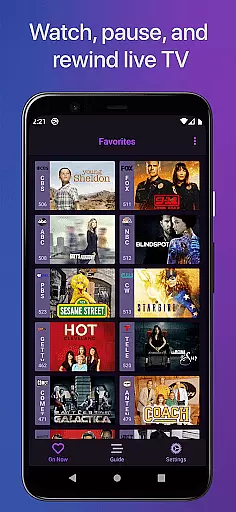
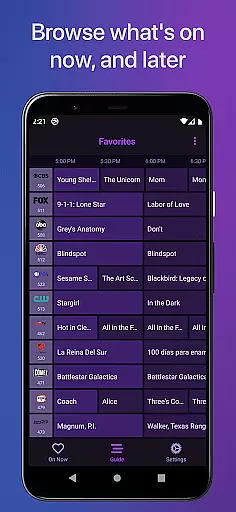
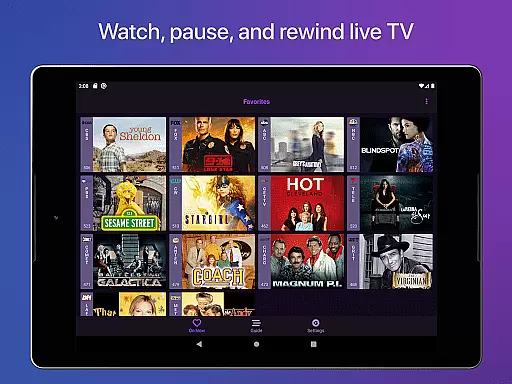
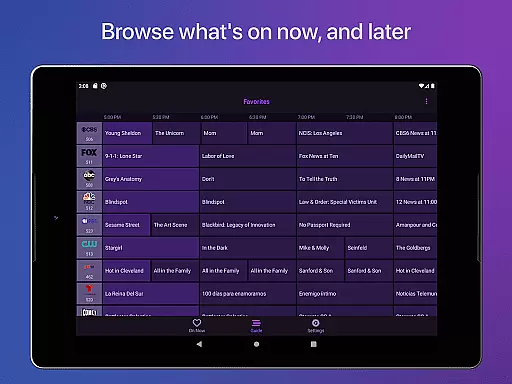
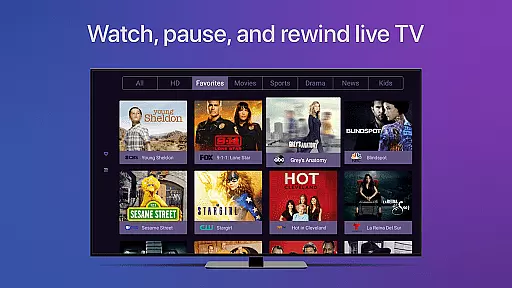
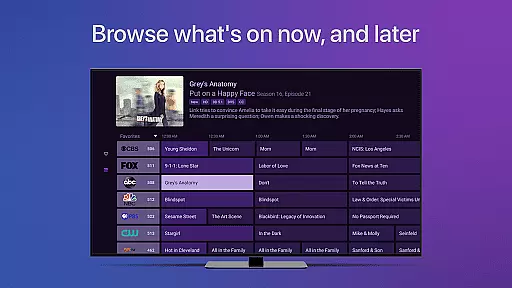

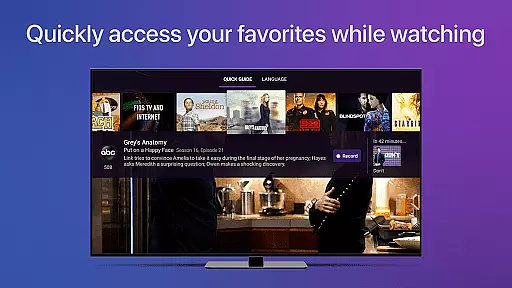
Channels for HDHomeRun is a versatile live TV streaming application designed specifically for Android users who own an HDHomeRun networked TV tuner. This app allows you to seamlessly watch, pause, and rewind both local and cable TV directly on your Android device. With advanced features such as full HD streaming, 5.1 surround sound, closed captioning, and comprehensive support for VoiceOver, Channels ensures an immersive viewing experience. The app also offers a full grid guide, channel favoriting, and the ability to browse other channels while watching TV, making it a complete solution for managing your live TV needs.
One of the standout features of Channels is its ability to integrate live TV into your existing digital ecosystem. Whether you're interested in sports, award shows, local news, or primetime TV, Channels brings these live events right to your Android device without the need to switch inputs. By using a single antenna, you can distribute live TV to any screen in your home, saving money by eliminating the need for multiple cable boxes. Additionally, the intuitive interface and advanced functionalities like auto discovery and DVR management make Channels an indispensable tool for modern TV consumption.
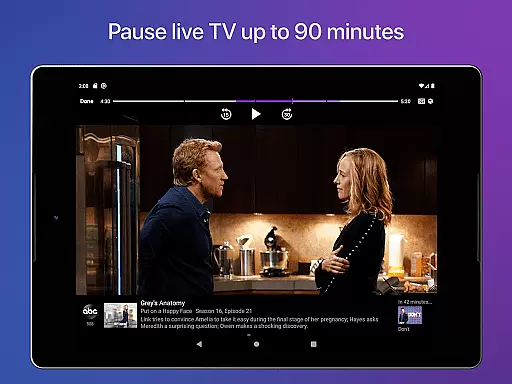
Channels for HDHomeRun boasts a wide array of features that cater to diverse user needs. One of its core functionalities is the ability to pause, rewind, and fast forward live TV, providing users with unprecedented control over their viewing experience. The app supports full HD streaming, ensuring crystal-clear picture quality, while 5.1 surround sound delivers an immersive audio experience. Closed captioning and VoiceOver support further enhance accessibility, making the app suitable for users with different preferences and requirements.
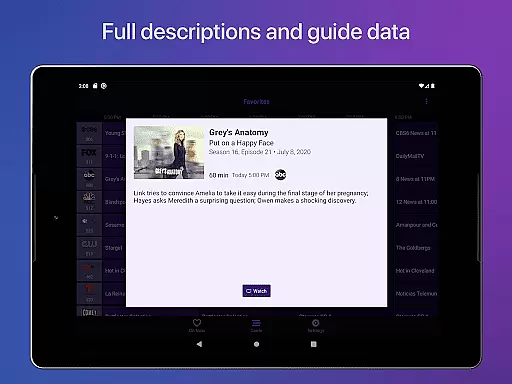
Beyond basic TV functionality, Channels offers several advanced features. Users can access a full grid guide to easily navigate through available programming and mark favorite channels for quick access. The app's innovative buffer system allows viewers to jump back up to 90 minutes, depending on device storage. Furthermore, Channels supports comprehensive device management, enabling users to control their HDHomeRun devices directly from the app. These features collectively ensure that Channels provides a sophisticated, user-friendly platform for enjoying live television on Android devices.
Channels for HDHomeRun offers extensive video format compatibility, ensuring users can enjoy a wide range of content without worrying about format issues. The app supports various formats that are commonly used in broadcasting, including full HD streaming where bandwidth permits.
The application works seamlessly with HDHomeRun networked TV tuners, allowing you to stream live TV directly to your Android device. Whether you're using an antenna for over-the-air broadcasts or have a cable subscription, Channels ensures that the video quality is preserved and delivered in its best possible form.
With support for 5.1 Surround Sound and closed captioning, Channels provides an immersive viewing experience. This means whether you're watching sports, news, or entertainment, you'll get high-quality audio and optional subtitles, making it accessible and enjoyable for all users.
It's important to note that DRM-protected streams aren't currently supported, which might limit some content playback. However, for most users, Channels' broad format support will meet their needs for enjoying live television on the go.
While Channels for HDHomeRun focuses primarily on live TV streaming, it incorporates AI-powered features that enhance the user experience. Although not a traditional video editor, Channels uses smart technology to optimize the streaming process and provide users with a seamless viewing experience.
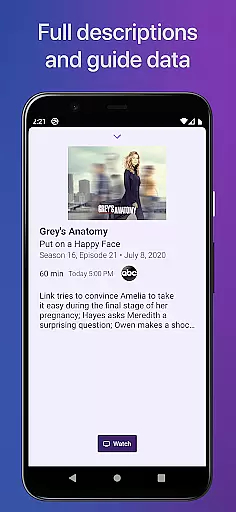
The app includes an advanced guide data system and full grid guide, which utilize AI to predict and display relevant content to users. This helps viewers easily find and watch the programs they're interested in without having to sift through countless channels manually.
Additionally, Channels offers voice-over support and channel favoriting, which use intelligent algorithms to adapt to user preferences. These features allow for personalized navigation and quick access to frequently watched channels, effectively acting as an intelligent layer over traditional TV viewing.
Although Channels doesn't offer conventional video editing tools, its AI-driven capabilities ensure that users can efficiently manage their viewing experience, making it more intuitive and tailored to individual preferences.
User-friendly interface
Full HD streaming
5.1 Surround Sound
Closed captioning
VoiceOver support
Requires HDHomeRun tuner
No DRM stream support
Network dependency
Limited external use
Premium subscription needed

HD Video player all format, HD Videos, Cast & Subtitle. No annoying ads.
 4.60
4.60
Tik & Story Saver-Download ALL social media videos, photos & reels no watermark.
4.80
Turn your phone into a wireless camera!
4.20
Browser + Remote for Roku to stream webvideos, online movies and livestreams
4.60
Fast & Private HD Video Downloader with Built-in Proxy Browser and Video Player.
4.50
Screen recorder with audio to take live videos & Screenshot in high quality!
4.70
Viddo: Generate Action Figure, AI Anime, AI kiss, AI hug Video from image & text
4.40
Photo editor & video maker with music and slideshows.
4.10
Capture the moment and Cut
3.40
Seamlessly connect and control your smart devices, anytime, anywhere with ease.
4.60
Auto video maker with music & exclusive filters. Video editing made simple.
4.50
Fast, private downloading, video saving, social media
4.50
HD video maker with no watermark, no ads & vlog maker with music, PIP, text
4.50
Photo and Music Video Creator into Stunning Videos—Effortlessly
4.40
VLC for Android is the best open source video and music player, fast and easy!
4.10
Fast private browser with secure, seamless access & supported video downloads!
4.00
Kodi media center, a free and open source cross-platform entertainment hub
3.60
Download videos easily & play them all in one smart, powerful video manager.
3.40
The essential companion to your Blue Iris PC software
2.50


User Reviews