
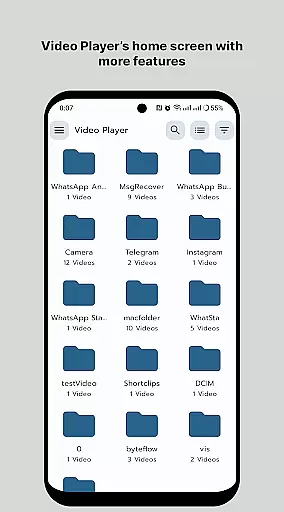
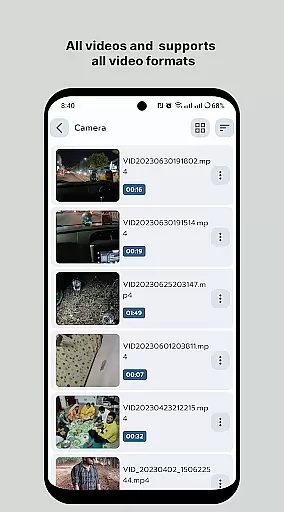
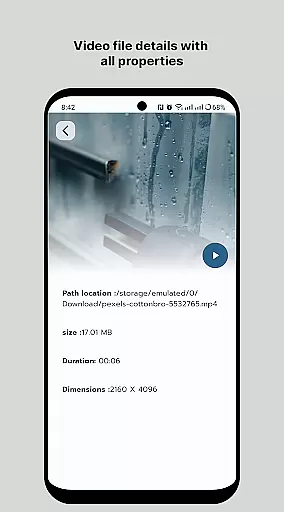
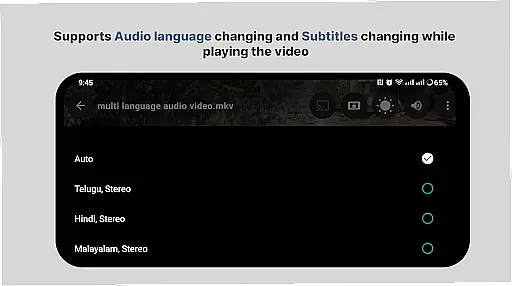
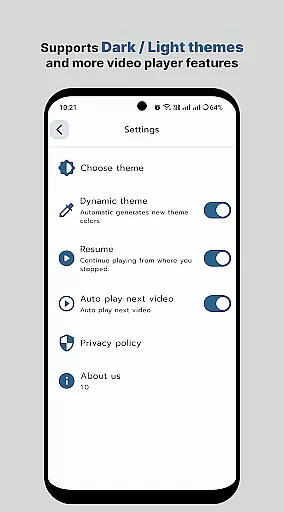
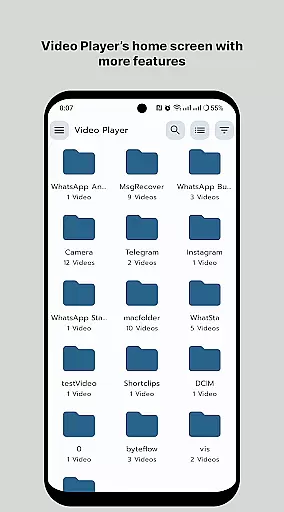
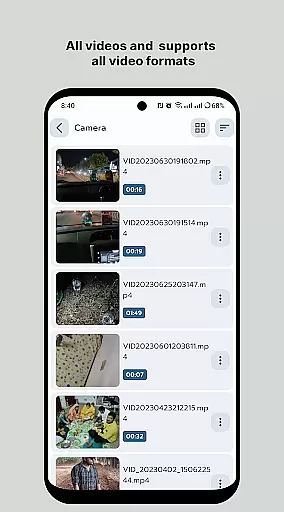
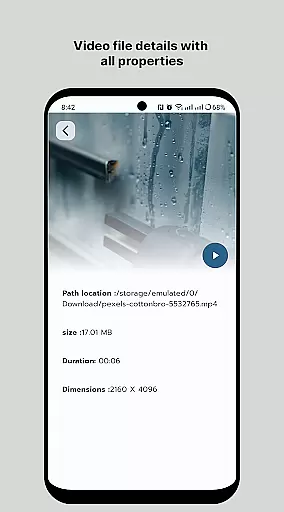
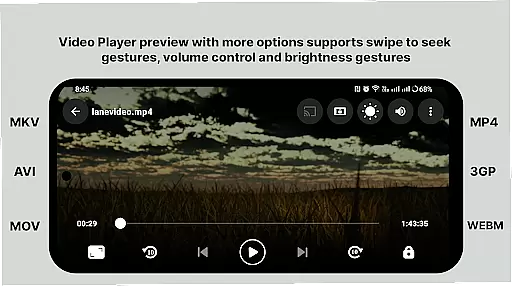
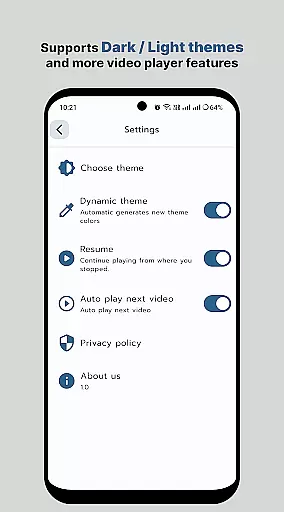
HD Video Player All Format is a versatile video player for Android devices, supporting all popular video formats including 4K and ultra HD resolutions. The app provides an ad-free experience with smooth playback and advanced features like subtitle support, multi-track audio, and aspect-ratio adjustments.
The player ensures optimal speed and quality, making it ideal for users who want to enjoy high-definition videos on their mobile devices. Its smart media library and folder browsing capabilities allow for easy organization and quick access to video files. With gesture controls for volume and brightness, as well as playback speed adjustments, this app offers a complete video playback solution.
Whether you're watching movies or managing your video collection, HD Video Player delivers a professional-grade experience. It's particularly useful for users who need reliable playback of various video formats without compromising quality or performance.
HD Video Player stands out with its comprehensive feature set tailored for video enthusiasts. The app supports most popular video formats, ensuring compatibility across different file types. Its quick start and smooth playback capabilities make it perfect for uninterrupted movie sessions.
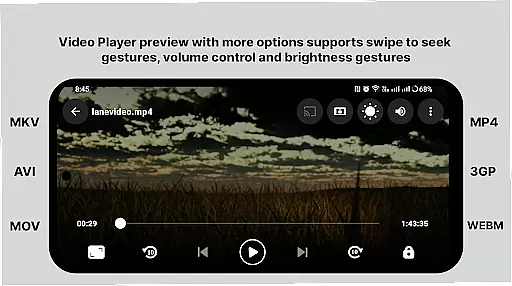
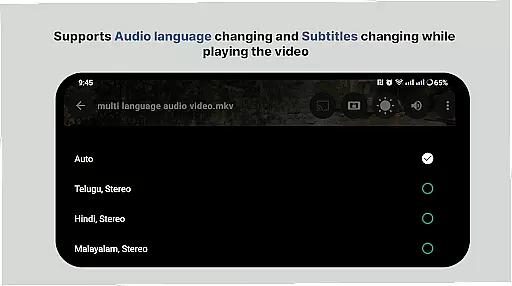
Advanced functionalities include multi-track audio support, subtitle integration, and auto-rotation features. Users can customize their viewing experience through aspect-ratio adjustments and intuitive gesture controls that manage volume and brightness. The smart media library organizes video files efficiently, while direct folder browsing enables quick navigation.
Additional features like playback speed control and easy sharing options enhance the overall user experience. These capabilities, combined with support for 4K video playback, make HD Video Player a powerful tool for enjoying high-quality content on Android devices.
Video format compatibility is a crucial feature for any video player application, ensuring that users can enjoy a wide range of video content without worrying about format restrictions. HD Video Player All Format supports virtually all popular video file formats available today.
The app's advanced decoding technology enables it to play 4K and ultra HD video files with high-definition clarity. Whether you're watching MP4, AVI, or MKV files, this video player ensures smooth playback without compromising on quality. The inclusion of subtitle support further enhances the viewing experience, making it ideal for enjoying movies with foreign languages or hearing-impaired users.
With its smart media library, users can easily browse and find all their video files in one place. This feature not only simplifies file management but also optimizes the playback experience by organizing videos systematically. Additionally, the ability to browse folders directly allows users to quickly access their desired content without unnecessary navigation.
By supporting multi-track audio and subtitles, HD Video Player All Format caters to diverse user preferences. Whether you need to adjust aspect ratios, rotate your screen, or control volume and brightness through intuitive gestures, this app provides a comprehensive solution for an uninterrupted viewing experience.
AI-powered editing features are revolutionizing how users interact with video content, providing tools that enhance creativity and streamline the editing process. While HD Video Player All Format focuses primarily on playback, it incorporates several intelligent features that simplify video management and improve user engagement.
One standout feature is the smart media library, which uses AI algorithms to categorize and sort video files efficiently. This makes it easier and faster for users to locate specific videos within their collection. The app's ability to manage or share videos easily demonstrates its commitment to delivering a seamless user experience.
Playback speed control is another innovative feature that utilizes AI to maintain video quality at different speeds. Users can accelerate or decelerate playback without distortion, allowing for flexible viewing options tailored to individual preferences. The app also supports gesture controls for adjusting volume and brightness, creating a more intuitive interface.
Although HD Video Player All Format doesn't offer traditional video editing capabilities, its intelligent features like automatic subtitle synchronization and multi-track audio support provide valuable tools for enhancing video playback. These features collectively contribute to a more personalized and engaging viewing experience, setting a new standard for video players in the Android market.
User-friendly interface
Wide format compatibility
Smooth 4K playback
Smart media library
Ad-free experience
Limited iOS support
No cloud integration
Premium version cost
Occasional bugs
Heavy on memory

Cast to Chromecast, Xbox, Fire Stick, Roku, DLNA, Smart TV & No Feature Limited!
 4.50
4.50
KineMaster, Your Ultimate Video Editor!
4.40
Fast video downloader & private browser. Save HD clips to watch offline.
4.40
Create photo video with music & template. AI video maker for stunning slideshow.
4.60
Stream high quality video from your camera over NDI protocol
4.2
Capture images & record videos for USB Camera, Webcam, Microscopes, Endoscopes
3.80
AirMirror Receiver - Screen mirroring/cast web videos to Android TV by AirPlay.
4.40
All in one HD video downloader & player for multiple formats with full privacy
4.70
Photo editor & video maker with music and slideshows.
4.10
#1 Torrent App on Android ** No Ads Ever + Battery Saver **
4.80
Find, download, and play torrents with the official BitTorrent® Pro app
4.70
Watch a large amount of high-definition short drama content
4.60
Video Downloader, Multiple Resolution Options, Video Player
4.50
Video Downloader is an utility that can save videos and music from web sites
4.20
Web Browser for LG TV to stream webvideos, online movies and livestreams in HD
4.20
Your media, on your terms.
4.10
Manage your IPTV live channels and VOD playlists (no playlist included)
3.80
All in one multi protocols stream receiver for AirPlay, Cast and DLNA.
3.60
Mix with Virtual DJ directly from your phone or tablet !
3.10


User Reviews