
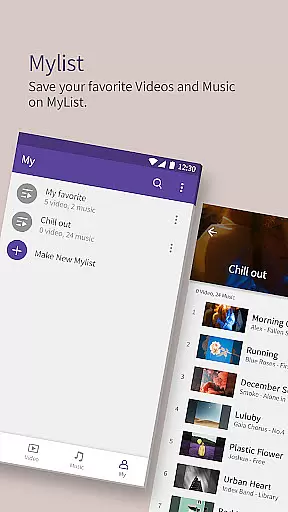
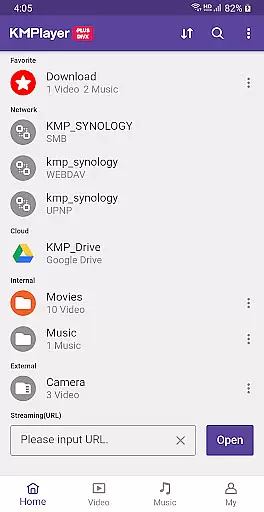
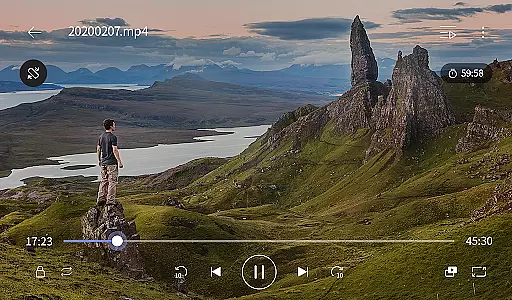
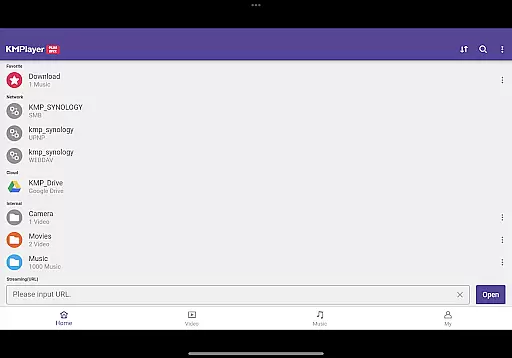
KMPlayer Plus (Divx Codec) is a versatile video player that supports Divx codec, making it ideal for users who need to play various video formats. The app offers high-definition playback for HD, 4K, and even 8K videos, ensuring an exceptional viewing experience across all resolutions.
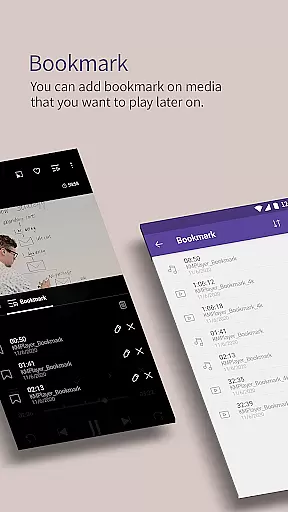
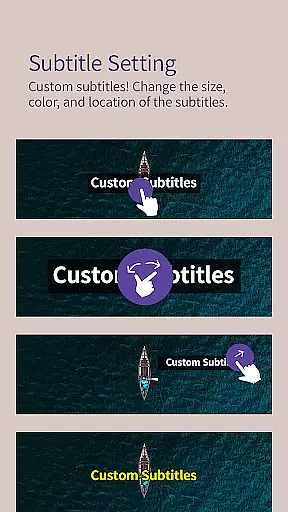
With advanced features like bookmarking, color adjustment, and subtitle settings, KMPlayer Plus provides users with complete control over their media. Additionally, its support for network streaming and external storage devices makes it a comprehensive solution for managing and playing multimedia files.
The app boasts an array of powerful features tailored for media enthusiasts. Its media player functionality includes options like section repeat, video inversion, and speed control, which allows playback speed adjustments from 0.25x to 4x.
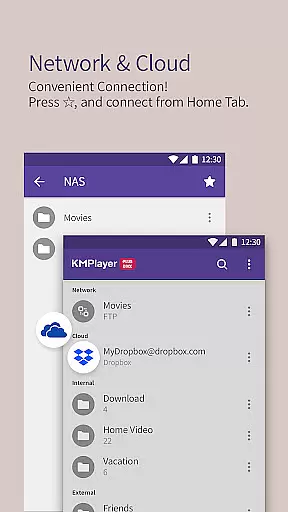
Beyond basic playback, KMPlayer Plus offers innovative tools such as the ability to crop videos and audio, create GIFs from videos, and convert media files to MP3 format. Integration with cloud services like Dropbox and OneDrive further enhances accessibility, allowing seamless streaming from cloud storage.
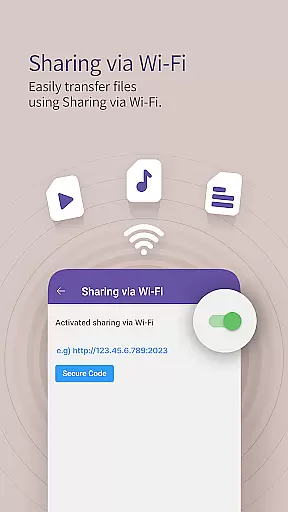
Users can also enjoy advanced network features including FTP, UPNP, and SMB connections, providing flexible options for private server access and file sharing via Wi-Fi without the need for cables.
Video format compatibility is a crucial feature for any video player, determining the range of file types it can play. KMPlayer Plus (Divx Codec) excels in this area by supporting an extensive list of codecs including DXMF, DX50, DIVX, DIV4, DIV3, and MP4V for AVI and MKV files. This ensures that users can enjoy a wide variety of video content without worrying about format restrictions.
The application also provides clear information on unsupported codecs such as DTS, EAC3, and TrueHD, helping users understand potential playback limitations. By offering support for high-definition formats like HD, 4K, 8K, UHD, and Full HD, KMPlayer Plus guarantees an optimal viewing experience across different resolutions.
Moreover, the app supports numerous subtitle formats including SubStation Alpha (.ssa/.ass), SAMI (.smi), SubRip (.srt), and many others. This comprehensive subtitle support enhances accessibility and user engagement, allowing viewers to customize their experience with ease.
With its robust codec support and versatile playback capabilities, KMPlayer Plus ensures seamless media consumption, making it a reliable choice for users who demand flexibility and quality in their video player.
AI-powered editing features are transforming how users interact with multimedia content by providing intelligent tools that simplify complex tasks. In KMPlayer Plus (Divx Codec), these features enhance the overall user experience through functionalities like speed control, equalizer settings, and color adjustments. Users can modify playback speed from 0.25x to 4x, catering to various viewing preferences and needs.
The inclusion of an advanced equalizer allows users to fine-tune audio output, ensuring rich sound quality tailored to individual tastes. Additionally, the ability to adjust brightness, contrast, hue, saturation, and gamma levels empowers users to optimize visual presentation according to their environment or personal preference.
KMPlayer Plus further extends its AI capabilities with specialized VIP features available via in-app purchase. These include crop video and audio functions, enabling precise trimming and editing directly within the app. The GIF creation tool lets users generate dynamic images from videos, adding a creative dimension to content sharing.
By integrating these sophisticated AI-driven tools, KMPlayer Plus not only meets but exceeds user expectations, delivering a versatile and intuitive platform for both casual viewers and tech-savvy enthusiasts alike.
User-friendly interface
Wide codec support
Advanced playback controls
Cloud integration
Customizable subtitles
Limited free trial
Subscription required
Some features locked behind VIP
Occasional bugs
Heavy on resources

Video player, file manager for all formats, 4K/HD media player supports subtitle
 4.30
4.30
Connect 2 UVC devices for recording and broadcast video/audio stream
3.90
Powerful, professional, versatile teleprompter. Developed by an active film crew
4.00
Live TV, anywhere in your home
3.80
High-Quality USB Camera Viewer & HDMI Display
4.70
Play and download HD videos from all sources — fast, simple, and all-in-one.
4.2
IPTV Loader, loads your own Playlist. DOES NOT CONTAIN ANY LIST OR CHANNELS
4.60
Find, download, and play torrents with the official BitTorrent® Pro app
4.70
Cast movies, tv shows and live streams to Chromecast, Roku, DLNA, Fire TV & more
4.60
Flud is a simple and beautiful BitTorrent client for Android.
4.80
An easy-to-use and all-round screen recorder with audio
4.80
Download Hub, easy and private way to download and enjoy your videos offline
4.80
Watch a large amount of high-definition short drama content
4.60
Search & download videos from net with all video downloader, auto-detect & safe.
4.60
Cast to Chromecast, Xbox, Fire Stick, Roku, DLNA, Smart TV & No Feature Limited!
4.50
HD video maker with no watermark, no ads & vlog maker with music, PIP, text
4.50
Full HD Video mp3 Player, MP4 player play 1080p, File manager, Video Downloader
4.40
Make your own Animations, Video and Photo Edits, Visual Effects, and more!
4.00
Online Videos Player
3.90


User Reviews