
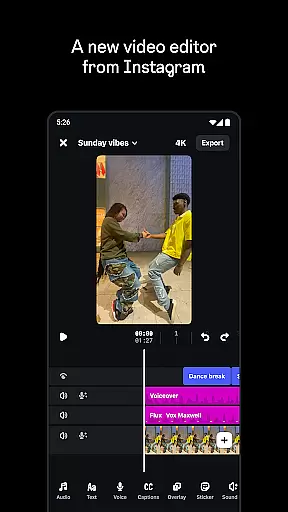
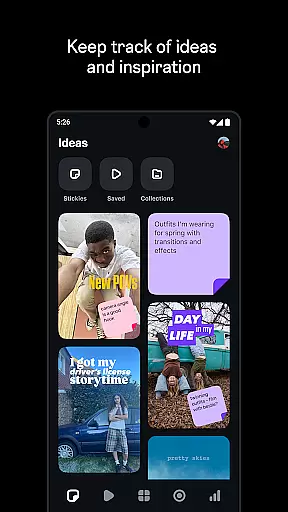
Edits is a powerful mobile video editor designed specifically for content creators who want to produce professional-quality videos directly from their smartphones. The app offers an all-in-one solution for video creation, providing essential tools such as 4K exporting without watermarks, high-quality clip capturing, and seamless Instagram sharing.
Beyond basic editing, Edits includes advanced features like single-frame precision editing, AI animation, green screen effects, and automatic caption generation. These capabilities ensure that users can create engaging videos with customized styles while maintaining optimal audio clarity and visual appeal.
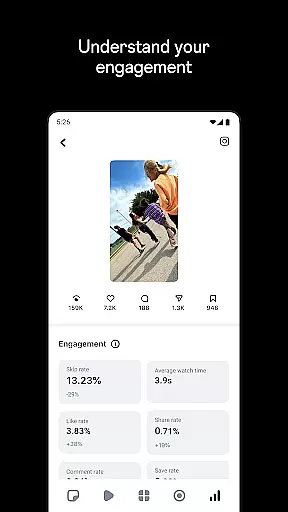
Perfect for social media creators, Edits simplifies the creative workflow by allowing users to save drafts, browse trending audio, and track performance metrics through a live insights dashboard. This makes it an ideal tool for turning creative ideas into impactful video content efficiently.
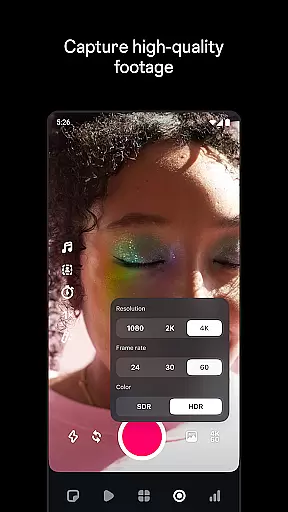
Edits stands out with its comprehensive suite of video editing tools tailored for both beginners and experienced creators. The app allows precise control over video elements, offering settings for resolution, frame rate, and dynamic range. Its upgraded camera controls include enhanced flash and zoom options, ensuring superior video capture quality.
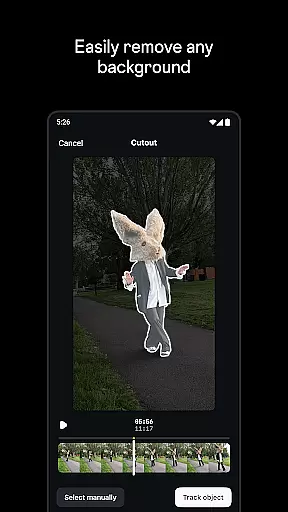
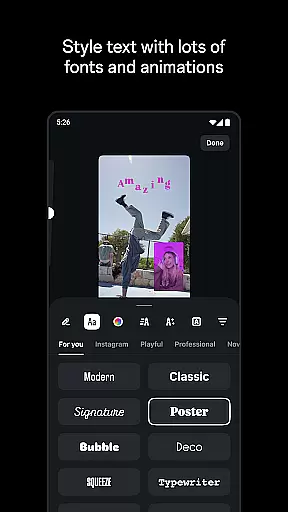
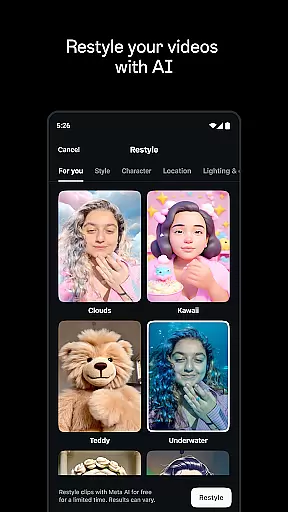
Creative flexibility is at the core of Edits' functionality. Users can animate images using AI technology, apply various video filters and effects, and choose from multiple fonts and sound effects. Additionally, the app supports background customization via green screen or cutout features, along with video overlays for added depth.
Audio enhancement tools help improve voice clarity and reduce background noise, while the automatic caption generator provides customizable text display options. With these robust features, Edits empowers creators to produce polished, high-quality videos that stand out on any platform.
Video format compatibility is crucial for any video editor, and Edits, an Instagram App, excels in this area. It supports a wide range of video formats, allowing creators to import and export videos without worrying about compatibility issues.
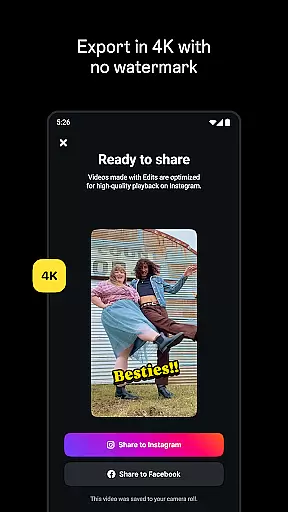
The app enables users to export their videos in 4K resolution with no watermark, ensuring high-quality output that can be shared across various platforms effortlessly. This feature is particularly beneficial for content creators who aim to maintain the highest standards of video quality.
Moreover, Edits provides advanced editing capabilities such as single-frame precision editing and camera settings adjustments for resolution, frame rate, and dynamic range. These features ensure that regardless of the input format, users can achieve the desired look and feel for their videos.
In addition to supporting diverse video formats, Edits also offers tools like AI animation, green screen effects, and video overlays, enhancing the creative possibilities for its users. With these comprehensive format support and editing tools, Edits stands out as a versatile video editor on mobile devices.
AI-powered editing features are revolutionizing the way creators produce content, and Edits, an Instagram App, is at the forefront of this innovation. By leveraging artificial intelligence, Edits simplifies complex editing tasks, making it accessible even to novice users.
One standout feature is the ability to bring images to life using AI animation. This tool allows users to animate static images, adding motion and dynamism to their projects. Additionally, the app includes automatic caption generation, which not only saves time but also enhances accessibility for viewers.
Edits also incorporates AI-driven audio enhancement tools that make voices clearer and reduce background noise. This ensures that the final product has professional-grade sound quality, which is essential for engaging storytelling.
Furthermore, the app's AI capabilities extend to browsing reels with trending audio, providing inspiration and keeping creators informed about current trends. With these intelligent features, Edits empowers users to focus more on creativity and less on technicalities, streamlining the entire video production process.
User-friendly interface
Advanced editing tools
AI-powered animations
Seamless Instagram integration
High-quality export options
Limited to mobile devices
Requires learning curve
No desktop version available
Premium features may cost extra
Dependent on device storage

HD Video player all format, HD Videos, Cast & Subtitle. No annoying ads.
 4.60
4.60
Save photos and videos from social apps in one tap.
3.60
High-Quality USB Camera Viewer & HDMI Display
4.70
IPTV Player - Watch live TV from m3m & m3u8 playlist, stream IPTV on mobile
3.30
Add date and time watermark to photos and videos
4.50
All in one multi protocols stream receiver for AirPlay, Cast and DLNA.
3.60
Livestream, news, & gaming content. Watch, chat, and upload. Join Rumble today!
3.80
Fast private browser with secure, seamless access & supported video downloads!
4.00
Capture the moment and Cut
3.40
A Quick and Pro Video Editor
4.70
Watch a large amount of high-definition short drama content
4.60
Search & download videos from net with all video downloader, auto-detect & safe.
4.60
Cast movies, tv shows and live streams to Chromecast, Roku, DLNA, Fire TV & more
4.60
LumaFusion: The Ultimate Storytelling Experience for Video Editing
4.10
IPTV-Smarters Player Pro M3U - Watch Live Stream TV Channels with Chromecast
4.00
Explore the largest library of free GIFs, Stickers & Memes - or create your own!
3.90
Kodi media center, a free and open source cross-platform entertainment hub
3.60
Client application for NextPVR software
3.00
The smartest M3U IPTV Player your playlists have ever seen.
4.3


User Reviews