

Alight Motion is a pioneering motion design application that brings professional-quality animation and video editing tools to your mobile device. This app allows users to create sophisticated visual effects, motion graphics, and composite videos with multiple layers of graphics, video, and audio. With support for both vector and bitmap editing, Alight Motion stands out by enabling detailed animations and graphic modifications directly on your phone.
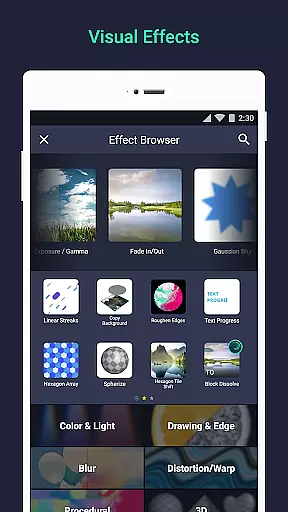
The app offers an extensive range of features including 160+ effect building blocks, keyframe animation for all settings, and advanced layer linking capabilities. These functionalities make it suitable for both amateur enthusiasts and professional designers looking to produce high-quality content on the go. Whether you're crafting promotional videos or engaging social media content, Alight Motion provides the tools necessary to bring creative visions to life with fluid motion and vibrant effects.
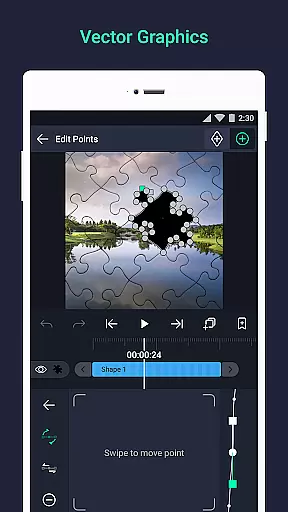
One of the standout aspects of Alight Motion is its rich feature set tailored for comprehensive motion design. The app supports multiple layers of graphics, video, and audio, allowing creators to build complex compositions. Its vector and bitmap support enables users to edit vector graphics directly on their devices, providing flexibility in design choices.
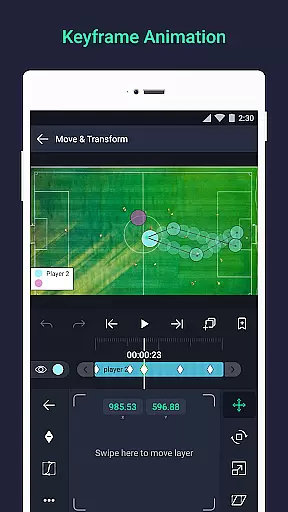
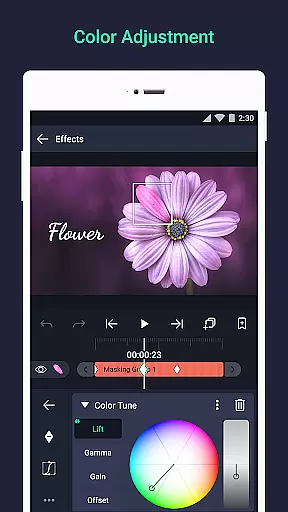
Alight Motion includes over 160 basic effect building blocks which can be combined to form intricate visual effects. Keyframe animation is available for all settings, ensuring smooth transitions and dynamic movement within projects. Additionally, advanced features such as parent-child layer linking, camera controls with focus blur and fog, and group masking empower users to execute detailed animations and realistic visual storytelling. These robust capabilities ensure that whether you're adjusting colors, creating masks, or fine-tuning animation easing, Alight Motion delivers precise control over every aspect of your project.
Video format compatibility is a crucial feature for any video editing application, ensuring that users can work with a wide range of file types. Alight Motion supports multiple layers of graphics, video, and audio, accommodating both vector and bitmap formats. This flexibility allows creators to import and edit various media files directly on their mobile devices.
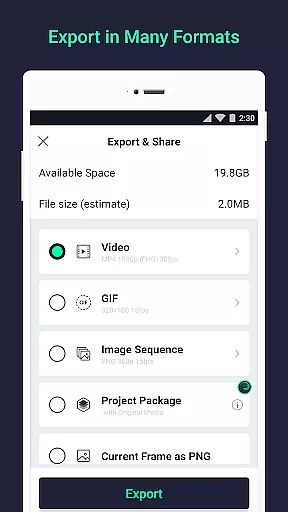
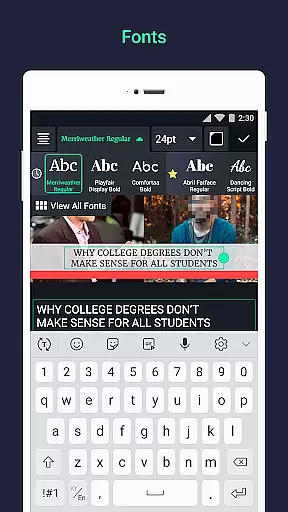
The app's ability to export MP4 video, GIF animation, PNG sequences, and stills demonstrates its comprehensive format support. Users can confidently create content knowing they can export in widely-used formats suitable for different platforms and purposes. The inclusion of custom font support for text layers further enhances the creative possibilities.
This extensive format compatibility benefits users by saving time and effort in file conversion. With support for 160+ basic effect building blocks and sophisticated visual effects, creators can focus on their artistic vision without worrying about technical limitations. The app's versatility makes it suitable for both professional and amateur video editors.
AI-powered editing features are revolutionizing the way we approach video creation, and Alight Motion incorporates several intelligent tools to enhance the editing process. The application offers animation easing for more fluid motion, allowing users to choose from presets or build custom timing curves. These smart features help create professional-quality animations without requiring extensive technical expertise.
The app's Velocity-based motion blur and bookmarking system exemplify how AI can streamline complex editing tasks. Keyframe animation is available for all settings, while parent-child layer linking and character joint rigging demonstrate advanced automation capabilities. These features work together to simplify sophisticated editing techniques that traditionally required desktop-grade software.
Users benefit from these AI-powered tools through increased efficiency and enhanced creative control. The ability to copy entire layers or just their styles, combined with reusable favorite elements, creates a powerful workflow optimization. While offering basic features for free, Alight Motion's premium options provide access to an expanding library of intelligent effects and professional-grade tools.
User-friendly interface
Extensive effect library
Professional-grade tools
Regular updates
Cross-platform sharing
Subscription fees apply
High system requirements
Complex for beginners
Limited free version
Occasional bugs

Kodi media center, a free and open source cross-platform entertainment hub
 3.60
3.60
You can play SWF format file!
2.50
Video Downloader is an utility that can save videos and music from web sites
4.20
Create photo video with music & template. AI video maker for stunning slideshow.
4.60
Play ALL formats in 4K & HD. Video downloader, MP3 player, Chromecast & more.
4.80
AirMirror is Receiver for Screen Mirroring and Casting from Apple Devices.
3.60
Fast & easy HD video downloader for all formats, support 4K playback & download.
4.60
Cast to Smart TV, Fire TV. Cast video, photo - Fast & Stable!
3.90
Browser for Sony TV to stream web videos, online movies and live tv
3.20
Flud is a simple and beautiful BitTorrent client for Android.
4.80
GENRAL PRO - General Pro is the best video player that fully supports all formats.
4.70
Watch a large amount of high-definition short drama content
4.60
VLC Remote lets you control your VLC Media Player on Mac, PC or Linux.
4.60
Support 1000+ Video Format, Subtitle Download, mp3 & Background Play, Cast On TV
4.60
Seamlessly connect and control your smart devices, anytime, anywhere with ease.
4.60
Browser + Remote for Roku to stream webvideos, online movies and livestreams
4.60
Add date and time watermark to photos and videos
4.50
Web Browser for LG TV to stream webvideos, online movies and livestreams in HD
4.20
Manage your IPTV live channels and VOD playlists (no playlist included)
3.80


User Reviews