
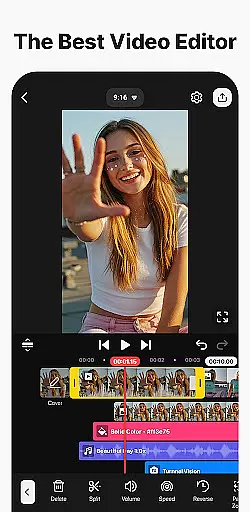
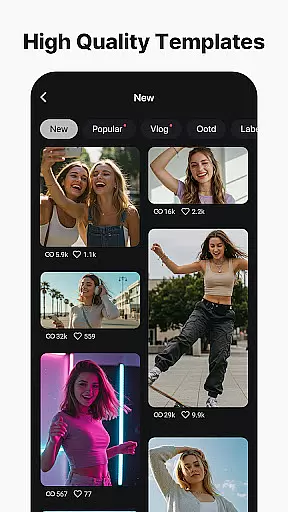
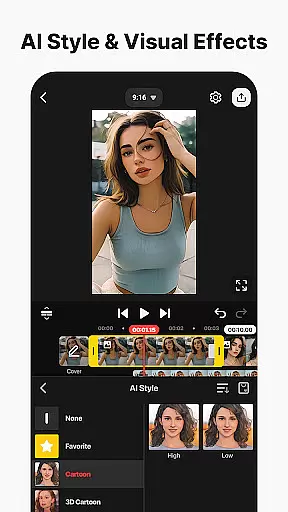
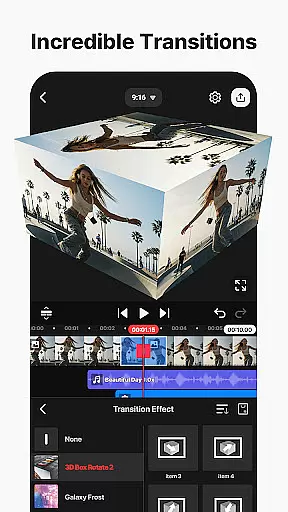
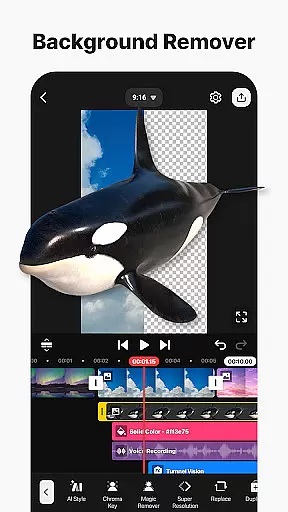
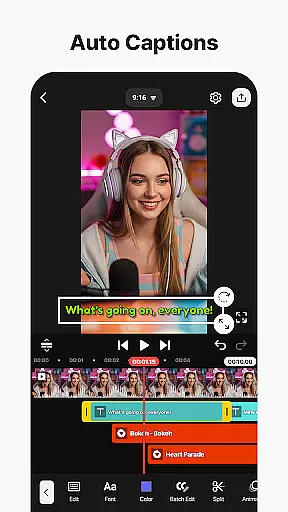
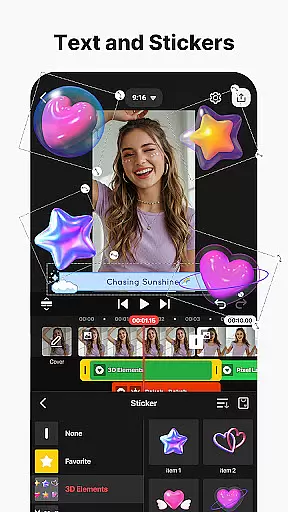
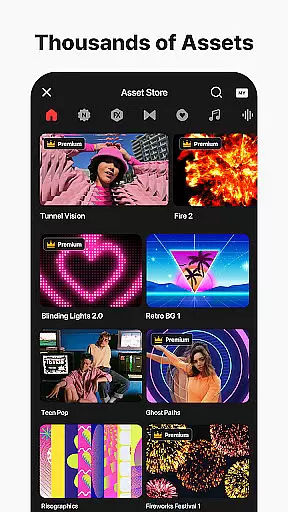
KineMaster is a comprehensive video editing application designed for both amateur and professional content creators. This powerful tool offers an extensive suite of features that cater to every aspect of video production, from basic trimming to advanced multi-layer editing. With its intuitive interface, users can easily create high-quality videos suitable for various platforms like YouTube, Instagram, and TikTok.
The app stands out with its AI-powered tools that streamline complex editing tasks. These include AI Auto Captions, Text-to-Speech, Vocal Separator, and more. KineMaster also provides professional-grade features such as Chroma Key, Keyframe Animation, and Speed Control, enabling users to produce studio-quality content on their mobile devices. Whether you're editing a short social media clip or a full-length movie, KineMaster delivers the tools needed to make your vision a reality.
KineMaster distinguishes itself through its robust feature set tailored for diverse video editing needs. The app's AI tools revolutionize content creation by automating tedious processes. For instance, AI Auto Captions automatically generate subtitles from audio, while AI Noise Removal eliminates unwanted background sounds. The AI Tracking feature allows text and stickers to follow moving objects seamlessly.
Beyond AI capabilities, KineMaster offers professional tools that rival desktop editing software. Users can leverage Chroma Key effects to create green screen compositions, apply precise speed adjustments for dynamic scenes, and utilize keyframe animation for complex transitions. Additionally, the app supports multi-layer editing, allowing users to stack videos, images, and audio tracks with ease. With features like Magnetic Guides and Full-Screen Previews, KineMaster ensures accurate positioning and instant visualization of edits, making it an indispensable tool for mobile video production.
Video format compatibility is a crucial feature for any video editing application, ensuring that users can work with a wide range of file types. KineMaster excels in this area by supporting an extensive array of video formats, allowing creators to import and export projects without worrying about conversion issues.
The app's advanced codec support enables seamless integration of various media elements, including high-resolution 4K videos at 60 frames per second. This versatility ensures that content creators can maintain their preferred workflow while working with different source materials from multiple devices.
Furthermore, KineMaster's optimized export settings cater to specific platform requirements, making it easier to share videos directly to popular social media platforms like YouTube, TikTok, and Instagram. The transparent background support adds another layer of flexibility for professional compositing needs.
AI-powered editing features have revolutionized the way users approach video production, and KineMaster stands at the forefront of this innovation. The application incorporates multiple artificial intelligence tools that significantly enhance the editing process while reducing production time.
Among these features are AI Auto Captions that instantly generate subtitles from audio tracks, and AI Vocal Separator which splits songs into vocals and instrumentals. Additionally, the AI Noise Removal tool effectively eliminates unwanted background sounds, while AI Upscaling improves low-resolution media quality.
These intelligent functions not only streamline complex editing tasks but also make professional-grade tools accessible to amateur editors. By integrating these AI capabilities, KineMaster empowers users to focus more on creative aspects rather than technical challenges, ultimately elevating the overall quality of their video projects.
User-friendly interface
Extensive AI-powered tools
Professional-grade editing features
Versatile asset library
High-quality export options
Free version contains watermarks
Advanced features require subscription
Steep learning curve for beginners
Resource-intensive on older devices
Limited offline functionality

A Quick and Pro Video Editor
 4.70
4.70
Live TV, anywhere in your home
3.80
Support 1000+ Video Format, Subtitle Download, mp3 & Background Play, Cast On TV
4.60
KMPlayer Plus (Divx Codec) officially support Divx codec.
4.30
GENRAL PRO - General Pro is the best video player that fully supports all formats.
4.70
Powerful Video Editor & Photo Editing App —— Quick Edits & Stunning Effects!
4.30
Add date and time watermark to photos and videos
4.50
Mix with Virtual DJ directly from your phone or tablet !
3.10
This app is an emulator of some specific IPTV boxes
3.50
Flud is a simple and beautiful BitTorrent client for Android.
4.80
Pro video editor app for Instagram, edit video with song, AI, effect & slowmo.
4.80
Fast & easy HD video downloader for all formats, support 4K playback & download.
4.60
AirMirror Receiver - Screen mirroring/cast web videos to Android TV by AirPlay.
4.40
Browser for Fire TV to stream webvideos, online movies, livestreams in HD
4.40
Kodi media center, a free and open source cross-platform entertainment hub
3.60
AirMirror is Receiver for Screen Mirroring and Casting from Apple Devices.
3.60
A full editing room to accompany your Insta360 cameras and handheld gimbals.
3.30
You can play SWF format file!
2.50
The smartest M3U IPTV Player your playlists have ever seen.
4.5


User Reviews