


Microsoft Excel is the leading spreadsheet application that empowers users to create, edit, and share professional-grade spreadsheets from their mobile devices. The app offers a comprehensive suite of tools for budgeting, data analysis, chart creation, and financial management. With its intuitive interface, Excel allows you to work with spreadsheets, pivot tables, and charts seamlessly on-the-go.
Excel's robust functionality extends beyond basic spreadsheet operations. It includes advanced features like built-in templates for budgets and expense tracking, data visualization tools, and collaboration capabilities. Whether you're managing personal finances or working on complex business analytics, Excel provides the necessary tools to organize, analyze, and present your data effectively.
The app's versatility makes it suitable for various use cases, from individual productivity to team collaboration. Users can access their files across devices, making it an ideal solution for professionals who need to review and update documents while traveling or working remotely. Its integration with Microsoft 365 enhances productivity by enabling real-time collaboration and cloud storage.
Microsoft Excel stands out with its extensive feature set tailored for productivity and data management. The app provides modern spreadsheet templates designed for various tasks, including budget planning, accounting, and task management. These templates come equipped with familiar formulas and calculation tools, ensuring consistency across devices.
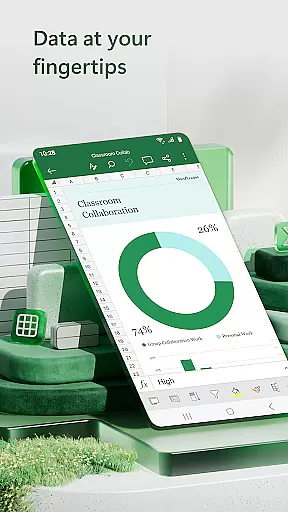
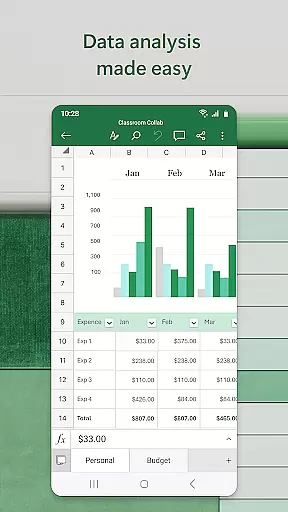
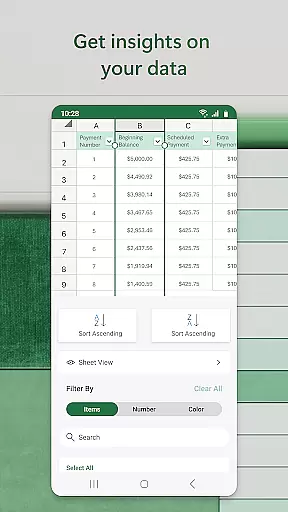
Data analysis capabilities are at the core of Excel's functionality. Users can create dynamic charts, utilize pivot tables for in-depth data exploration, and employ advanced sorting and filtering options. The chart maker feature allows for detailed annotations and visual enhancements, bringing data to life through customizable visualizations.
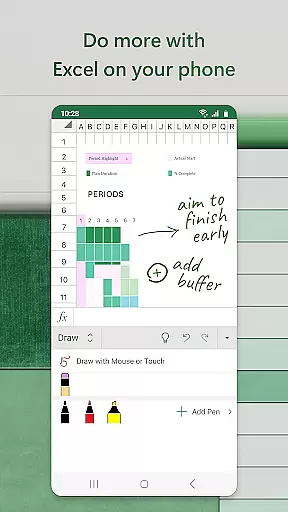
Collaboration tools make Excel indispensable for team projects. The app enables seamless file sharing and co-authoring, allowing multiple users to work on the same document simultaneously. Additional features like touch-enabled drawing tools and equation editors enhance the editing experience. With Microsoft 365 integration, users can access premium features and cloud-based workflows.
Microsoft Excel revolutionizes core task management by offering a comprehensive suite of tools designed to streamline productivity and enhance workflow efficiency. At its core, Excel provides users with the ability to create, edit, and manage spreadsheets that cater to various professional needs, from simple data entry to complex financial modeling.
The app's modern templates allow for the seamless creation of budgets, task lists, and financial analyses, empowering users to organize their tasks effectively. With familiar formulas and calculation tools, Excel ensures that users can run essential computations and track expenses with precision, all while maintaining compatibility across devices.
Excel's robust formatting options and rich features make it easier than ever to review and analyze data. Users can sort and filter columns, annotate charts, and highlight crucial worksheet sections, ensuring that every detail is both visible and comprehensible. This functionality supports efficient task tracking and management, allowing users to focus on their work without being hindered by the software's limitations.
Ultimately, Excel's core task management capabilities offer significant value by enabling users to compile, analyze, and share data effortlessly. Whether you're managing personal finances or collaborating on large-scale business projects, Excel's extensive toolkit enhances productivity and ensures that every task is completed accurately and efficiently.
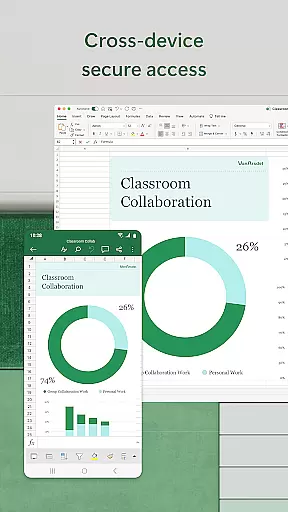
Cross-device synchronization is a pivotal feature of Microsoft Excel, ensuring that users can access their files seamlessly across multiple platforms. This reliability is crucial for individuals who switch between devices throughout their day, as it guarantees that their data remains consistent and up-to-date, regardless of where they choose to work.
Excel achieves this synchronization through cloud integration, which allows users to save their work automatically to the cloud. This means that whether you're editing a document on your phone during a commute or making final adjustments on a PC in the office, your changes are instantly reflected across all devices. Such a system not only saves time but also reduces the risk of errors that can arise from working on outdated files.
Furthermore, Excel's collaboration features are bolstered by this reliable synchronization. Users can share files and invite others to edit, view, or comment on workbooks with just a few taps. The assurance that everyone is working on the most recent version of a document fosters a more cohesive and productive team environment.
In conclusion, Microsoft Excel's cross-device synchronization reliability significantly enhances user experience by providing peace of mind and fostering efficient collaboration. This feature ensures that no matter where or how you choose to work, your data remains secure, current, and readily accessible, thereby supporting a flexible and dynamic workflow.
Comprehensive feature set
Intuitive user interface
Robust data analysis tools
Seamless cross-device functionality
Strong collaboration capabilities
Complex for beginners
Advanced features require subscription
Occasional syncing issues
Resource-intensive on older devices
Limited offline functionality

A Revolutionary All-in-One Artificial Intelligence Tools
 3.80
3.80
Seamlessly integrate data and reports to build your presentation to impress
4.80
Take control of your clipboard with Clipper!
3.90
Protect and view your important info on your phone and tablet with eWallet®
4.80
Absolutely the best CNC machinist speed and feed calculator around. fswizard.com
4.60
Tally and goal counter for Wear OS & mobile
4.50
A beautiful digital clock with autostart and many other functions
4.70
Quickly and easily keep track of your work shifts
4.70
Share files & memories safely. Keep your photos and videos secure.
4.40
Native client for Forgejo and Gitea
5.00
Secure, fast, open-source, VNC and SSH Remote Desktop for Windows, Linux and Mac
4.70
Functional QR scanner and barcode reader that requires little storage space.
4.60
Subscribe to Webcal & .ics calendars and keep them up-to-date!
4.50
CalenGoo is a very flexible and feature-rich calendar app
4.40
Activate Two Factor Authentication (2FA or Multi OTP), Password manager and more
4.10
Experience real multitasking on your Android!
4.00
Create and edit presentations with Google Slides, part of Google Workspace.
4.00
* block pre-roll ads, pop-up and forced redirect ads * Samsung certification app
4.00
Make your handwriting beautiful, even more than pen on paper.
3.60


User Reviews