
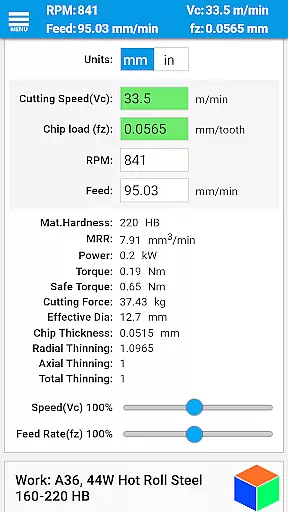
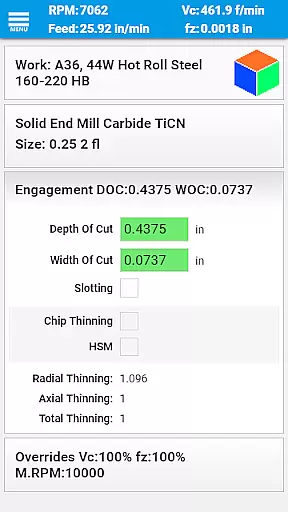
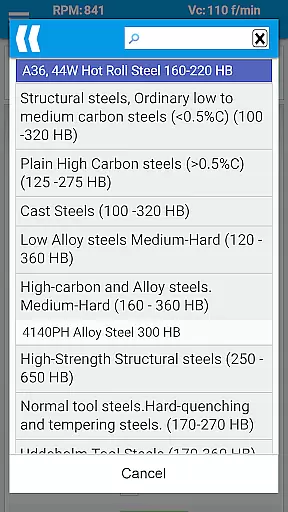
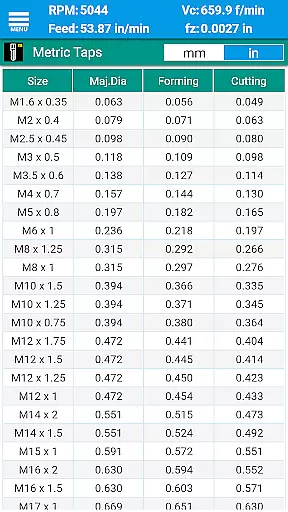
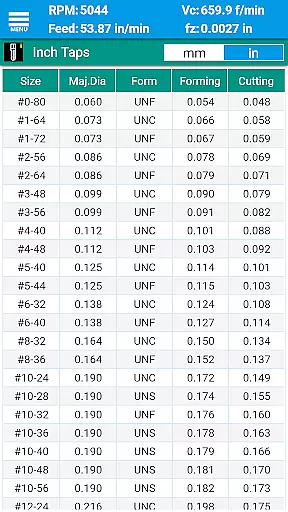
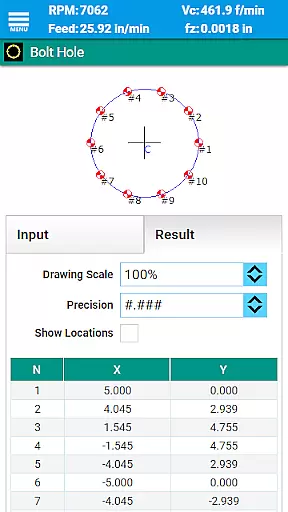
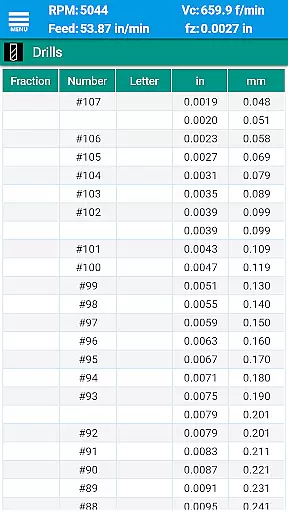
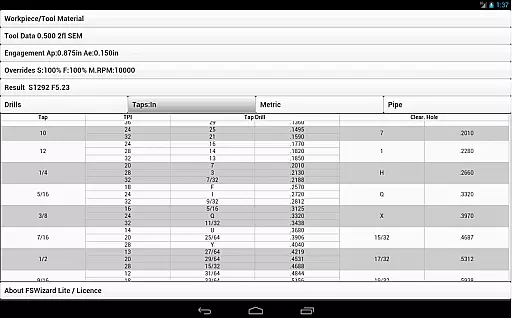
FSWizard Pro Machinist Calc is a premier CNC milling and turning speed and feed calculator designed for machinists by a machinist. This productivity tool simplifies the complex calculations required in machining operations, allowing users to determine optimal speeds and feeds with ease. By selecting the workpiece and tool material, operators can quickly receive recommended cutting parameters without needing to memorize specific numbers.
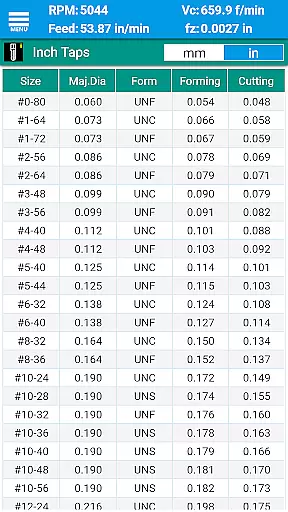
The app's comprehensive features include support for various types of tools such as endmills, drills, taps, and more. It also provides specialized charts and calculators for both imperial and metric systems, making it versatile for global use. Whether you're performing high-speed machining or calculating chip thinning, FSWizard Pro ensures efficient and safe machining practices. Its intuitive interface and accurate data make it an invaluable resource on the shop floor.
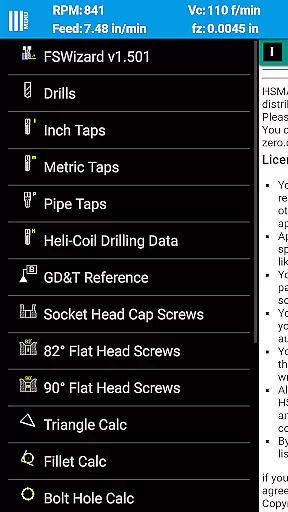
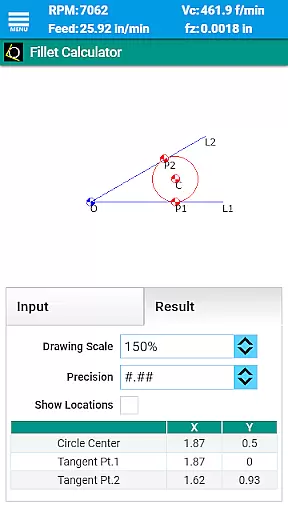
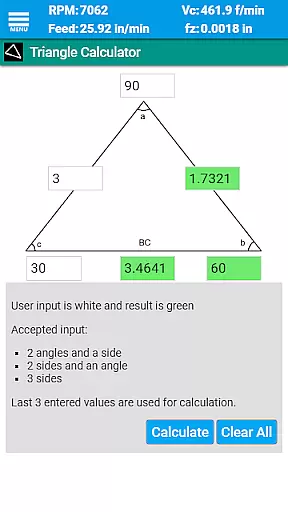
FSWizard Pro stands out with its extensive range of features tailored for CNC machinists. The app includes advanced calculators for milling, drilling, tapping, and turning operations. Users can calculate speeds and feeds for different tool types including solid endmills, indexed endmills, facemills, and various drill types. Additionally, it offers specialized functions like oblique triangle calculations, fillet calculations, bolt circle calculations, and true position calculations.
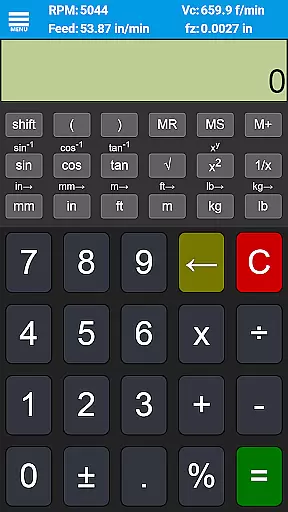
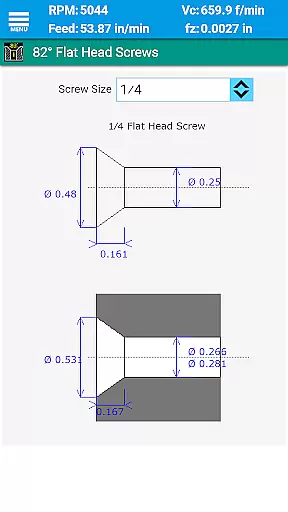
Beyond basic calculations, FSWizard Pro provides interactive references for GD&T definitions, drill charts, tap drill charts for BSP and NPT threads, and information on HeliCoil threaded inserts. The inclusion of scientific calculators with trigonometric functions further enhances its utility. These features collectively help improve machining productivity, optimize cutter life, and ensure precise machining operations across diverse materials and applications.
FSWizard Pro Machinist Calc excels in core task management by offering a comprehensive suite of calculators tailored for CNC machinists. The app includes essential tools such as milling speeds and feeds, ball nose endmill calculations, and drilling and tapping feeds.
These features are designed to streamline the workflow of machinists by providing quick access to critical data without the need to memorize specific numbers or formulas. This ensures that users can focus on optimizing their machining processes while the app handles the complex calculations.
By integrating advanced functionalities like High-Speed Machining (HSM) and chip thinning calculations, FSWizard empowers machinists to improve productivity and extend tool life. The ability to calculate optimum depth and width of cuts further enhances machining efficiency.
While FSWizard Pro Machinist Calc does not explicitly market cross-device synchronization, its robust design ensures reliable performance across various devices. The app's universal compatibility with both metric and imperial units makes it versatile for global use.
Machinists can expect consistent accuracy and functionality whether they're using the app on a smartphone or tablet, ensuring that critical calculations are always accessible. This reliability is crucial when working in different shop environments or collaborating with team members.
The app's offline capabilities guarantee that machinists can perform necessary calculations without internet connectivity, which is often required in manufacturing settings. This practical approach to accessibility effectively serves as a reliable cross-device solution for CNC professionals.
User-friendly interface
Comprehensive tool support
Accurate calculation results
Wide material compatibility
Regular updates and improvements
Premium version costs
Steep learning curve
Limited offline functionality
No voice command support
Occasional bugs reported

Secure, fast, open-source, Remote Desktop Client for Windows and Linux with SSH
 4.60
4.60
aCalendar+ makes your day, week and month
4.70
Easiest event planning, volunteer signups & parent teacher conference scheduling
2.20
All document reader, all in one file viewer read PDF, DOCX, XLS, PPT, TXT files.
4.60
Subscribe to Webcal & .ics calendars and keep them up-to-date!
4.50
Scientific calculator for Android - looks and operates like the real thing!
4.90
Access your phone's notifications, calls, apps, photos & texts on your PC
3.90
AI Chatbot and AI writing assistant powered by ChatGPT.
4.60
AT&T Internet customers can use this app to personalize their Wi-Fi network.
4.40
Understand anything with a personalized AI research assistant
4.80
Quickly and easily keep track of your work shifts
4.70
Functional QR scanner and barcode reader that requires little storage space.
4.60
Stay on top of your to-dos with Google Tasks, part of Google Workspace.
4.60
CalenGoo is a very flexible and feature-rich calendar app
4.40
Access, manage and transfer files on Android, PC, Mac, NAS and cloud storages.
4.30
Font maker keyboard with your own handwriting
4.10
Unlock AutoNotification
4.00
Ads Free App! Editor, Hide File, Copy, Move, Delete and Rename.. all facility av
1.70
The upgraded version of Name Wheel with AI and the power to add your own wheels.
4.1


User Reviews