
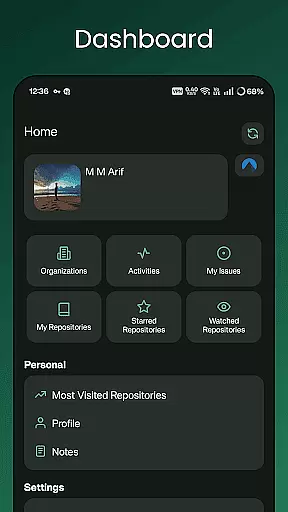
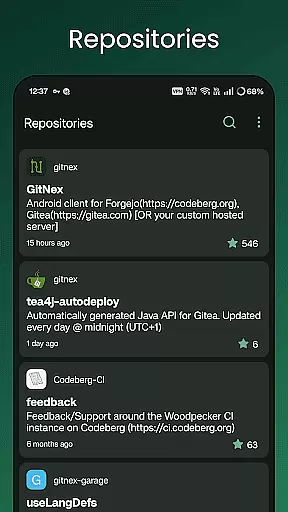
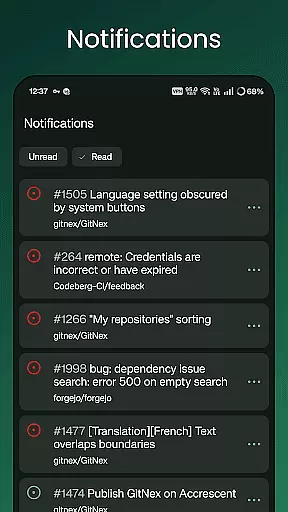
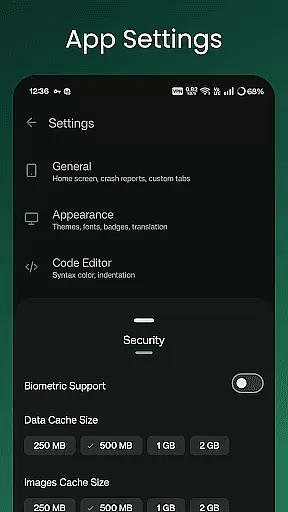
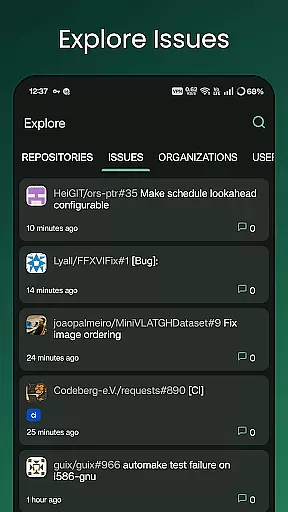
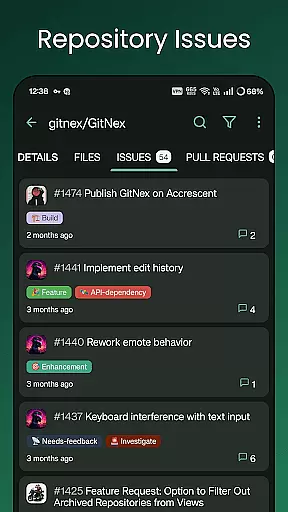
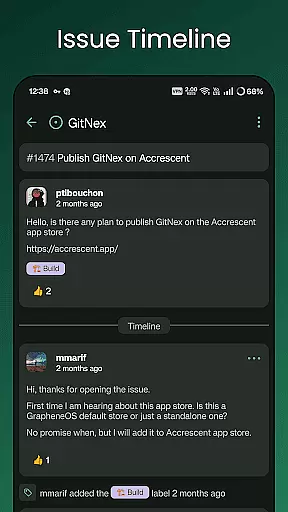
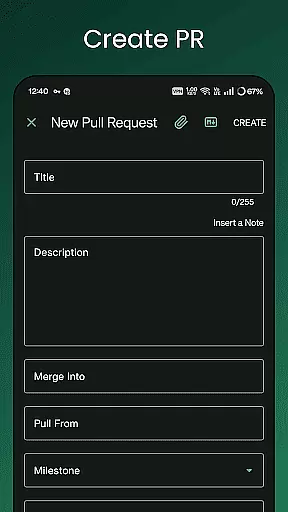
GitNex is a powerful productivity tool designed for developers and project managers who use Forgejo or Gitea for version control and repository management. This Android client enables users to efficiently manage multiple accounts, browse files and directories, and view detailed repository information directly from their mobile devices.
The app's comprehensive feature set includes the ability to create files, issues, pull requests, wikis, milestones, releases, and labels on the go. With support for markdown, emoji, themes, and self-signed certificates, GitNex ensures a customizable and secure user experience. Whether you're exploring repositories or handling notifications, this app streamlines your workflow while maintaining the integrity of your development projects.
GitNex stands out with its extensive range of features tailored for productivity-focused users. The app supports multiple account management, allowing seamless switching between different repositories. Its built-in file and directory browser provides an intuitive way to navigate through project structures, while the file viewer enables quick code reviews without leaving the app.
One of the key strengths of GitNex is its ability to handle various repository management tasks. Users can create new files, issues, pull requests, wikis, milestones, releases, and labels directly from their mobile devices. The app also offers comprehensive lists for pull requests, repositories, organizations, issues, labels, milestones, and releases, making project tracking more efficient. With markdown support, emoji integration, and theme customization options, GitNex caters to both functional and aesthetic preferences of developers.
Effective task management is crucial for productivity applications, and GitNex excels in this area by offering comprehensive tools for organizing and tracking tasks within Git repositories.
The app provides multiple features such as pull requests, issues, labels, and milestones lists that allow users to manage their projects efficiently. With the ability to create new files, issues, pull requests, wiki pages, milestones, releases, and labels directly from the app, users can maintain control over their repositories without needing to switch to a desktop client.
Furthermore, GitNex supports notifications, ensuring users are always aware of important updates or changes within their projects. This feature helps keep teams aligned and ensures that no critical task falls through the cracks.
By integrating these capabilities into an intuitive mobile interface, GitNex empowers users to stay productive on-the-go, making it easier than ever to keep projects moving forward regardless of location.
Cross-device synchronization is essential for maintaining consistency across different platforms, and GitNex ensures reliable data syncing for Forgejo and Gitea users.
With support for multiple accounts, GitNex allows seamless transitions between various user profiles, enabling developers and project managers to handle several projects simultaneously without confusion or data loss. The app's extensive settings provide options to customize sync preferences according to individual needs.
Moreover, GitNex supports self-signed certificates, enhancing security while maintaining synchronization reliability. This feature is particularly beneficial for organizations with internal certificate authorities.
By prioritizing robust cross-device synchronization, GitNex guarantees that all repository data, including commits, issues, and wikis, remains up-to-date across devices, thus facilitating efficient collaboration among team members regardless of their physical location.
User-friendly interface
Multiple account support
Comprehensive feature set
Secure connection options
Regular updates
Steep learning curve
Limited iOS availability
Occasional bugs
No desktop version
Complex setup

AI Video AI Image Private LLM AI Browser Llama Gemma Ollama Connect LLM Studio
 4.3
4.3
QuickBooks Workforce lets teams view pay info and track time in one place.
4.70
aCalendar+ makes your day, week and month
4.70
PDF scanner & converter for files, photos, lottery, QR codes. One swipe away!
4.50
Create and edit presentations with Google Slides, part of Google Workspace.
4.00
To do list widget with a notebook organizer, checklist, simple shopping list
4.60
Scientific calculator for Android - looks and operates like the real thing!
4.90
Intelligent AI Assistant
4.10
AI Chatbot and AI writing assistant powered by ChatGPT.
4.60
Protect and view your important info on your phone and tablet with eWallet®
4.80
Direct Chat without saving contacts & Dual WA Account on Single Device
4.70
Quickly and easily keep track of your work shifts
4.70
App Lock with fingerprint, password: Lock apps & hide photos with lock screens
4.60
The AI assistant that thinks with you - write, code, and solve complex tasks
4.60
Docker, Kubernetes management over Portainer Mobile
4.40
A Pixel Art watchface inspired by other iconic 90s designs for Wear OS devices!
4.40 4.20
4.20
Easily read and manage all your PDF files
4.10
Customizable calendar widget for seamless event sync, planning & scheduling.
4.00


User Reviews