
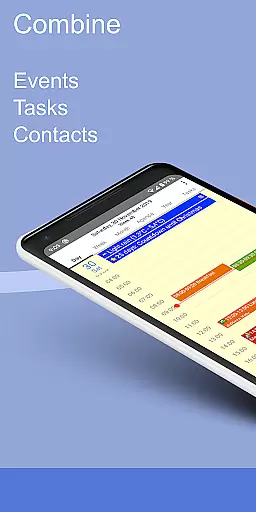
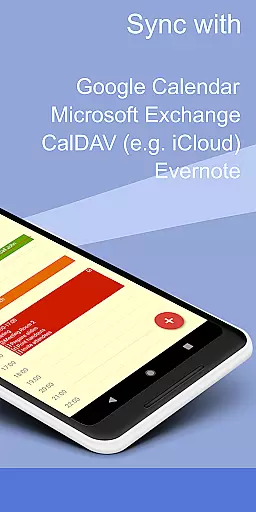
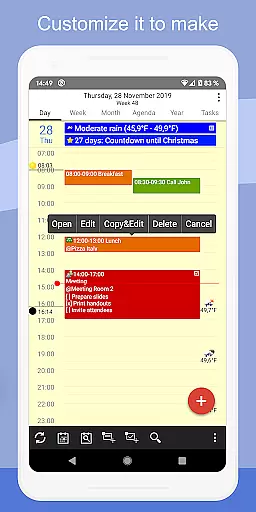
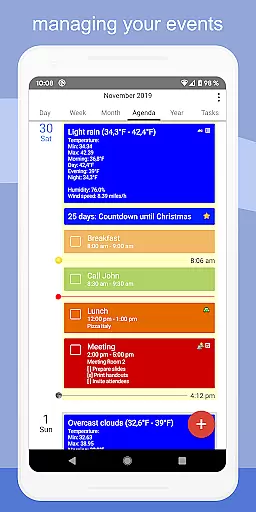
CalenGoo is a comprehensive productivity app designed to help users efficiently manage their events and tasks. With seamless integration capabilities, it syncs with multiple calendar services such as Google Calendar, Exchange, CalDAV, and iCloud, ensuring all your past and future events are accessible in one place. The app offers extensive customization options, allowing users to tailor the interface and functionality to suit their preferences.
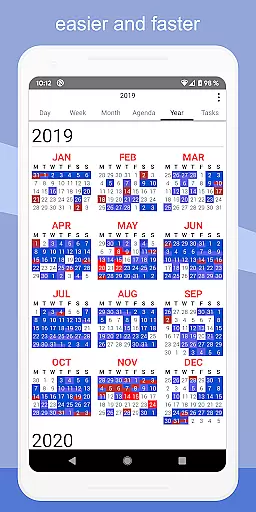
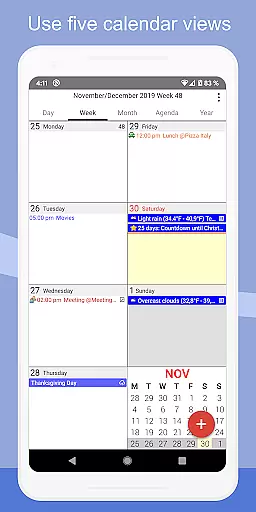
In addition to its robust event management features, CalenGoo supports task synchronization, weather forecasts, and the attachment of photos, files, and Evernote notes to events. Its five distinct calendar views (day, week, month, agenda, and year) and four styles of agenda views provide flexible ways to visualize schedules. Users can also take advantage of widgets, reminder functions, and various themes to enhance productivity and accessibility.
CalenGoo stands out with its rich feature set tailored for productivity enthusiasts. One of its key strengths is the ability to sync with multiple calendar and task services directly, including Google Calendar, Exchange, CalDAV, and iCloud. This ensures that users have a unified view of their schedules and tasks across different platforms. Additionally, the app allows attaching photos, files, and Evernote notes to events, providing a richer context for each entry.
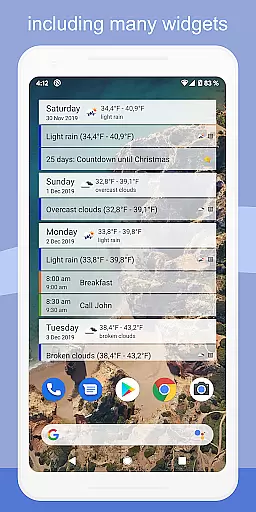
The app offers several innovative tools to streamline task management. Users can employ drag-and-drop functionality to move or copy events easily. It includes widgets for quick access to calendars on the home screen and supports Exchange categories when synced directly with Exchange using EWS. With features like spoken reminders, pop-up notifications, and the ability to print to PDF, CalenGoo ensures users never miss an important event. Furthermore, its dark and light themes, along with numerous configuration options, allow for a personalized user experience.
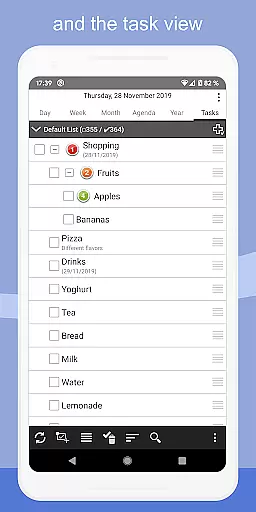
CalenGoo offers robust core task management features that allow users to efficiently organize and prioritize their daily activities. The app supports the creation of tasks with detailed descriptions, due dates, and reminders.
One of the standout aspects is its ability to sync tasks across multiple platforms including Google Calendar, Exchange, CalDAV, and iCloud. This ensures that your tasks are always up-to-date and accessible from any device.
Additionally, CalenGoo provides various reminder functions such as notifications, pop-up windows, and spoken reminders. These options help ensure that you never miss an important deadline or event.
The app also allows for attaching photos, files, and Evernote notes to tasks, making it a versatile tool for both personal and professional use. With these comprehensive task management capabilities, CalenGoo empowers users to stay organized and productive.
Cross-device synchronization is a critical feature of CalenGoo, ensuring that all your events and tasks are consistently updated across different devices. By syncing directly with services like Google Calendar, Exchange, CalDAV, and iCloud, CalenGoo guarantees reliable data consistency.
This synchronization process is seamless and automatic, providing real-time updates so that any changes made on one device are immediately reflected on others. Whether you're using your smartphone, tablet, or computer, you can trust that your calendar and task information will be current.
Moreover, CalenGoo's support for multiple synchronization methods enhances its flexibility and reliability. Users can choose the best option for their needs, whether itu2019s through the Android calendar or direct connections to cloud services.
With this dependable cross-device synchronization, CalenGoo ensures that you have access to your schedule and tasks wherever you go, promoting uninterrupted productivity and peace of mind.
User-friendly interface
Extensive customization options
Multiple calendar integrations
Task attachment capabilities
Flexible reminder system
Complex setup process
Premium version required
Limited free trial
Occasional sync issues
Heavy on system resources

Professional calendar app for Google Calendar, MS Outlook & Exchange
 4.20
4.20
Wake up & get tasks done! Add alarms & reminders on the Clock Launcher.
4.00
The upgraded version of Name Wheel with AI and the power to add your own wheels.
4.2
A lightweight JSON & XML files creator, editor and viewer (Premium Version)
4.40
IP Camera Viewer - Android TV : RTSP Surveillance camera viewer for Android TV
4.0
Multilingual translator for text, voice, and image translation!
4.90
Great calculator for Android named one of USA TODAY's "25 Essential Apps".
4.90
Lightweight PDF, Word, Excel reader.
4.60
Seamlessly read, manage, and organize all your PDF files solution in one place
4.40
Protect and view your important info on your phone and tablet with eWallet®
4.80
Secure, fast, open-source, VNC and SSH Remote Desktop for Windows, Linux and Mac
4.70
QuickBooks Workforce lets teams view pay info and track time in one place.
4.70
Direct Chat without saving contacts & Dual WA Account on Single Device
4.70
To do list widget with a notebook organizer, checklist, simple shopping list
4.60
Tally and goal counter for Wear OS & mobile
4.50
Share files & memories safely. Keep your photos and videos secure.
4.40
Font maker keyboard with your own handwriting
4.10
Secure, open-source, SPICE and SSH Remote Desktop for QEMU KVM virtual machines
4.00
Take control of your clipboard with Clipper!
3.90


User Reviews