
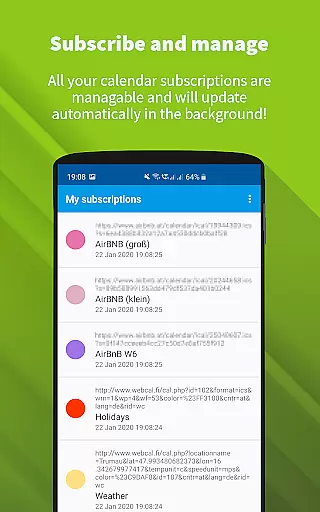
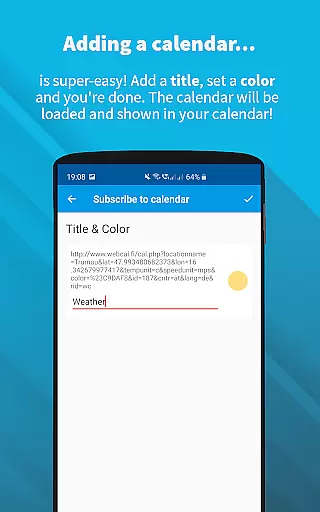
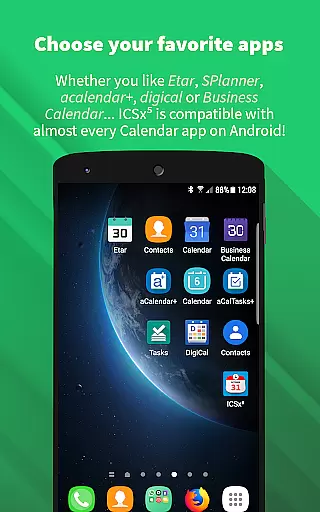
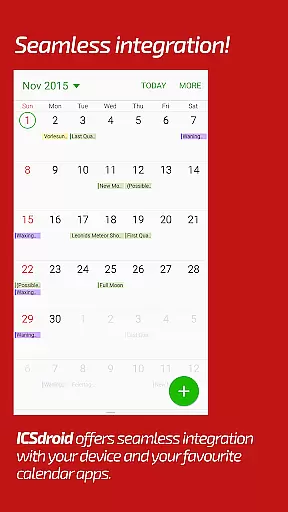
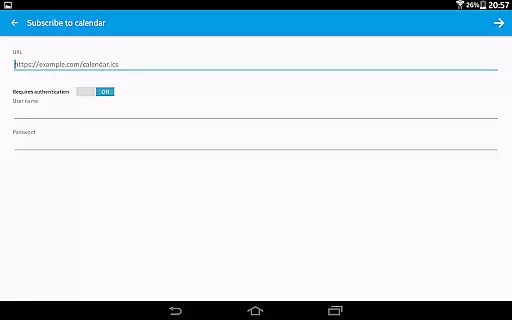
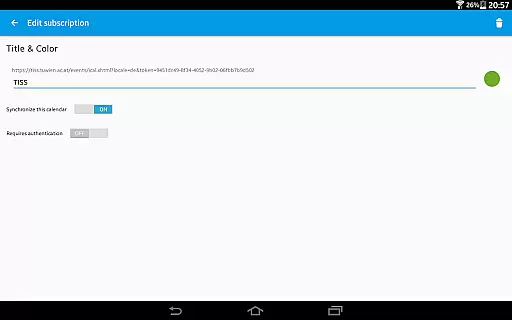
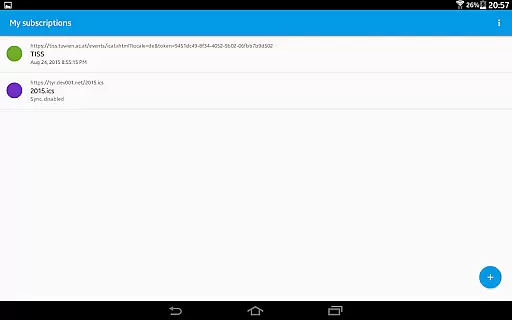
ICSx⁵ is a productivity app designed to help users manage external calendar files on their Android devices. This tool allows you to subscribe and sync Webcal iCalendar/.ics files, ensuring that your calendar events are always up-to-date. With seamless integration into your favorite calendar apps, ICSx⁵ delivers a smooth experience for adding high days, holidays, sports events, or academic schedules in ical format.
The app stands out with its state-of-the-art synchronization technology, which ensures that you receive the latest updates from any subscribed calendar file. Whether it's shared calendars from iCloud or local .ics files, ICSx⁵ imports these events and displays them directly in your device's calendar app. Its intelligent update checker optimizes bandwidth usage while supporting authentication and secure HTTPS connections.
Designed with privacy in mind, ICSx⁵ is completely open source, ensuring no data is transferred outside of your chosen server. This makes it an ideal choice for users who prioritize security without compromising functionality. By integrating effortlessly with other calendar applications, ICSx⁵ enhances productivity by keeping all your important dates organized and accessible.
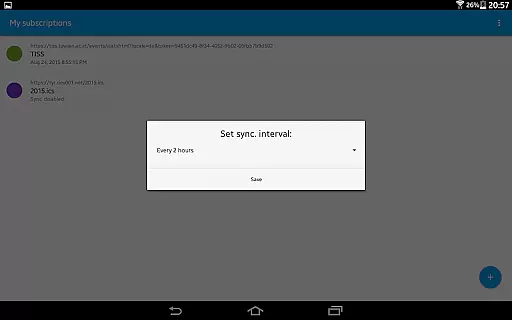
ICSx⁵ offers a comprehensive set of features tailored for efficient calendar management. One of its key capabilities is the ability to subscribe to Webcal feeds, allowing synchronization at regular intervals. This feature supports shared calendars from services like iCloud, ensuring that users have access to the latest event information without manual updates.
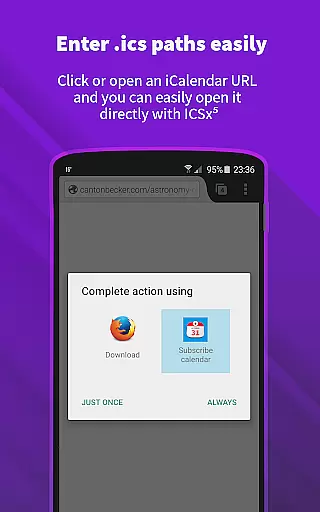
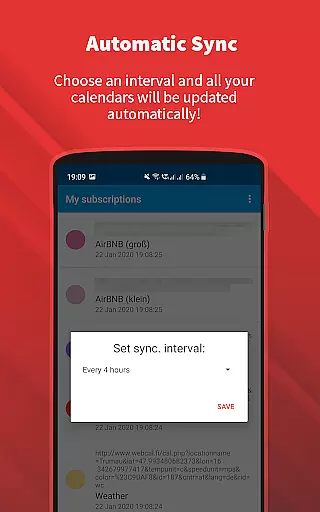
In addition to Webcal subscriptions, ICSx⁵ enables users to pick .ics files from their local device and add those events to their calendar. The app also allows opening webcal:// and webcals:// URLs directly from an Android web browser, providing flexibility in how users import calendar data. With options to set a sync schedule and intelligent update checking, ICSx⁵ optimizes bandwidth usage while maintaining timely updates.
Security and privacy are prioritized in ICSx⁵'s design. The app supports authentication and secure HTTPS connections, safeguarding user data during transfers. Being open-source, it ensures transparency and trustworthiness, as no personal or calendar data is sent to external servers. These features collectively enhance user productivity by offering reliable, secure, and flexible calendar management solutions.
Effective task management is essential for productivity applications, serving as the backbone for organizing and executing tasks efficiently. ICSxu2075 excels in this area by allowing users to subscribe to Webcal feeds and manage iCalendar/.ics files seamlessly. This means you can add high days, holidays, sports events, or academic schedules directly to your calendar with minimal effort.
The app employs state-of-the-art synchronization technology, ensuring that your calendar data is always up-to-date. By setting a sync schedule, ICSxu2075 intelligently checks for updates, conserving bandwidth while maintaining current information. This feature is particularly beneficial for those who rely on real-time data for planning their day-to-day activities.
Users will appreciate the seamless integration with other calendar apps, which enhances the overall experience. Whether it's through picking .ics files from your local device or opening webcal:// URLs in your Android web browser, ICSxu2075 makes adding events to your calendar intuitive and straightforward.
Cross-device synchronization is crucial for users who operate multiple devices and need consistent information across all platforms. ICSxu2075 addresses this need by providing reliable synchronization capabilities for iCalendar/.ics files. With support for authentication and HTTPS, the app ensures secure and dependable data transfer between devices.
One of the standout features of ICSxu2075 is its ability to integrate effortlessly with your favorite calendar apps on Android. This allows for a unified calendar experience, where updates made on one device are accurately reflected on others. The app's intelligent update checker plays a significant role in this process, optimizing bandwidth usage while keeping your calendars current.
Privacy and security are top priorities for ICSxu2075. Being open source, the app guarantees that no data is transferred to unauthorized servers, thus protecting user privacy. This commitment to security and transparency makes ICSxu2075 a trustworthy choice for managing your calendar data across various devices without requiring a Google Calendar or account.
User-friendly interface
Seamless calendar integration
Regular sync intervals
Bandwidth optimization
Strong security measures
Limited to Android
No iOS support
Requires manual setup
Occasional sync delays
Advanced settings needed

Take control of your clipboard with Clipper!
 3.90
3.90
Professional calendar app for Google Calendar, MS Outlook & Exchange
4.20
Wake up & get tasks done! Add alarms & reminders on the Clock Launcher.
4.00
8 custom complications. Custom Time Fonts. Beautiful color schemes. A++ Design.
5.00
The upgraded version of Name Wheel with AI and the power to add your own wheels.
4.0
We're working to become the best machining app on the market! www.cncdirt.com
4.80
Make your handwriting beautiful, even more than pen on paper.
3.60
Todo reminder
4.10
Functional QR scanner and barcode reader that requires little storage space.
4.60
Great calculator for Android named one of USA TODAY's "25 Essential Apps".
4.90
Protect and view your important info on your phone and tablet with eWallet®
4.80
aCalendar+ makes your day, week and month
4.70
A lightweight JSON & XML files creator, editor and viewer (Premium Version)
4.40
A customizable calendar for your Wear OS watch
4.20
Total remote control for your Android device, PC and cloud services (IFTTT)!
4.20
All in One PDF Reader: Manage, Read and Edit your Documents
4.20
Smart PDF reader & editor to view, organize and manage PDF documents easily.
3.70
Code on-the-go with VScode for Android. Edit,debug and collaborate from mobile!!
3.10
IP Camera Viewer - Android TV : RTSP Surveillance camera viewer for Android TV
4.1


User Reviews