

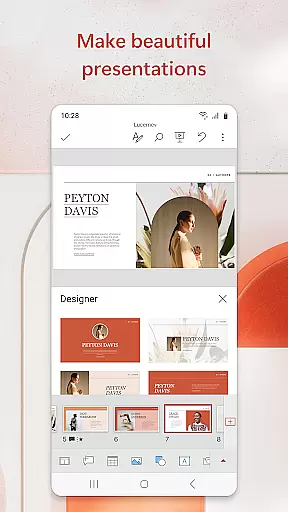
Microsoft PowerPoint is the quintessential presentation tool that empowers users to create, edit, and deliver professional slideshows from their mobile devices. This productivity app allows you to craft visually compelling presentations with music, graphics, charts, and more, ensuring your quarterly or yearly reports stand out. With seamless synchronization across devices, your work-in-progress is always up-to-date, eliminating concerns about multiple file versions.
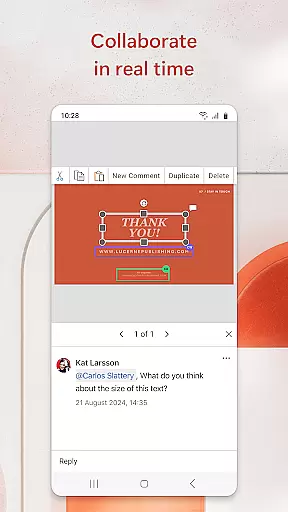
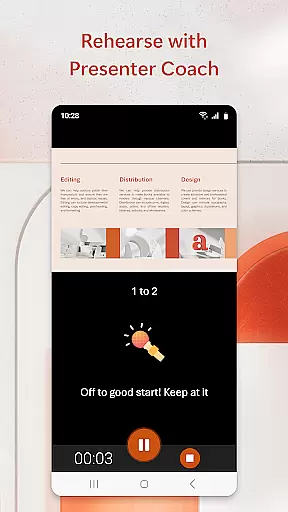
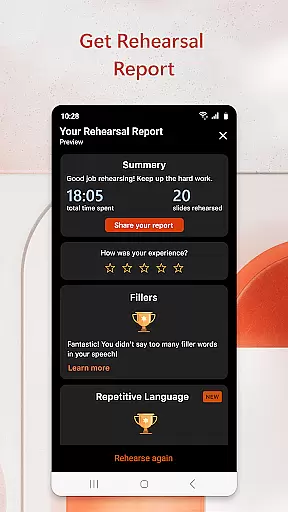
The app includes Presenter Coach, an AI-driven feature designed to refine public speaking skills by providing real-time feedback during practice sessions. Whether you're creating a slideshow from scratch or customizing pre-existing templates, PowerPoint's intuitive interface ensures ease of use. The ability to collaborate in real time makes it simple for teams to work together efficiently, regardless of location.
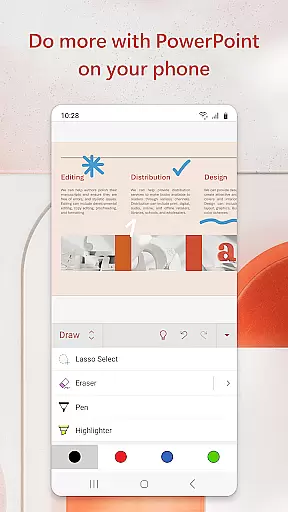
PowerPoint's versatility extends beyond basic presentation capabilities; it also supports photo slideshows and video integration directly within your slides. This functionality helps presenters communicate their ideas clearly and confidently on any device. By combining powerful customization options with user-friendly tools, Microsoft PowerPoint remains an indispensable asset for impactful presentations.
Microsoft PowerPoint offers a comprehensive suite of features tailored for creating dynamic and engaging presentations. One standout feature is Presenter Coach, which uses artificial intelligence to provide real-time suggestions as you practice your delivery. This tool helps improve pacing, reduces filler words like 'umms,' and boosts overall confidence when presenting. Additionally, the built-in presentation timer ensures concise delivery, allowing speakers to manage their time effectively.
Collaboration is streamlined through integrated commenting and shared access permissions, enabling teams to work simultaneously on projects. Users can view who is editing which slide and receive instant feedback via comments. The app supports various media formats, including photos and videos, which can be added directly from your device or captured live using the camera function. These multimedia elements enhance visual storytelling and audience engagement.
Customization options abound with highly adaptable templates that cater to different presentation needs. From crafting annual reports to educational lectures, PowerPoint provides tools that make each slide unique yet cohesive. Real-time syncing across devices guarantees that all changes are saved automatically, ensuring consistency whether you're working on a phone, tablet, or PC. With these robust features, Microsoft PowerPoint continues to set the standard for professional presentations.
Microsoft PowerPoint offers robust core task management features that streamline the process of creating, editing, and presenting slideshows. This functionality is crucial for users who need to manage multiple tasks within a single application environment.
The app allows users to create presentations from scratch or work on pre-existing slides, ensuring flexibility in project management. With seamless synchronization across devices, users can access recently used files quickly, eliminating concerns about multiple file versions.
PowerPoint's collaboration tools enhance task management by enabling real-time editing and integrated commenting systems. These features allow teams to work together efficiently, track changes, and provide feedback directly within the presentation.
By incorporating AI-powered Presenter Coach, the application helps users refine their delivery and practice presentations with real-time suggestions. This comprehensive task management system empowers users to focus on both content creation and presentation skills development.
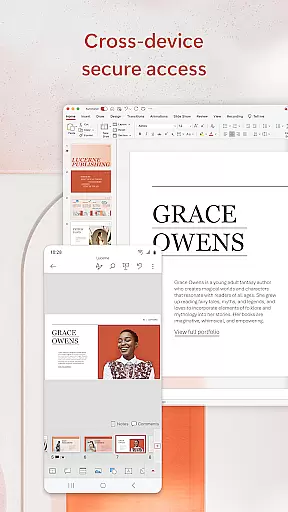
Cross-device synchronization reliability is a fundamental aspect of Microsoft PowerPoint, ensuring that users can seamlessly transition between different devices while maintaining consistent access to their presentation files.
The application achieves this through its cloud-based infrastructure, which automatically syncs recent changes across all connected devices. This means that whether you're working on your mobile phone, tablet, or desktop computer, your presentation will always be up-to-date.
PowerPoint's synchronization system addresses common user concerns about version control by maintaining a single, authoritative copy of each presentation. This eliminates the risk of working on outdated files or losing important modifications.
Furthermore, the app's reliable synchronization enables users to start working on one device and continue on another without interruption. This feature is particularly valuable for professionals who need to prepare presentations during commutes or while traveling between meetings.
User-friendly interface
Real-time collaboration
AI-powered Presenter Coach
Seamless cross-device sync
Rich multimedia support
Subscription fees apply
Limited offline functionality
Advanced features require learning
Occasional sync delays
Resource-intensive on older devices

The long-awaited modern gallery app for your Nextcloud server
 4.70
4.70
Ads Free App! Editor, Hide File, Copy, Move, Delete and Rename.. all facility av
1.70
Send files, sync SMS, notifications & clipboard across devices via local network
4.40
Automates browsing any website and notifies you of important changes or events
4.30
Simple and reliable communication between inmates, friends and family
3.20
All document reader, all in one file viewer read PDF, DOCX, XLS, PPT, TXT files.
4.60
Lightweight PDF, Word, Excel reader.
4.60
AI Chatbot and AI writing assistant powered by ChatGPT.
4.60
Daily processing of PDF documents.
4.40
Native client for Forgejo and Gitea
5.00
Simple notepad & memo. Take notes, to-do list, shopping list with reminders.
4.80
Quickly and easily keep track of your work shifts
4.70
Tally and goal counter for Wear OS & mobile
4.50 4.20
4.20
Intelligent AI Assistant
4.10
Create and edit presentations with Google Slides, part of Google Workspace.
4.00
Ultimate Virtual AI Character for immersive Roleplay Chat. Perfect Companion
3.90
A Revolutionary All-in-One Artificial Intelligence Tools
3.80
Experience and share your SolidWorks designs on your Android® phone and tablet.
2.50


User Reviews