
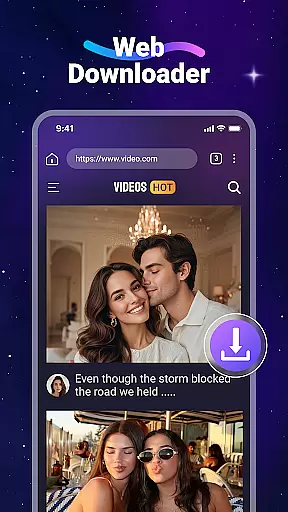
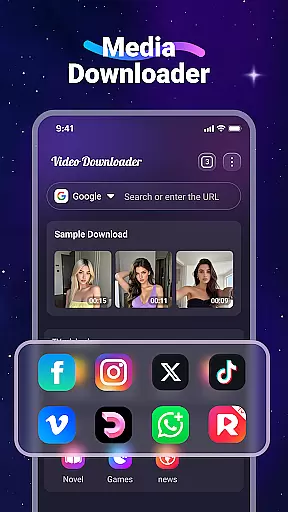

Video Downloader is a versatile utility app designed for users who want to download and manage videos and music directly from websites. The app allows you to save media files onto your device, enabling offline access without the need for constant internet connectivity. With its built-in player, you can enjoy videos anytime, anywhere, even without an active internet connection.
One of the standout features of Video Downloader is its fast download speed and support for all major file formats, including MP4, MP3, AVI, and more. Additionally, it offers a built-in web browser that automatically detects downloadable video content on web pages, making the process seamless and efficient. Whether you're looking to save online tutorials, music tracks, or any other video content, this app provides a comprehensive solution tailored to meet your downloading needs.
Video Downloader boasts a variety of features that enhance user experience. First and foremost, the app supports background downloading, allowing users to continue using their devices while files are being downloaded. This feature is particularly useful for multitaskers who need to perform other tasks simultaneously.
Another notable feature is the SD card support, which enables users to save space on their device's internal storage by transferring files to an external SD card. The app also includes a bookmarking function, letting users save their favorite websites for quick access later. Moreover, the built-in media player supports multiple formats, ensuring compatibility with various types of video and audio files. These features collectively make Video Downloader a powerful tool for managing and enjoying digital content offline.
Video Downloader stands out for its extensive video format compatibility, ensuring users can download and play a wide range of file types without hassle. This includes popular formats such as MP4, AVI, and MOV, alongside audio formats like MP3 and M4A.
The app's robust support for various formats means that no matter the source of the video or music file, users can expect seamless integration and playback on their device. Whether it's a high-definition movie or a simple audio track, Video Downloader handles it with ease.
This versatility not only enhances user experience by providing flexibility in content consumption but also ensures that users are not limited by format restrictions. The ability to manage and play all downloaded files within the app further simplifies the process, making it an all-in-one solution for online media consumption.
Beyond just downloading, Video Downloader incorporates AI-powered editing features that elevate the user's control over their media files. These intelligent tools allow for efficient trimming, cropping, and enhancing videos directly within the app.
Utilizing advanced algorithms, the app intelligently suggests optimal edits based on the content, streamlining the editing process for users of all skill levels. This feature is particularly beneficial for those looking to quickly refine their downloaded videos without needing specialized software.
By integrating these sophisticated editing capabilities, Video Downloader not only simplifies video management but also empowers users to unleash their creativity. The result is a polished final product that meets personal or professional needs, all achieved within a single, intuitive platform.
User-friendly interface
Fast download speeds
Supports all major formats
Built-in media player
SD card supported
No YouTube support
Limited to legal downloads
Requires website permissions
Offline mode only
Ads in free version

KineMaster, Your Ultimate Video Editor!
 4.40
4.40
Support 1000+ Video Format, Subtitle Download, mp3 & Background Play, Cast On TV
4.60
All in one HD video downloader & player for multiple formats with full privacy
4.70
Download videos and play them offline
4.70
Manage your IPTV live channels and VOD playlists (no playlist included)
3.80
The essential companion to your Blue Iris PC software
2.50
This app is an emulator of some specific IPTV boxes
3.50
A Simple app to download Video & Music from the Internet.
4.70
Screen recorder with audio to take live videos & Screenshot in high quality!
4.70
HD Video player all format, HD Videos, Cast & Subtitle. No annoying ads.
4.60
Watch a large amount of high-definition short drama content
4.60
Add date and time watermark to photos and videos
4.50
Fast & Private Video Downloader App. Save all videos easily from the Internet.
4.40
Create & edit videos with AI
4.30
AI Video Editor:AI Music, Text to Video,Text to Speech,Auto Caption,Video Effect
4.00
Fast private browser with secure, seamless access & supported video downloads!
4.00
Connect 2 UVC devices for recording and broadcast video/audio stream
3.90
Capture images & record videos for USB Camera, Webcam, Microscopes, Endoscopes
3.80
Live TV, anywhere in your home
3.80


User Reviews