


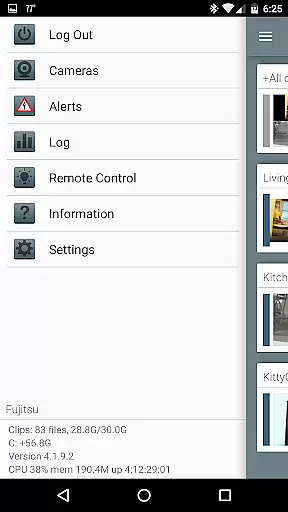


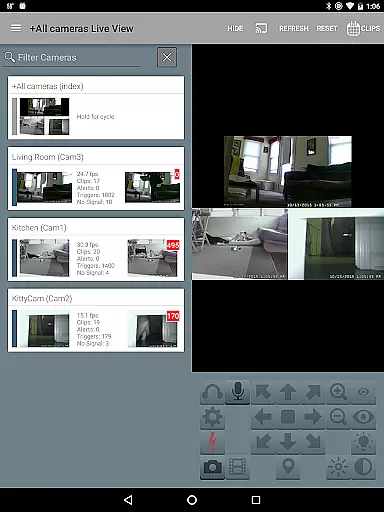
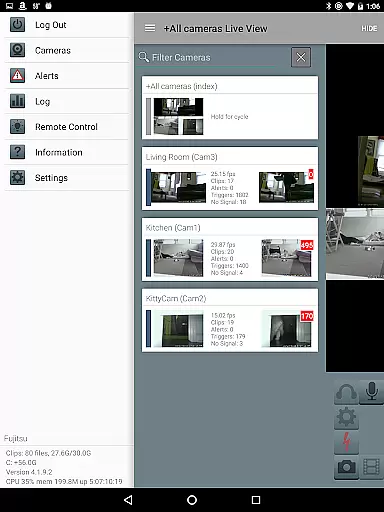
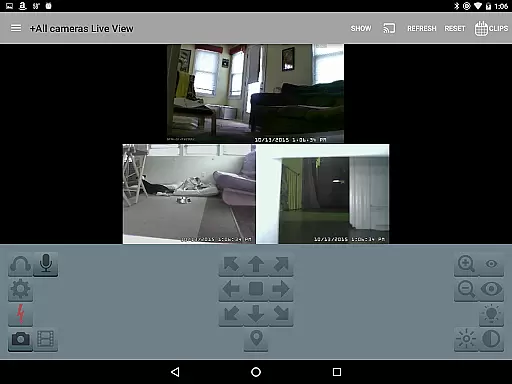
Blue Iris is a specialized client application designed for users who have the Blue Iris Windows PC software version 5.x installed. This app serves as a secure gateway to your home camera network, eliminating the need to expose individual cameras directly to the internet. By connecting through a session-based protocol, it ensures that no plain text passwords are transmitted, providing peace of mind regarding security.
The app consolidates all your camera feeds into one accessible platform on your mobile device. It allows you to manage multiple Blue Iris installations remotely, control traffic signals, and receive instant Android push alerts when any camera is triggered or critical status messages arise. With features like fast H.264 streaming, PTZ (pan-tilt-zoom) control, audio interaction capabilities, and the ability to review recordings at up to 64x speed, Blue Iris offers comprehensive video management tailored for both casual users and professional surveillance operators.
Blue Iris stands out with its robust feature set tailored for advanced video management. One of its key strengths is the ability to manage multiple Blue Iris installations from a single app interface, making it ideal for users with complex surveillance setups. The app provides complete control over connected devices, including managing traffic signal icons, scheduling, and profile selection, ensuring optimal performance based on user-defined preferences.
Another notable feature is its support for fast H.264 streaming, which delivers high-quality video without excessive bandwidth consumption. Users can also interact with their cameras by controlling PTZ functions, IR settings, and even two-way audio communication where supported. Additionally, the app enables users to navigate between camera feeds seamlessly using intuitive tap and swipe gestures. For reviewing footage, the app supports playback speeds of up to 64x, along with selective deletion options for stored recordings, giving users full control over their data storage needs.
Blue Iris stands out in video format compatibility, ensuring users can work with a wide range of video formats without any hitches. This app supports various formats, making it versatile for different user needs and camera setups.
The application is designed to integrate seamlessly with your home camera network, allowing you to manage multiple Blue Iris installations efficiently. It leverages the power of the Blue Iris Windows PC software to provide fast H.264 streaming, which is crucial for maintaining high-quality video feeds without excessive bandwidth consumption.
With this compatibility, users can review recordings stored on the Blue Iris PC with ease, enjoying functionalities such as up to 64x speed playback. This feature is particularly beneficial for quickly navigating through footage to find specific events or moments.
Moreover, the ability to control PTZ (Pan/Tilt/Zoom), IR, and other camera functions for any controllable camera adds another layer of utility, enhancing the overall video management experience.
While Blue Iris may not focus heavily on AI-powered editing features like some dedicated video editors, it offers essential tools that enhance video management and playback. The app provides users with the capability to swiftly navigate, review, and manage their video recordings with advanced playback speeds and selective deletion options.
One standout feature is its efficient handling of video streams through fast H.264 streaming. This ensures that users can enjoy smooth and high-quality video playback, which is critical when reviewing detailed footage. Additionally, the app's interface is crafted to offer intuitive controls over video feeds, including listening and talking capabilities for supported cameras.
Although it doesn't incorporate AI-driven editing tools traditionally found in video editing suites, Blue Iris excels in delivering practical functionalities such as remote control of DIO output signals on compatible devices. These features collectively contribute to a robust video surveillance and management system.
In summary, while Blue Iris prioritizes surveillance and network management over AI-based editing enhancements, its comprehensive suite of tools ensures an efficient and secure video management experience tailored to the needs of its users.
User-friendly interface
Secure connection protocol
Comprehensive camera controls
Fast H.264 streaming
Multi-installation management
Requires Windows PC software
No standalone functionality
Limited to Blue Iris systems
Dependent on network stability
Complex initial setup

Powerful, professional, versatile teleprompter. Developed by an active film crew
 4.00
4.00
Video player with powerful streaming playback and various convenient features.
2.10
An easy-to-use and all-round screen recorder with audio
4.80
Find, download, and play torrents with the official BitTorrent® Pro app
4.70
All in one multi protocols stream receiver for AirPlay, Cast and DLNA.
3.60
Browser for Samsung TV to stream webvideos, online movies and livestreams in HD
4.10
A Simple app to download Video & Music from the Internet.
4.70
Video player with 4K & 1080P support, popup play, background play and subtitle.
4.20
convenient, safe and fast at Video Downloader & Player
4.60
Tik & Story Saver-Download ALL social media videos, photos & reels no watermark.
4.80
Pro video editor app for Instagram, edit video with song, AI, effect & slowmo.
4.80
Download Hub, easy and private way to download and enjoy your videos offline
4.80
Snaptubè Video Downloader app allows to download videos and music in Snaptube. .
4.60
Download website videos fast&privacy
4.40
Create & edit videos with AI
4.30
All format media Player, no need video converter any more!
4.00
Connect EasyCap or UVC devices for recording and broadcast video/audio stream
3.60
Browser for Sony TV to stream web videos, online movies and live tv
3.20
Mix with Virtual DJ directly from your phone or tablet !
3.10


User Reviews