
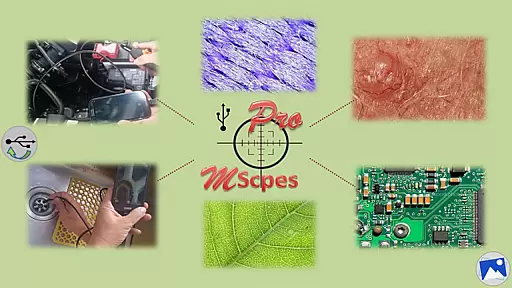
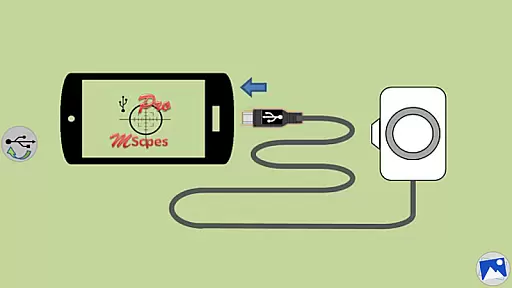
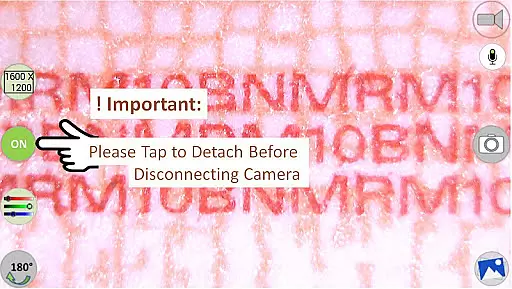
MScopesPro for USB Camera is a versatile application designed to enhance the functionality of USB video class cameras when connected to Android devices. This app allows users to view, capture images, and record videos from digital microscopes, endoscopes, borescopes, camcorders, or webcams via USB connection. For devices with type-A connectors, an OTG adapter is necessary to bridge the connection with smartphones or tablets.
One of the standout features of MScopesPro is its ability to facilitate microscopy or endoscopy "on-the-go," providing unparalleled portability and flexibility. Whether inspecting microscopic objects or hard-to-reach areas like cracks, pipes, or cavities, this app significantly enhances convenience and efficiency. The Pro version offers advanced functionalities such as full-screen mode, zoom and pan capabilities, multiple image types, date and time stamp options, customizable notes, cross-hair display, watermark-free images, pinch-to-zoom, resolution selections, and adjustable color parameters.
This app is particularly beneficial for professionals in fields requiring detailed inspections, such as scientific research, industrial maintenance, or quality control. By leveraging MScopesPro, users can streamline their workflows and achieve more precise and comprehensive analyses without being tethered to traditional desktop setups.
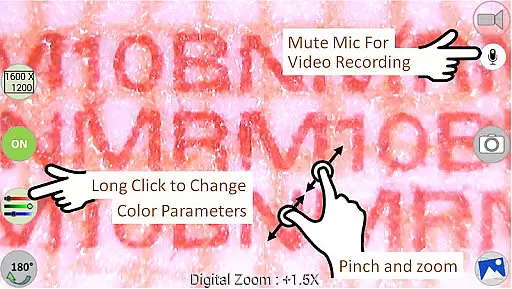
MScopesPro for USB Camera boasts a rich array of features that cater to both amateur enthusiasts and professional users. One of the primary highlights is the full-screen mode, which eliminates on-screen buttons to provide a 100% preview area, ensuring an unobstructed view of the subject matter. Users can effortlessly zoom and pan across the preview using one or two fingers, allowing for detailed exploration of captured content.
The app supports both JPEG and PNG image formats, offering flexibility in file management and quality retention. Additional customization options include adding date and time stamps directly onto previews and captured images, inserting up to three lines of custom notes, and displaying a cross-hair overlay for precision targeting. Furthermore, MScopesPro ensures watermark-free outputs, preserving the integrity of your visuals.
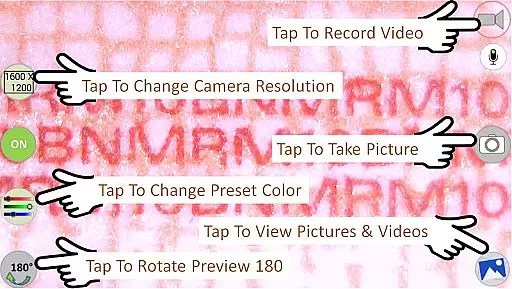
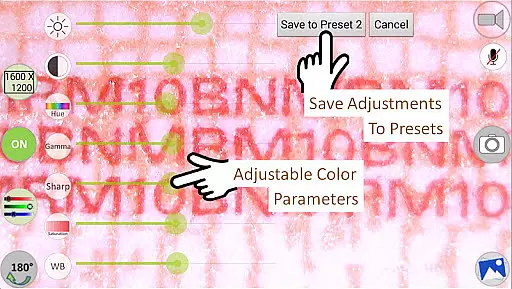
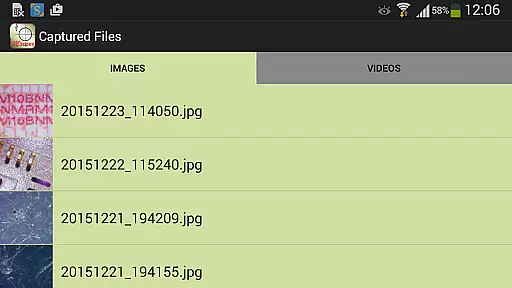
Advanced functionalities extend to camera resolution selections and support for various preview sizes, including 640x480, 800x600, 1280x720, and 1600x1200 pixels. Users can fine-tune color parameters such as brightness, contrast, hue, gamma, sharpness, saturation, and white balance, saving these adjustments into three distinct presets for quick access. Other notable features encompass microphone control during video recording, intuitive sharing and editing buttons, and seamless navigation through images and video files via swiping gestures.
Video format compatibility is a crucial feature for any video player or editor, ensuring that users can work with a wide range of video files without conversion hassles. MScopesPro supports multiple video resolutions including 640x480, 800x600, 1280x720, and 1600x1200, catering to various user needs from standard definition to high definition video processing.
The application facilitates extensive format support by leveraging libraries such as Independent JPEG Group, libusb, and libuvc, which are instrumental in handling diverse video streams. This ensures that whether you're dealing with digital microscopes, endoscopes, or webcams, MScopesPro can manage the video input effectively.
Users benefit from adjustable color parameters like brightness, contrast, hue, gamma, sharpness, saturation, and white balance. These features not only enhance video quality but also allow users to customize their viewing experience according to personal preferences or specific project requirements.
AI-powered editing features represent the cutting edge of video editing technology, automating complex tasks and providing intelligent suggestions to improve video content. MScopesPro incorporates advanced functionalities such as full-screen mode, pinch and zoom on preview, and cross-hair options, which collectively offer an intuitive and professional editing environment.
The Pro version stands out with its ability to save adjusted color parameters to three presets, streamlining the workflow for users who frequently switch between different projects or settings. Additionally, options to add date and time stamps, notes, and control over microphone usage during video recording further enrich the editing capabilities.
By integrating these sophisticated tools, MScopesPro empowers users to produce high-quality videos efficiently. The inclusion of buttons for sharing, editing, and deleting images and videos enhances productivity, making it an invaluable tool for professionals and hobbyists alike.
User-friendly interface
Highly customizable settings
Supports multiple resolutions
Advanced color adjustments
Portable and flexible usage
Incompatible with some devices
Doesn't work on Android 5.1.1
Requires OTG adapter
Limited to UVC-supported cameras
Premium version costs extra

Save photos and videos from social apps in one tap.
 3.60
3.60
Cast Videos from Web Browser, IPTV to Roku, Chromecast, DLNA, Smart TV +more
4.60
KineMaster, Your Ultimate Video Editor!
4.40
Pro video editor app for Instagram, edit video with song, AI, effect & slowmo.
4.80
Explore the largest library of free GIFs, Stickers & Memes - or create your own!
3.90
Video Downloader, Multiple Resolution Options, Video Player
4.50
Mix with Virtual DJ directly from your phone or tablet !
3.10
Find, download, and play torrents with the official BitTorrent® Pro app
4.70
Watch IPTV on your Android device
4.60
Download videos and play them offline
4.70
Watch a large amount of high-definition short drama content
4.60
VLC Remote lets you control your VLC Media Player on Mac, PC or Linux.
4.60
Support 1000+ Video Format, Subtitle Download, mp3 & Background Play, Cast On TV
4.60
Powerful Video Editor & Photo Editing App —— Quick Edits & Stunning Effects!
4.30
Video Downloader is an utility that can save videos and music from web sites
4.20
Web Browser for LG TV to stream webvideos, online movies and livestreams in HD
4.20
Kodi media center, a free and open source cross-platform entertainment hub
3.60
All in one multi protocols stream receiver for AirPlay, Cast and DLNA.
3.60
Client application for NextPVR software
3.00


User Reviews