
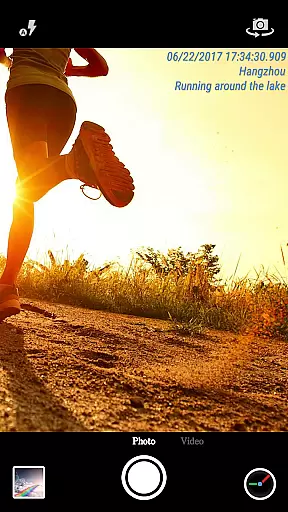
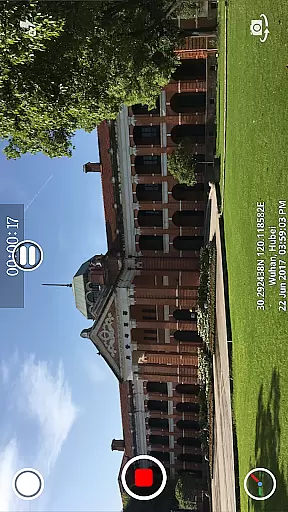
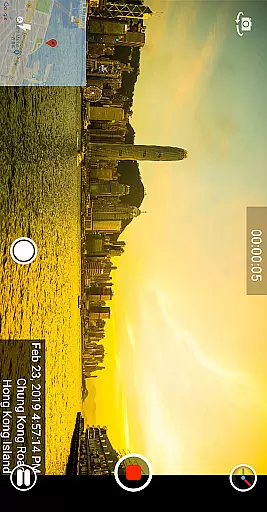
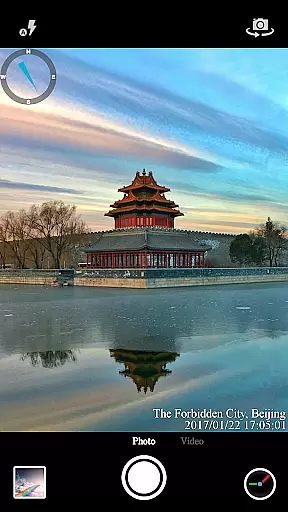

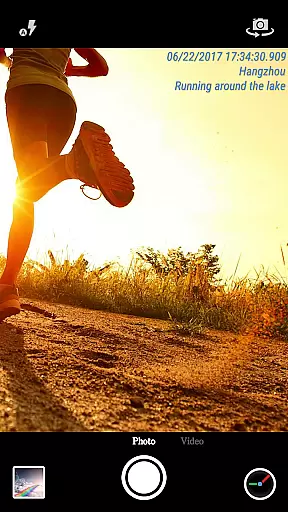
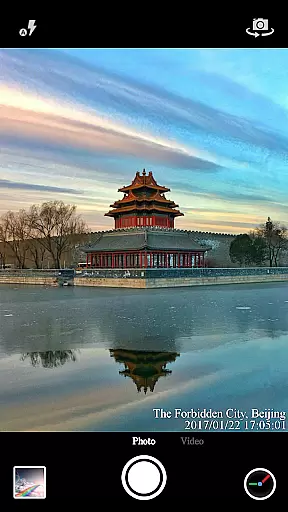
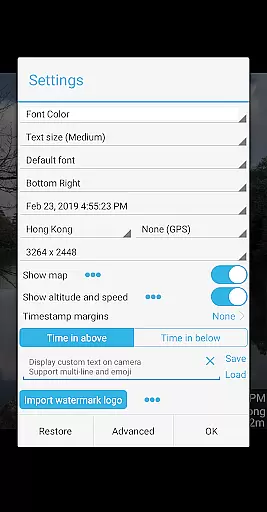

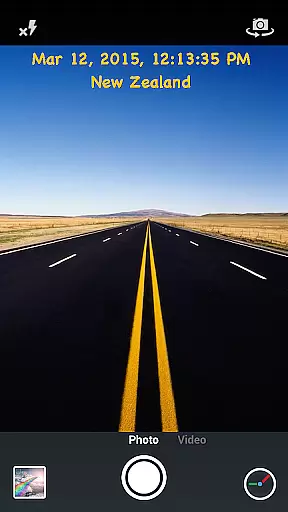
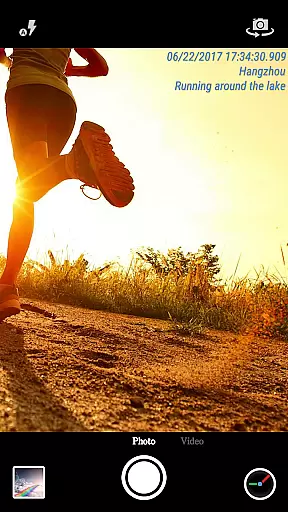
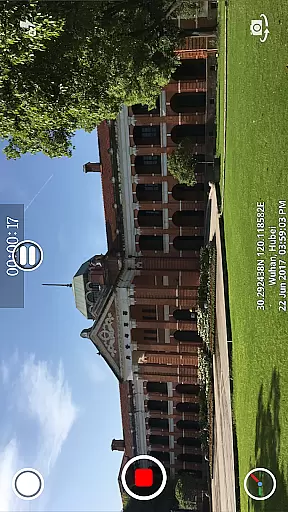
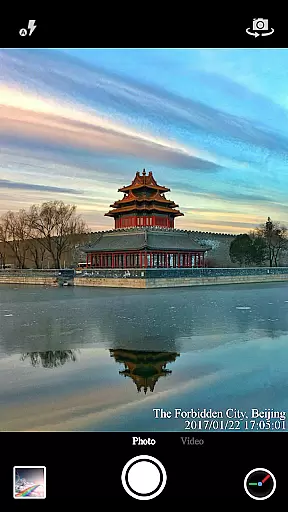
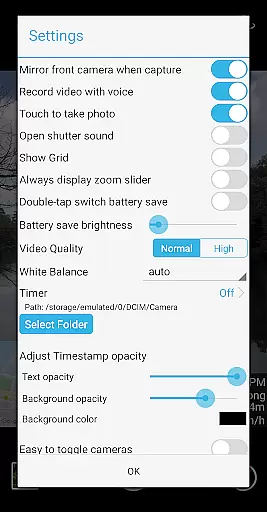
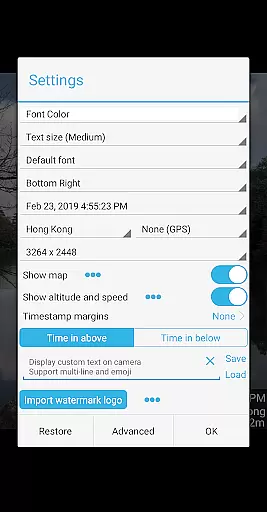

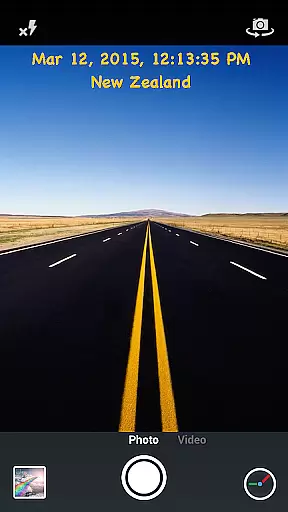
Timestamp Camera Pro is a powerful video and photo editing application that allows users to add real-time timestamp watermarks while capturing media. The app supports 61 different timestamp formats and offers precise time marking up to milliseconds, making it unique among camera apps. Users can customize the appearance of timestamps by adjusting font styles, sizes, colors, and positions across seven different screen locations.
In addition to timestamps, the app provides features like location tagging with GPS coordinates, altitude, and speed indicators. It also supports adding custom text, emoji overlays, map displays, and logo images onto videos and photos. With options for battery saver mode, audio control during video recording, and direct saving to SD cards, Timestamp Camera Pro caters to both casual photographers and professional videographers who need detailed metadata on their media files.
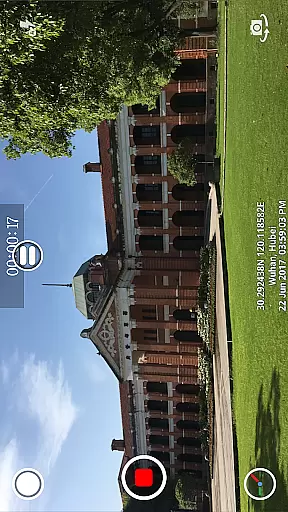
Timestamp Camera Pro stands out with its comprehensive feature set tailored for users who require detailed annotations on their media. One of its key features is the ability to record videos with millisecond-accurate timestamp watermarks, which is crucial for professionals needing exact timing records. The app's support for 61 timestamp formats ensures compatibility with various international standards and personal preferences.
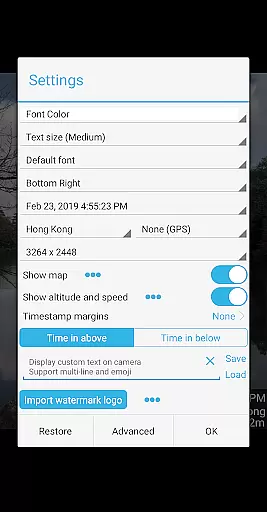
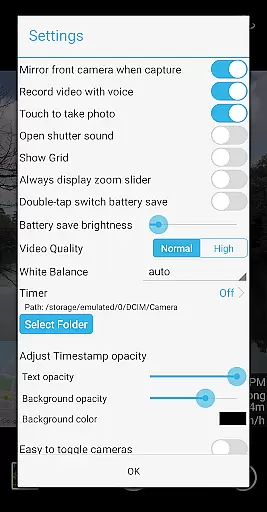
Beyond timestamps, the app offers extensive customization options. Users can modify font attributes such as typeface, color, size, and opacity, as well as choose from seven distinct placement positions for the timestamp overlay. Additional functionalities include displaying dynamic maps, custom logo integration, and toggling between front and rear cameras during recording. These features collectively enhance user experience by providing versatile tools for creative expression and technical precision.
Timestamp Camera Pro stands out with its extensive video format compatibility, ensuring that users can work with a wide array of file types without any hitches. The app supports popular formats such as MP4, AVI, and MOV, making it versatile for various devices and platforms.
Beyond just basic playback, the application allows real-time effects to be applied to videos regardless of their format. This includes adding timestamps with millisecond accuracy, custom text, emoji overlays, and even map displays with adjustable transparency and size.
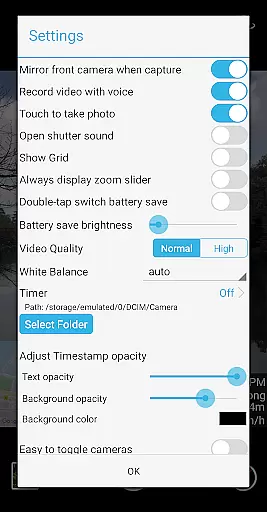
For content creators and professionals who require specific resolutions or need to save files directly to an SD card, Timestamp Camera Pro offers customizable settings. Users can adjust video resolution and choose to record either with or without audio, depending on their project requirements.
One of the key highlights of Timestamp Camera Pro is its suite of AI-powered editing features that streamline the video creation process. With support for 61 timestamp formats, users can apply precise time and location data onto their videos in real-time, accurate to the millisecond.
The app's intelligent functionalities extend to font customization, where users can modify font type, color, size, and position across seven different screen locations. Additionally, advanced options like changing timestamp opacity, background, and adding altitude and speed information enhance the creative control available.
Timestamp Camera Pro also integrates smart tools for optimizing battery usage during shoots through its 'Battery saver mode.' By adjusting screen brightness dynamically, it ensures uninterrupted recording sessions while maintaining high-quality output throughout each session.
Real-time timestamping
Millisecond accuracy
Customizable text
GPS location tagging
Battery saver mode
Complex interface
Occasional bugs
Limited free features
Heavy file sizes
No cloud backup

The smartest M3U IPTV Player your playlists have ever seen.
 4.3
4.3
Powerful, professional, versatile teleprompter. Developed by an active film crew
4.00
Fast video downloader & private browser. Save HD clips to watch offline.
4.40
Download videos easily & play them all in one smart, powerful video manager.
3.40
An easy-to-use and all-round screen recorder with audio
4.80
AI Video Editor:AI Music, Text to Video,Text to Speech,Auto Caption,Video Effect
4.00
LumaFusion: The Ultimate Storytelling Experience for Video Editing
4.10
Fast private browser with secure, seamless access & supported video downloads!
4.00
Create, Publish & Maximize
4.70
Download Hub, easy and private way to download and enjoy your videos offline
4.80
All in one HD video downloader & player for multiple formats with full privacy
4.70
A Quick and Pro Video Editor
4.70
A Simple app to download Video & Music from the Internet.
4.70
Watch a large amount of high-definition short drama content
4.60
KMPlayer Plus (Divx Codec) officially support Divx codec.
4.30
HD video & music player - All format support with floating & PIP mode!
3.80
Capture images & record videos for USB Camera, Webcam, Microscopes, Endoscopes
3.80
Manage your IPTV live channels and VOD playlists (no playlist included)
3.80
Kodi media center, a free and open source cross-platform entertainment hub
3.60


User Reviews