

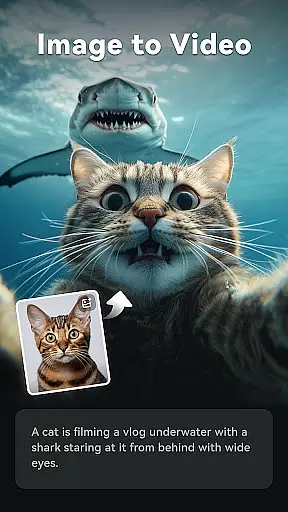
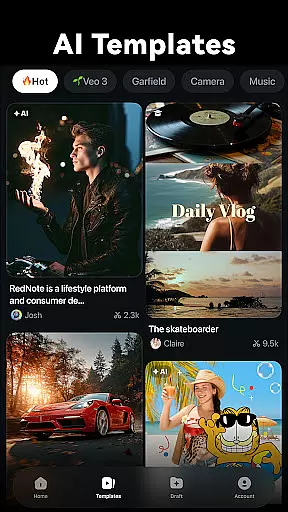
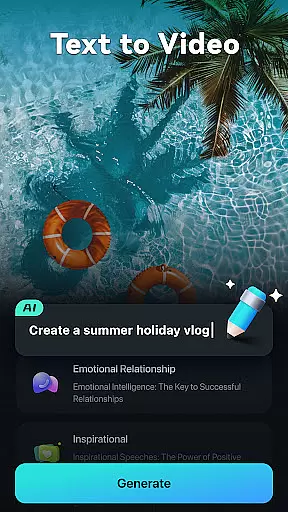
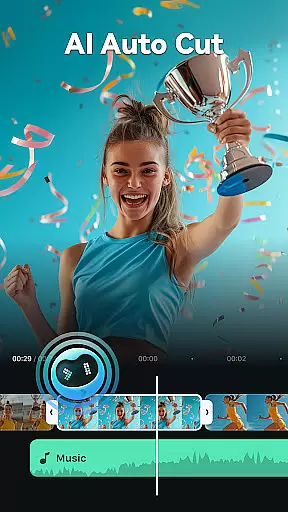
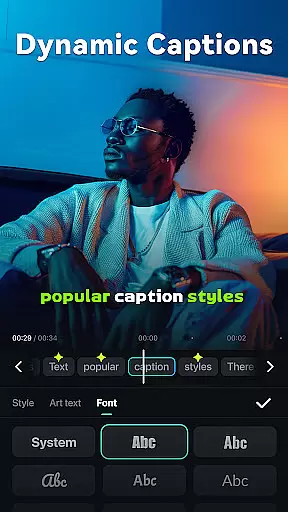
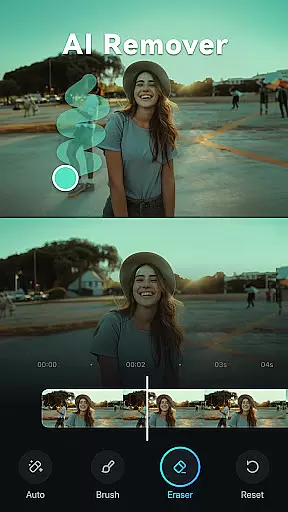
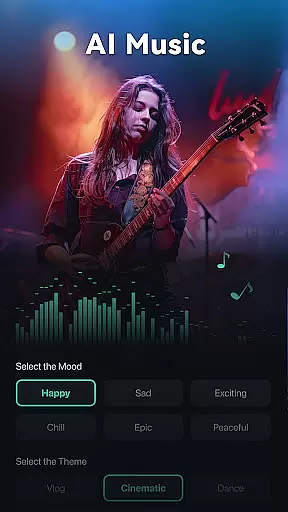
Filmora is an innovative AI-powered video editor tailored for social media creators. It strikes the perfect balance between professional-grade tools and user-friendly basic apps, making it accessible to users of all skill levels. The app offers a suite of powerful AI features that streamline video creation, including Image to Video conversion, Dynamic Captions, Text to Video generation, AI Remover, AI Auto Cut, AI Beats synchronization, VideoGen element swapping, and Text to Speech capabilities.
Designed for both beginners and professionals, Filmora provides intuitive editing tools alongside advanced features. Novice users can leverage stunning templates for one-click video creation, while experienced editors can utilize keyframe animations, customizable speed curves, PIP effects, masking, and smart tracking. With its Filmora Pro subscription, users gain access to premium features and materials across multiple platforms without watermarks or limitations.
Filmora stands out with its comprehensive set of AI-powered features designed to simplify and enhance video editing. The app's Image to Video function uses AI to animate photos based on creative prompts, while Dynamic Captions automatically generate word-by-word subtitles from speech. Its Text to Video capability allows users to visualize ideas through simple text prompts, creating engaging AI-generated movies.
The application also includes practical tools like AI Remover for eliminating unwanted elements and AI Auto Cut for crafting cinematic highlight reels. AI Beats synchronizes video highlights with rhythmic music, and VideoGen enables seamless element swapping within videos. Additionally, Filmora offers professional-grade features such as keyframe animation, speed curve customization, PIP effects, masking, and smart tracking, catering to both casual creators and professional editors seeking advanced control over their projects.
Video format compatibility is a crucial feature for any video editor, ensuring that users can work with a wide range of file types without conversion hassles. Filmora supports an extensive array of video formats, allowing creators to import and export videos in their desired resolutions and codecs.
The application's broad format support includes popular standards such as MP4, AVI, MOV, and more, catering to both amateur and professional needs. This versatility ensures that whether you're editing footage from a smartphone or a high-end camera, Filmora maintains the original quality while offering flexibility in output choices.
For content creators focused on social media platforms like TikTok, Reels, and YouTube, this compatibility translates into seamless workflows. Users can directly upload their edited videos without worrying about platform restrictions or additional processing steps.
Ultimately, Filmora's comprehensive video format compatibility empowers users to focus on their creative process rather than technical limitations. By removing barriers related to file type constraints, it enables a smoother editing experience that adapts to various project requirements and distribution channels.
Filmora distinguishes itself through advanced AI-powered editing features that simplify complex tasks for users at all skill levels. These tools leverage artificial intelligence to automate processes that traditionally require extensive manual effort, making professional-quality edits accessible to everyone.
Among its standout AI functionalities are Dynamic Captions, which automatically transcribe speech into text and synchronize it with audio tracks; AI Remover for effortlessly eliminating unwanted elements from clips; and AI Auto Cut, designed to stitch together highlight moments into cohesive narratives. Additionally, the Text to Video feature allows users to generate cinematic content from simple prompts.
These innovations not only save time but also enhance creativity by enabling editors to experiment with different styles and effects without needing deep technical expertise. For instance, VideoGen facilitates element swapping within scenes, while AI Beats aligns video highlights with musical rhythms for impactful storytelling.
By integrating these cutting-edge capabilities, Filmora transforms the editing process into an intuitive and engaging experience. Creators can produce scroll-stopping videos tailored for social media platforms quickly and efficiently, regardless of their prior experience in video production.
User-friendly interface
Powerful AI features
Cross-platform support
Professional editing tools
Royalty-free assets
Paid subscription required
Advanced features complex
Occasional performance issues
Limited free trial period
Internet connection needed

Fast, private downloading, video saving, social media
 4.50
4.50
Your media, on your terms.
4.10
Stream high quality video from your camera over NDI protocol
4.1
Capture images & record videos for USB Camera, Webcam, Microscopes, Endoscopes
3.80
Download website videos fast&privacy
4.40
IPTV Player - Watch live TV from m3m & m3u8 playlist, stream IPTV on mobile
3.30
Make your own Animations, Video and Photo Edits, Visual Effects, and more!
4.00
Livestream, news, & gaming content. Watch, chat, and upload. Join Rumble today!
3.80
Download Hub, easy and private way to download and enjoy your videos offline
4.80
Pro video editor app for Instagram, edit video with song, AI, effect & slowmo.
4.80
A Quick and Pro Video Editor
4.70
Screen recorder with audio to take live videos & Screenshot in high quality!
4.70
?100% FREE! Download & save videos? safely in this app. All formats supported.
4.60
Support 1000+ Video Format, Subtitle Download, mp3 & Background Play, Cast On TV
4.60
IPTV Loader, loads your own Playlist. DOES NOT CONTAIN ANY LIST OR CHANNELS
4.60
Cast to Chromecast, Xbox, Fire Stick, Roku, DLNA, Smart TV & No Feature Limited!
4.50
Create & edit videos with AI
4.30
IPTV-Smarters Player Pro M3U - Watch Live Stream TV Channels with Chromecast
4.00
Mix with Virtual DJ directly from your phone or tablet !
3.10


User Reviews