
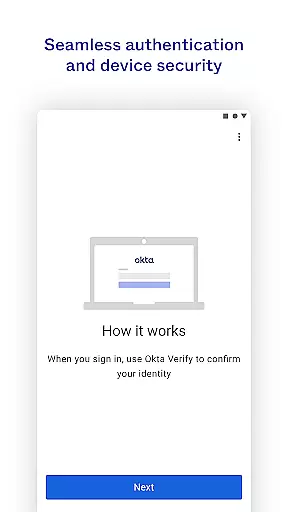
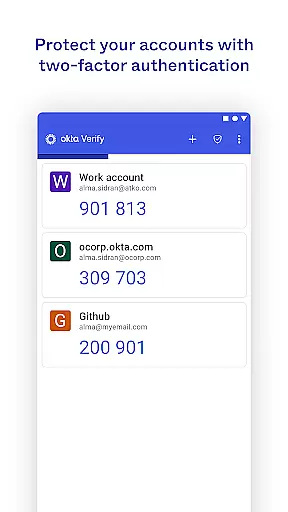
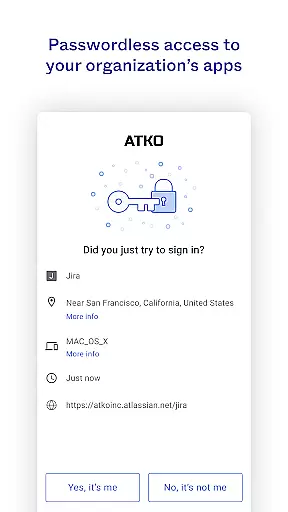
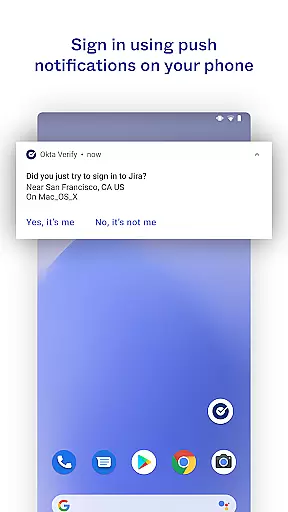
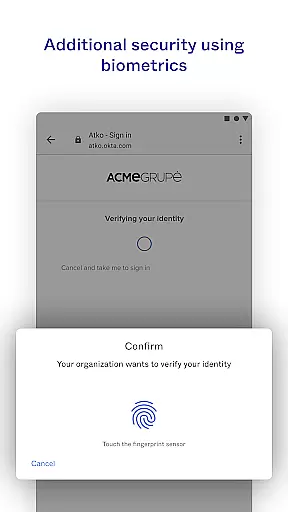
Okta Verify is a productivity-focused application designed to enhance security through two-step verification. This app ensures that only authorized users can access their accounts by providing multiple authentication methods. Users can choose from push notifications, temporary 6-digit codes, or biometric verification if enabled by their organization. The app also requires camera access for QR code scanning during the initial setup process. Okta Verify is particularly useful for businesses and individuals who prioritize secure access to their applications.
The app's ability to integrate with various services makes it versatile for different organizational needs. Whether you're accessing cloud-based platforms or internal systems, Okta Verify provides an additional layer of security that helps protect sensitive information. Its user-friendly interface ensures that even those new to multi-factor authentication can easily navigate and utilize its features effectively.
Okta Verify offers several key features that make it stand out in the realm of productivity apps focused on security. One notable feature is the support for multiple verification methods including push notifications, 6-digit codes, and biometrics. This flexibility allows organizations to tailor the authentication process according to their specific requirements and technological capabilities.
Another significant aspect is the QR code scanning functionality which simplifies the enrollment process when setting up devices. By granting camera permissions, users can quickly link their accounts without manual entry errors. Additionally, the app's seamless integration with various enterprise solutions enhances workflow efficiency while maintaining top-notch security standards. These features collectively contribute to a robust yet accessible tool for safeguarding digital assets.
Okta Verify excels in core task management by providing a streamlined approach to two-step verification. This functionality is crucial for ensuring secure access to applications and accounts.
The app offers multiple verification methods including push notifications, temporary 6-digit codes, and biometrics. These options allow users to choose the most convenient and secure method that aligns with their organization's security policies.
By integrating these advanced verification techniques, Okta Verify ensures that only authorized users can access sensitive information. This not only enhances security but also simplifies the login process, making it more efficient for users.
Ultimately, this focus on task management through robust verification mechanisms provides peace of mind for both users and organizations, knowing that their data remains protected at all times.
Cross-device synchronization is a vital feature of Okta Verify, ensuring that users can seamlessly verify their identity across multiple devices. This reliability is essential for maintaining consistent access to important applications.
When enrolling a new device, Okta Verify uses QR code scanning to synchronize account information securely. This process guarantees that all devices are properly authenticated and linked to the user's primary account.
The app maintains synchronization integrity by regularly updating verification data and ensuring that all devices have the latest security credentials. This minimizes the risk of unauthorized access due to outdated information.
With reliable cross-device synchronization, users can switch between devices without compromising security or convenience. This feature supports modern work environments where employees frequently use different devices throughout their day.
Enhanced Security
User-Friendly Interface
Multiple Verification Methods
Seamless Integration
QR Code Scanning
Requires Camera Access
Dependent on Network Connectivity
Limited Customization Options
Potential Compatibility Issues
Organization-Enabled Features Only

A customizable calendar for your Wear OS watch
 4.20
4.20
Direct Chat without saving contacts & Dual WA Account on Single Device
4.70
Easily read and manage all your PDF files
4.10
Send files, sync SMS, notifications & clipboard across devices via local network
4.40
We're working to become the best machining app on the market! www.cncdirt.com
4.80
Secure, fast, open-source, Remote Desktop Client for Windows and Linux with SSH
4.60
IP Camera Viewer - Android TV : RTSP Surveillance camera viewer for Android TV
4.3
aCalendar+ makes your day, week and month
4.70
To do list widget with a notebook organizer, checklist, simple shopping list
4.60
Scan paperwork into PDF/JPG, generate your own e-signature and send fax or email
4.70
A simple Whisper AI keyboard for reliable speech transcription and rewording
4.60
App Lock with fingerprint, password: Lock apps & hide photos with lock screens
4.60
Font maker keyboard with your own handwriting
4.10
Cloud storage, automatic phone backup, and more.
4.10
Experience real multitasking on your Android!
4.00
Create and edit presentations with Google Slides, part of Google Workspace.
4.00
Mega cloud explorer plugin for Solid Explorer
3.80
Remotely view listen control and record cameras.
3.70
Make your handwriting beautiful, even more than pen on paper.
3.60


User Reviews