
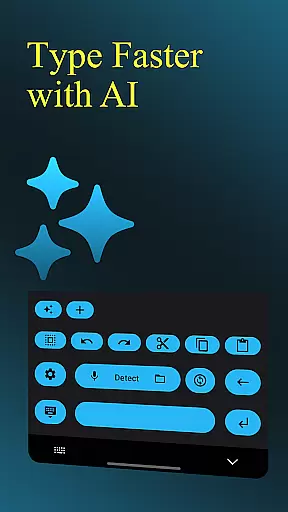
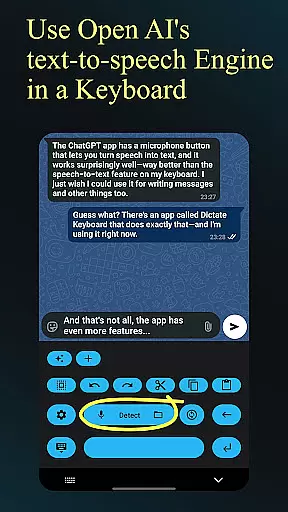
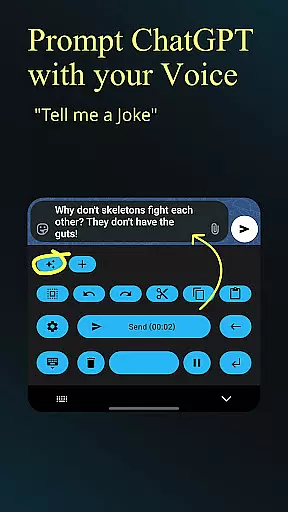
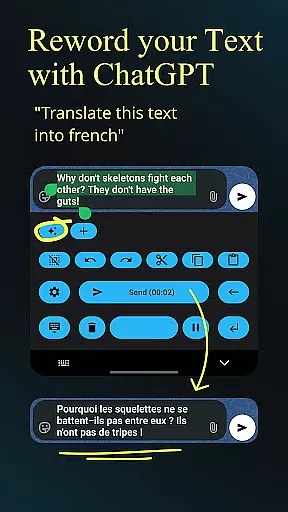
Dictate Keyboard is a cutting-edge productivity tool designed to streamline text input through advanced speech recognition technology. This innovative keyboard app converts spoken words into written text with remarkable accuracy, supporting all major languages. Its AI-driven transcription engine not only recognizes speech but also intelligently adds punctuation and formatting, making it ideal for professional communication and content creation.
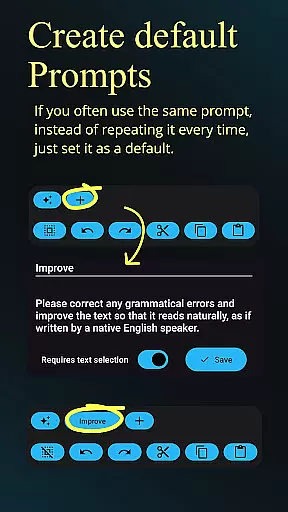
Beyond basic dictation, the app offers powerful customization options including GPT-based rewording, multiple transcription models, and system prompt settings that guide the recognition process. Users can seamlessly switch between different modes, utilize voice commands for formatting, and even transcribe audio files. The app's open-source nature and extensive feature set make it an invaluable asset for anyone seeking to enhance their mobile productivity.
Dictate Keyboard distinguishes itself through its comprehensive feature set tailored for maximum productivity. The app employs state-of-the-art Whisper and GPT-4o transcription models alongside multiple provider options, ensuring optimal accuracy across various use cases. Its unique capability to handle complex voice commands enables automatic formatting of paragraphs, lists, and special characters without manual intervention.
Professional users will appreciate the advanced customization options, including API server configuration, custom rewording instructions, and prompt management. The application supports both light and dark mode themes, haptic feedback, and quick keyboard switching. Additional productivity-enhancing features include direct input mode, Bluetooth microphone support, and seamless integration with external transcription services. These robust capabilities make Dictate Keyboard an indispensable tool for efficient mobile work.
Dictate Keyboard revolutionizes core task management by integrating advanced speech recognition technology into a user-friendly keyboard interface. This innovative approach allows users to convert spoken language into text with remarkable accuracy, supporting all common national languages.
The app's AI-driven transcription system goes beyond basic dictation by intelligently adding punctuation and formatting commands automatically. Users can create paragraphs, insert specific phrases, and even dictate complex instructions without manual adjustments.
What sets Dictate apart in task management is its seamless integration with various transcription models and providers, including OpenAI and Groq. This flexibility enables users to choose the most suitable processing method for their needs while maintaining exceptional accuracy.
The application's comprehensive feature set includes custom rewording instructions, system prompt settings for consistent style, and efficient switching between different transcription services, making it an invaluable tool for productivity-focused users.
Cross-device synchronization is where Dictate Keyboard truly shines, offering users unparalleled reliability across multiple platforms. The application maintains consistent performance through its support for various API servers and custom proxy configurations.
Users benefit from the ability to switch between different transcription models and service providers seamlessly. Whether using OpenAI, Groq, or their own transcription server, the application ensures that all devices maintain up-to-date functionality and settings.
The synchronization extends to user preferences, including custom themes, formatting rules, and system prompts. These settings are reliably maintained across devices, providing a consistent user experience regardless of which device is being used.
Furthermore, Dictate's open-source nature and detailed documentation on GitHub ensure that any synchronization issues can be quickly addressed. The application's robust architecture and support for multiple API keys guarantee reliable performance across all authorized devices.
Advanced speech recognition
Multi-language support
Automatic punctuation
Customizable rewording
Open-source flexibility
Requires API setup
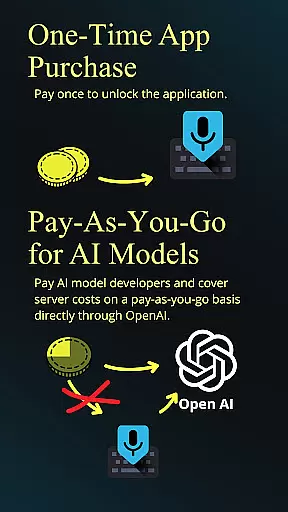
Incurs usage fees
Complex initial setup
Limited free features
Dependent on network

Experience real multitasking on your Android!
 4.00
4.00
Easily read and manage all your PDF files
4.10
We're working to become the best machining app on the market! www.cncdirt.com
4.80
Make your handwriting beautiful, even more than pen on paper.
3.60
Functional QR scanner and barcode reader that requires little storage space.
4.60
Scientific calculator for Android - looks and operates like the real thing!
4.90
Share files & memories safely. Keep your photos and videos secure.
4.40
Browse and view your photos and videos from the phone with photo & video hide.
4.10
Put a lock on your cloud: Take the security of your data into your own hands
3.70
Best Tool for the professionals Electrician, Electrical contractors, etc.
4.90
Direct Chat without saving contacts & Dual WA Account on Single Device
4.70
Quickly and easily keep track of your work shifts
4.70
The Pro Version of Android's tiniest Notepad app. Just 0.3MB but feature-packed!
4.60
Calendar 2023 widget for Android. Appointment scheduler, planner, and reminder
4.60
Lightweight PDF, Word, Excel reader.
4.60
Device's storage information in a simple and clear graphical form (infographics)
4.10
Create and edit presentations with Google Slides, part of Google Workspace.
4.00
⏰ Finally a timer app which can run multiple timers simultaneously on your watch
3.90
Ultimate Virtual AI Character for immersive Roleplay Chat. Perfect Companion
3.90


User Reviews