

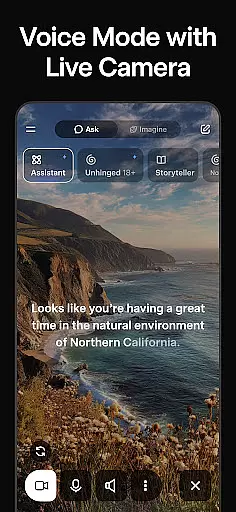
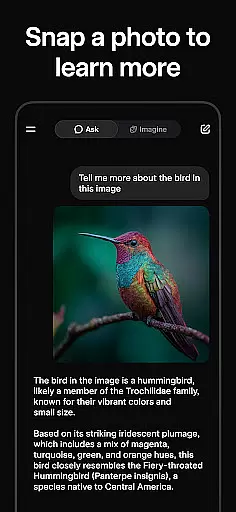
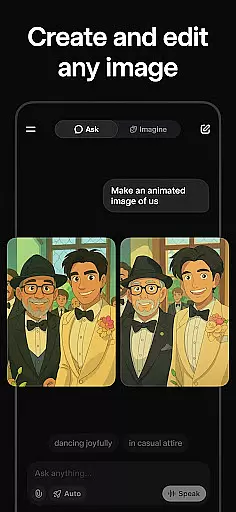
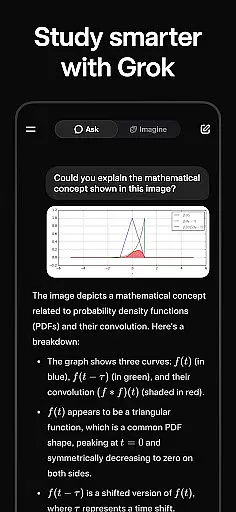
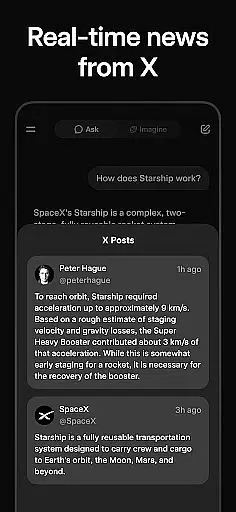
Grok is an advanced AI-powered assistant developed by xAI, designed to enhance productivity through its truthfulness, utility, and curiosity. This app allows users to get answers to any question, generate striking images and videos, and engage in natural conversations using voice mode. Additionally, Grok supports picture uploads for deeper insights into your world. With Grok, users can efficiently manage tasks and explore new ideas, making it a valuable tool for both personal and professional use.
Whether you're looking to streamline your workflow or simply curious about the world around you, Grok offers a comprehensive suite of features that cater to various productivity needs. Its ability to provide instant, accurate information and facilitate creative projects makes it an indispensable companion in today's fast-paced digital environment.
Grok stands out with its powerful AI capabilities, enabling users to ask any question and receive truthful, useful answers. The app's image and video generation features allow for creative expression, while the voice mode facilitates natural, human-like conversations. These functionalities are seamlessly integrated into a user-friendly interface, ensuring ease of use.
Moreover, Grok's support for picture uploads adds another layer of utility, allowing users to gain deeper insights into their uploaded content. This feature is particularly beneficial for professionals who need to analyze visual data quickly. Overall, Grok's innovative approach to AI assistance sets it apart from other productivity tools, offering users a unique blend of functionality and convenience.
In the realm of productivity, effective task management stands as a cornerstone for success. Grok u2022 Smartest AI Advisor revolutionizes this aspect by offering users an AI-powered assistant that is not only maximally truthful and useful but also curious in its approach to handling tasks.
Through its advanced capabilities, Grok allows users to get answers to any question, which can be pivotal when making decisions or organizing tasks. This feature ensures that every piece of information needed for task prioritization and completion is both accurate and readily available, streamlining the workflow like never before.
Moreover, Grok's ability to generate striking images and videos adds a creative dimension to task management. Whether it's visualizing project outcomes or creating engaging content for presentations, Grok empowers users to manage their tasks with flair and creativity, ensuring that productivity is not just about efficiency but also about innovation.
Cross-device synchronization is vital for maintaining consistency and accessibility across multiple platforms. Grok u2022 Smartest AI Advisor excels in providing reliable synchronization, ensuring that all your data, preferences, and ongoing tasks are seamlessly updated and accessible wherever you go.
The application supports natural conversations through voice mode, allowing users to interact with their tasks and information effortlessly on any device. This seamless integration means that whether you're at your desk or on the move, Grok keeps you connected and informed without missing a beat.
Additionally, Groku2019s feature to upload pictures for gaining deeper insights into your world further enhances cross-device functionality. By having the capability to access and analyze these visuals from any device, users enjoy an uninterrupted flow of information and inspiration, making Grok an indispensable tool for modern productivity needs.
Highly accurate responses
User-friendly interface
Versatile content creation
Efficient task management
Deep insight generation
Limited offline functionality
Requires stable internet
Premium features cost extra
Occasional response delays
Privacy concerns with uploads

Unlock AutoNotification
 4.00
4.00
Make your handwriting beautiful, even more than pen on paper.
3.60
Secure, fast, open-source, Remote Desktop Client for Windows and Linux with SSH
4.60
Todo reminder
4.10
Find and delete junk files & block unwanted notifications & manage files
3.70
Translate text/voice/photos in 150+ languages. Offline & fast translator app.
4.50
Secure, open-source, SPICE and SSH Remote Desktop for QEMU KVM virtual machines
4.00
AI Chatbot and AI writing assistant powered by ChatGPT.
4.60
Seamlessly read, manage, and organize all your PDF files solution in one place
4.40
The AI assistant that thinks with you - write, code, and solve complex tasks
4.60
A lightweight JSON & XML files creator, editor and viewer (Premium Version)
4.40
A Pixel Art watchface inspired by other iconic 90s designs for Wear OS devices!
4.40
Professional calendar app for Google Calendar, MS Outlook & Exchange
4.20
Pwnagotchi companion app
4.20
Easily read and manage all your PDF files
4.10
Activate Two Factor Authentication (2FA or Multi OTP), Password manager and more
4.10
Take control of your clipboard with Clipper!
3.90
Code on-the-go with VScode for Android. Edit,debug and collaborate from mobile!!
3.10
AI Video AI Image Private LLM AI Browser Llama Gemma Ollama Connect LLM Studio
4.5


User Reviews