
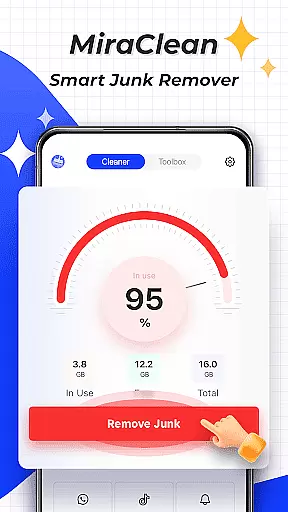

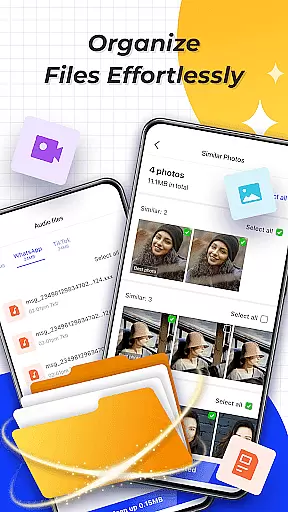
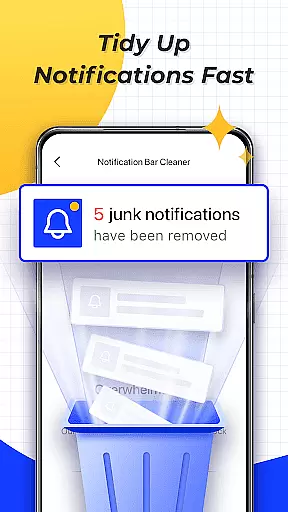

MiraClean is a productivity-focused app designed to help Android users efficiently manage their device storage and optimize performance. The app provides essential tools for scanning and removing junk files, including temporary files, app caches, and residual data that accumulate over time. Additionally, it offers features like notification management, allowing users to clear unwanted notifications from the notification bar, thus decluttering their device interface.
Another key aspect of MiraClean is its ability to organize files by type and size, making it easier for users to locate and manage their data. It also includes network monitoring capabilities, such as data usage statistics and network speed tests, which are crucial for users who need to keep track of their mobile or Wi-Fi data consumption. Lightweight and privacy-conscious, MiraClean is an ideal solution for users seeking a simple yet effective way to maintain their phone's performance without compromising personal information.
MiraClean stands out with its comprehensive set of features tailored for productivity and device optimization. One of its primary functions is the ability to scan and clean junk files. This feature identifies various unnecessary files, such as temporary files, app caches, and leftover data after app uninstallation, helping users free up valuable storage space on their devices.
In addition to file management, MiraClean offers tools for organizing and sorting files based on type and size, streamlining the cleanup process. Users can easily locate large files or specific file types that they no longer need. Another notable feature is the app’s capability to display network data usage statistics, providing insights into how much data each app consumes. Coupled with a built-in network speed test, users can measure their internet connection's download and upload speeds, ensuring optimal network performance.
MiraClean is designed to be lightweight, ensuring it runs smoothly without hogging system resources. Privacy is also a priority, meaning the app operates without intrusive permissions or data collection, offering peace of mind to users concerned about their personal information.
Task management is essential for maintaining productivity and ensuring that important activities are completed efficiently. MiraClean excels in this area by offering a suite of tools designed to help users manage their device's storage effectively.
The app provides features such as scanning and deleting junk files, which include temporary files, app caches, and residual data. This functionality allows users to free up valuable space on their devices, making it easier to store new content and run applications smoothly.
In addition to cleaning capabilities, MiraClean also offers the ability to clear unwanted notifications from the notification bar. By decluttering these alerts, users can focus on more critical tasks without distractions, enhancing overall productivity.
Furthermore, with options to manage files by type and size, MiraClean empowers users to organize their data systematically. This structured approach not only aids in quick retrieval but also simplifies the process of identifying unnecessary files for deletion, thus optimizing device performance.
Cross-device synchronization is crucial for users who rely on multiple devices to stay productive. While MiraClean primarily focuses on individual device maintenance, its lightweight nature ensures that it can be easily installed and used across various Android devices without compromising performance.
Although direct cross-device syncing isn't a highlighted feature, MiraClean indirectly supports synchronization reliability through consistent user experience. Users can expect similar performance and results when using the app on different devices, thanks to its uniform interface and functionality.
MiraClean respects user privacy, ensuring that any data handled during file management remains secure. This commitment to privacy builds trust, allowing users to confidently use the app across their devices without concern for unauthorized data access or breaches.
Moreover, the app's network data usage statistics and speed test features provide insights into how efficiently data is being utilized. These tools can help users make informed decisions about managing their connectivity, indirectly supporting reliable data synchronization practices across devices.
User-friendly interface
Effective junk cleaning
Lightweight design
Network speed testing
Data usage tracking
Limited advanced tools
No cloud backup
Basic UI design
Few customization options
Occasional bugs

Auto-shutoff Alarm with Sunrise, Sunset & Fixed Options.
 3.50
3.50
Easily read and manage all your PDF files
4.10
The Pro Version of Android's tiniest Notepad app. Just 0.3MB but feature-packed!
4.60
A lightweight JSON & XML files creator, editor and viewer (Premium Version)
4.40
Make your handwriting beautiful, even more than pen on paper.
3.60
Todo reminder
4.10
Enjoy classic gameplay with customizable features and retro-style graphics.
4.30
To do list widget with a notebook organizer, checklist, simple shopping list
4.60
This small app MUST BE INSTALLED after purchase, else license won't work
4.40
Use powerful, industry-leading AI tools to generate visual charts from any data
4.80
App Lock with fingerprint, password: Lock apps & hide photos with lock screens
4.60
Translate text/voice/photos in 150+ languages. Offline & fast translator app.
4.50
CalenGoo is a very flexible and feature-rich calendar app
4.40
Wake up & get tasks done! Add alarms & reminders on the Clock Launcher.
4.00
Ultimate Virtual AI Character for immersive Roleplay Chat. Perfect Companion
3.90
All in one sketching tool. Technical and General drawing. Online Maps support.
3.70
ID.me Authenticator is a simple and free Two Factor Authentication solution
3.50
Create study competitions, track your hours, and stay consistent with friends
4.3
The upgraded version of Name Wheel with AI and the power to add your own wheels.
4.5


User Reviews