
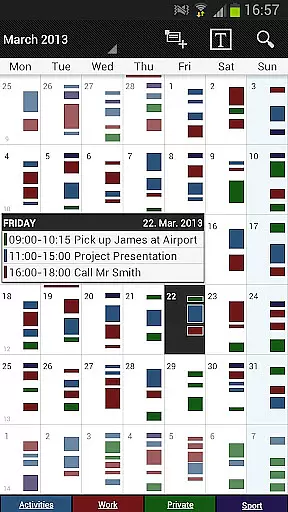
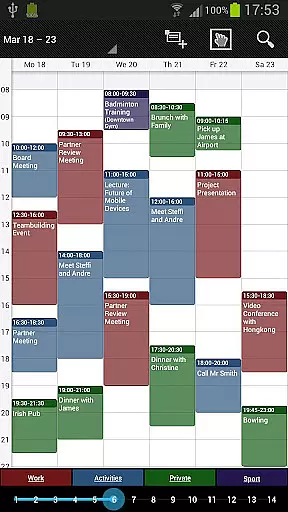
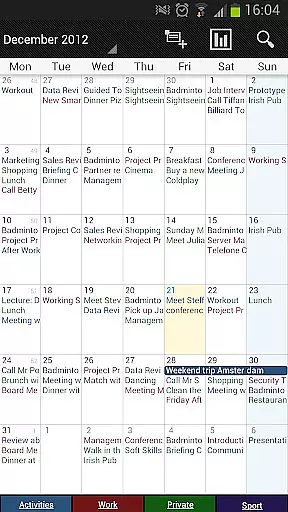
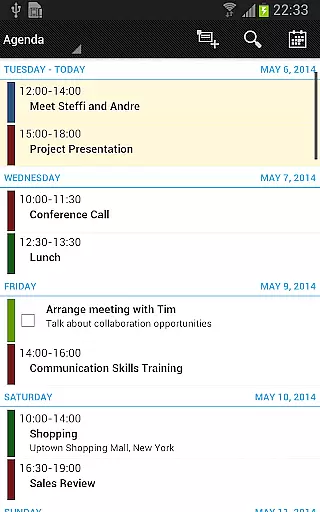
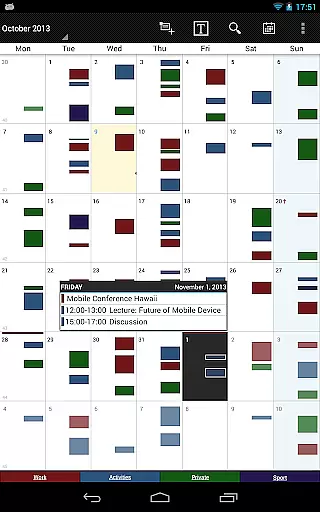
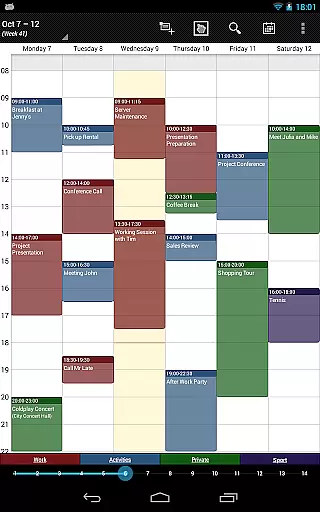
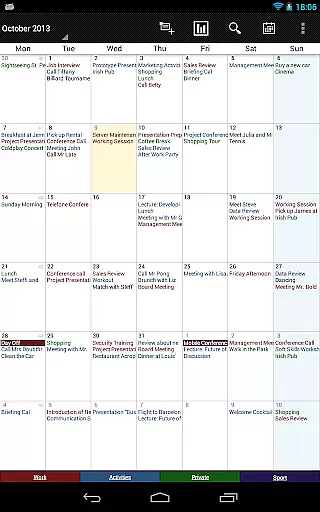
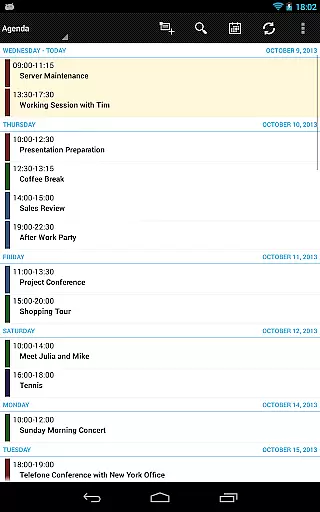
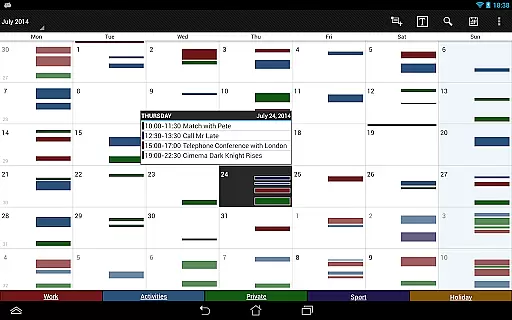
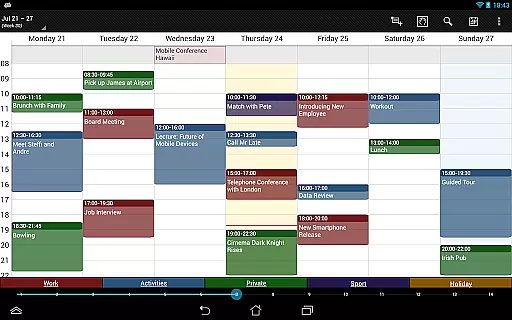
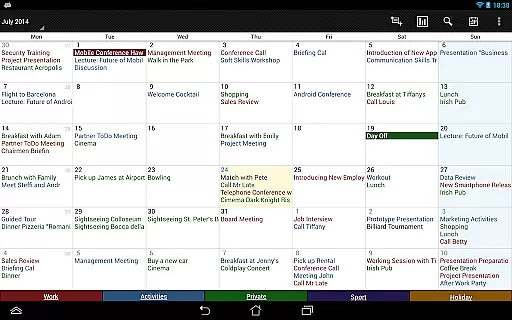

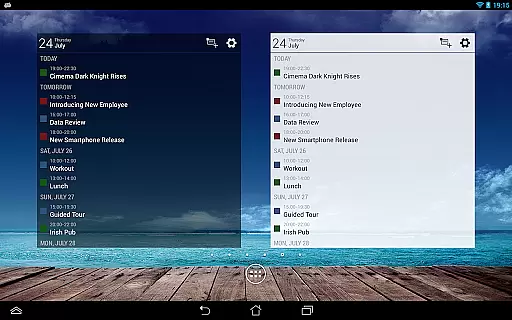
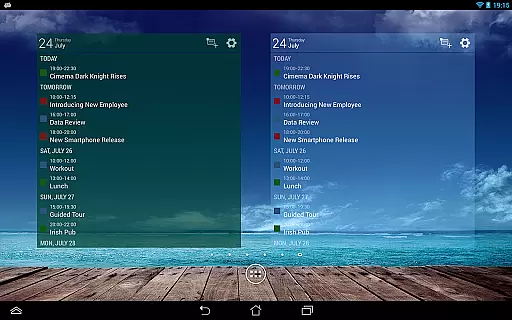
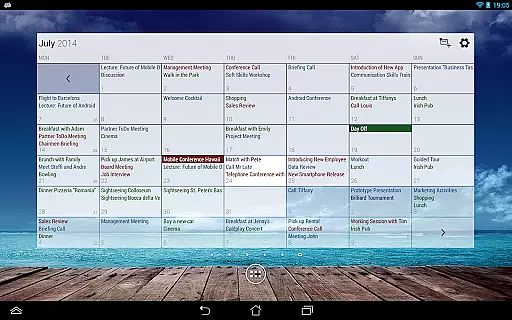
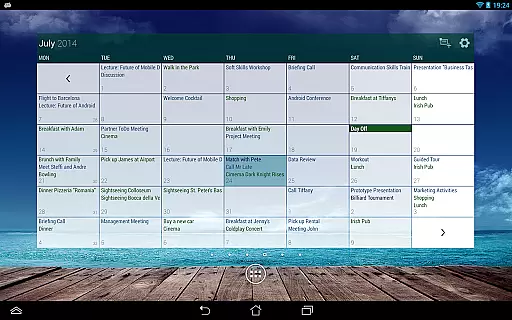
Business Calendar Pro is a comprehensive productivity tool designed for professionals who need an efficient way to manage their schedules. The app offers an intuitive interface that provides users with a quick overview of their daily appointments and events, making it easy to stay organized. With features like the Quick Day View and Favorite Bar, users can effortlessly navigate through their calendars and access important information.
One of the standout aspects of Business Calendar Pro is its high level of customization. Users can adapt every view and widget to suit their preferences, from individual reminders with specific sounds and repetitions to adjustable font sizes for improved readability. The app also supports synchronization with major calendar systems such as Google Calendar and Microsoft Outlook, ensuring that all your events are up-to-date across devices. Whether you're scheduling recurring meetings or managing personal tasks, this app provides the tools necessary to keep your professional life in order.
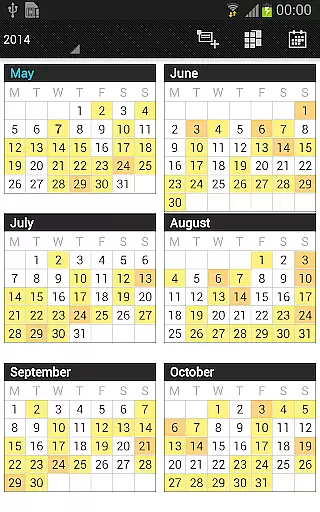
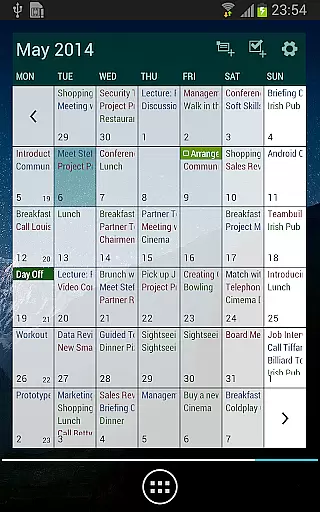
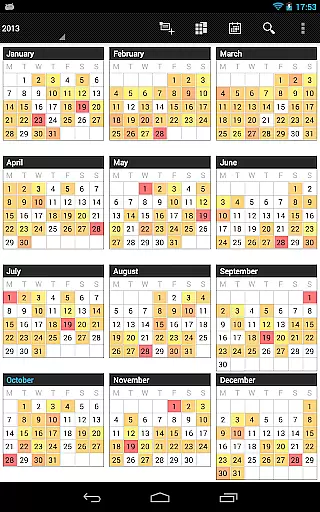
The app's value extends beyond basic calendar functions. It includes advanced features like color-coded year views, scrollable multi-day views, and professional widgets that enhance productivity. Additionally, the pro version offers exclusive functionalities such as contact management, customizable event templates, and drag-and-drop capabilities for moving events. These features make Business Calendar Pro not just a calendar app but a complete solution for managing your professional commitments efficiently.
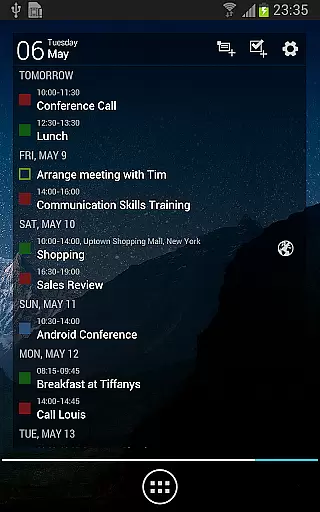
Business Calendar Pro stands out due to its rich feature set tailored for productivity enthusiasts. One of its key features is the Quick Day View, which allows users to see all their events for the day at a glance. This is complemented by the Favorite Bar, giving direct access to all calendars, thus streamlining the user experience. Smooth scrolling and zooming further enhance interaction, making navigation seamless and intuitive.
Customization is where Business Calendar Pro truly shines. Every aspect of the app, from views to widgets, can be tailored to individual preferences. Users can set unique reminders with specific vibration patterns, sounds, and repetition intervals. Font sizes for both the app and widgets are adjustable, ensuring optimal readability. Moreover, the app supports detailed recurrence options for events, such as bi-weekly meetings, and includes a birthday calendar and context-sensitive help system.
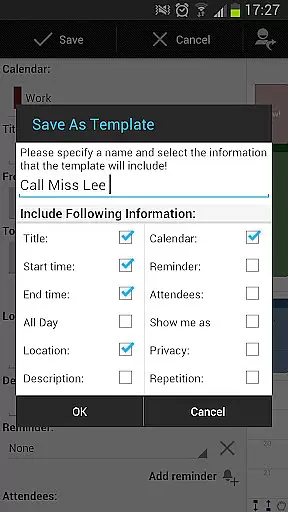
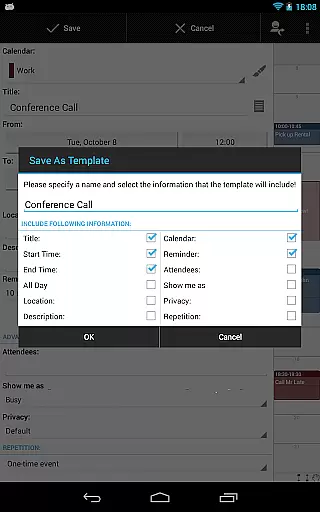
The pro version adds even more power to the app's capabilities. Features like contact management allow users to link contacts to events, while customizable templates enable the creation of new events with predefined settings. Multi-selection tools let users delete, move, or copy multiple events simultaneously, and drag-and-drop functionality simplifies event management. Additional enhancements include task management integration with Google Tasks and Toodledo, comprehensive notifications, app theming, advanced widgets, and .ics format import/export options.
Task management is a cornerstone of productivity applications, and Business Calendar Pro excels in this area. The app provides users with comprehensive tools to create, manipulate, and organize their events efficiently.
With features such as customizable templates for new events, multi-selection options to delete, move or copy multiple events at once, and drag & drop functionality within the multi-day view, users can manage their schedules with precision and ease.
The inclusion of an integrated task-management tool that syncs with services like Google Tasks and Toodledo further enhances its utility. This allows users not only to keep track of their appointments but also to ensure they never miss important deadlines or actions required on ongoing projects.
In today's interconnected world, reliable cross-device synchronization is vital for maintaining workflow continuity. Business Calendar Pro addresses this need by offering seamless integration with various calendar systems including Google Calendar, Microsoft Outlook, and Exchange through Android's native calendar synchronization.
This ensures that whether you're accessing your schedule from your mobile device or desktop computer, all information remains up-to-date across platforms. Users benefit from real-time updates which means any changes made are instantly reflected everywhere else.
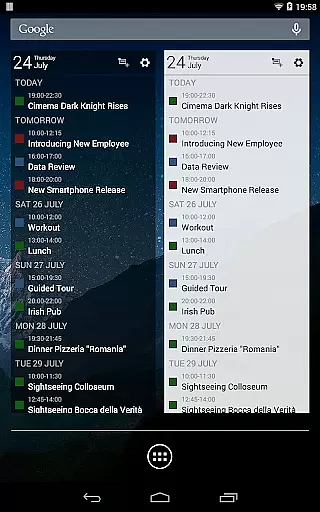
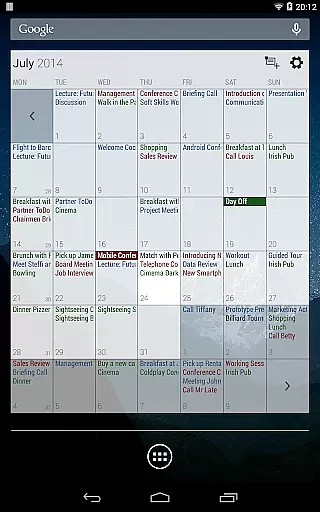
Additionally, advanced widget settings allow customization of colors, font sizes, and individual calendars ensuring consistency in how data is presented regardless of where itu2019s viewed. Such meticulous attention to detail guarantees a smooth user experience when transitioning between devices throughout the day.
User-friendly interface
Highly customizable views
Advanced synchronization options
Comprehensive reminder system
Professional widgets included
Paid version only features
Complex for beginners
Occasional sync issues
Limited free version
Heavy on system resources

Secure, fast, open-source, VNC and SSH Remote Desktop for Windows, Linux and Mac
 4.70
4.70
Native client for Forgejo and Gitea
5.00
Mega cloud explorer plugin for Solid Explorer
3.80
IP Camera Viewer - Android TV : RTSP Surveillance camera viewer for Android TV
4.4
Easiest event planning, volunteer signups & parent teacher conference scheduling
2.20
Fill, sign & send docs, forms, agreements & contracts via electronic signature.
4.50
The AI assistant that thinks with you - write, code, and solve complex tasks
4.60
AT&T Internet customers can use this app to personalize their Wi-Fi network.
4.40
QuickEdit is a fast, stable and full featured text and code editor.
4.20
Mind Map and brainstorm, note taking and idea collection
4.80
Absolutely the best CNC machinist speed and feed calculator around. fswizard.com
4.60
All document reader, all in one file viewer read PDF, DOCX, XLS, PPT, TXT files.
4.60
Planet Free VPN - The best Fast Unlimited and Secure VPN Without Logs
4.50
Send files, sync SMS, notifications & clipboard across devices via local network
4.40
Secure your apps with lock screens, use custom themes and different features.
4.40
Enjoy classic gameplay with customizable features and retro-style graphics.
4.30
⏰ Finally a timer app which can run multiple timers simultaneously on your watch
3.90
Ads Free App! Editor, Hide File, Copy, Move, Delete and Rename.. all facility av
1.70
Create study competitions, track your hours, and stay consistent with friends
4.2


User Reviews