

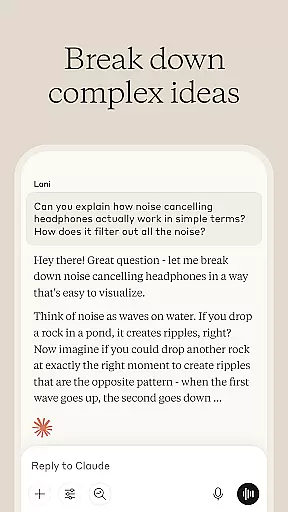
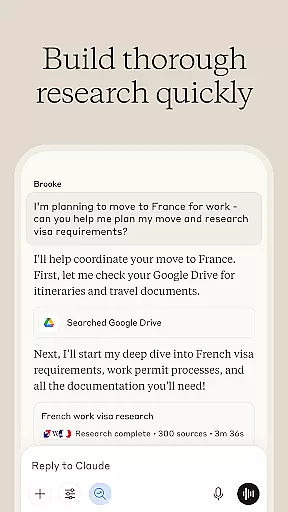
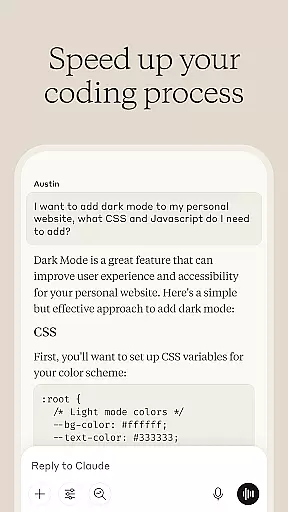
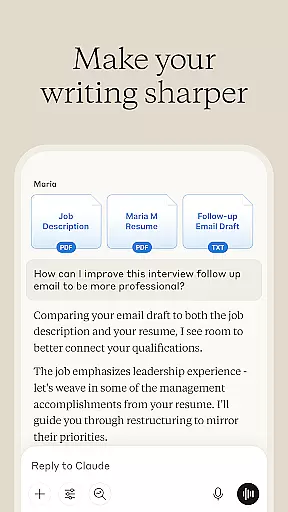

Claude by Anthropic is a cutting-edge AI productivity tool designed to enhance your problem-solving capabilities. This versatile application serves as both an AI writing assistant and a collaborative thinking partner, helping users tackle complex tasks with precision. With features spanning content creation, research assistance, coding support, and visual analysis, Claude adapts to various professional needs.
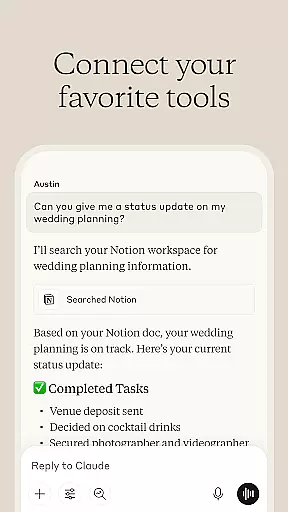
The app particularly shines in its ability to refine rough ideas into polished content through iterative collaboration. Whether you're drafting social media posts or compiling detailed business reports, Claude provides valuable suggestions on tone, structure, and clarity. Its integration with Google services and web search functionality makes it an indispensable research companion that delivers accurate citations and meaningful insights.
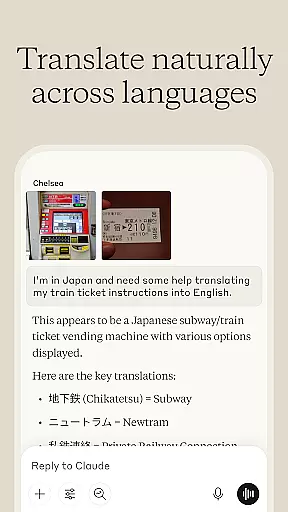
What sets Claude apart is its adaptability across different domains. From debugging code in multiple programming languages to analyzing visual content like charts and technical diagrams, the application expands what users can achieve. The voice dictation feature allows hands-free brainstorming, while its language translation capabilities support over 100 languages. These comprehensive features make Claude an essential tool for professionals seeking to push past their limitations and reach new levels of productivity.
Claude distinguishes itself through its diverse range of advanced features tailored for productivity enthusiasts. At its core, the application functions as an AI writing assistant that doesn't just generate text but collaborates with users to develop content iteratively. This unique approach allows for the refinement of social media posts, professional emails, and complex reports through continuous feedback and improvement cycles.
The research capabilities of Claude are equally impressive. Users can leverage its powerful data analysis tools to explore research angles, compile findings, and analyze information from various sources including Google Drive, Gmail, and the web. The application's ability to provide accurate citations while maintaining context awareness sets it apart from basic research tools. Additionally, its visual analysis feature enables users to upload and examine PDFs, screenshots, and technical diagrams, extracting valuable insights from visual content.
For developers and technical professionals, Claude offers specialized coding assistance. The AI-powered debugging tool helps identify and resolve complex issues across multiple programming languages while providing clear explanations for each solution. The application's support extends to generating SVG code for graphics and illustrations, making it a comprehensive tool for both content creators and technical experts. These sophisticated features, combined with its voice dictation capability and multilingual support, establish Claude as a complete productivity solution.
Effective task management is essential for productivity, and Claude excels in this area by offering a comprehensive suite of tools designed to enhance your workflow. The AI assists in organizing tasks, setting priorities, and managing deadlines, ensuring that nothing falls through the cracks.
Claude's task management capabilities include creating detailed project plans, breaking down complex tasks into manageable steps, and providing reminders for upcoming deadlines. This structured approach helps users maintain focus and achieve their goals more efficiently.
Users benefit from Claude's ability to adapt to various work styles and preferences. Whether you prefer a Kanban board, list view, or calendar format, Claude can accommodate your needs. The flexibility ensures that everyone, from freelancers to large teams, can optimize their task management process.
Ultimately, Claude empowers users to take control of their workload, reduce stress, and increase productivity. By leveraging advanced AI, it transforms the way individuals and teams manage their daily responsibilities, leading to better outcomes and more successful projects.
In today's fast-paced world, having reliable cross-device synchronization is crucial for maintaining productivity. Claude ensures that all your data, notes, and tasks are seamlessly synced across multiple devices, allowing you to pick up where you left off, no matter which device you're using.
The synchronization process is not only reliable but also secure. Claude employs state-of-the-art encryption protocols to protect your information as it moves between devices. This means you can trust that your data remains confidential and intact, even when switching between your phone, tablet, and computer.
Moreover, Claude's synchronization feature supports real-time updates. Any changes made on one device are instantly reflected on others, ensuring that you always have the most current information at your fingertips. This real-time capability is particularly beneficial for collaborative projects, where team members need to stay informed about the latest developments.
By prioritizing both reliability and security, Claude provides a seamless experience for users who rely on multiple devices to stay productive. With Claude, you can focus on your work without worrying about data loss or inconsistencies across devices.
Advanced AI capabilities
Comprehensive writing assistance
Extensive research tools
Multilingual support
Versatile functionality
Requires learning curve
Premium features locked
Occasional inaccuracies
Limited offline access
Resource intensive

Easily read and manage all your PDF files
 4.10
4.10
Android Wallet Password Manager
4.80
Mind Map and brainstorm, note taking and idea collection
4.80
Device's storage information in a simple and clear graphical form (infographics)
4.10
App Lock with fingerprint, password: Lock apps & hide photos with lock screens
4.60
All document reader, all in one file viewer read PDF, DOCX, XLS, PPT, TXT files.
4.60
Create and edit presentations with Google Slides, part of Google Workspace.
4.00
To do list widget with a notebook organizer, checklist, simple shopping list
4.60
Lightweight PDF, Word, Excel reader.
4.60
Multilingual translator for text, voice, and image translation!
4.90
Understand anything with a personalized AI research assistant
4.80
Subscribe to Webcal & .ics calendars and keep them up-to-date!
4.50
Tally and goal counter for Wear OS & mobile
4.50
Share files & memories safely. Keep your photos and videos secure.
4.40
A customizable calendar for your Wear OS watch
4.20
Make apps & sites with natural language prompts
4.10
Ultimate Virtual AI Character for immersive Roleplay Chat. Perfect Companion
3.90
Auto-shutoff Alarm with Sunrise, Sunset & Fixed Options.
3.50
ID.me Authenticator is a simple and free Two Factor Authentication solution
3.50


User Reviews