
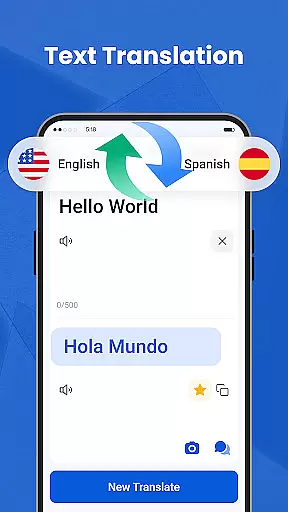
We Translate is a powerful productivity app designed to break language barriers and facilitate seamless global communication. With its comprehensive suite of translation tools, the app supports text, voice, image, and document translation across multiple languages.
Key features include real-time conversation translation, photo translation for signs and documents, and one-tap document translation compatible with PDFs, Word, Excel, and more. Users can also access translation history, save favorites, and customize settings for a personalized experience.
Ideal for travelers, students, professionals, and everyday users, We Translate ensures effortless multilingual communication for work, study, or personal use.
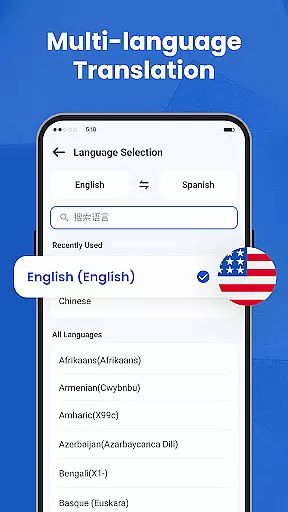
We Translate offers an array of innovative features that cater to diverse translation needs. The app provides instant and accurate text translation for over 100 languages, making it perfect for both casual conversations and professional use.
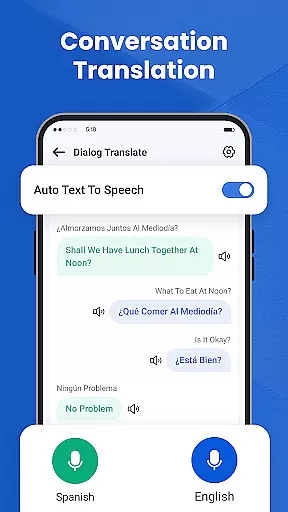
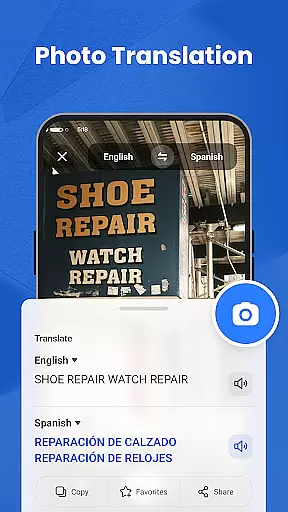
Its standout feature is the real-time conversation translator, which detects and translates spoken language automatically. Additionally, the photo translation tool allows users to snap pictures of text and receive instant translations without manual input.
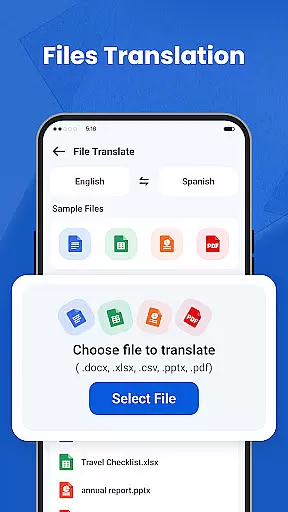
For document-heavy tasks, the app supports translating files in various formats while maintaining original formatting. Personalized settings like adjustable voice speed and language preferences further enhance user experience.
In the realm of productivity, managing tasks efficiently is paramount. We Translate excels in organizing and handling translation tasks with precision.
The app offers features like History and Favorites, which are essential for task management. Users can easily retrieve past translations and mark important ones for future reference, streamlining their workflow significantly.
With personalized settings, users can customize their translation experience to match their workflow needs. This includes setting preferred languages and adjusting voice reading speeds, ensuring a tailored and efficient task management process.
By integrating document translation and photo translation, We Translate provides a comprehensive suite for managing various types of translation tasks, making it an indispensable tool for both personal and professional use.
For users who operate across multiple devices, reliable cross-device synchronization is crucial. We Translate ensures that your translation data is consistently synced, allowing seamless transitions between devices.
The app's support for cloud-based history records and favorites means you can access your important translations from any device, anytime. This feature guarantees that users will not lose their valuable data and can continue their work uninterrupted.
We Translate's compatibility with different platforms and devices underscores its commitment to providing a dependable synchronization experience. Whether you're switching from a phone to a tablet or a computer, your data remains intact and accessible.
This synchronization capability enhances productivity by ensuring that all your devices are updated with the latest translations, thus supporting a cohesive and efficient workflow across your digital ecosystem.
Accurate translations
User-friendly interface
Multi-language support
Real-time voice translation
Photo and document translation
Limited free features
Occasional inaccuracies
Requires internet
Premium subscription cost
Ads in free version

QuickBooks Workforce lets teams view pay info and track time in one place.
 4.70
4.70
The long-awaited modern gallery app for your Nextcloud server
4.70
Total remote control for your Android device, PC and cloud services (IFTTT)!
4.20
App Lock with fingerprint, password: Lock apps & hide photos with lock screens
4.60
PDF scanner & converter for files, photos, lottery, QR codes. One swipe away!
4.50
Best Tool for the professionals Electrician, Electrical contractors, etc.
4.90
Access your phone's notifications, calls, apps, photos & texts on your PC
3.90
Secure your apps with lock screens, use custom themes and different features.
4.40
QuickEdit is a fast, stable and full featured text and code editor.
4.20
A beautiful digital clock with autostart and many other functions
4.70
Secure, fast, open-source, VNC and SSH Remote Desktop for Windows, Linux and Mac
4.70
Quickly and easily keep track of your work shifts
4.70
Secure, fast, open-source, Remote Desktop Client for Windows and Linux with SSH
4.60
Lightweight PDF, Word, Excel reader.
4.60
CalenGoo is a very flexible and feature-rich calendar app
4.40
A Pixel Art watchface inspired by other iconic 90s designs for Wear OS devices!
4.40
Make apps & sites with natural language prompts
4.10
Auto-shutoff Alarm with Sunrise, Sunset & Fixed Options.
3.50
The upgraded version of Name Wheel with AI and the power to add your own wheels.
4.5


User Reviews