
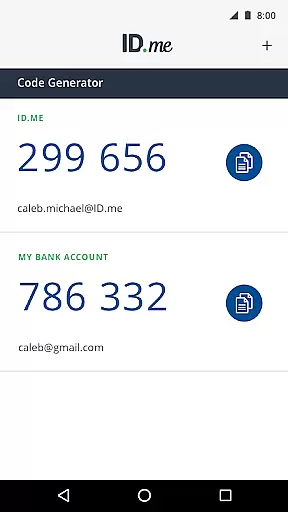
ID.me Authenticator is a productivity app designed to enhance account security through Two Factor Authentication (2FA). It generates 6-digit Time-Based One-Time Passwords (TOTP) and provides PUSH notification-based authentication. Users can secure their online accounts on supported websites without needing a network connection for TOTP, making it both convenient and reliable.
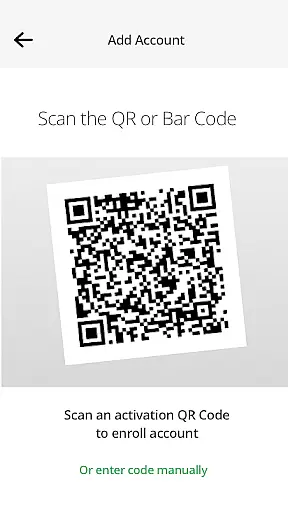
The app supports QR code scanning for easy setup and integration with your ID.me account. With PUSH notifications, users simply approve access requests sent directly to their device. This combination of features ensures robust security while maintaining user-friendly access, ideal for safeguarding sensitive information in professional environments.
ID.me Authenticator offers two primary features that set it apart in the realm of account security. Firstly, as a TOTP Code Generator, it creates 6-digit codes that serve as an additional layer of security when logging into accounts. These codes are generated offline, ensuring accessibility even without internet connectivity.
Secondly, the app facilitates PUSH-based authentication, allowing users to approve login attempts via notifications sent to their mobile devices. This feature streamlines the authentication process by eliminating the need to manually enter codes, thus enhancing both security and convenience. Together, these functionalities make ID.me Authenticator a versatile tool for protecting digital identities.
In the realm of productivity, core task management is pivotal for organizing and prioritizing tasks efficiently. ID.me Authenticator excels in this area by simplifying the Two Factor Authentication process, ensuring that users can focus on their primary objectives without distraction.
The app generates 6-digit Time-Based One-Time Passwords and facilitates PUSH notification-based one-touch authentication, streamlining the security steps needed to access accounts. This functionality allows users to manage their online security as a seamless part of their daily routine, enhancing overall task management.
By integrating TOTP code generation and push notifications, ID.me Authenticator removes the need for network or cellular connections, making it an accessible and reliable tool for maintaining account security across different environments. This ensures that users can authenticate swiftly and safely, wherever they are.
Cross-device synchronization is essential for maintaining consistency and reliability across various platforms. ID.me Authenticator provides dependable synchronization that ensures users have a uniform experience whether they're accessing their accounts from a smartphone, tablet, or computer.
With features like QR code scanning at setup, the app makes it easy to enroll and connect to your ID.me account, guaranteeing that all devices are aligned with the latest security protocols. This synchronization capability supports a seamless transition between devices, bolstering productivity without compromising security.
Moreover, the ability to approve push notifications sent to your phone adds another layer of synchronization reliability. By confirming your identity through a secondary device, you ensure that your authentication process remains uninterrupted and robust, regardless of the primary device in use.
Enhanced Security
User-Friendly Interface
Offline Code Generation
Quick PUSH Notifications
Free to Use
Limited to ID.me Accounts
Requires Initial Setup
QR Code Dependency
No Backup Codes
PUSH Notification Limitations

AI Video AI Image Private LLM AI Browser Llama Gemma Ollama Connect LLM Studio
 4.2
4.2
Client for Nextcloud Deck
4.60
Experience Reading - Night Mode for Documents
4.40
Mind Map and brainstorm, note taking and idea collection
4.80
Cloud storage, automatic phone backup, and more.
4.10
Ultimate Virtual AI Character for immersive Roleplay Chat. Perfect Companion
3.90
Lightweight PDF, Word, Excel reader.
4.60
Browse and view your photos and videos from the phone with photo & video hide.
4.10
QuickEdit is a fast, stable and full featured text and code editor.
4.20
Understand anything with a personalized AI research assistant
4.80
The long-awaited modern gallery app for your Nextcloud server
4.70
The Pro Version of Android's tiniest Notepad app. Just 0.3MB but feature-packed!
4.60
Stay on top of your to-dos with Google Tasks, part of Google Workspace.
4.60
Fill, sign & send docs, forms, agreements & contracts via electronic signature.
4.50
PDF scanner & converter for files, photos, lottery, QR codes. One swipe away!
4.50 4.20
4.20
All in One PDF Reader: Manage, Read and Edit your Documents
4.20
Experience real multitasking on your Android!
4.00
Make your handwriting beautiful, even more than pen on paper.
3.60


User Reviews