
BuzzKill Notification Manager is an innovative notification management tool designed to streamline your Android experience. This app allows you to filter and prioritize notifications, ensuring you only receive alerts that matter at the right time. With features like Cooldown, Custom Alerts, and Dismiss options, BuzzKill helps reduce notification clutter while maintaining essential communication.
The app's standout capabilities include Reminders for important notifications, Undo functionality for accidental swipes, and Snooze for batched notifications. It also offers advanced options like Alarm for urgent alerts and Secret mode to hide sensitive content. These features make BuzzKill particularly useful for professionals and individuals seeking better control over their digital interactions.
Designed with privacy in mind, BuzzKill ensures all data stays on your device without any internet access or trackers. Its compatibility with Wear OS enhances its utility by extending notification management to smartwatches. Whether you're managing work-related alerts or personal messages, BuzzKill provides a seamless solution tailored to modern mobile users' needs.
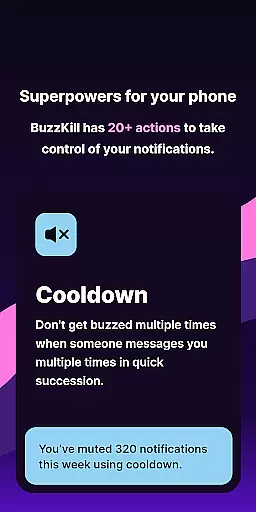
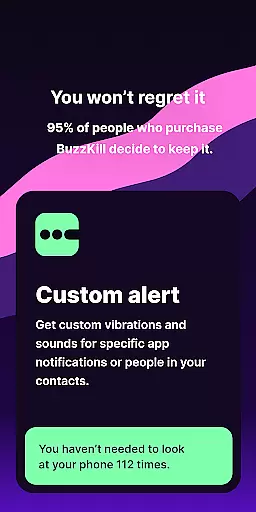
BuzzKill stands out with its comprehensive suite of notification management tools. One key feature is the Cooldown function, which prevents multiple buzzes from rapid-fire messages, offering a more peaceful user experience. The Custom Alert option lets users set unique sounds or vibration patterns for specific contacts or phrases, enhancing personalization.
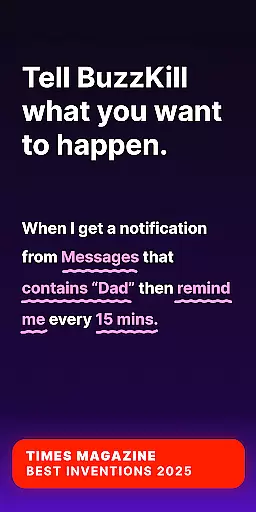
Another notable feature is the Dismiss capability, allowing automatic removal of unwanted notifications without disabling all alerts from an app. The Reply function automates responses to unread messages after a set period, ensuring timely communication. Additionally, the Remind Me feature persistently notifies users until they acknowledge important alerts, preventing oversight.
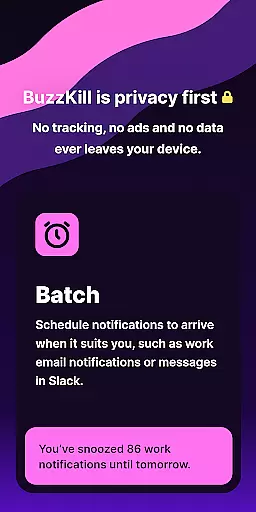
BuzzKill also includes innovative options like Undo, providing a safety net for accidentally dismissed notifications, and Snooze, which batches notifications according to user schedules. These features collectively empower users to manage their digital lives efficiently while maintaining focus on what truly matters.
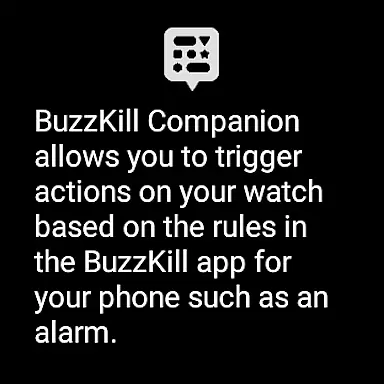
BuzzKill offers seamless companion app integration, specifically designed for Wear OS devices. This feature allows users to extend their notification management system directly to their smartwatches.
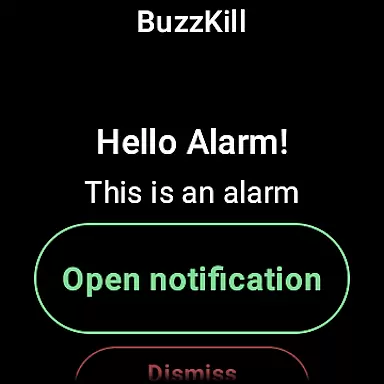
The companion app works in tandem with the main BuzzKill application on your phone. When you create specific rules on your mobile device, those actions can be mirrored or triggered on your Wear OS watch. For instance, if you set an alarm notification for particular alerts on your phone, the same alert can appear on your wearable device.
This integration provides a unified notification experience across devices. Users can manage their notifications without needing to constantly check their phones, as important alerts are pushed to their wrist-worn devices.
The real-time synchronization between the phone and watch applications ensures that any changes made in the BuzzKill settings on your mobile device are immediately reflected on the wearable. This creates a cohesive ecosystem where users maintain full control over their notification preferences regardless of which device they're interacting with.
BuzzKill demonstrates excellent compatibility with various Wear OS devices, ensuring a wide range of users can benefit from its advanced notification management features. The application is designed to work seamlessly across different smartwatch models running Wear OS.
The developers have optimized BuzzKill's performance specifically for Wear OS, taking into account the unique hardware and software limitations of wearable technology. This optimization results in smooth operation without compromising battery life or processing speed.
Through careful engineering, BuzzKill maintains consistent functionality across both phone and wearable devices. Users can expect the same level of reliability and accuracy in notification handling whether they're using their phone or smartwatch.
Furthermore, the application's compatibility extends to various Android versions, ensuring that users with different device configurations can enjoy the benefits of enhanced notification management. This broad compatibility makes BuzzKill a versatile solution for Android users looking to streamline their notification experiences across multiple devices.
Highly customizable
Privacy-focused design
Effective notification filtering
User-friendly interface
Wear OS compatibility
No free trial available
Limited call customization
Premium pricing model
Requires accessibility permissions
Complex setup for beginners

Watch the sharpness of the sky on your wrist..
 3.70
3.70
Current temperature, weather hourly, weather radar by the weather forecast app
4.40
Embrace the festive spirit with our Christmas Countdown watchface for Wear OS
4.10
The most customizable minimal watch face. For Wear OS 5.0, API 34+ and later
4.70
Monitor health with the stress test and pulse checker in the heart rate app.
4.60
Connect to your Bluelink equipped Hyundai vehicle from your smartphone.
4.50
Professional weather radar and more
3.90
A realistic hybrid watch face with many customization options.
4.60
Connect, create, and collaborate with Gmail, part of Google Workspace.
4.10
Christmas - Festive - Christmas Village - Winter - Christmas lights
5.00
Rose gold watch face with festive lights & customizable features.
4.60
Retro digital watch face with customizable colors and a unique lighting effect
4.60
MyNISSAN® lets you remotely control your car from your phone.*
4.50
Find EV charging stations
4.30
Calming & relaxing sounds for sleeping and stress relief. Stay focused all day!
4.20
A digital watch face that celebrates Christmas.
4.00
A Wintery Snow Globe on Your Wrist; now celebrating Christmas!
4.4
Analog watch face with 8 complications and expedition styling
4.4
Contemporary digital watch face with five complications
4.3


User Reviews