
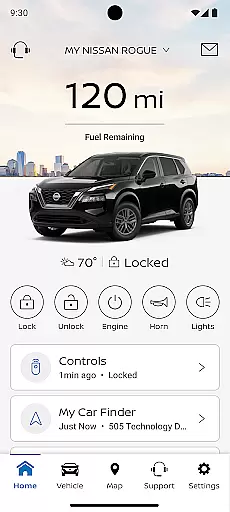
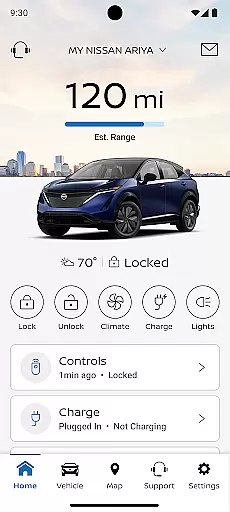
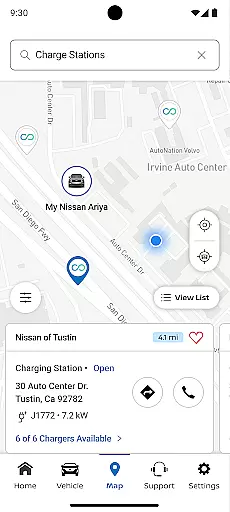
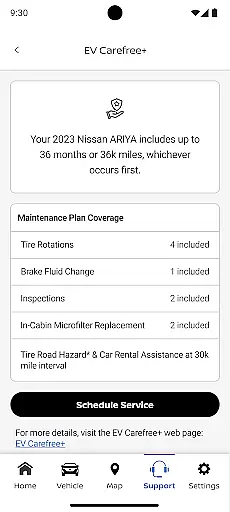
The MyNISSAN App is a comprehensive vehicle management solution designed to enhance the ownership experience for Nissan drivers. This innovative application brings essential vehicle controls and information directly to compatible Android devices, providing unprecedented convenience and peace of mind.
Core functionalities include remote vehicle access, security monitoring, maintenance tracking, and personalized settings management. Users can remotely start their vehicles, lock/unlock doors, and receive important alerts about vehicle status. The app's integration with NissanConnect® Services offers advanced features like boundary alerts, speed monitoring, and real-time vehicle diagnostics for supported models.
This application proves particularly valuable for busy professionals who need to manage their vehicles on-the-go. Whether it's scheduling service appointments, monitoring vehicle health, or receiving recall notifications, the MyNISSAN App streamlines vehicle management while enhancing security and convenience.
The MyNISSAN App distinguishes itself through a robust set of features that cater to both basic and advanced vehicle management needs. For all Nissan owners, the app provides essential tools such as account management, service appointment scheduling, and maintenance tracking capabilities.
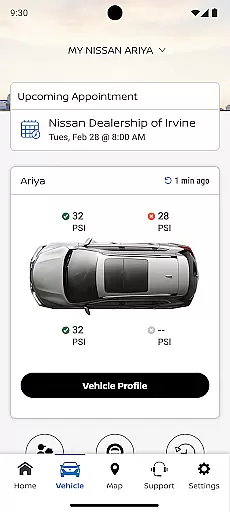
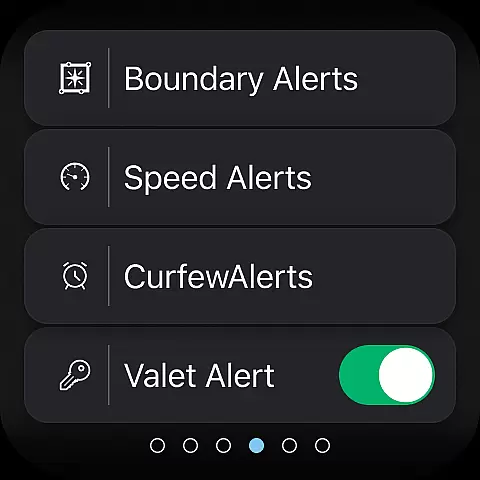
For vehicles equipped with NissanConnect® Services, users gain access to sophisticated remote control functions including climate adjustment, engine start/stop, and security alerts. The app's vehicle status monitoring goes beyond basic functions, offering detailed insights into engine performance, fuel levels, tire pressure, and more. Advanced safety features include customizable boundary and speed alerts, making it especially useful for parents monitoring teen drivers.
What sets MyNISSAN apart is its seamless integration with Google services in compatible vehicles, enabling features like real-time repair shop communication and data-driven route planning. These capabilities represent significant innovations in vehicle management, providing users with unprecedented control and awareness of their vehicle's status and performance.
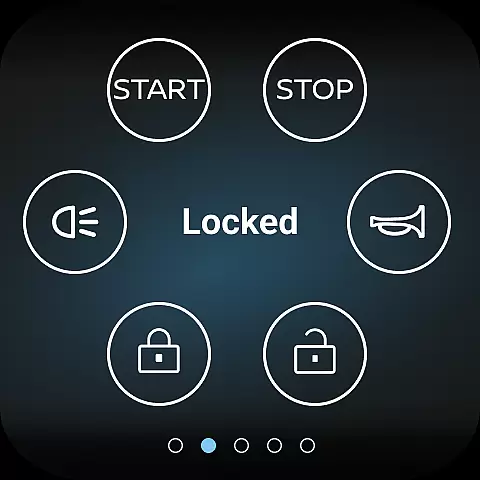
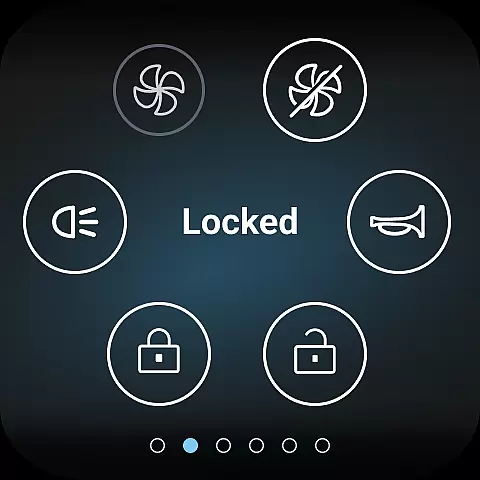
Companion app integration is crucial for users who want seamless connectivity between their Nissan vehicle and Android devices. The MyNISSAN App excels in this area by offering a comprehensive suite of features that sync directly with your car. This includes remote access functionalities such as starting the engine, locking doors, and activating lights and horn, all from your smartphone or Wear OS device.
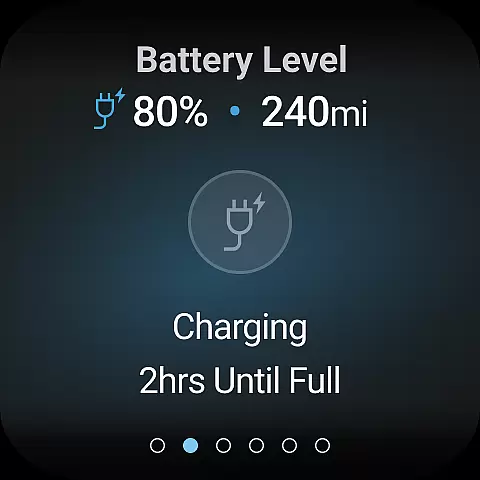
The app also allows you to search for points of interest and send them directly to your vehicle's navigation system. With real-time vehicle status updates, you can check critical parameters like mileage, fuel range, tire pressure, and more. These integrations ensure that you are always informed about your vehicle's condition and can manage it conveniently from your Android device.
For vehicles equipped with Google built-in features, additional capabilities include remote climate adjustment and receiving notifications for unlocked doors or cracked windows. By connecting with automotive repair shops, you can get real-time maintenance updates and simplify trips with data-based route planning. This level of companion app integration enhances both convenience and peace of mind for Nissan owners.
Wear OS/device compatibility ensures that users can fully utilize the MyNISSAN App's features on their wearable devices. Designed to work seamlessly with compatible Android phones and Wear OS, the app extends its functionality to smartwatches, providing quick access to essential controls without needing to take out your phone. This compatibility is particularly beneficial for drivers who wish to keep their hands free and focus on the road.
Through Wear OS, users can remotely start or stop their vehicle, lock or unlock doors, and activate the horn and lights. The ability to receive important notifications directly on your wrist adds an extra layer of security and convenience. For instance, alerts regarding open doors or low tire pressure can be addressed immediately, ensuring your vehicle remains safe and operational at all times.
This robust compatibility underscores Nissanu2019s commitment to integrating advanced technology into everyday driving experiences. By supporting a wide range of devices, the MyNISSAN App ensures that all users can enjoy a consistent and reliable experience, regardless of whether they interact with the app via their phone or smartwatch.
User-friendly interface
Comprehensive vehicle monitoring
Remote access convenience
Proactive maintenance alerts
Customizable security features
Limited to Nissan vehicles
Feature restrictions by model
Subscription fees apply
Network dependency issues
Device compatibility limits

WTW M17 is a premium and luxurious hybrid watch face
 4.70
4.70
Highly customizable hybrid watch face for Wear OS, perfect for everyday use.
4.60
Christmas watch face. For Wear OS devices.
4.30
Contemporary digital watch face with five complications
4.2
Fitness interactive virtual pet super fighter boy watch face
4.1
Hyperlocal rain alerts by MyRadar using patent-pending technology, radar & more
4.80
The ultimate destination for kids ages 3-8 to explore the Marvel Universe!
4.30
The Chevron App allows you to pay for fuel from the comfort of your car!
4.80
Back up your contacts & access them anywhere
4.30
Digital, flexibly customizable watch face. For Wear OS 5.0, API 34+ and later.
5.00
Gym Log & Workout Tracker | Fitness Journal, Training & Weight Lifting Planner
4.90
A modern hybrid informative watch face for Wear OS designed by BALLOZI
4.80
Connect to your Bluelink equipped Hyundai vehicle from your smartphone.
4.50
The #1 source of faces for your smartwatch!
4.00
A digital watch face that celebrates Christmas.
4.00
Want to take charge of your health? Let Google Fit help you reach your goals.
3.50
A heartwarming Christmas scene featuring a cute image of Santa and Rudolf
4.5
Sleek, highly customizable watch face inspired by Galaxy Watch Circle Dashboard.
4.4
3 Complications. All shadow on/off. 30 Themes color palette...
4.4


User Reviews