
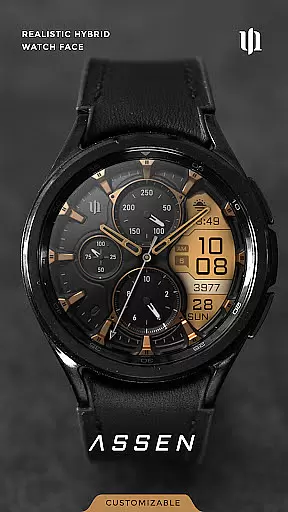
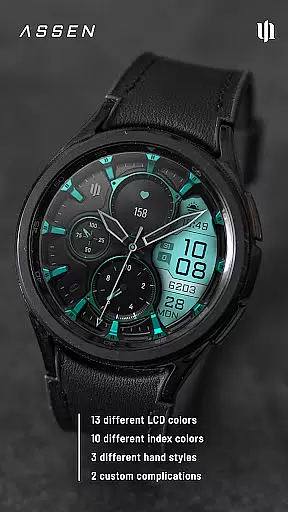
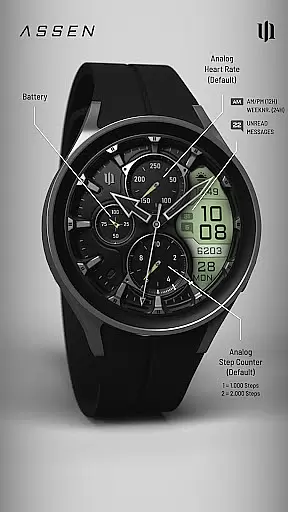
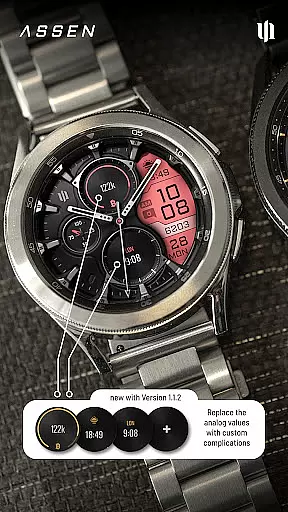
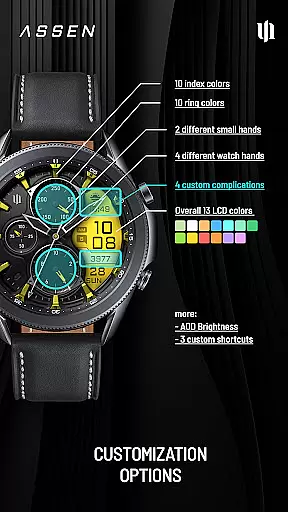
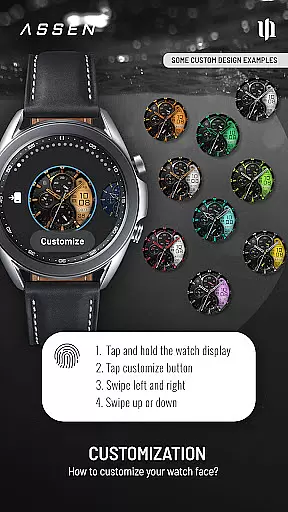
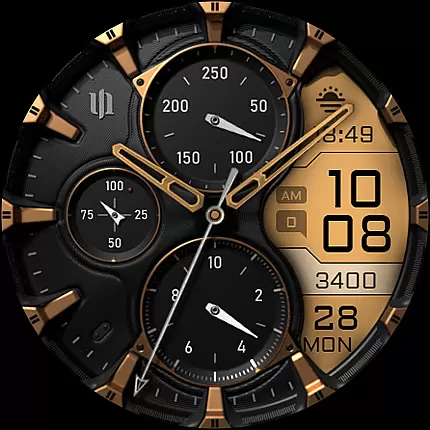
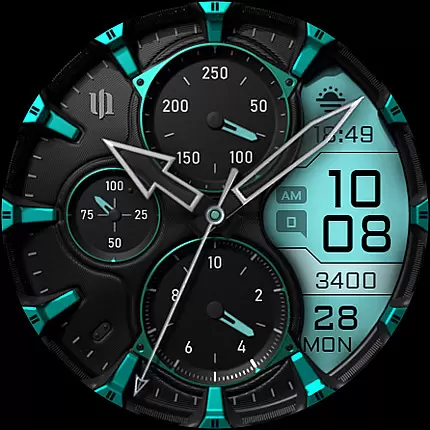
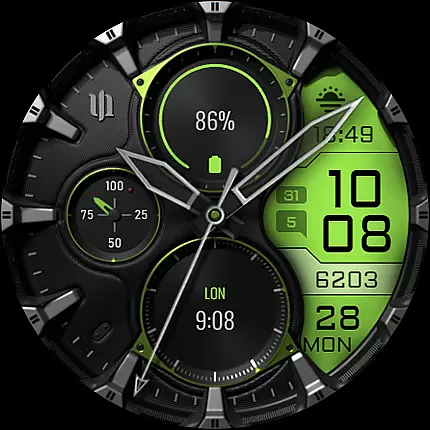
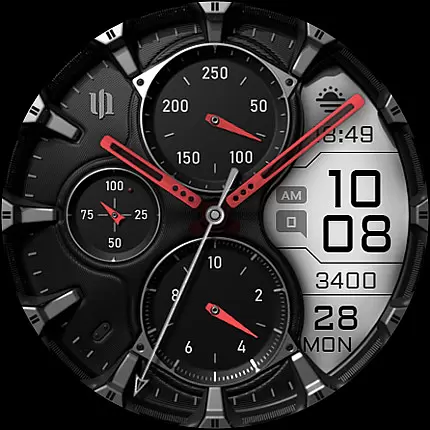
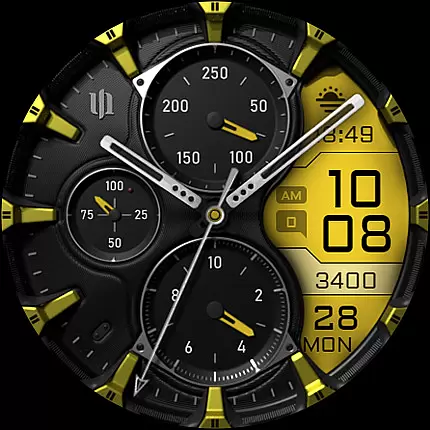
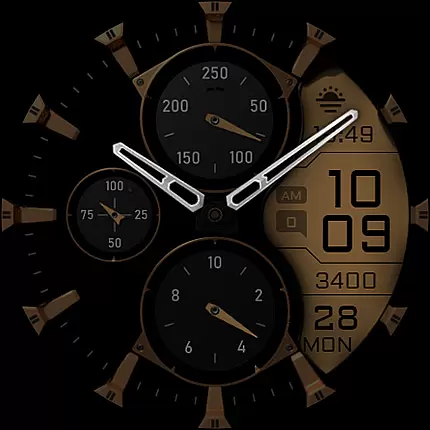
S4U Assen is a premium Wear OS watch face that combines realistic analog design with practical digital elements. Featuring a hybrid dial, it displays time, steps, heart rate, calendar details, unread messages, and customizable complications. With 13 LCD colors, 10 index colors, and multiple customization options for hands, rings, and complications, users can tailor the watch face to their preferences.
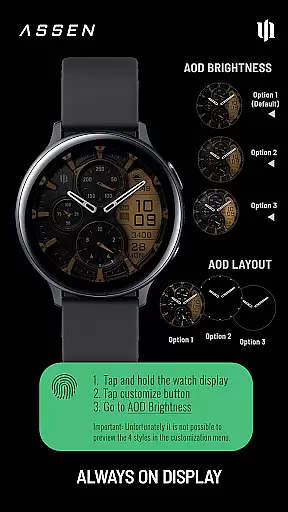
This app supports smartwatches running Wear OS 4 or higher, including Samsung Galaxy Watch series and Google Pixel Watch models. It includes an Always-On Display (AOD) with adjustable brightness and minimal layout options, ensuring both functionality and battery efficiency. The intuitive customization menu allows users to personalize every aspect of the watch face while offering additional features like app shortcuts and tap-to-open functionalities.
The S4U Assen stands out with its extensive customization capabilities. Users can choose from 30 themes, 13 LCD colors, 10 index colors, and various hand styles to create a unique look. Four custom clock hands and two small hands provide further personalization, while three AOD brightness levels let users balance visibility and power consumption.
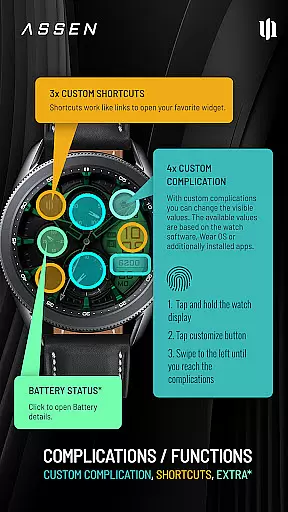
Functionality extends beyond aesthetics with four customizable complications and three app shortcuts. These allow quick access to favorite widgets and display user-defined data such as weather, fitness stats, or notifications. Additional features include tap interactions for battery details and a comprehensive settings menu accessible via long-press gestures. Designed for Wear OS 4+, this app ensures compatibility with leading smartwatch models and offers dedicated support for troubleshooting.
Companion app integration is essential for a seamless Wear OS experience. The S4U Assen watch face requires the use of a companion app to unlock its full potential and ensure smooth functionality across compatible devices.
This application supports smartwatches running Wear OS 4 or higher, including popular models like Samsung Galaxy Watch series and Google Pixel Watch. Through the companion app, users can access detailed installation guides and troubleshooting steps, ensuring any issues are swiftly resolved.
The companion app acts as a bridge between the watch face and the device, enabling users to customize settings such as color themes, complications, and shortcuts effortlessly. This integration ensures that all features, including the Always-On Display (AOD) and customizable complications, function optimally.
By providing clear instructions and support options, the companion app enhances user satisfaction and helps maintain the high performance of the S4U Assen watch face on supported devices.
Ensuring compatibility with Wear OS devices is crucial for the optimal performance of the S4U Assen watch face. This application is designed to work seamlessly with smartwatches running Wear OS 4 or higher, offering an enhanced user experience on compatible devices.
Compatible devices include leading models such as Samsung Galaxy Watch 4, 5, 6, 7, and 7 Ultra, as well as Google Pixel Watch 1-3. These devices support advanced features like customizable complications and Always-On Display (AOD), which are integral to the S4U Assen's functionality.
The application leverages the capabilities of Wear OS API 33+ to deliver a realistic hybrid dial, combining digital and analog design elements. Users can enjoy extensive customization options, including 13 LCD colors, 10 index colors, and multiple hand styles, all optimized for supported smartwatches.
By focusing on compatibility, the S4U Assen guarantees that users benefit from the latest advancements in wearable technology, ensuring a reliable and feature-rich experience on their preferred devices.
Highly customizable
Realistic analog design
Wide device compatibility
Always-On Display option
User-friendly interface
Wear OS 4+ only
Battery impact with AOD
Complex for beginners
Limited free options
Premium feature cost

"PER27 Galaxy Digital" is a digital Wear OS watch face designed by PERSONA
 4.10
4.10
Gym Log & Workout Tracker | Fitness Journal, Training & Weight Lifting Planner
4.90
WTW M17 is a premium and luxurious hybrid watch face
4.70
Hyperlocal rain alerts by MyRadar using patent-pending technology, radar & more
4.80
Nutrition, Macro tracker: Food, fitness & healthy diet tracking for weight loss
4.60
The ultimate destination for kids ages 3-8 to explore the Marvel Universe!
4.30
The Chevron App allows you to pay for fuel from the comfort of your car!
4.80
Stylish, Energizing and Modern Watch Face crafted by Dominus Mathias.
4.50
Hybrid Vibrant Health Watch Face for Wear OS
4.3
Beautiful, colorful and practical watch face. For Wear OS devices.
5.00
Real-time weather radar with temperatures, warnings, hurricanes, and widgets
4.80
Diet tracker for weight loss - track calories, food and macros. Simple and easy!
4.70
Easy Voice Recorder is your everyday companion to record important moments.
4.70
Gym & home workout plans with strength training, exercise tracking, HIIT & more.
4.60
To-Do List: daily schedule planner, task organizer, to do reminder app, calendar
4.60
Real-time results, stats, schedules and player profiles for all leagues
4.60
Connect, create, and collaborate with Gmail, part of Google Workspace.
4.10
Structured watch face with seven complications and modular UI elements
3.90
Your local weather forecast, storm tracker, radar maps & live weather news
3.40


User Reviews