
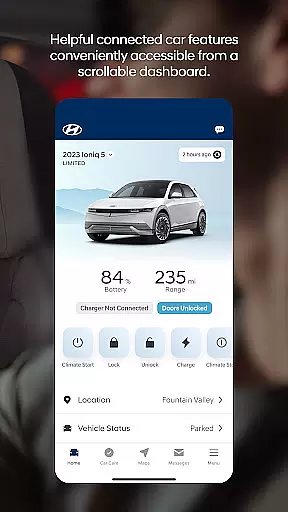
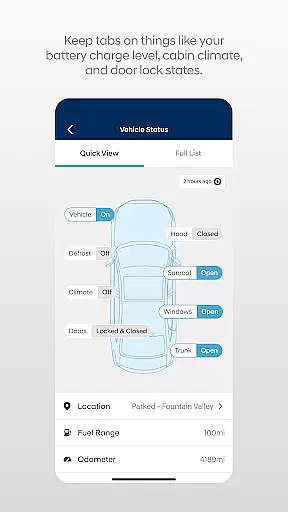

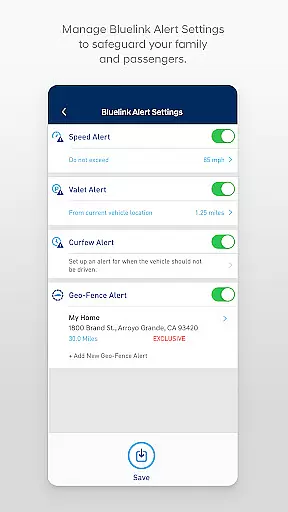
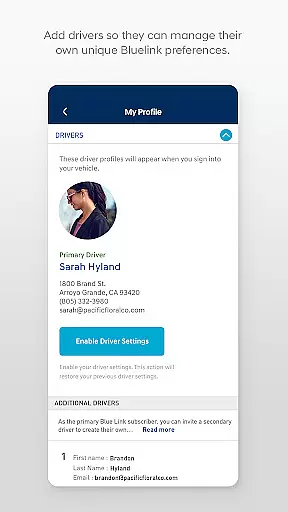
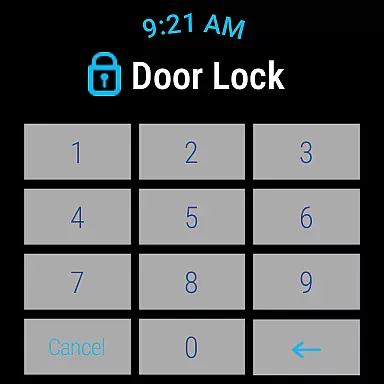
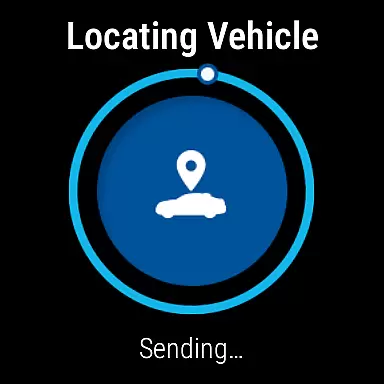
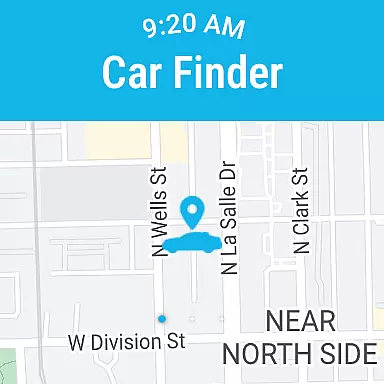
The MyHyundai app with Bluelink is a comprehensive vehicle management solution designed specifically for Hyundai car owners. This innovative Android Wear application allows users to remotely interact with their Bluelink-enabled vehicles directly from their smart devices. Core functionalities include remote start, door lock/unlock, horn and light activation, and vehicle location services.
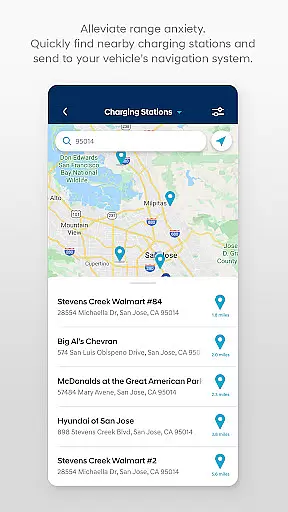
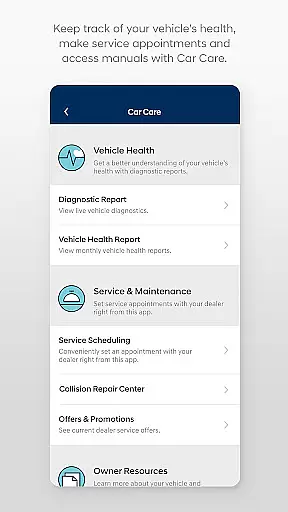
What sets this app apart is its seamless integration with both smartphones and Wear OS smartwatches, providing unprecedented convenience. Users can access these features through voice commands or intuitive menu interfaces on their wearable devices. The application also offers advanced features like charging management for EV/PHEV vehicles, Point of Interest (POI) search and send capabilities, and maintenance scheduling.
This functionality proves particularly valuable for busy professionals who need to manage their vehicles while on the move. Whether it's pre-warming your car during winter months or locating it in a crowded parking lot, the MyHyundai app provides practical solutions that enhance the overall vehicle ownership experience.
The MyHyundai app distinguishes itself through an impressive array of features tailored for modern vehicle management. Its remote functionality suite includes programmable presets for vehicle start, allowing users to customize climate control settings based on their preferences. The app's integration with Wear OS expands these capabilities to smartwatches, enabling hands-free operation through voice commands.
A notable innovation is the four phone widget system that provides quick access to essential features: Remote Functions, Parking Meter management, POI search, and specialized controls for Ioniq EV vehicles. The application also incorporates biometric authentication, enhancing security while maintaining user convenience. Maintenance tracking and service appointment scheduling are seamlessly integrated, creating a complete vehicle management ecosystem.
These features collectively offer substantial value to users by saving time and providing peace of mind. The ability to monitor charging status for electric vehicles or send navigation destinations directly to the car represents a significant advancement in vehicle-user interaction, setting new standards in the automotive technology sector.
Companion app integration is crucial for users who want seamless connectivity between their smart devices and vehicles. The MyHyundai app excels in this area by offering a comprehensive suite of features that sync with your Bluelink-enabled Hyundai vehicle.
This app allows you to remotely start your vehicle, lock or unlock the doors, and even activate the horn and lights directly from your smartphone. For electric and plug-in hybrid vehicles, it provides the ability to manage charging schedules and view charging status, ensuring optimal energy use.
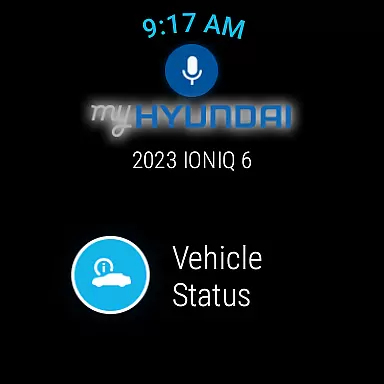
Additionally, the MyHyundai app supports Wear OS, extending its functionality to smartwatches. This means you can use voice commands or the smartwatch menu to access key features like remote start, door lock/unlock, and vehicle location. Such extensive integration enhances convenience and ensures you are always connected to your vehicle.
By providing these capabilities through both smartphones and Wear OS devices, the MyHyundai app delivers a cohesive user experience that maximizes the benefits of companion app integration, making vehicle management effortless and efficient.
Wear OS/device compatibility is essential for users who rely on wearable technology to stay connected with their vehicles. The MyHyundai app offers robust support for Wear OS, allowing users to interact with their Bluelink-equipped Hyundai cars directly from their smartwatches.
With the MyHyundai app for Wear OS, you can perform critical functions such as remotely starting your vehicle, locking or unlocking the doors, and activating the horn and lights. These features ensure that you have control over your vehicle even when you're not near your phone, enhancing accessibility and convenience.
The app also enables you to locate your car using your smartwatch, which is particularly useful in crowded parking lots or unfamiliar areas. By leveraging biometric authentication methods like fingerprint or face recognition, the app ensures secure and quick access to these functionalities.
Overall, the MyHyundai app's compatibility with Wear OS devices significantly enhances user experience by providing reliable and intuitive controls right from your wrist, ensuring you remain connected and in command of your vehicle at all times.
User-friendly interface
Comprehensive vehicle control
Wear OS integration
Biometric authentication
Remote monitoring features
Subscription required
Limited vehicle support
Feature compatibility issues
Premium feature costs
Device permission demands

"PER27 Galaxy Digital" is a digital Wear OS watch face designed by PERSONA
 4.10
4.10
Christmas watch face. For Wear OS devices.
4.30
an Analog Watch Face for winter season with freeze winter background for Wear OS
4.2
Stunning modern digital watch face with 7 complications and strong contrast
4.4
Watch face for Wear OS.
4.20
Let's celebrate Thanksgiving - Wear Os watch face
4.20
Structured watch face with seven complications and modular UI elements
3.90
Reliable phone calls with spam protection, caller ID and more helpful features
4.40
Toyota app currently supports 2010 or newer vehicles (2018 or newer for Hawaii).
4.50
Period, ovulation & pregnancy tracker. Fertility insights & menstrual calendar.
4.90
Hyperlocal rain alerts by MyRadar using patent-pending technology, radar & more
4.80
Easy Voice Recorder is your everyday companion to record important moments.
4.70
Walking app for weight loss: walk & step tracker, pedometer, indoor treadmill
4.60
Gym & home workout plans with strength training, exercise tracking, HIIT & more.
4.60
Stylish, Energizing and Modern Watch Face crafted by Dominus Mathias.
4.50
Current temperature, weather hourly, weather radar by the weather forecast app
4.40
Analog watch face with 8 complications and expedition styling
4.0
Stylish digital watch face for Wear OS devices with customizable features
4.1
Fitness interactive virtual pet super fighter boy watch face
4.0


User Reviews