
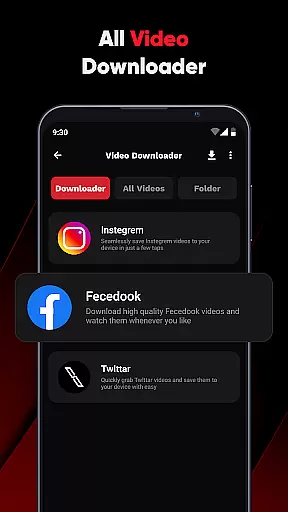
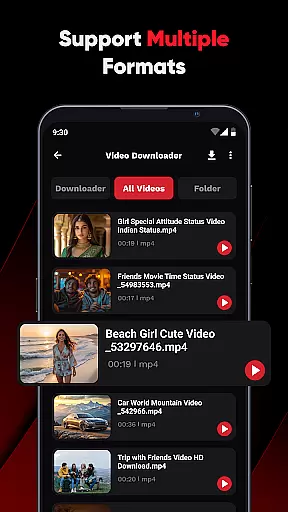
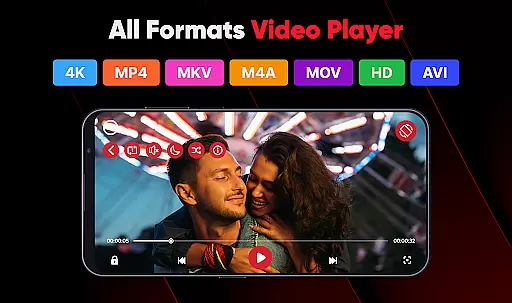
ViPlayer is a versatile video player and downloader designed for users who want an all-in-one solution to manage their video content. The app supports all major video formats including MP4, MKV, AVI, and MOV, allowing users to play high-quality videos directly from their device storage. With advanced gesture controls and a sleek user interface, ViPlayer offers smooth playback and easy navigation.
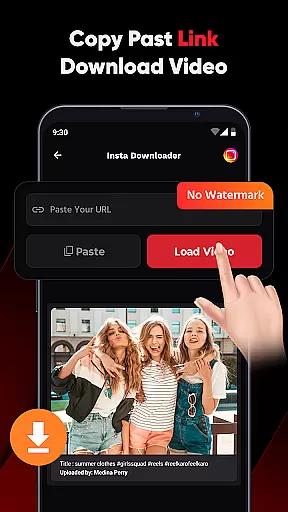
One of the standout features of ViPlayer is its ability to download HD videos from social media platforms like Facebook and Instagram. Users can simply paste the video URL into the app, preview the content, and save it to their gallery without needing to log in. This makes offline viewing convenient and accessible. Whether you're watching personal videos or downloading online content, ViPlayer ensures a fast and seamless experience.
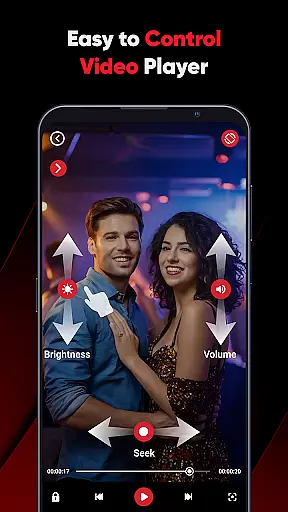
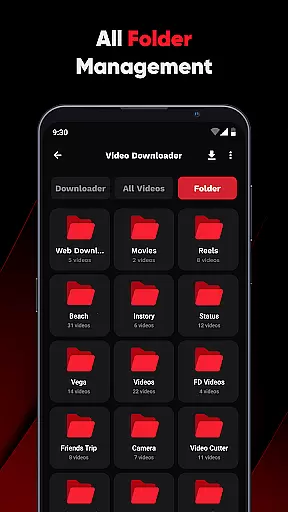
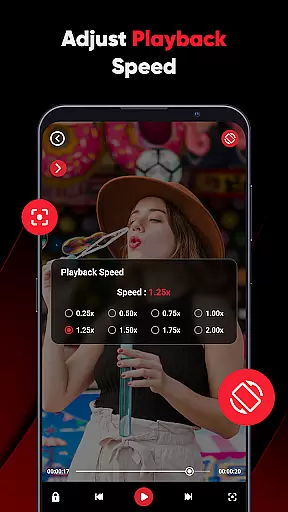
The app's lightweight design and powerful functionality make it ideal for both casual viewers and tech-savvy users. Its intuitive folder organization system detects videos automatically, while swipe controls allow effortless adjustments to volume, brightness, and playback speed. ViPlayer prioritizes user privacy by ensuring no login is required, making it a secure choice for managing your video library.
ViPlayer stands out with its comprehensive feature set tailored for video enthusiasts. First and foremost, it functions as an all-format video player, supporting popular file types such as MP4, MKV, AVI, and more. This ensures compatibility across devices and eliminates format-related playback issues. Additionally, the app auto-detects videos stored on both internal and external storage, organizing them neatly by folder for quick access.
Another key highlight is its one-click downloader tool. By pasting a video URL from platforms like Facebook or Instagram, users can preview and download HD videos effortlessly. The process is streamlined and requires no account registration, emphasizing convenience and privacy. Advanced gesture controls further enhance usability—users can adjust volume, brightness, and playback settings with simple swipe motions.
ViPlayer also boasts a clean and lightweight UI that prioritizes speed and ease of use. Its minimalist design reduces clutter while maintaining robust functionality. From built-in streaming capabilities to offline downloads, this app caters to diverse viewing needs. Whether you're commuting or relaxing at home, ViPlayer delivers a polished and efficient video experience.
ViPlayer stands out as a versatile video player due to its extensive video format compatibility. This app supports a wide array of formats including MP4, MKV, AVI, and MOV, ensuring that users can play virtually any video file they come across.
The importance of this feature cannot be overstated, as it eliminates the need for multiple apps or complicated conversions. Whether you're dealing with high-definition movies or simple video clips, ViPlayer handles them all with ease.
By integrating advanced detection capabilities, the app automatically organizes videos by folder from both internal and external storage. This seamless organization enhances user experience by making video management straightforward and efficient.
Ultimately, ViPlayer's broad format support ensures that users enjoy uninterrupted playback without worrying about compatibility issues, thus providing a smooth and hassle-free viewing experience.
While ViPlayer focuses primarily on video playback and downloading, it incorporates AI-powered features that enhance user interaction. The app includes gesture controls that allow users to adjust volume, brightness, and playback using simple swipe motions.
This intuitive control scheme is crucial for modern apps, as it significantly improves accessibility and ease of use. Users can now enjoy a more interactive and engaging experience without fumbling through complex menus.
Moreover, the one-click downloader exemplifies the app's commitment to simplicity and speed. By pasting a URL, previewing the content, and hitting download, users can save videos effortlessly.
These smart features collectively contribute to a streamlined and enjoyable user experience, setting ViPlayer apart in the realm of video players and editors.
User-friendly interface
Supports multiple formats
No login required
Fast download speeds
Offline playback
Limited platform support
Ads may appear
Requires manual updates
Basic editing tools
Occasional bugs

Auto video maker with music & exclusive filters. Video editing made simple.
 4.50
4.50
Powerful HD video player with support for all formats & subtitles.
4.4
Download website videos fast&privacy
4.40
Fast & Private Video Downloader App. Save all videos easily from the Internet.
4.40
AI Video Editor:AI Music, Text to Video,Text to Speech,Auto Caption,Video Effect
4.00
Cast to Smart TV, Fire TV. Cast video, photo - Fast & Stable!
3.90
Manage your IPTV live channels and VOD playlists (no playlist included)
3.80
Screen recorder with audio to take live videos & Screenshot in high quality!
4.70
convenient, safe and fast at Video Downloader & Player
4.60
Watch IPTV on your Android device
4.60
Cast movies, tv shows and live streams to Chromecast, Roku, DLNA, Fire TV & more
4.60
Photo and Music Video Creator into Stunning Videos—Effortlessly
4.40
AirMirror Receiver - Screen mirroring/cast web videos to Android TV by AirPlay.
4.40
Movie maker & video editing app with AI effects and green screen
4.30
Turn your phone into a wireless camera!
4.20
Your media, on your terms.
4.10
1)AirPlay/DLNA Mirroring/Streaming, up to 4 connections; 2)Samba/NAS/DMS Player.
4.00
Make your own Animations, Video and Photo Edits, Visual Effects, and more!
4.00
Connect 2 UVC devices for recording and broadcast video/audio stream
3.90


User Reviews