
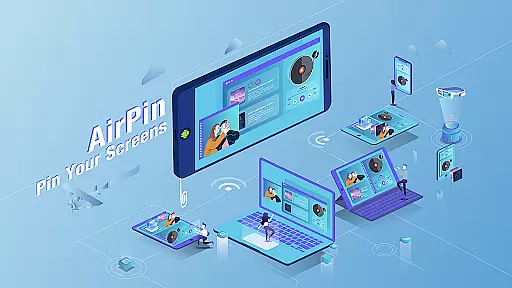





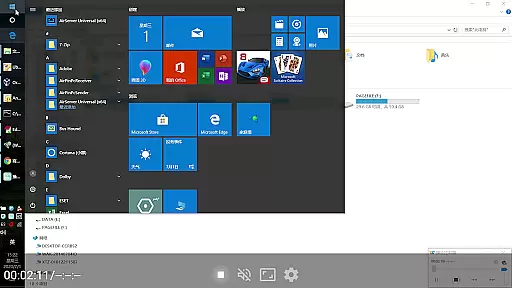

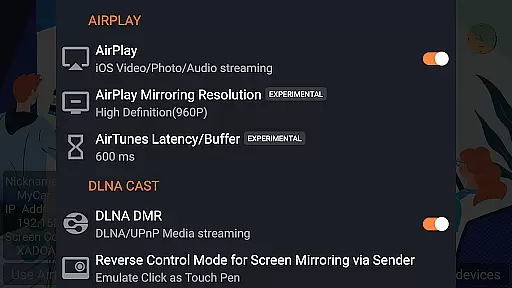

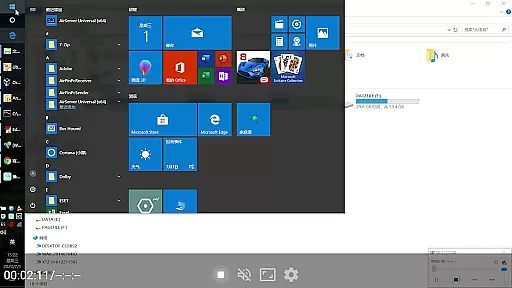

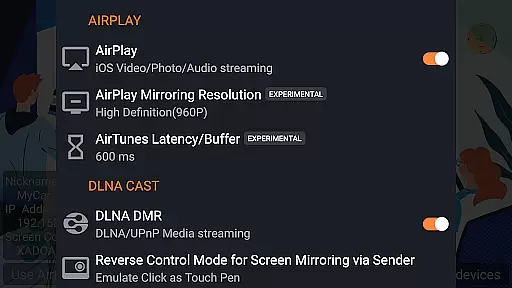
AirPin PRO is a cutting-edge screen mirroring and media streaming receiver app designed for Android phones, tablets, TVs, set-top boxes, and projectors. As the first Android application to support both AirPlay and DLNA since its initial release in July 2012, it enables seamless sharing of media and screens from Apple, Windows, and Android devices onto larger displays.
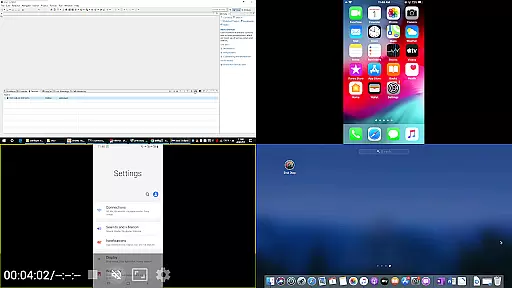
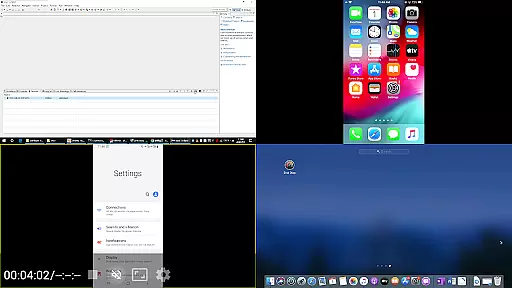
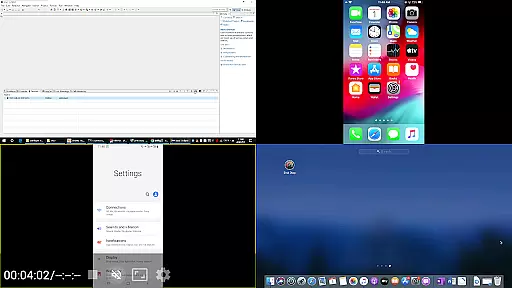
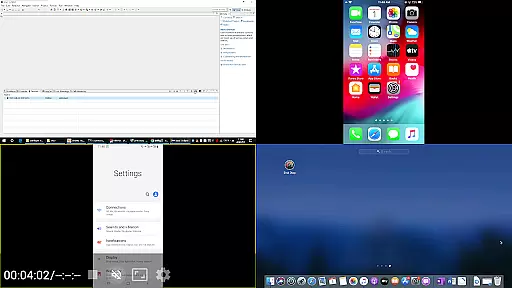
This PRO version stands out by allowing simultaneous display of up to four device screens, enhancing collaborative and multi-device viewing experiences. Whether you're streaming content from an iPhone, iPad, MacBook via AirPlay, or using AirPinPcSender.exe for Windows, or even leveraging AirPinCast for Android devices, AirPin PRO ensures high-quality, synchronized media playback across all platforms.
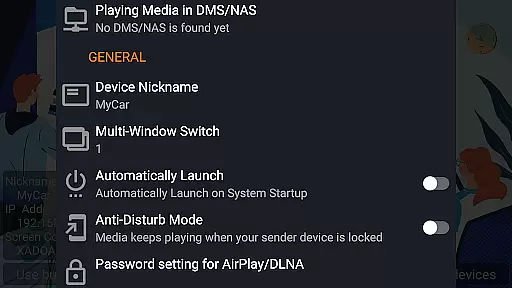
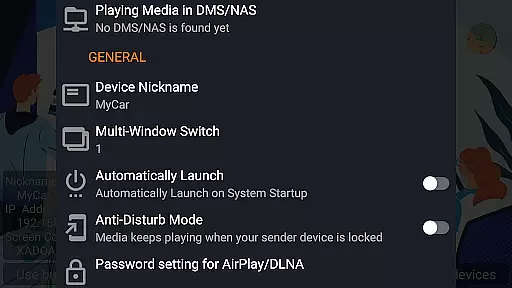
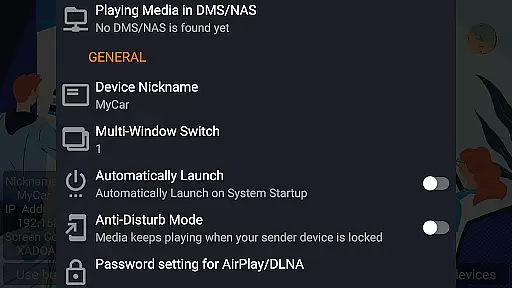
With features like automatic startup, configurable service shutdown, password protection, and uninterrupted background audio streaming, AirPin PRO offers a versatile solution for both personal and professional multimedia needs.
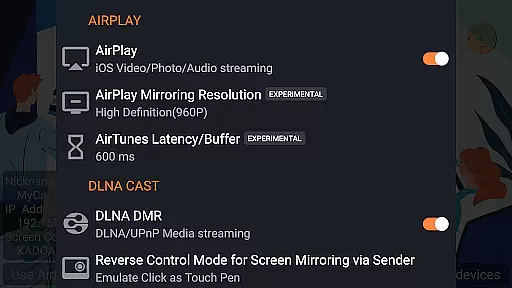
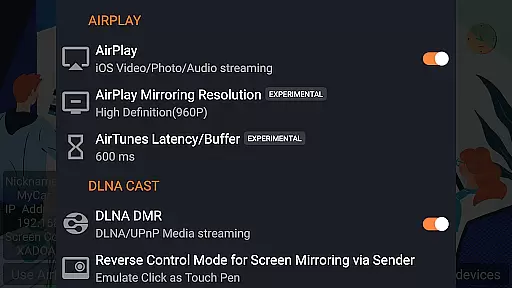
AirPin PRO boasts an impressive array of features that cater to diverse user requirements. It supports AirPlay video/music streaming and screen mirroring on all iOS/MacOS versions, making it compatible with a wide range of Apple products. Notably, it's the first app to facilitate the latest YouTube AirPlay streaming and introduce slideshow functionality for AirPlay photo streaming.
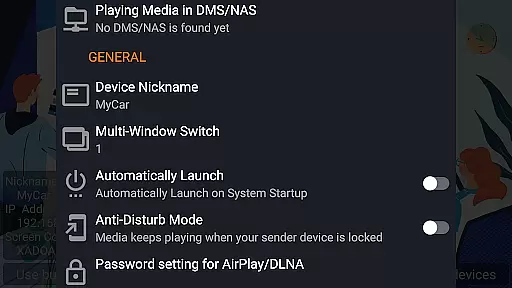
For Android-based TVs, AirPin PRO is the only app that functions as both a Renderer and Player. It can directly pull media from DLNA/NAS/Samba servers for playback, ensuring smooth streaming without delays. The inclusion of password protection, anti-disturb mode, and the ability to continue playing from a previous pause point further enhances user convenience and security.
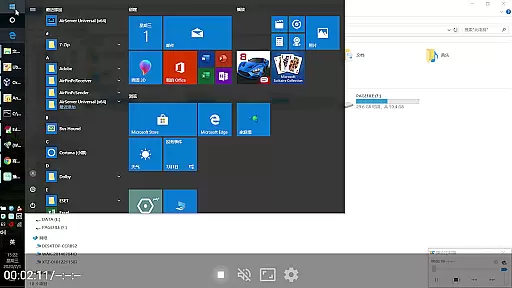
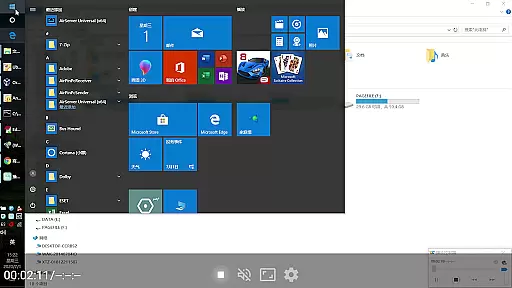
Additionally, AirPin PRO supports Windows streaming and mirroring through AirPinPcSender.exe and Android mirroring/streaming via AirPinCast. Its commitment to constant bug fixing and updates within capability guarantees a reliable and future-proof media streaming experience.
Video format compatibility is a crucial feature for any video player application, ensuring that users can enjoy content in various formats without technical hindrances. AirPin PRO stands out by supporting an extensive range of video formats, making it versatile for different user needs.
This app facilitates seamless streaming and screen mirroring from multiple platforms including iOS, MacOS, Windows, and Android devices onto larger screens. With its ability to handle both AirPlay and DLNA protocols, AirPin PRO ensures that whether you're sharing videos from an iPhone or casting your PC's display, the transition is smooth and reliable.
Moreover, AirPin PRO enhances user experience by allowing direct media pulls from DLNA/NAS/Samba servers, thus eliminating the need for prior downloads. This flexibility not only saves time but also expands the possibilities for entertainment and presentations across compatible devices.
While AirPin PRO primarily focuses on screen mirroring and media streaming, it incorporates AI-powered editing features that enhance the overall user experience. These intelligent tools assist in optimizing video playback and stream quality, adapting dynamically to network conditions and device capabilities.
The application supports advanced functionalities such as automatic service startup and configurable shutdowns, which streamline operations based on user preferences. Additionally, its anti-disturb mode allows uninterrupted video playback even when the controlling device disconnectsu2014a testament to its smart operational design.
AirPin PRO further impresses with unique attributes like continuing playback from the last pause point and external player support, offering a personalized touch to media consumption. Such features underscore the appu2019s commitment to leveraging technology for a superior viewing experience.
Multi-screen display
Wide compatibility
Advanced security
Seamless streaming
Regular updates
Paid version
Complex setup
Device limitations
Occasional bugs
High resource use

Watch a large amount of high-definition short drama content
 4.60
4.60
KineMaster, Your Ultimate Video Editor!
4.40
HD video maker with no watermark, no ads & vlog maker with music, PIP, text
4.50
All format media Player, no need video converter any more!
4.00
AirMirror Receiver - Screen mirroring/cast web videos to Android TV by AirPlay.
4.40
Cast to Smart TV, Fire TV. Cast video, photo - Fast & Stable!
3.90
Connect EasyCap or UVC devices for recording and broadcast video/audio stream
3.60
LumaFusion: The Ultimate Storytelling Experience for Video Editing
4.10
Browser + Remote for Roku to stream webvideos, online movies and livestreams
4.60
High-Quality USB Camera Viewer & HDMI Display
4.70
Video Player - Unlimited features, 30 days money back guarantee.
4.60
Viddo: Generate Action Figure, AI Anime, AI kiss, AI hug Video from image & text
4.40
IPTV-Smarters Player Pro M3U - Watch Live Stream TV Channels with Chromecast
4.00
Kodi media center, a free and open source cross-platform entertainment hub
3.60
Save photos and videos from social apps in one tap.
3.60
Watch full episodes of your favorite Cartoon Network and Cartoonito shows!
3.50
This app is an emulator of some specific IPTV boxes
3.50
The essential companion to your Blue Iris PC software
2.50
Video player with powerful streaming playback and various convenient features.
2.10


User Reviews