
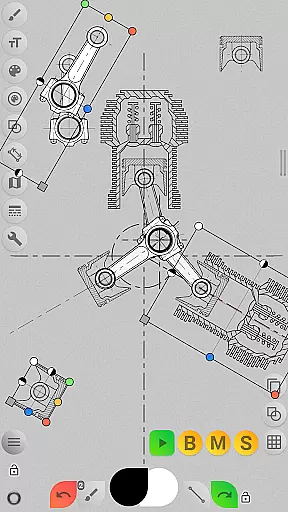
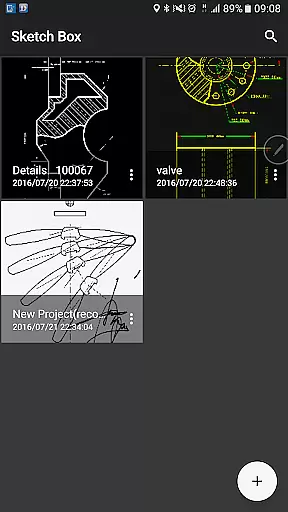
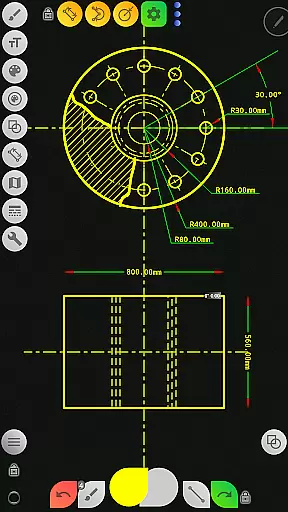
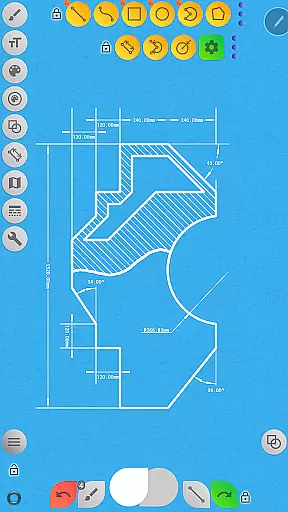
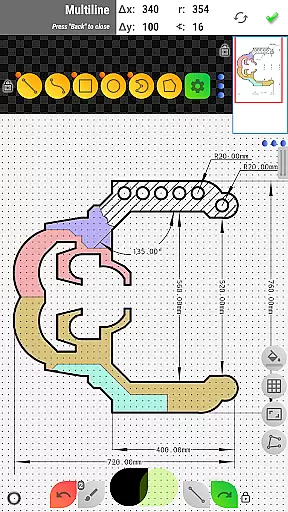


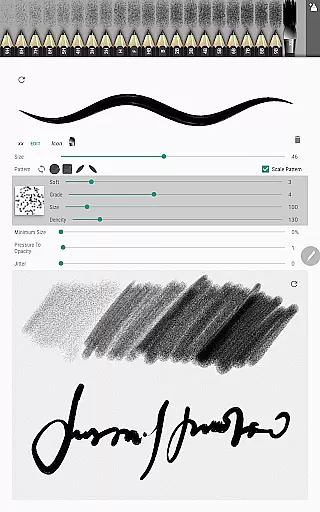
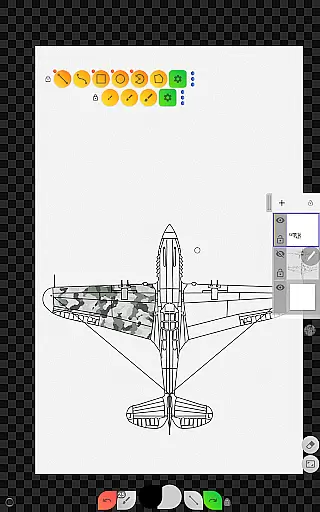
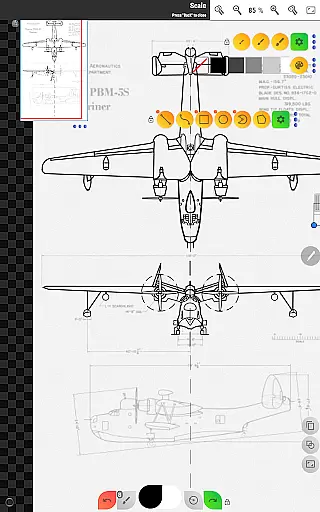
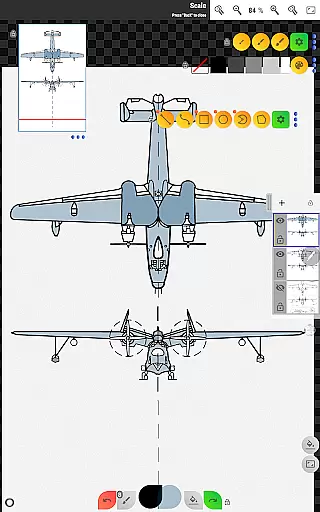
Sketch Box Pro is a versatile sketching and drawing application designed to meet various requirements, from technical drawings to general sketching. Unlike most drawing tools that focus on either traditional drawing or technical drafting, Sketch Box Pro combines both approaches, offering the precision of CAD systems alongside the flexibility of traditional drawing tools. This makes it an ideal choice for engineers, designers, and artists who need a reliable tool for capturing ideas quickly and accurately.
The app supports project-based workflows, allowing users to create projects from scratch, import snapshots from online maps, or use images from their device gallery. With features like layers support, grid tools, dimension tools, and scale settings, Sketch Box Pro provides everything needed for detailed technical sketches and creative drawings. Its intuitive interface and powerful drawing engine ensure smooth performance and ease of use, making it a valuable tool for professionals and hobbyists alike.
Sketch Box Pro offers a comprehensive set of features tailored for both technical and artistic drawing needs. One of its standout capabilities is the Pencils Set, which allows users to customize and save different pencil characteristics using the powerful Pencil Redactor. This feature enables precise control over brush properties, ensuring every stroke meets the user's exact specifications. Additionally, the app includes optimized multiline tools for continuous line creation, manual point positioning in scalar and radial coordinates, and free and radial selection tools for enhanced drawing flexibility.
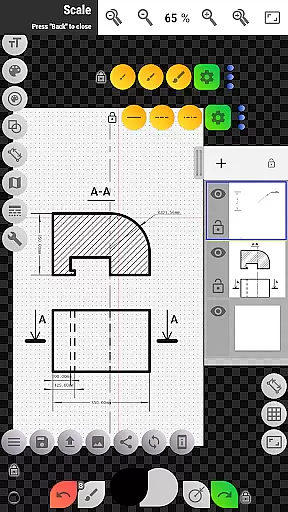
The app also excels in layer management, supporting up to six layers in the Pro version. Users can lock layers, adjust opacity, duplicate, clear, delete, merge downwards, or merge all layers, providing extensive control over complex drawings. Other notable features include a wide range of basic shapes (lines, rectangles, ovals, arcs), predefined brushes for freehand drawing, grid tools for precision work, dimension tools for quick measurements, and a scale tool for setting accurate ratios. The inclusion of flood fill, hatching, text tools, and color control panels further enhances the app’s versatility, while the copy tool allows users to duplicate parts of their drawings efficiently.
For those working with maps, Sketch Box Pro integrates seamlessly with Google Maps, enabling users to utilize map snapshots as backgrounds. Interactive compass tools help align sketches with geographic directions, and vector tools display azimuths directly on the canvas. Map tools facilitate distance and area measurements, adding practical utility for fieldwork and design projects. Overall, these robust features make Sketch Box Pro a top choice for anyone seeking a professional-grade mobile drawing solution.
Sketch Box Pro excels in core task management by offering a versatile platform for various drawing and sketching needs. The app supports technical drawings, general sketching, and even integrates with online maps to provide interactive tools.
With project-based functionality, users can initiate new projects from scratch, import snapshots from online maps, or use images from their device gallery. This flexibility ensures that every task, whether it's drafting detailed technical plans or quick sketches, is managed efficiently within the app.
The layers support feature allows users to work with up to six layers in the Pro version, providing options to lock, adjust opacity, duplicate, clear, delete, and merge layers. These capabilities enhance task management by enabling complex drawing organization and easy editing.
Additionally, Sketch Box Pro includes tools like grids for precision, dimension tools for accuracy, and scale settings for proper ratio adjustments. Such features ensure that users can manage their tasks effectively, resulting in high-quality outputs tailored to their specific requirements.
Cross-device synchronization is a crucial aspect of Sketch Box Pro, ensuring that users can rely on consistent access to their projects regardless of the device they are using. This reliability is vital for users who switch between different devices throughout their workflow.
Sketch Box Pro allows users to create, duplicate, and share projects seamlessly. Projects saved on one device are accessible on another, thanks to the appu2019s robust cloud integration. This means that whether you start a project on your tablet or phone, you can continue working on it from any other supported device without losing progress or quality.
The app also supports exporting current drawings to the gallery or sharing them directly. This feature enhances synchronization reliability as users can back up their work or collaborate with others effortlessly, knowing that their data remains secure and accessible across devices.
Furthermore, the ability to insert images from the device gallery, rotate, resize, and control opacity adds another layer of synchronization reliability. Users can assemble complex sketches from various parts and maintain uniformity across all synchronized devices, ensuring a seamless and reliable cross-device experience.
User-friendly interface
Powerful customization options
Comprehensive layer management
Versatile drawing tools
Integrated map functionality
Limited free version features
Steep learning curve
Occasional performance lags
High system requirements
Subscription cost for full access

 4.20
4.20
Seamlessly integrate data and reports to build your presentation to impress
4.80
Unlock AutoNotification
4.00
Remotely view listen control and record cameras.
3.70
The AI assistant that thinks with you - write, code, and solve complex tasks
4.60
Best Tool for the professionals Electrician, Electrical contractors, etc.
4.90
Secure your apps with lock screens, use custom themes and different features.
4.40
Share files & memories safely. Keep your photos and videos secure.
4.40
Note taking, handwriting, record audio, PDF annotation, planner & journal
4.20
Simple notepad & memo. Take notes, to-do list, shopping list with reminders.
4.80
Secure, fast, open-source, VNC and SSH Remote Desktop for Windows, Linux and Mac
4.70
Absolutely the best CNC machinist speed and feed calculator around. fswizard.com
4.60
To do list widget with a notebook organizer, checklist, simple shopping list
4.60
Subscribe to Webcal & .ics calendars and keep them up-to-date!
4.50
CalenGoo is a very flexible and feature-rich calendar app
4.40
When you Focus, so will your Bean in this cozy focus timer
4.30
Take control of your clipboard with Clipper!
3.90
A Revolutionary All-in-One Artificial Intelligence Tools
3.80
The upgraded version of Name Wheel with AI and the power to add your own wheels.
4.5


User Reviews