
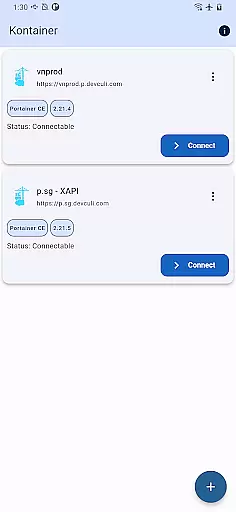
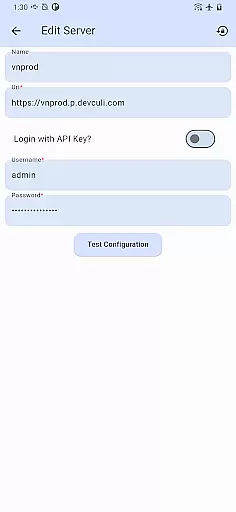
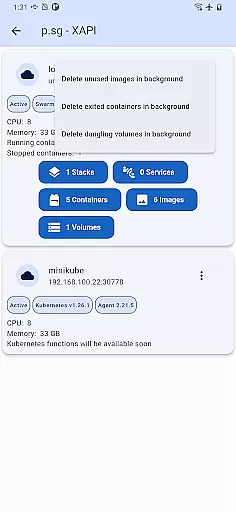
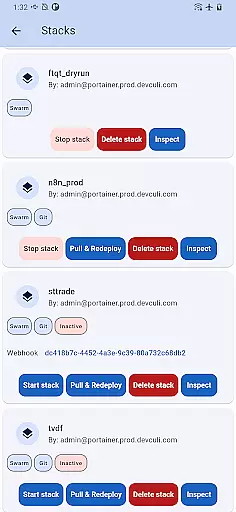
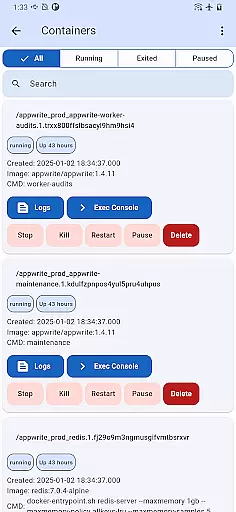
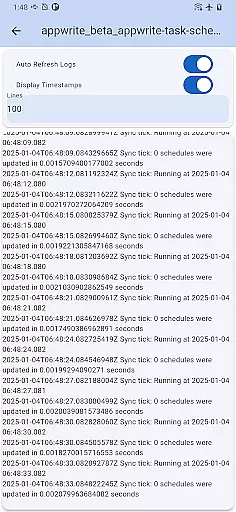
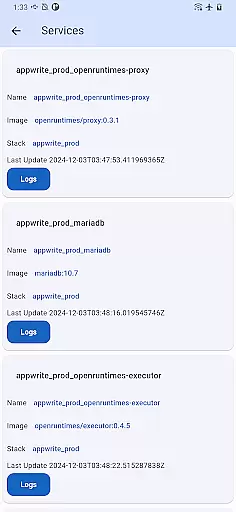
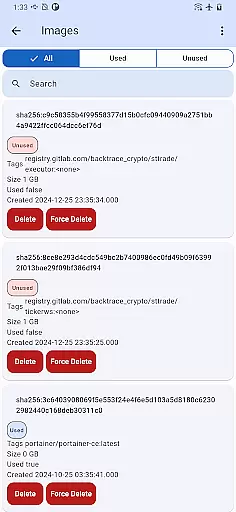
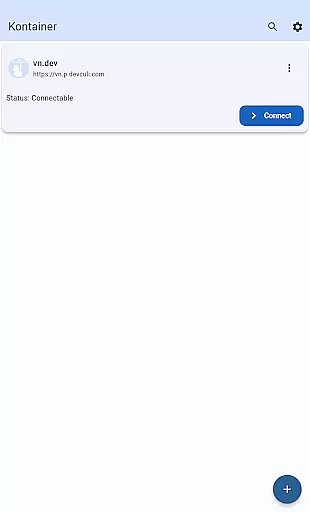
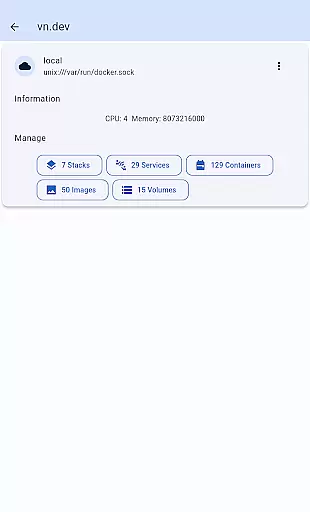
Portainer Mobile is a powerful productivity app designed to simplify container management for Docker and Kubernetes environments. With its intuitive mobile interface, users can manage their deployments from anywhere, whether on developer laptops, in data centers, or across cloud and edge environments.
The app supports multi-cluster and multi-device management, offering a unified view of all your endpoints. This ensures seamless monitoring, configuration, and optimization of container operations. By providing secure and flexible control over containerized environments, Portainer Mobile empowers users to streamline deployment processes and enhance operational efficiency.
Whether you're overseeing hybrid or multi-cloud setups, this app brings the full power of Portainer to your fingertips, making it an essential tool for DevOps professionals and IT teams.
Portainer Mobile stands out with its robust feature set tailored for managing containerized environments. The app provides a unified interface that consolidates Docker and Kubernetes endpoints into a single view, simplifying oversight of complex deployments.
One of its key strengths is multi-cluster and multi-device support, enabling users to manage diverse environments efficiently. From deploying new containers to monitoring existing ones, the app streamlines workflows while ensuring secure access to all managed systems.
Additionally, Portainer Mobile is designed to boost productivity by allowing users to perform critical tasks remotely. Its upcoming K8S functionality will further expand its capabilities, solidifying its position as an indispensable tool for modern IT operations.
Efficient task management is essential for overseeing containerized environments, and Kontainer excels in this area. The app provides a unified interface that consolidates Docker and Kubernetes endpoints into a single view. This allows users to monitor, configure, and optimize their deployments with ease.
Kontainer supports multi-cluster and multi-device management, empowering users to control hybrid and multi-cloud environments effortlessly. With this feature, you can manage all your container operations from one place, eliminating the need to switch between different tools or dashboards.
The ability to oversee both Docker and Kubernetes environments ensures that users can maintain high efficiency while managing complex infrastructures. Whether containers are running on developer laptops, in data centers, on the cloud, or at the edge, Kontainer keeps everything accessible and manageable from your mobile device.
Cross-device synchronization is crucial for maintaining consistency across various platforms, and Kontainer ensures reliable performance in this aspect. By supporting real-time updates and seamless data sharing, the app enables users to manage their containerized deployments without worrying about discrepancies between devices.
With Kontainer, all changes made on one device are immediately reflected across others, ensuring that your configurations remain up-to-date no matter where you access them. This reliability extends to both Docker and Kubernetes environments, providing peace of mind when overseeing complex infrastructures.
This synchronization capability not only boosts productivity but also enhances security by allowing administrators to apply consistent policies and settings across all managed endpoints. Get the flexibility and power of Portainer right at your fingertips with Kontainer's dependable cross-device functionality.
User-friendly interface
Multi-cluster support
Unified endpoint view
Secure remote access
Efficient workflow tools
K8S features pending
Limited advanced options
Requires stable connection
Premium feature costs
Learning curve for beginners

Experience real multitasking on your Android!
 4.00
4.00
Mind Map and brainstorm, note taking and idea collection
4.80
⏰ Finally a timer app which can run multiple timers simultaneously on your watch
3.90
aCalendar+ makes your day, week and month
4.70
Stay on top of your to-dos with Google Tasks, part of Google Workspace.
4.60
Font maker keyboard with your own handwriting
4.10
Enjoy classic gameplay with customizable features and retro-style graphics.
4.30
AI Chatbot and AI writing assistant powered by ChatGPT.
4.60
Seamlessly read, manage, and organize all your PDF files solution in one place
4.40
8 custom complications. Custom Time Fonts. Beautiful color schemes. A++ Design.
5.00
Understand anything with a personalized AI research assistant
4.80
App Lock with fingerprint, password: Lock apps & hide photos with lock screens
4.60
All document reader, all in one file viewer read PDF, DOCX, XLS, PPT, TXT files.
4.60
A simple Whisper AI keyboard for reliable speech transcription and rewording
4.60
Secure your apps with lock screens, use custom themes and different features.
4.40
Total remote control for your Android device, PC and cloud services (IFTTT)!
4.20
Unlock AutoNotification
4.00
Wake up & get tasks done! Add alarms & reminders on the Clock Launcher.
4.00
Find and delete junk files & block unwanted notifications & manage files
3.70


User Reviews