

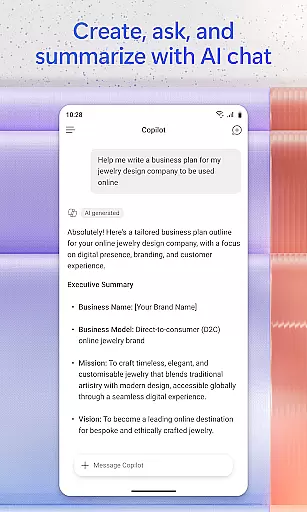

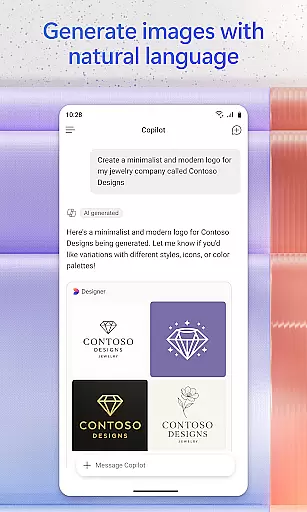
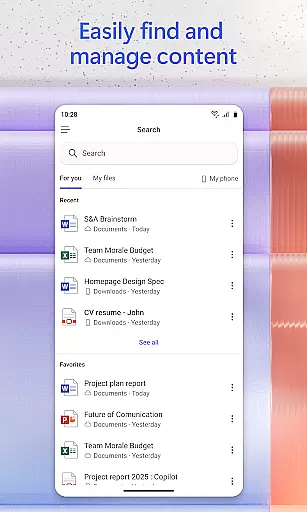
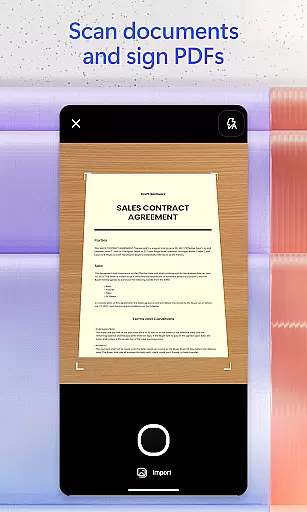
Microsoft 365 Copilot is an AI-powered productivity application designed to streamline both professional and personal tasks. This app serves as a centralized platform for interacting with an AI assistant, creating and editing various types of content, scanning documents, managing projects, and swiftly locating files while on the move. By integrating advanced AI capabilities, it allows users to accomplish more without increasing their workload, thus enhancing overall efficiency.
The app's AI assistant can summarize documents stored in the cloud or locally on your device, draft emails, analyze spreadsheets through natural language processing, and even engage in voice interactions to facilitate hands-free operation. Whether you need to find specific files, accelerate learning by explaining concepts, or generate polished content using intuitive templates, Microsoft 365 Copilot provides comprehensive tools tailored to boost productivity. Its seamless integration with Word, Excel, PowerPoint, and PDFs ensures that all necessary functionalities are accessible within a single, user-friendly interface.
Microsoft 365 Copilot stands out due to its rich array of features designed to enhance productivity. One notable feature is the ability to chat with the AI assistant, which can perform complex tasks such as summarizing documents, drafting emails, and analyzing spreadsheets simply through natural language commands. This functionality not only saves time but also makes sophisticated data analysis accessible to non-experts.
Voice interaction is another significant feature, allowing users to prepare for their day, obtain answers, and brainstorm ideas without needing to type. The app also includes powerful search capabilities to quickly locate important files, whether they were recently used or buried deep within your archives. Additionally, built-in AI agents like Researcher and Analyst provide expert insights by generating research reports and analyzing intricate datasets, thereby empowering users with actionable intelligence.
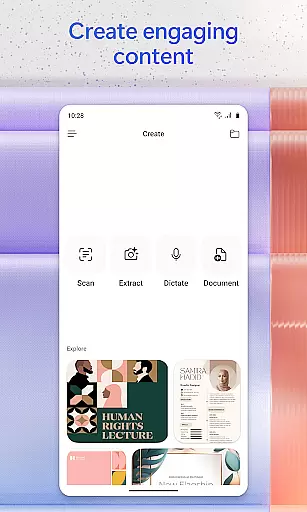
Content creation is streamlined with easy-to-use templates for images, posters, banners, videos, and surveys. Document management is simplified through features like document scanning and project management via Copilot Notebooks, which help organize ideas, documents, and links cohesively. These robust features collectively ensure that users can efficiently handle a wide range of tasks, making Microsoft 365 Copilot an indispensable tool for modern productivity needs.
Task management is a cornerstone of productivity applications, and Microsoft 365 Copilot excels in this area by offering users an integrated platform to manage their work efficiently. The app consolidates various productivity tools such as Word, Excel, PowerPoint, and PDF handling into one place, streamlining the workflow.
With features like Copilot Notebooks, users can bring together ideas, documents, and links, allowing for comprehensive project oversight. This functionality not only simplifies task tracking but also enhances collaboration by summarizing and connecting disparate pieces of information seamlessly.
Moreover, the ability to upload files from mobile storage and save AI-generated content directly to your device ensures that document management is both flexible and efficient. These capabilities empower users to maintain organization and clarity across multiple projects without missing a beat.
The true value lies in how these features are implemented to support real-time productivity, ensuring that whether you're at work or home, managing tasks with Microsoft 365 Copilot feels intuitive and effortless.
Cross-device synchronization is vital for users who operate in multi-device environments, and Microsoft 365 Copilot addresses this need by providing reliable and consistent access to files and AI functionalities across different platforms. Whether switching between a desktop and mobile device, users can expect uniformity in their experience.
This synchronization extends beyond mere file access; it encompasses settings, recent activities, and collaborative elements within documents. As a result, picking up where you left off is seamless, regardless of the device in use, which significantly boosts productivity and user satisfaction.
Furthermore, signing in with a Microsoft account ensures that all interactions with the AI assistant, document edits, and project management components are updated in real time. This means no data loss or inconsistency when transitioning between devicesu2014an essential feature for modern professionals.
By focusing on synchronization reliability, Microsoft 365 Copilot guarantees that its powerful suite of tools is always at your fingertips, delivering a dependable and cohesive user experience designed to keep you productive wherever you are.
AI-Powered Assistance
Voice Interaction Capability
Advanced Search Functionality
Comprehensive Content Creation Tools
Seamless Document Management
Limited Feature Availability
Requires Specific Licenses
Potential Privacy Concerns
Dependent on Cloud Storage
Complex Setup Process

A customizable calendar for your Wear OS watch
 4.20
4.20
We're working to become the best machining app on the market! www.cncdirt.com
4.80
Remotely view listen control and record cameras.
3.70
Secure, fast, open-source, Remote Desktop Client for Windows and Linux with SSH
4.60
Great calculator for Android named one of USA TODAY's "25 Essential Apps".
4.90
A simple Whisper AI keyboard for reliable speech transcription and rewording
4.60
Scientific calculator for Android - looks and operates like the real thing!
4.90
Simple notepad & memo. Take notes, to-do list, shopping list with reminders.
4.80
Browse and view your photos and videos from the phone with photo & video hide.
4.10
Best Tool for the professionals Electrician, Electrical contractors, etc.
4.90
Client for Nextcloud Deck
4.60
Absolutely the best CNC machinist speed and feed calculator around. fswizard.com
4.60
Functional QR scanner and barcode reader that requires little storage space.
4.60
A Pixel Art watchface inspired by other iconic 90s designs for Wear OS devices!
4.40
When you Focus, so will your Bean in this cozy focus timer
4.30
Access, manage and transfer files on Android, PC, Mac, NAS and cloud storages.
4.30
Todo reminder
4.10
Mega cloud explorer plugin for Solid Explorer
3.80
The upgraded version of Name Wheel with AI and the power to add your own wheels.
4.0


User Reviews