
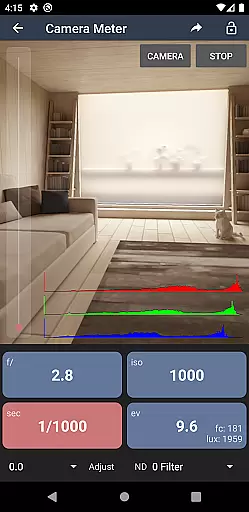
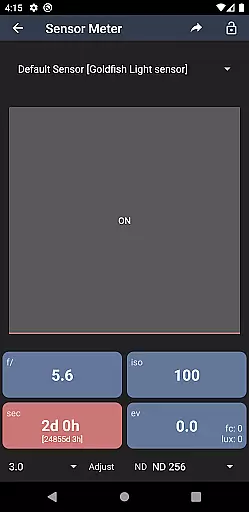
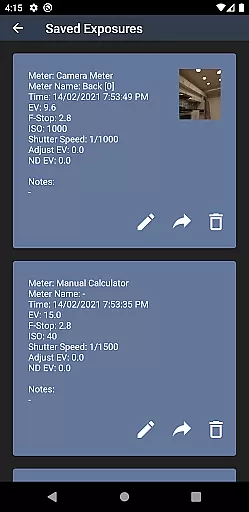
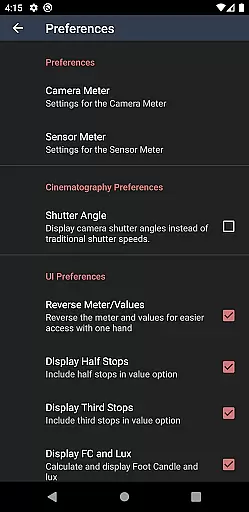
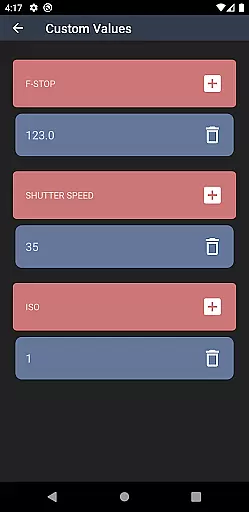
Light Meter is a comprehensive photography tool that combines multiple essential functions in one app. The application provides both spot metering through the device's camera and incident light metering using the built-in light sensor, ensuring accurate readings comparable to professional Gossen and Sekonic meters on most devices.
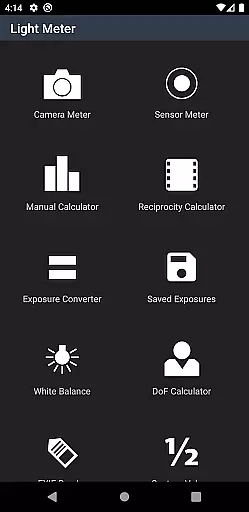
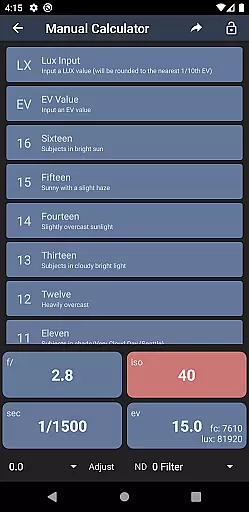
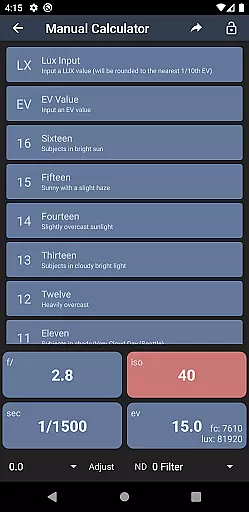
In addition to its core light metering capabilities, the app offers photographers a suite of useful tools including a Color Temperature meter for white balance adjustments, a Reciprocity Calculator for long exposures, an Exposure Convert for various ISO settings, a Manual (Sunny Sixteen) calculator for classic exposure techniques, a Depth of Field calculator for precise focusing, and an EXIF Reader for analyzing image metadata.
This versatile app caters to all types of photographers, from film SLR enthusiasts to cinematographers, making it an indispensable companion for anyone serious about capturing perfectly exposed images in any situation.
Light Meter stands out with its dual light metering system, combining spot metering via the device's camera and incident light metering through the light sensor. This dual approach ensures reliable and accurate exposure readings across different lighting conditions and scenarios.
The app goes beyond basic light measurement by incorporating advanced features such as a Color Temperature meter for precise white balance adjustments, a Reciprocity Calculator for handling reciprocity failure in long exposures, and an Exposure Convert for managing different film speeds and ISO settings. Additionally, the Manual (Sunny Sixteen) calculator helps users apply traditional exposure rules, while the Depth of Field calculator assists in achieving optimal focus and sharpness.
Photographers will also appreciate the built-in EXIF Reader, which allows them to extract and analyze technical information from their images, helping them refine their craft and understand the impact of different settings on their final results.
Real-time capture and preview functionality is essential for photographers who need to assess lighting conditions instantly. Light Meter offers this through both spot metering, utilizing the device's camera, and incident light metering via the device's light sensor.
This dual approach ensures that users can accurately measure reflected and incident light in real-time, providing them with reliable exposure settings. The accuracy of these meters has been tested against professional Gossen and Sekonic meters, ensuring precision across various devices.
Photographers benefit from immediate feedback on their shooting environment, allowing them to make informed decisions about camera settings. This feature supports a wide range of photography types, from film SLR to cinematographic projects.
While primarily a tool for measuring light, the Light Meter app enhances the photographic process with additional features that contribute to image quality. Among these are tools like the Color Temperature meter, Reciprocity Calculator, and Depth of Field calculator.
These features work together to ensure that every aspect of the photou2014from white balance to depth of fieldu2014is optimized before the shot is taken. By calculating reciprocity failure or determining the correct depth of field, users can enhance their images naturally without relying on post-processing.
The result is an enhancement of the natural beauty of the photograph, preserving the authenticity of the scene while optimizing technical aspects. This positions Light Meter as not just a light metering app but a comprehensive tool for elevating photographic outcomes.
User-friendly interface
Accurate light readings
Comprehensive toolset
Reliable performance
Versatile functionality
Premium price point
Requires calibration
Limited free features
Device compatibility
Complex for beginners

Create & Edit with AI: AI Remove, Enhance, Retouch, Filter
 4.10
4.10
Pet Camera
3.70
Transform photos into videos! Create realistic or anime-style images easily!
4.50
A must-have app for landscape photographers
4.60
Easily create custom gifts, cards, photo books & more on the Shutterfly app!
4.60
Fit multiple photos on one post. Create carousels & scroll layouts for Instagram
4.50
Unblur, enhance & restore photos with powerful AI photo enhancer tools.
4.60
Turn photos into cartoons & avatars! - Photo Editor, Cartoon Face!
3.90
Remote control the phone camera shutter from your smartwatch and take a picture
1.60
Perfect body tune & face app - photo retouch, makeup, slim body & beautify face.
4.80
Android Native system HD camera app. Never been so simple and faster.
4.70
The original Rarevision VHS look seen everywhere!
4.70
Enhance, retouch & create your story - Share the moment with Photoshop Express.
4.60
Photo Exif Editor allows to view, add and modify EXIF data of multiple photos
4.50
Create AI photos & videos with Enhancer; restore, fix, beautify, enhance photos
4.50
All-in-One Editor & AI Photo Enhancer, Beautify & Retouch, Collage, Cartoonify
4.20
Professional photography on your mobile phone
4.20
Transform Photos: Edit, Beautify and Craft Memories & Make Collages!
4.10
Application for remote controlling DSLR
3.00


User Reviews