


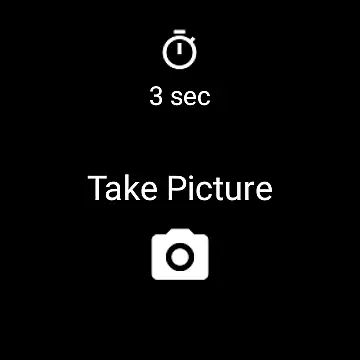
Camera Remote Watch is a smart photography tool that allows users to remotely control their phone's camera shutter directly from a smartwatch. This innovative app enables hands-free picture taking, making it perfect for group photos, selfies, or capturing moments without physically interacting with the phone. The app works seamlessly with Wear OS smartwatches and stores captured images in the phone's gallery while also providing a preview on the watch itself.
The app offers an intuitive interface where users can adjust the camera view on their phone before triggering the shutter from the watch. After taking a photo, users can instantly review it on their smartwatch to decide if another shot is needed. With its practical functionality, Camera Remote Watch is ideal for photographers who want convenience and efficiency in capturing high-quality images.
One of the standout features of Camera Remote Watch is its ability to trigger the phone's camera shutter directly from a connected smartwatch. This eliminates the need to physically touch the phone, reducing the risk of shaky shots. The app supports both Android devices and Wear OS smartwatches, ensuring broad compatibility across various platforms.
Another notable feature is the instant photo preview available on the smartwatch. After capturing an image, users can immediately check how the photo turned out directly on their watch display. If the result isn't satisfactory, they can retake the picture without hassle. Additionally, all photos are automatically saved to the phone's gallery, allowing easy access through the Android Gallery app.
For optimal performance, users should ensure their watch and phone remain connected throughout the process. While downloading images to the watch may take some time due to slower processing speeds, this minor delay does not detract from the overall user experience. With clear instructions provided via video tutorials and FAQs on the official website, users can quickly learn how to maximize the app's potential.
Real-time capture and preview functionality is essential for ensuring that every photo taken meets the user's expectations without delay. Camera Remote Watch excels in this area by allowing users to remotely trigger their phoneu2019s camera from a smartwatch, providing an immediate visual confirmation on the watch display.
This application facilitates seamless interaction between your phone and smartwatch, enabling you to adjust the camera view directly from your phone before taking a picture. Once set, simply tap the Camera button on your watch to capture the moment. This real-time functionality ensures that you never miss an important shot due to handling delays.
The captured image is promptly displayed on both your phoneu2019s gallery and your smartwatch, offering dual accessibility and immediate feedback. This instant preview feature allows users to quickly assess if another shot is needed, enhancing the overall photography experience.
By integrating with Wear OS smartwatches, Camera Remote Watch guarantees broad compatibility and reliable performance across various devices. The appu2019s ability to deliver real-time previews right on your wrist makes it an indispensable tool for photographers seeking convenience and efficiency.
While Camera Remote Watch does not explicitly market itself as having AI beauty and enhancement features, its practical applications offer natural enhancements through thoughtful design. By allowing users to take photos hands-free, the app helps ensure more stable shots, which can naturally improve photo quality.
The app provides a unique advantage by displaying a copy of the photo on the smartwatch immediately after capture. This feature enables users to review their images instantly, making it easier to decide whether additional enhancements are necessary. Although it doesn't apply digital filters or effects, the clarity and stability of images often result in pictures that look more natural.
For those who prefer minimal post-processing, Camera Remote Watch offers a straightforward solution. The simplicity of capturing images without touching the phone reduces blurriness and distortion, leading to cleaner, more professional-looking photographs. This approach emphasizes authenticity over artificial enhancements.
Moreover, the appu2019s compatibility with various devices, including Wear OS smartwatches, ensures consistent performance. Users benefit from a streamlined photography process that prioritizes genuine moments captured naturally, aligning with modern preferences for unaltered, high-quality images.
User-friendly interface
Instant photo previews
Wide device compatibility
Hands-free operation
Convenient remote control
Slow photo downloads
Limited unsupported devices
Requires stable connection
No advanced editing tools
Basic UI design

Remote control of the phone camera from your Wear OS smartwatch
 3.70
3.70
Photo editor: face & body editor, beauty cam, filters and quality enhancer.
4.00
Long exposure camera with computational photography
2.60
[3DSteroid Pro] is a stereoscopic application for Android.
4.30
Shooting photos and records video easily and efficient with professional Camera
4.30
Natural Beauty, Selfie Retouch
4.30
Gallery Slideshow is slideshow maker app for slideshow from your gallery photos.
3.90
Raw Image Viewer. Gallery with support of raw images (.cr3, .cr2, .nef, .raf).
2.00
Discover & download millions of art for The Frame TV or Hisense CanvasTV
4.60
Android Native system HD camera app. Never been so simple and faster.
4.70
PhotoSync Bundle Add-On License. Enables all features and services in PhotoSync.
4.60
Cut and paste photo editor & eraser to customize photos easy and swap faces fun
4.50
Create collages easily! Nice pic collage maker & background eraser for Instagram
4.50
A reflected light meter with spot metering and incident light metering.
4.40
Future baby face generator: AI kids generator, kid face! What my baby look like?
4.40
The #1 app for B&W film developing featuring an advanced darkroom timer.
4.10
Professional quality photo edits with the new Snapseed.
4.00
Hair color changer, AI haircut app, fun hair editor and buzz cut filter for all!
3.80
Create amazing frames with up to five photos. Rounded corners, effects and more!
3.60


User Reviews