
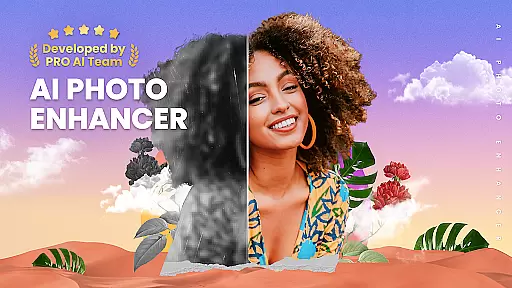

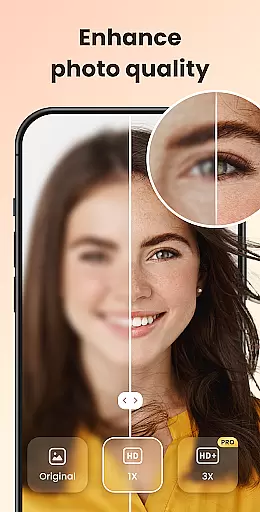
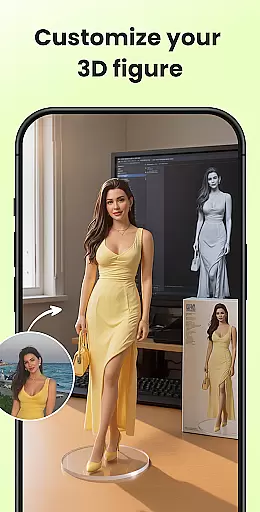
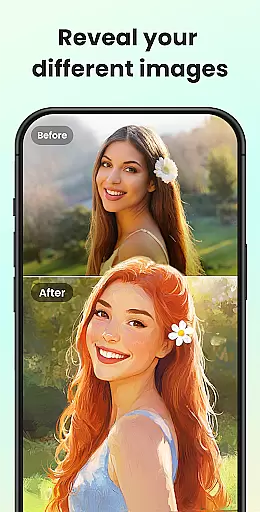
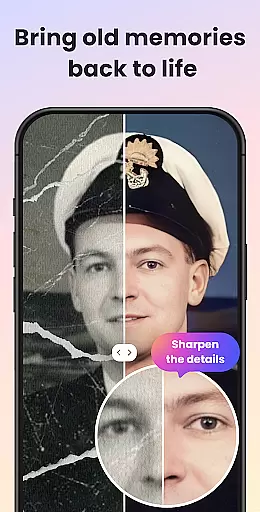
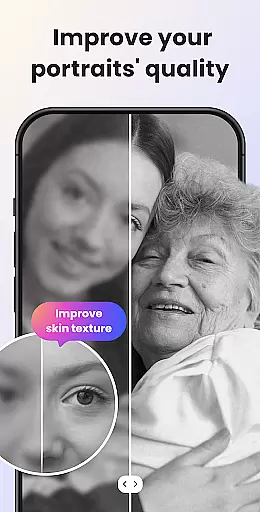
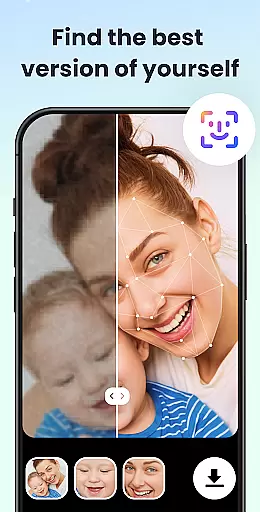
UpFoto is an advanced AI-powered photo enhancement application designed to transform low-quality, blurry, and damaged images into stunning high-definition photos. The app utilizes cutting-edge artificial intelligence technology to optimize portrait details, restore old and scratched photographs, and improve overall resolution by up to 800%. Users can effortlessly enhance their cherished memories with just a single tap, achieving remarkable clarity and skin texture that mimics the quality of modern smartphone cameras.
This powerful photography tool not only revitalizes old family photos but also supports real-time photo enhancement, making it versatile for various use cases. Whether you're looking to deblur images, increase resolution, or prepare photos for printing, UpFoto delivers professional-grade results without requiring any technical expertise. Its intuitive interface and one-click solutions make it accessible for both casual users and photography enthusiasts alike.
UpFoto stands out in the photography category due to its comprehensive suite of AI-driven features tailored for photo restoration and enhancement. One of its core capabilities is facial recognition technology, which automatically identifies faces in portraits or group photos and enhances critical details such as eyes and skin texture with precision. This feature ensures that every enhanced image retains natural aesthetics while achieving HD quality.
In addition to facial optimization, the app offers robust tools for restoring severely damaged or aged photographs. Scratches, discoloration, and other imperfections are intelligently repaired, giving new life to old memories. Another standout feature is the ability to upscale photo resolution significantly—by 200%, 500%, or even over 800%—without compromising on clarity. Furthermore, upcoming features like one-click colorization and cartoon effects promise to expand creative possibilities, ensuring that UpFoto remains at the forefront of innovative photo editing solutions.
Real-time capture and preview functionality is essential for photography apps like UpFoto, allowing users to see the results of photo enhancements instantly. This feature ensures that every adjustment or enhancement made to a photo is immediately visible, providing an interactive and intuitive user experience.
UpFoto leverages cutting-edge AI technology to offer real-time previews of photo improvements. Whether it's deblurring pixelated images, enhancing facial details in portraits, or restoring damaged photos, users can witness the transformation unfold as they apply different filters and adjustments.
The benefit of this real-time interaction is significant. Users can experiment with various enhancements without delay, making the editing process more engaging and efficient. It allows photographers and hobbyists alike to fine-tune their images precisely as they envision, ensuring satisfaction with the final output before saving or sharing.
This instant feedback loop not only enhances user engagement but also builds confidence in using the appu2019s features effectively. With real-time capture and preview, UpFoto empowers users to achieve professional-quality results effortlessly.
AI beauty and enhancement naturalness refers to how realistically and seamlessly an application can improve image quality while maintaining authenticity. For UpFoto, this means employing sophisticated algorithms that enhance photos without making them look overly processed or artificial.
Utilizing advanced AI-based methods, UpFoto focuses on optimizing portrait details such as facial features, skin texture, and eye clarity. The app intelligently recognizes faces within selfies or group photos and applies enhancements that preserve natural aestheticsu2014ensuring subjects look refreshed rather than altered.
Users benefit from this approach by achieving high-definition results that retain genuine characteristics. Whether repairing old family pictures or refining recent snapshots, the outcome feels authentic and true-to-life. This balance between enhancement and realism sets UpFoto apart from other photo editors.
Ultimately, prioritizing naturalness in AI-driven enhancements fosters trust among users who seek polished yet believable outcomes. By delivering clear, vibrant images with lifelike qualities, UpFoto meets both amateur and professional needs effectively.
User-friendly interface
Advanced AI algorithms
High-resolution output
Real-time enhancements
Versatile editing tools
Subscription fees apply
Limited free edits
Occasional processing delays
Feature updates pending
Requires internet connection

Natural Beauty, Selfie Retouch
 4.30
4.30
Edit like a pro with Hypic. Apply filters, AI effects, & magic touch.
4.40
A must-have app for landscape photographers
4.60
Raw Image Viewer. Gallery with support of raw images (.cr3, .cr2, .nef, .raf).
2.00
See your baby AI baby face generator AI baby maker Face generator babymaker fun!
4.70
Easily create custom gifts, cards, photo books & more on the Shutterfly app!
4.60
Pro version: AR sun/moon tracker for any date. Tool for photographers & planners
4.90
A light meter for true photographers.
4.20
Effortlessly make high-quality GIFs from images & videos without any watermarks.
4.70
AI Photo Editor with 100+ Filters, Effects! Remove BG, Retouch & Photo Enhancer.
4.80
Perfect body tune & face app - photo retouch, makeup, slim body & beautify face.
4.80
A collection of tools and reference tables for DPs, ACs, DITs and Operators.
4.70
Take videos and pictures with the popular TikTok TIME WARP SCAN filter.
4.60
Enhance, retouch & create your story - Share the moment with Photoshop Express.
4.60
Trendy TikTok time warp scan funny filter app brings you unique photos & videos.
4.40
live datamoshing
4.00
Remote control of the phone camera from your Wear OS smartwatch
3.70
Photo Album Watch Face shows your favorite pictures as a Watchface.
1.90
Snap photos remotely using your Garmin watch as the camera trigger
4.3


User Reviews