
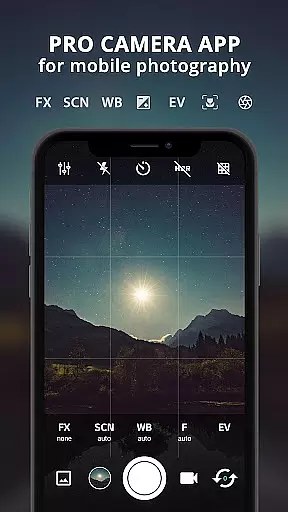
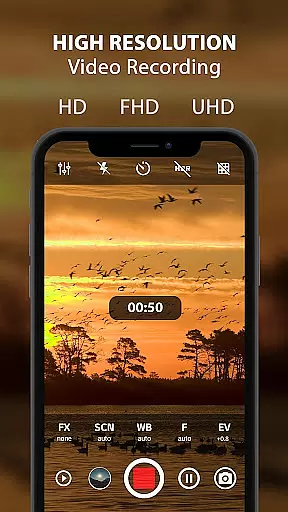
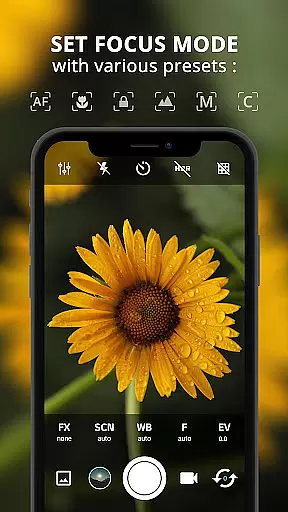
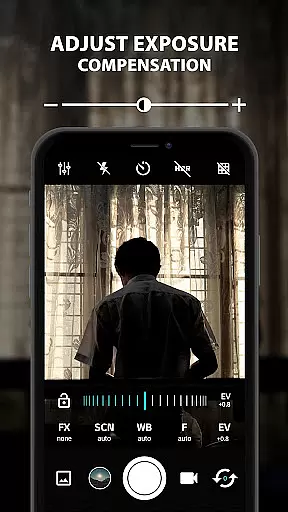
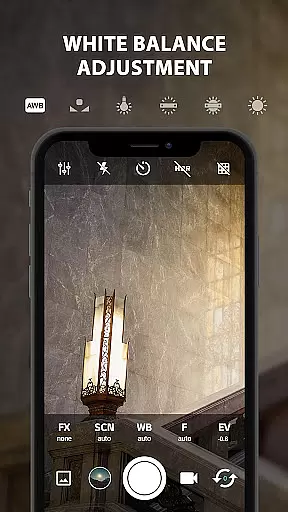
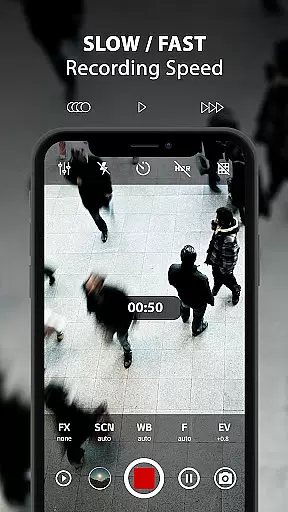
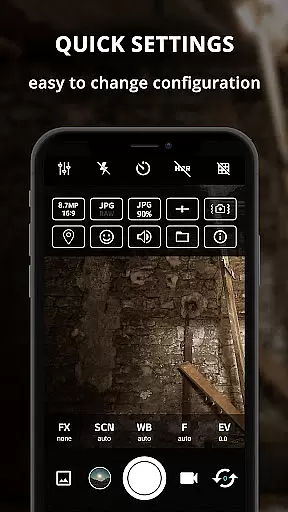
ProCam X transforms your smartphone into a professional-grade camera, offering extensive manual controls over key photography parameters. This includes precise adjustments for exposure, white balance, ISO, focus, and shutter speed, enabling users to capture high-quality photos and videos with DSLR-like control.
The app stands out with its advanced features such as burst mode photography, 4K video recording, real-time filters, and geotagging capabilities. These functionalities make it particularly suitable for both amateur photographers looking to improve their skills and professionals needing mobile flexibility in their work.
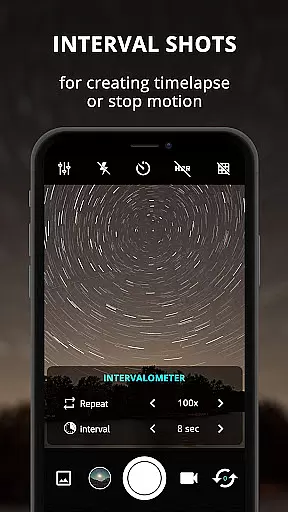
With its intuitive interface and comprehensive feature set, ProCam X is ideal for creating time-lapse sequences, capturing fast-action moments, and producing professional-quality content directly from your mobile device. The app's ability to adjust manual settings makes it valuable for various photography scenarios, from studio shoots to outdoor adventures.
ProCam X distinguishes itself through its comprehensive suite of professional camera features. The app provides complete manual control over essential photography parameters including ISO, shutter speed, white balance, and focus distance, allowing users to fine-tune their shots like professional photographers.
Among its notable capabilities are the intervalometer for time-lapse creation, burst shooting mode for capturing rapid sequences, and RAW (DNG) file support for maximum post-processing flexibility. The app also offers advanced features such as facial recognition, customizable grid lines including golden ratio composition guides, and precise exposure lock functionality.
Additional professional-grade features include 4K video recording with optional audio, adjustable volume key functions, and support for external microphones. The app's interface allows for seamless orientation changes while maintaining operation, and its silent camera option makes it suitable for discreet photography situations, enhancing its versatility across different shooting environments.
Real-time capture and preview functionality is essential for ensuring that every photo or video taken with ProCam X meets professional standards. This feature allows users to see exactly what the camera sensor captures, providing a live view of the scene before capturing it.
ProCam X enhances this experience by offering advanced controls such as manual ISO, white balance, and exposure adjustments directly within the preview window. These tools empower photographers to fine-tune their settings in real time, ensuring optimal image quality under various lighting conditions.
The app's ability to lock exposure and focus points further refines the capture process. By locking these parameters, users can maintain consistent exposure levels and sharpness across multiple shots, which is particularly useful for creating time-lapse videos or stop-motion sequences.
Ultimately, the real-time capture and preview features in ProCam X elevate mobile photography by bridging the gap between smartphone cameras and professional DSLR equipment. Users gain unparalleled control over their photographic process, resulting in higher-quality images and videos that reflect their creative vision.
AI beauty and enhancement features have become increasingly popular in mobile photography, aiming to improve the aesthetic appeal of photos while maintaining a natural look. ProCam X incorporates sophisticated AI algorithms that analyze facial features and apply enhancements subtly, avoiding the artificial appearance often associated with digital retouching.
This application intelligently adjusts skin tones, smooths imperfections, and enhances facial contours without over-processing. The AI-driven enhancements are designed to preserve the subject's unique characteristics, ensuring that portraits retain authenticity and emotional expression.
Moreover, ProCam X offers customizable AI beauty settings, allowing users to adjust the intensity of enhancements according to their preferences. Whether capturing casual selfies or professional portraits, users can achieve polished results that still appear genuine and lifelike.
By integrating AI beauty and enhancement tools, ProCam X not only simplifies the editing process but also democratizes high-quality portrait photography. Users of all skill levels can produce stunning images that strike a balance between enhanced aesthetics and natural beauty, making every shot a testament to their artistic intent.
Comprehensive manual controls
4K video recording capability
Professional-grade features
Intuitive user interface
Advanced photography options
Requires newer Android version
Some features device-dependent
Interface may overwhelm beginners
Advanced settings need learning
Premium features may cost extra

Effortlessly organize, view and share your photos & videos with Gallery app!
 4.40
4.40
Search, tag and rate your way to an organized image gallery
4.40
Create & Edit with AI: AI Remove, Enhance, Retouch, Filter
4.10
Over 800 film simulation recipes for Fujifilm. Black Friday Offer!
4.5
HD Camera Pro with HD Video shooting, Panorama, Photo editor , Beauty Camera.
4.50
Easily create custom gifts, cards, photo books & more on the Shutterfly app!
4.60
Transform Photos: Edit, Beautify and Craft Memories & Make Collages!
4.10
Discover & download millions of art for The Frame TV or Hisense CanvasTV
4.60
Photo & Video Gallery app to manage albums and save WA Status easily.
4.70
Amazing Photo Effects - The most fun you can have with your photos!
4.70
The original Rarevision VHS look seen everywhere!
4.70
Viewfinder, Light meter, Reciprocity failure time, DOF & Bellows Extension
4.60
Enhance, retouch & create your story - Share the moment with Photoshop Express.
4.60
Create Business Headshots, Polaroid Filter, Retake Photos,Profile Pics,AI Photos
4.50
Photo editor & gallery. Crop pictures & edit photos offline, no wifi!
4.50
Fit multiple photos on one post. Create carousels & scroll layouts for Instagram
4.50
Easily stitch panoramas from multiple photos or video.
4.40
Natural Beauty, Selfie Retouch
4.30
Luminar: Photo Editor - easy picture editing with AI
4.20


User Reviews