
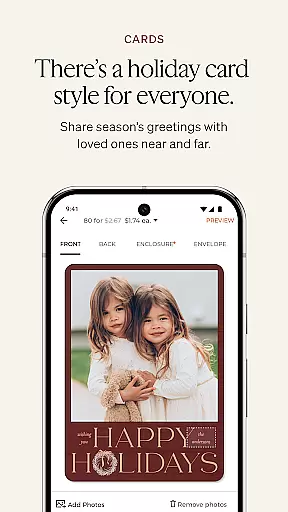
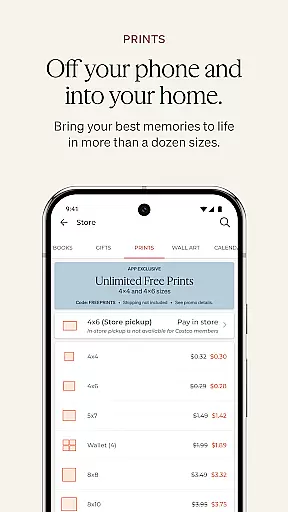
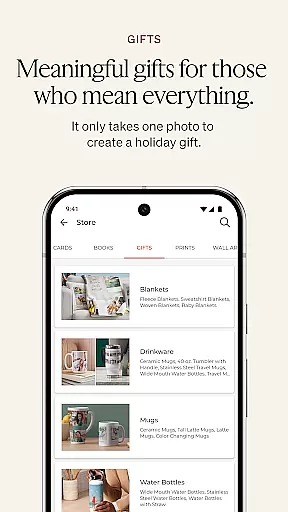
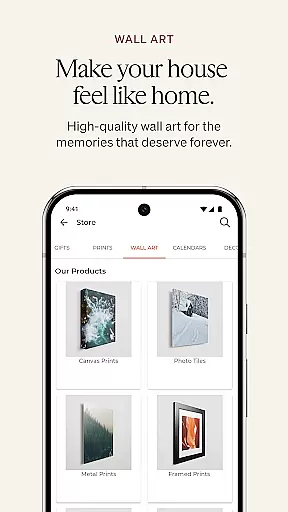
Shutterfly is a comprehensive photo editing and personalization app that allows users to create meaningful, customized photo gifts, holiday cards, home decor, photo books, prints, calendars, and more. The app's core function is transforming personal photos into unique products with emotional value, such as wedding invitations, birthday cards, and personalized blankets.
Beyond its basic offerings, Shutterfly provides advanced features like return & recipient address printing for envelopes, 24-Hour Photo Book Designer Service, artistic filters, and improved navigation tools. These features make it easier than ever to design professional-quality items directly from your mobile device. Whether you're looking to create a heartfelt gift or decorate your home with cherished memories, Shutterfly offers the tools to bring your ideas to life.
Perfect for special occasions or everyday use, Shutterfly helps users create lasting connections through personalized products. With seamless integration across multiple photo storage platforms, including Shutterfly, Amazon Photos, Google Photos, Facebook, and Instagram, users can easily access their entire photo library to craft unique creations.
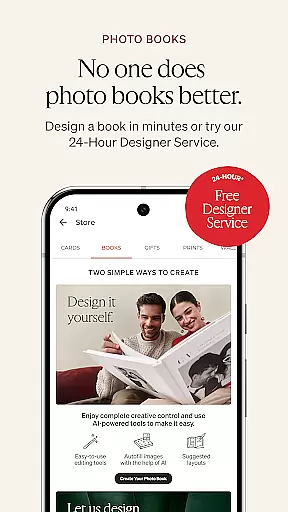
Shutterfly stands out with its diverse range of creative tools and user-friendly features. One of the app's key highlights is the 24-Hour Photo Book Designer Service, where users can upload photos and let a professional designer curate their photo book. This feature saves time while ensuring high-quality results.
In addition to its photo book services, Shutterfly offers practical tools like return & recipient address printing for envelopes, making bulk mailing tasks effortless. The app also includes artistic filters that transform ordinary photos into beautiful sketches, perfect for creating standout gifts. Its improved navigation tools ensure users can quickly find and explore new product categories, streamlining the customization process.
Shutterfly's integration with multiple photo storage platforms, including Amazon Photos, Google Photos, Facebook, and Instagram, enhances accessibility and convenience. By combining these features with an intuitive interface, Shutterfly empowers users to create personalized products that carry deep emotional significance.
Shutterfly offers a seamless real-time capture and preview feature, allowing users to instantly see how their photos will look on personalized products. This functionality is crucial for ensuring that every photo gift or printed memory meets the highest standards of quality.
The app's advanced preview system provides accurate representations of how images will appear on various materials, from photo books to home decor. By leveraging sophisticated rendering technology, Shutterfly ensures that colors, resolutions, and aspect ratios are preserved across different product types.
Users benefit from this feature by having complete creative control over their projects. Whether designing custom holiday cards or unique photo gifts like jigsaw puzzles, customers can be confident in their design choices before placing an order.
This real-time preview capability not only enhances user satisfaction but also reduces the likelihood of returns or exchanges, making the entire customization process more efficient and enjoyable.
Shutterfly incorporates advanced AI beauty and enhancement features that maintain natural-looking results while improving image quality. Unlike other photo editing applications, Shutterfly focuses on preserving the authenticity of memories while enhancing their visual appeal.
The application's AI-powered tools automatically adjust lighting, color balance, and sharpness while avoiding the artificial appearance often associated with digital enhancements. Users can choose from various artistic filters that transform photographs into beautiful sketches or painterly effects without compromising the original image's integrity.
Customers appreciate how these intelligent features work harmoniously with their photos stored across multiple platforms, including Shutterfly, Amazon Photos, Google Photos, Facebook, and Instagram. The AI enhancement tools ensure that every personalized item carries a powerful emotional connection while looking its best.
This approach to natural enhancement helps users create meaningful products that maintain the genuine essence of their cherished memories, from wedding invitations to cozy throw blankets.
User-friendly interface
Wide range of customization options
Professional photo book design service
Seamless integration with multiple photo storage platforms
Artistic filters for enhanced creativity
Limited free features
Some tools require premium subscription
Occasional glitches in photo uploads
Design options can be overwhelming for beginners
Shipping costs for physical products

AI portrait generator and polaroid AI selfie, fun AI generated AI photo creator!
 4.30
4.30
How would you look like with a differently shaped nose, chin or lips?
3.90
Trendy TikTok time warp scan funny filter app brings you unique photos & videos.
4.40
Android Native system HD camera app. Never been so simple and faster.
4.70
Photo prints, cards, & gifts at Walgreens. Easy ordering & fast local pickup !
4.80
Professional quality photo edits with the new Snapseed.
4.00
Turn photos into cartoons & avatars! - Photo Editor, Cartoon Face!
3.90
Astrophotography with your smartphone, photo live stacking and much more!
3.90
Professional camera app that brings DSLR manual photography controls to Android.
4.20
AI Photo Editor with 100+ Filters, Effects! Remove BG, Retouch & Photo Enhancer.
4.80
Cartoon and artistic effects for your photos and videos
4.70
The original Rarevision VHS look seen everywhere!
4.70
Add Watermark - Sign your pictures with a text or logo. Effective, quick, easy!
4.50
Fit multiple photos on one post. Create carousels & scroll layouts for Instagram
4.50
[3DSteroid Pro] is a stereoscopic application for Android.
4.30
Virtual makeup, hair filters & body tuner—edit from face to full body!
4.20
AI-powered video creator by MiniMax - Where ideas meet cinema
4.20
What celebrity do you look like? Celebs will find your celebrity match!
4.10
Application for remote controlling DSLR
3.00


User Reviews